
1. పరిచయం
This manual provides essential information for the safe and efficient operation of your TOPTRO Quadra Projector. Please read it thoroughly before using the device and retain it for future reference. The TOPTRO Quadra Projector offers a native 1080p resolution with true 4K HDR10/HLG support, running on a Linux OS with pre-installed streaming applications.
2. ప్యాకేజీ విషయాలు
ప్యాకేజీలో అన్ని అంశాలు ఉన్నాయని నిర్ధారించుకోండి:
- TOPTRO Quadra Projector
- రిమోట్ కంట్రోల్
- పవర్ కేబుల్
- వినియోగదారు మాన్యువల్ (ఈ పత్రం)
3. సెటప్
3.1 ప్లేస్మెంట్
Place the projector on a stable, flat surface or mount it to the ceiling. Ensure adequate ventilation around the device. For optimal viewing, position the projector to achieve the desired screen size. The projector supports a maximum projection size of 300 inches.

Image: Optimal projection distances for various screen sizes.
3.2 పవర్ కనెక్షన్
Connect the power cable to the projector's power input and then to a suitable electrical outlet.
3.3 బాహ్య పరికరాలను కనెక్ట్ చేయడం
The TOPTRO Quadra Projector features multiple connectivity options:
- HDMI: Connect laptops, Blu-ray players, gaming consoles (e.g., PS4), or TV sticks using the dual HDMI ports. One port supports HDMI ARC for enhanced audio return.
- USB: మీడియా ప్లేబ్యాక్ కోసం USB డ్రైవ్లను చొప్పించండి.
- 3.5mm ఆడియో అవుట్: బాహ్య స్పీకర్లు లేదా హెడ్ఫోన్లను కనెక్ట్ చేయండి.
- బ్లూటూత్ 5.2: Pair with Bluetooth speakers or headphones for wireless audio.
- Dual Band WiFi (2.4GHz + 5GHz): Connect to your home network for online streaming and updates.
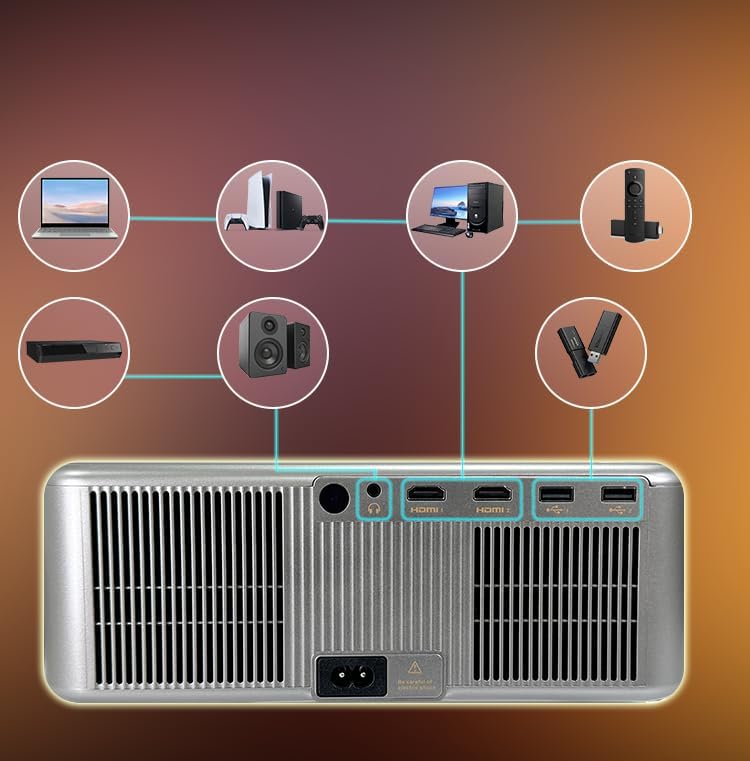
Image: Rear panel connectivity ports.
3.4 Initial Power On and Automatic Adjustments
Press the power button on the projector or remote control to turn on the device. The projector features fully automatic adjustments:
- ఆటో ఫోకస్: ప్రొజెక్టర్ స్వయంచాలకంగా చిత్రం స్పష్టతను సర్దుబాటు చేస్తుంది.
- స్వీయ కీస్టోన్ దిద్దుబాటు: కోణీయ ప్రొజెక్షన్కు భర్తీ చేయడానికి చిత్రం స్వయంచాలకంగా చతురస్రాకారంలోకి మారుతుంది.
- ఆటో అడ్డంకి నివారణ: The projection area will adjust to avoid objects in the path.
- ఆటో స్క్రీన్ ఫిట్: The image will automatically fit within the boundaries of your projection surface.

Image: Automatic image adjustment features.
4. ఆపరేటింగ్ సూచనలు
4.1 Navigating the Linux OS
The TOPTRO Quadra Projector runs on a Linux operating system. Use the provided remote control to navigate the user interface. The home screen provides access to pre-installed applications and settings.

Image: Projector displaying the Linux OS interface with streaming apps.
4.2 స్ట్రీమింగ్ అప్లికేషన్లు
The projector comes with pre-installed and certified applications such as Netflix, YouTube, and Prime Video. Access these directly from the home screen for 4K content streaming.

Image: Remote control with quick access buttons for streaming services.
4.3 Wireless Screen Mirroring
The projector supports Miracast for wireless screen mirroring from Android and iOS devices. Refer to your device's instructions for initiating screen mirroring and select the projector from the available devices.
4.4 Image and Sound Settings
Access the settings menu to adjust image parameters such as brightness, contrast, and color. The projector supports HDR10/HLG for enhanced dynamic range. Audio settings allow for volume control and selection of output devices (internal speakers, Bluetooth, 3.5mm jack, HDMI ARC).
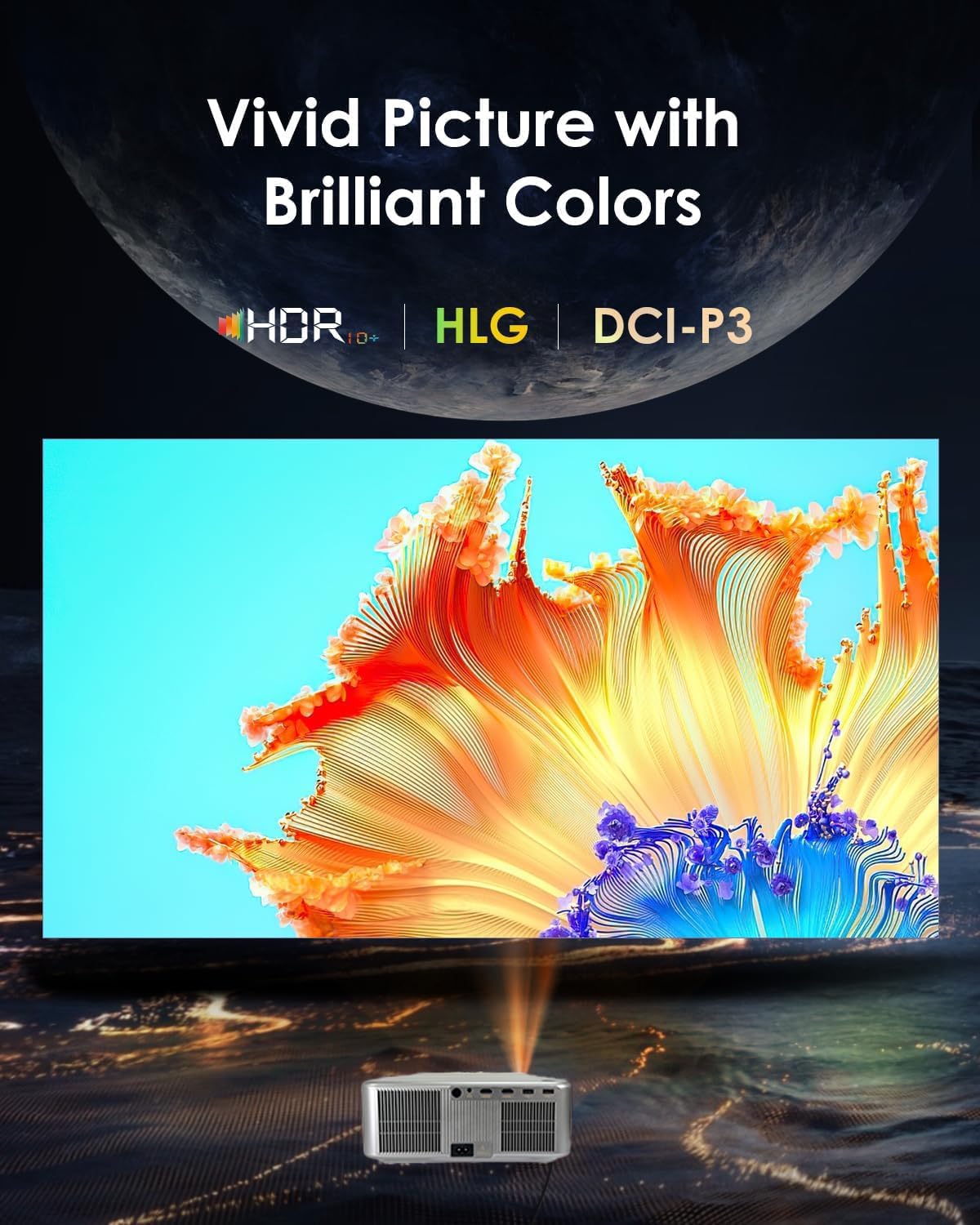
Image: Displaying vivid picture quality with HDR10+, HLG, and DCI-P3 color support.
5. నిర్వహణ
5.1 లెన్స్ శుభ్రపరచడం
ఆప్టికల్ ఉపరితలాల కోసం ప్రత్యేకంగా రూపొందించిన మృదువైన, మెత్తటి రహిత వస్త్రంతో ప్రొజెక్టర్ లెన్స్ను సున్నితంగా తుడవండి. రాపిడి క్లీనర్లను లేదా అధిక శక్తిని ఉపయోగించకుండా ఉండండి.
5.2 Cleaning the Vents
Regularly clean the air vents to prevent dust buildup, which can affect performance and lead to overheating. Use a soft brush or compressed air to clear the vents.
5.3 ఎల్amp జీవితం
ప్రొజెక్టర్ ఎల్amp has an estimated life of 50,000 hours. No user replacement is typically required during the product's lifespan under normal usage conditions.
6. ట్రబుల్షూటింగ్
6.1 చిత్రం లేదు
- ప్రొజెక్టర్ ఆన్ చేయబడిందని మరియు పవర్ కేబుల్ సురక్షితంగా కనెక్ట్ చేయబడిందని నిర్ధారించుకోండి.
- Check the input source. Verify that the correct HDMI or other input is selected.
- Confirm that the connected device (laptop, media player) is powered on and outputting a signal.
- కేబుల్ కనెక్షన్లు వదులుగా ఉన్నాయా లేదా దెబ్బతిన్నాయా అని తనిఖీ చేయండి.
6.2 ధ్వని లేదు
- Adjust the volume on the projector and the connected source device.
- Ensure external speakers or headphones are properly connected if used.
- If using Bluetooth, confirm the projector is paired with the correct audio device.
- Check audio settings in the projector's menu to ensure the correct audio output is selected.
6.3 చిత్రం అస్పష్టంగా లేదా వక్రీకరించబడింది
- Allow the projector's auto-focus feature to complete its adjustment.
- Ensure the projector is placed perpendicular to the screen for best results, allowing auto-keystone to function optimally.
- Check for any physical obstructions in front of the lens.
6.4 Connectivity Issues (WiFi/Bluetooth)
- For WiFi, ensure the projector is within range of your router and the password is entered correctly. Try restarting your router.
- బ్లూటూత్ కోసం, మీరు కనెక్ట్ చేయడానికి ప్రయత్నిస్తున్న పరికరం జత చేసే మోడ్లో మరియు పరిధిలో ఉందని నిర్ధారించుకోండి.
7. స్పెసిఫికేషన్లు
| బ్రాండ్ | టాప్ |
| మోడల్ | Quadra Certified (X6) |
| ప్రదర్శన సాంకేతికత | LCD |
| స్థానిక రిజల్యూషన్ | 1920 x 1080 (1080p) |
| మద్దతు ఉన్న రిజల్యూషన్ | 3840 x 2160 (4K) వరకు |
| చిత్రం ప్రకాశం | 30000 ల్యూమెన్స్ (2500 ANSI ల్యూమెన్స్) |
| ఇమేజ్ కాంట్రాస్ట్ రేషియో | 10000:1 |
| కారక నిష్పత్తి | 16:9 |
| రిఫ్రెష్ రేట్ | 60 Hz |
| ప్రత్యేక లక్షణాలు | 4K HDR 10/HLG, Net - Flix Certified Linux OS, 2GB RAM, 32GB ROM, Auto Focus & Keystone, Auto Obstacle Avoidance, Auto Screen Fit, 15W Speakers, HDMI ARC, Dual HDMI, Dual 5G & 2.4G WiFi 6, Bluetooth 5.2, WiFi Display, Electronic Focus & 6D Electronic correction, AI Image Tech (Color Correction, Noise Reduction, Edge Enhancement), MEMC Motion Compensation, Dolby Audio. |
| హార్డ్వేర్ ఇంటర్ఫేస్ | 3.5mm Audio, Bluetooth 5, Ethernet, HDMI, USB |
| అనుకూల పరికరాలు | Laptop, Speaker, Television, Gaming Consoles, TV Sticks |
| Lamp జీవితం | 50,000 గంటలు |
| ఉత్పత్తి కొలతలు | 28 x 13 x 30 సెం.మీ |
| వస్తువు బరువు | 3 కిలోలు |

చిత్రం: పైగాview of advanced features and specifications.
8. వారంటీ సమాచారం
The TOPTRO Quadra Projector comes with a 1 సంవత్సరాల వారంటీ provided by TOPTRO from the date of purchase. For detailed warranty terms and conditions, please visit the official TOPTRO webసైట్.
9. మద్దతు
For technical assistance, customer service, or warranty claims, please contact TOPTRO support:
- Webసైట్: toptro.in
- ఇమెయిల్: support@toptro.in or sreeprojectors@gmail.com
- WhatsApp: 8341888860