
పరిచయం
This manual provides essential information for the safe and efficient use of your Haier QLED 4K UHD H50S80FUX 50-inch Smart TV. Please read it thoroughly before operating the device and retain it for future reference.
భద్రతా సమాచారం
Always follow basic safety precautions when using this television to reduce the risk of fire, electric shock, and injury. Do not expose the TV to rain or moisture. Do not open the cabinet. Refer all servicing to qualified personnel.
పెట్టెలో ఏముంది
- Haier QLED 4K UHD 50-inch Smart TV
- స్మార్ట్ రిమోట్ కంట్రోల్
- పవర్ కేబుల్
- వినియోగదారు మాన్యువల్
- 2 AAA బ్యాటరీలు (రిమోట్ కంట్రోల్ కోసం)
సెటప్
1. భౌతిక సంస్థాపన
Your Haier TV can be wall-mounted or placed on its central stand. Ensure the TV is placed on a stable surface or securely mounted to a wall using a VESA 400 x 400 mm compatible mount.
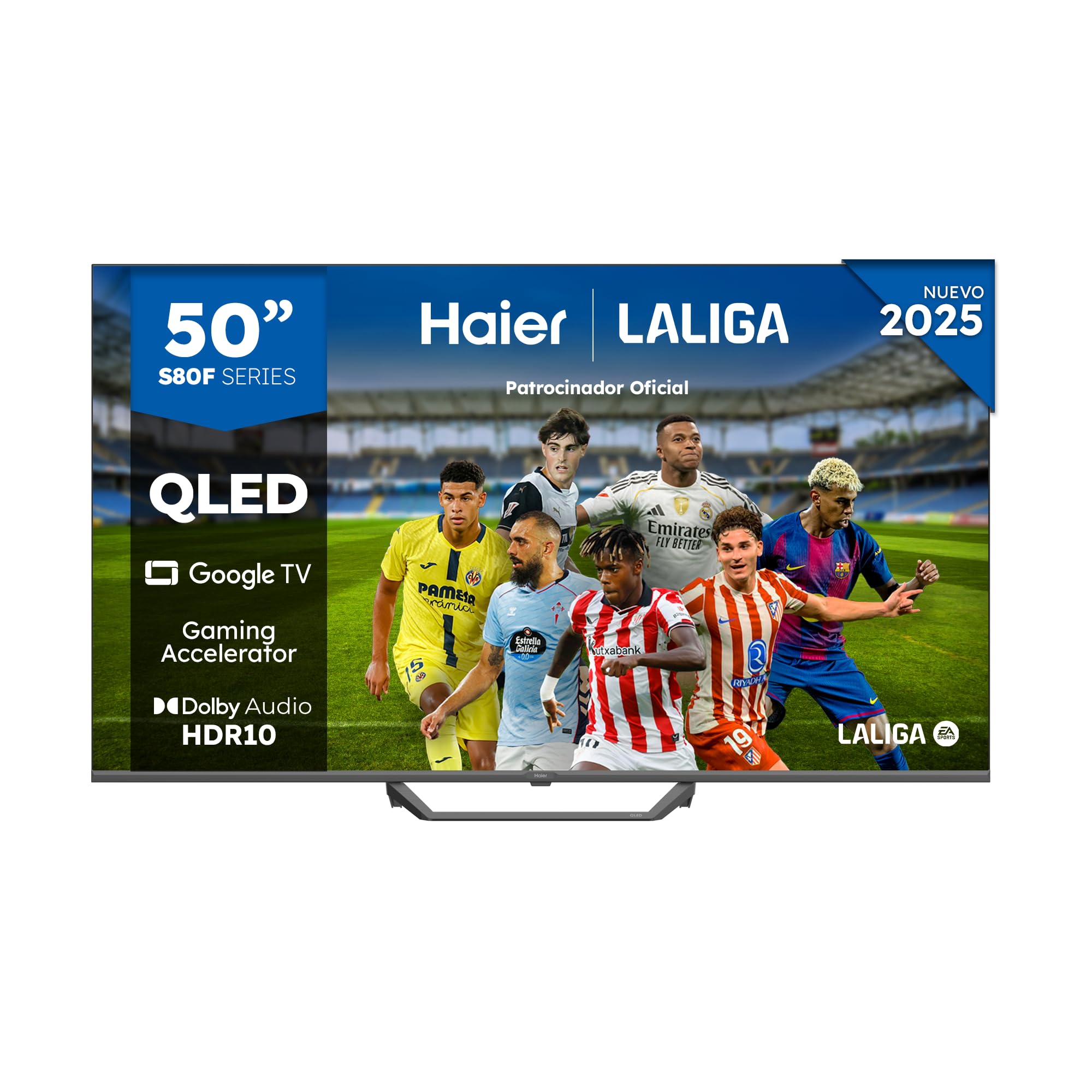
Image: Haier QLED 4K UHD 50-inch Smart TV with its sleek, frameless design.
2. కనెక్ట్ పవర్
Connect the provided power cable to the TV's power input and then to a suitable electrical outlet (230 Volts).
3. రిమోట్ కంట్రోల్ సెటప్
Insert the 2 AAA batteries into the Smart Remote Control. The remote is designed for intuitive navigation of the Google TV interface.
4. ప్రారంభ పవర్ ఆన్ మరియు Google TV సెటప్
Press the power button on the remote. Follow the on-screen instructions to complete the initial setup, including language selection, network connection (Wi-Fi or Ethernet), and Google account login for Google TV features.

Image: The Google TV interface displaying various streaming applications like Netflix, YouTube, and Disney+.
మీ టీవీని ఆపరేట్ చేయడం
1. ప్రాథమిక నావిగేషన్
Use the directional pad and 'OK' button on your Smart Remote Control to navigate through menus and select options. Dedicated buttons provide quick access to popular streaming services.
2. Accessing Apps and Content
From the Google TV home screen, you can access pre-installed applications like Disney+, YouTube, Netflix, and Prime Video. The Google Store offers over 10,000 additional apps. Use Chromecast built-in to cast content from your mobile device.
3. ఇన్పుట్ ఎంపిక
Press the 'Input' button on your remote to switch between connected devices via HDMI 2.1 ports (x4) or USB 2.0 ports (x2).

Image: A close-up of the HDMI 2.1 port, highlighting its advanced connectivity for high-speed data transfer.
4. Picture Settings (QLED 4K UHD, HDR 10)
Your TV features QLED 4K UHD technology with Quantum Dot for vibrant colors and HDR 10 support for enhanced contrast and detail. Adjust picture modes (e.g., Standard, Cinema, Game) in the settings menu to optimize your viewing అనుభవం.

చిత్రం: పైగాview of Haier S81 Series QLED 50-inch TV features, including Dolby Audio, Google TV, Gaming Accelerator, and HDR 10.
5. Sound Settings (Dolby Audio)
The TV is equipped with Dolby Audio for immersive sound. You can customize audio settings, including sound modes and equalizer, through the TV's audio menu. The integrated DBX TV technology further enhances sound calibration.

Image: Visual representation of Dolby Audio technology, emphasizing cinematic sound experience.
6. గేమింగ్ ఫీచర్లు
Benefit from the Gaming Accelerator and HDMI 2.1 ports for a smoother gaming experience with a 120Hz refresh rate. The TV supports MEMC technology for motion enhancement.

Image: Comparison of 60Hz standard and 120Hz DLG Gaming Accelerator, illustrating smoother motion for gaming.
7. Google Assistant and Bluetooth
Use the built-in Google Assistant for voice commands and smart home control. Connect Bluetooth 5.1 compatible devices such as headphones or game controllers wirelessly.
నిర్వహణ
1. స్క్రీన్ను శుభ్రపరచడం
మృదువైన, పొడి, మెత్తటి బట్టతో స్క్రీన్ను సున్నితంగా తుడవండి. మొండి మరకల కోసం, కొద్దిగా dampనీటితో లేదా ప్రత్యేకమైన స్క్రీన్ క్లీనర్తో వస్త్రాన్ని తుడవండి. కఠినమైన రసాయనాలను నివారించండి.
2. సాఫ్ట్వేర్ నవీకరణలు
Ensure your TV is connected to the internet to receive automatic software updates. These updates provide new features and improve performance and security.
ట్రబుల్షూటింగ్
- శక్తి లేదు: పవర్ కేబుల్ టీవీ మరియు అవుట్లెట్ రెండింటికీ సురక్షితంగా కనెక్ట్ చేయబడిందో లేదో తనిఖీ చేయండి. అవుట్లెట్ పనిచేస్తుందని నిర్ధారించుకోండి.
- చిత్రం/ధ్వని లేదు: సరైన ఇన్పుట్ సోర్స్ ఎంచుకోబడిందని ధృవీకరించండి. అన్ని కేబుల్ కనెక్షన్లను (HDMI, మొదలైనవి) తనిఖీ చేయండి.
- రిమోట్ స్పందించడం లేదు: Replace the AAA batteries in the remote control. Ensure there are no obstructions between the remote and the TV.
- నెట్వర్క్ కనెక్షన్ సమస్యలు: Restart your router and the TV. Check Wi-Fi password and signal strength. For Ethernet, ensure the cable is properly connected.
స్పెసిఫికేషన్లు
| మోడల్ సంఖ్య | 36200135 |
| స్క్రీన్ పరిమాణం | 50 అంగుళాలు |
| ప్రదర్శన సాంకేతికత | QLED, 4K UHD |
| రిజల్యూషన్ | 4K (3840 x 2160 పిక్సెల్లు) |
| రిఫ్రెష్ రేట్ | 120 Hz |
| HDR ఫార్మాట్ మద్దతు | HDR10 |
| ఆపరేటింగ్ సిస్టమ్ | Google TV |
| ఆడియో టెక్నాలజీ | డాల్బీ ఆడియో, DBX టీవీ |
| స్పీకర్ అవుట్పుట్ పవర్ | 24 వాట్స్ |
| కనెక్టివిటీ | Wi-Fi, Ethernet, Bluetooth 5.1, 4x HDMI 2.1, 2x USB 2.0 |
| VESA మౌంటు స్టాండర్డ్ | 400 x 400 మి.మీ |
| కొలతలు (స్టాండ్తో) | 111.12 x 27.72 x 68.86 సెం.మీ |
| బరువు (స్టాండ్తో) | 8.5 కిలోలు |
| ఎనర్జీ ఎఫిషియెన్సీ క్లాస్ | F |
For detailed energy information, refer to the official EU EPREL database: https://eprel.ec.europa.eu/qr/2290978
వారంటీ మరియు మద్దతు
This product comes with a 3-year limited warranty. For technical support or warranty claims, please contact Haier customer service. Keep your purchase receipt for proof of warranty.