
1. ఉత్పత్తి ముగిసిందిview
The Xiaomi Portable Photo Printer Pro is a compact and lightweight device designed for printing photos directly from your smartphone or other compatible devices. It utilizes advanced printing technology to produce high-quality, vibrant prints.
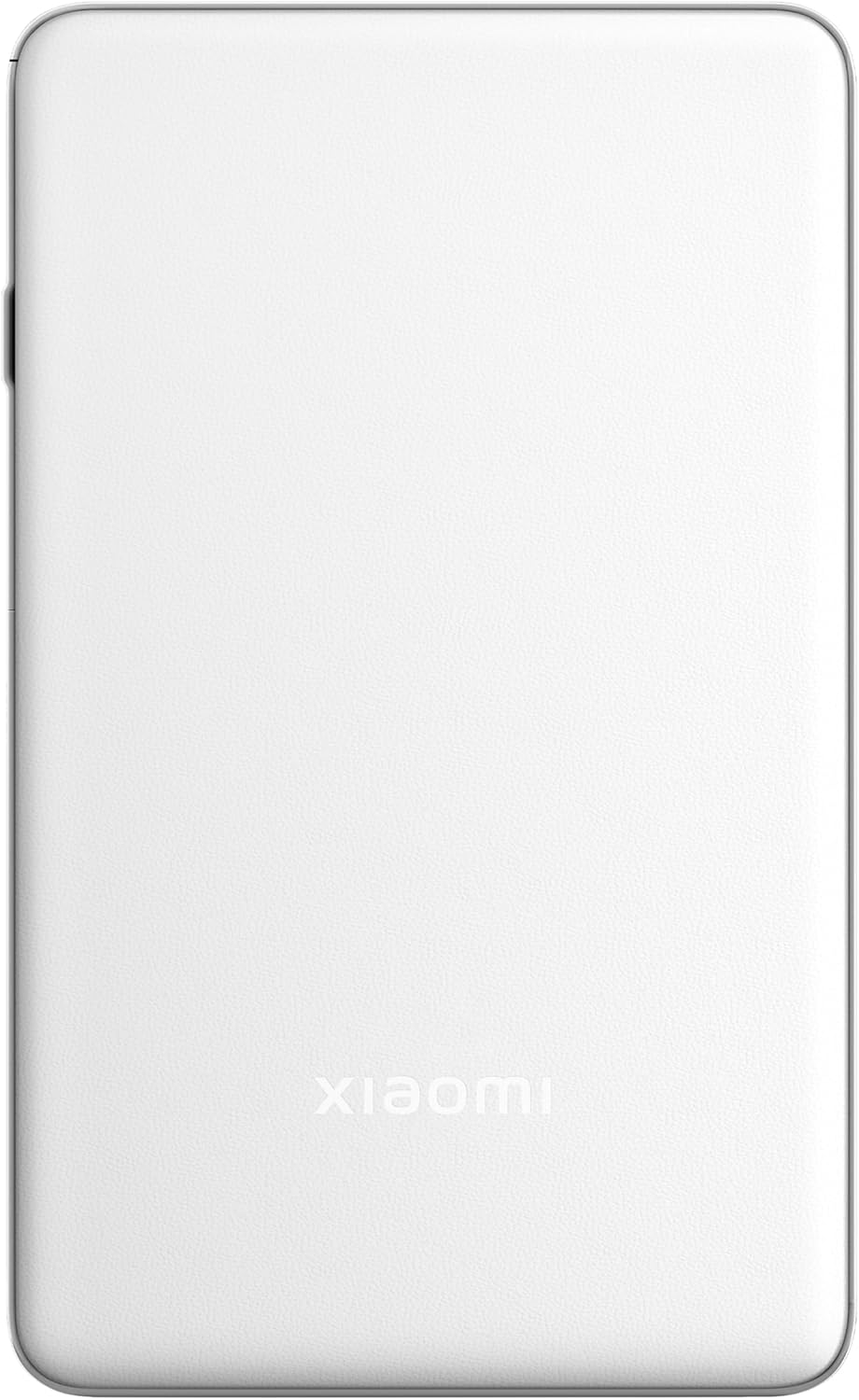
చిత్రం 1.1: పైభాగం view of the Xiaomi Portable Photo Printer Pro, showcasing its minimalist design and compact form factor.

చిత్రం 1.2: వైపు view of the Xiaomi Portable Photo Printer Pro, highlighting its slim profile and power button location.
2. సెటప్
2.1 ప్రింటర్ను ఛార్జ్ చేయడం
Before initial use, fully charge the printer. Connect the provided USB charging cable to the printer's charging port and a compatible power adapter. The indicator light will show charging status.
2.2 ఫోటో పేపర్ను లోడ్ చేస్తోంది
- Open the paper tray cover on the printer.
- Insert the photo paper stack into the tray with the glossy side facing up. Ensure the paper is aligned correctly.
- పేపర్ ట్రే కవర్ను సురక్షితంగా మూసివేయండి.

Image 2.1: The Xiaomi Portable Photo Printer Pro with photo paper being inserted into the paper tray, demonstrating the correct orientation.
2.3 కంపానియన్ యాప్ను ఇన్స్టాల్ చేయడం
Download and install the official Xiaomi Home app (or designated printer app) from your device's app store. This app is required for connecting to the printer and managing print jobs.
2.4 బ్లూటూత్ ద్వారా కనెక్ట్ అవుతోంది
- ప్రింటర్ ఆన్ చేయబడిందని నిర్ధారించుకోండి.
- మీ స్మార్ట్ఫోన్ లేదా టాబ్లెట్లో బ్లూటూత్ను ప్రారంభించండి.
- Open the Xiaomi Home app and follow the on-screen instructions to add a new device. Select the Xiaomi Portable Photo Printer Pro from the list of available devices.
- Confirm the pairing request on both your device and the printer if prompted.
3. ఆపరేటింగ్ సూచనలు
3.1 పవర్ చేయడం ఆన్/ఆఫ్
- పవర్ ఆన్ చేయడానికి: సూచిక లైట్ వెలిగే వరకు పవర్ బటన్ను దాదాపు 3 సెకన్ల పాటు నొక్కి పట్టుకోండి.
- పవర్ ఆఫ్ చేయడానికి: సూచిక లైట్ ఆపివేయబడే వరకు పవర్ బటన్ను దాదాపు 3 సెకన్ల పాటు నొక్కి పట్టుకోండి.
3.2 ఫోటోలను ముద్రించడం
- Ensure the printer is powered on and connected to your device via Bluetooth.
- Open the Xiaomi Home app and select the photo you wish to print.
- Adjust any print settings (e.g., size, filters) within the app.
- Tap the 'Print' button. The printer will feed the paper and begin printing.

Image 3.1: The Xiaomi Portable Photo Printer Pro positioned on a wooden table, actively printing a photo, with the printed image emerging from the top slot.

Image 3.2: The Xiaomi Portable Photo Printer Pro being held in a hand, illustrating its portability and ease of handling for on-the-go printing.
4. నిర్వహణ
4.1 ప్రింటర్ను శుభ్రపరచడం
- ప్రింటర్ శుభ్రం చేయడానికి ముందు దాని పవర్ ఆఫ్ చేయబడిందని నిర్ధారించుకోండి.
- ప్రింటర్ యొక్క బాహ్య భాగాన్ని తుడవడానికి మృదువైన, పొడి, మెత్తటి బట్టను ఉపయోగించండి.
- లిక్విడ్ క్లీనర్లు లేదా రాపిడి పదార్థాలను ఉపయోగించవద్దు, ఎందుకంటే ఇవి పరికరాన్ని దెబ్బతీస్తాయి.
4.2 Replacing Photo Paper
When the printer runs out of paper, follow the steps in Section 2.2 to load a new stack of photo paper. Use only genuine Xiaomi photo paper for optimal print quality and to prevent damage to the printer.
4.3 బ్యాటరీ సంరక్షణ
- Avoid exposing the printer to extreme temperatures.
- If storing the printer for an extended period, ensure it is partially charged (around 50%) to prolong battery life.
- తరచుగా ఉపయోగించకపోయినా, బ్యాటరీని క్రమం తప్పకుండా రీఛార్జ్ చేయండి.
5. ట్రబుల్షూటింగ్
- ప్రింటర్ ఆన్ చేయడం లేదు: Ensure the battery is charged. Connect the printer to a power source and try again.
- బ్లూటూత్ ద్వారా కనెక్ట్ చేయడం సాధ్యం కాలేదు:
- Ensure Bluetooth is enabled on your device and the printer.
- ప్రింటర్ మరియు మీ పరికరం రెండింటినీ పునఃప్రారంభించండి.
- Forget the device in your phone's Bluetooth settings and attempt to pair again through the app.
- పేలవమైన ముద్రణ నాణ్యత:
- Check if the photo paper is loaded correctly with the glossy side up.
- Ensure you are using genuine Xiaomi photo paper.
- The image resolution might be too low. Try printing a higher-resolution image.
- పేపర్ జామ్:
- Power off the printer immediately.
- Carefully open the paper tray cover and gently remove any jammed paper. Avoid tearing the paper inside the mechanism.
- Close the cover and power on the printer.
- ప్రింటర్ స్పందించడం లేదు: Try performing a soft reset by pressing and holding the power button for 10-15 seconds until the printer restarts.
6. స్పెసిఫికేషన్లు
| ఫీచర్ | స్పెసిఫికేషన్ |
|---|---|
| మోడల్ | KDRSHDY03HT |
| ఉత్పత్తి కొలతలు | 14.25 x 8.68 x 2.68 సెం.మీ |
| వస్తువు బరువు | 308 గ్రాములు |
| గరిష్ట ఇన్పుట్ షీట్ కెపాసిటీ | 20 షీట్లు |
| ప్రింట్ మీడియా | Glossy photo paper, Plain paper |
| ప్రింటర్ అవుట్పుట్ | రంగు |
| ప్రత్యేక లక్షణాలు | పోర్టబుల్ |
| బ్యాటరీలు | 1 x 12V బ్యాటరీ (చేర్చబడింది) |
| కనెక్టివిటీ | బ్లూటూత్ |
7. వారంటీ మరియు మద్దతు
7.1 వారంటీ సమాచారం
The Xiaomi Portable Photo Printer Pro comes with a standard manufacturer's warranty. Please refer to the warranty card included in the product packaging for specific terms, conditions, and duration. Keep your proof of purchase for warranty claims.
7.2 కస్టమర్ మద్దతు
For technical assistance, troubleshooting beyond this manual, or warranty inquiries, please contact Xiaomi customer support. Visit the official Xiaomi webసంప్రదింపు వివరాలు మరియు మద్దతు వనరుల కోసం సైట్.
మీరు అధికారిక వద్ద మరింత సమాచారం మరియు మద్దతును కనుగొనవచ్చు XIAOMI Store.