
BYYBUO A10_M_US
BYYBUO 10.1-అంగుళాల Android 15 టాబ్లెట్ (మోడల్ A10_M_US) యూజర్ మాన్యువల్
Model: A10_M_US | Brand: BYYBUO
పరిచయం
This manual provides detailed instructions for the operation and maintenance of your BYYBUO 10.1-inch Android 15 Tablet, Model A10_M_US. Please read this manual thoroughly before using your device to ensure proper functionality and longevity. Keep this manual for future reference.
పెట్టెలో ఏముంది
Upon unboxing your BYYBUO Tablet, verify that all listed items are present:
- BYYBUO 10.1-inch Android 15 Tablet
- Protective Case (pre-installed)
- Screen Protector (pre-installed)
- ఛార్జింగ్ కేబుల్ (టైప్-సి)
- పవర్ అడాప్టర్
- వినియోగదారు మాన్యువల్ (ఈ పత్రం)

Image: The BYYBUO 10.1-inch Android 15 Tablet, shown with its pre-installed protective case and screen protector, highlighting its sleek design and ready-to-use state.
సెటప్
- ప్రారంభ ఛార్జింగ్: Before first use, fully charge the tablet using the provided Type-C charging cable and power adapter. Connect the cable to the tablet's charging port and the adapter to a power outlet. The battery indicator will show charging status.
- పవర్ ఆన్/ఆఫ్: Press and hold the power button (located on the side) for a few seconds until the BYYBUO logo appears. To power off, press and hold the power button, then select "Power off" from the options.
- ప్రారంభ కాన్ఫిగరేషన్: Upon first startup, follow the on-screen prompts to select your language, connect to a Wi-Fi network, and set up your Google account. A Google account is required to download apps from the Google Play Store.
- స్క్రీన్ ప్రొటెక్టర్: The tablet comes with a pre-installed screen protector. Ensure it is free from bubbles or dust for optimal viewing.

Image: The BYYBUO Tablet showcasing the Android 15 Go operating system, illustrating its intuitive interface and access to Google services for efficient multitasking and enhanced security.
ఆపరేటింగ్ సూచనలు
నావిగేషన్ మరియు ఇంటర్ఫేస్
- టచ్స్క్రీన్ సంజ్ఞలు:
- Tap: Select an item or open an app.
- Swipe: Navigate between home screens, scroll through lists, or open notification/quick settings panels.
- Pinch-to-Zoom: Zoom in or out on images and web పేజీలు.
- హోమ్ స్క్రీన్: The central hub for your apps and widgets. Customize by long-pressing on empty space.
- నోటిఫికేషన్ ప్యానెల్: Swipe down from the top of the screen to access notifications and quick settings (Wi-Fi, Bluetooth, brightness, etc.).
అనువర్తన నిర్వహణ
- యాప్లను డౌన్లోడ్ చేస్తోంది: Open the "Play Store" app, search for desired applications, and tap "Install."
- యాప్లను అన్ఇన్స్టాల్ చేయడం: Long-press an app icon on the home screen or app drawer, then drag it to "Uninstall" or select the uninstall option. Alternatively, go to Settings > Apps > See all apps, select the app, and tap "Uninstall."
కనెక్టివిటీ
- Wi-Fi కనెక్షన్: Go to Settings > Network & internet > Wi-Fi. Turn Wi-Fi on, select your network, and enter the password if required. The tablet supports Wi-Fi 6 (2.4G/5G) for fast and stable connections.
- బ్లూటూత్ పెయిరింగ్: Go to Settings > Connected devices > Connection preferences > Bluetooth. Turn Bluetooth on, scan for devices, and select your device to pair. The tablet supports Bluetooth 5.2.
- ఆడియో అవుట్పుట్: Use the built-in dual stereo speakers or connect headphones via the 3.5mm headphone jack for a personalized audio experience.

Image: The BYYBUO Tablet displaying a video call with multiple participants, demonstrating its dual-band Wi-Fi 6 and Bluetooth 5.2 capabilities for smooth communication.
కెమెరా వినియోగం
ఈ టాబ్లెట్లో 5MP ముందు కెమెరా మరియు 8MP వెనుక కెమెరా ఉన్నాయి.
- ఫోటోలు/వీడియోలు తీయడం: Open the "Camera" app. Tap the shutter button to take a photo or switch to video mode to record.
- వీడియో కాల్స్: Utilize the front camera for video conferencing through compatible applications.
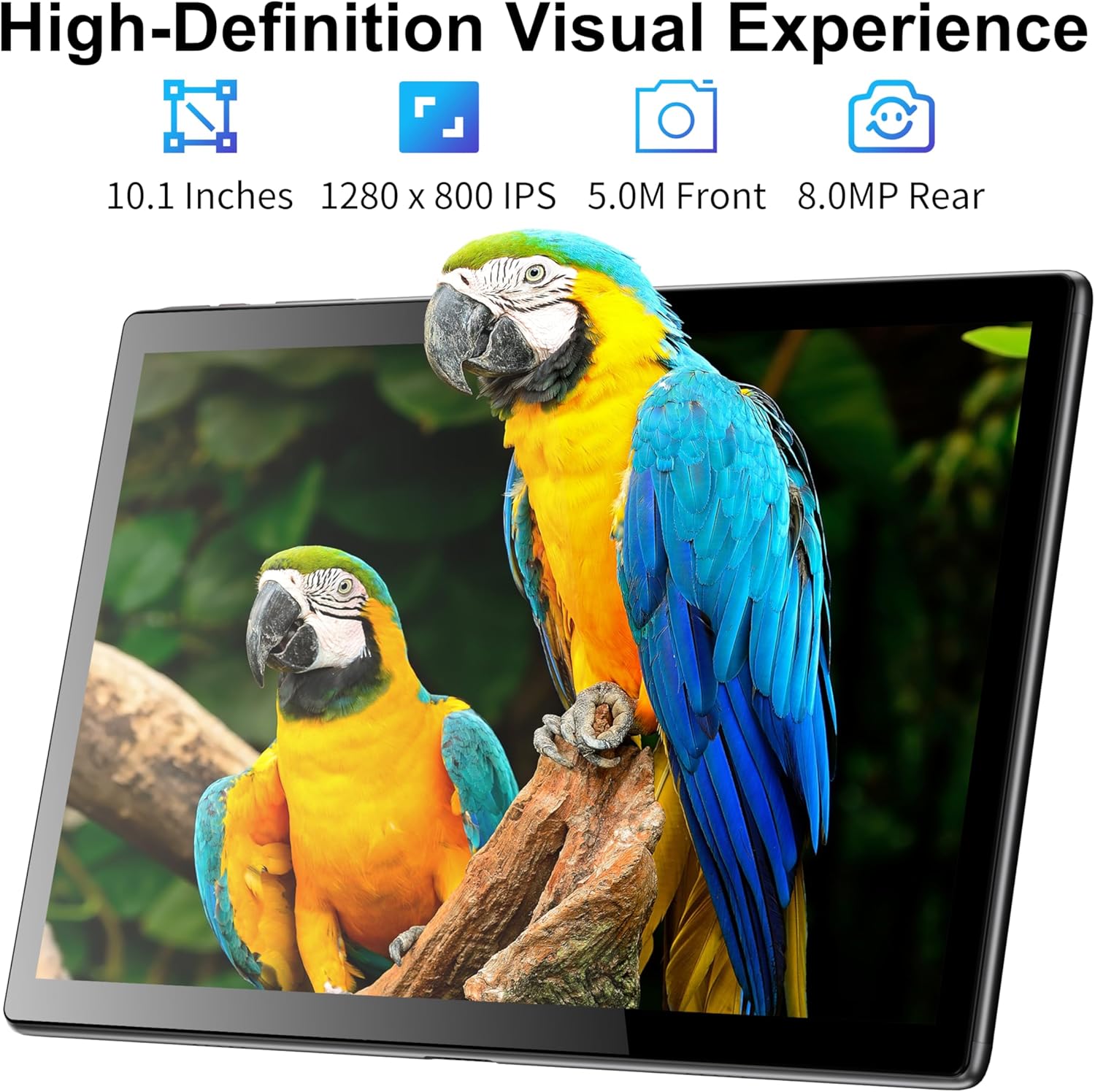
Image: The BYYBUO Tablet showcasing its 1280x800 IPS HD display with a vivid image, emphasizing its visual quality and the functionality of its 5MP front and 8MP rear cameras.
నిల్వ నిర్వహణ
The tablet comes with 64GB of internal storage. This can be expanded up to 1TB using an SD card (sold separately).
- SD కార్డ్ని చొప్పించడం: Locate the SD card slot on the side of the tablet. Carefully insert the SD card until it clicks into place.
- మేనేజింగ్ Files: Use the pre-installed "Files" app to browse, organize, and manage your documents, photos, and videos.

Image: A graphic illustrating the BYYBUO Tablet's large storage capacity, featuring 8GB RAM, 64GB ROM, and the option to expand up to 1TB, suitable for various applications and media.
బ్యాటరీ నిర్వహణ
The 5000mAh battery provides up to 7 hours of continuous use and 5 days of standby time.
- బ్యాటరీ జీవితాన్ని ఆప్టిమైజ్ చేయడం: Reduce screen brightness, close unused apps, and disable Wi-Fi/Bluetooth when not in use to extend battery life.
- ఛార్జింగ్: Charge the tablet when the battery level is low to prevent unexpected shutdowns.

Image: A visual representation of the BYYBUO Tablet being charged via its Type-C port, emphasizing its 5000mAh battery capacity and charging process.
నిర్వహణ
- శుభ్రపరచడం: టాబ్లెట్ స్క్రీన్ మరియు బాడీని శుభ్రం చేయడానికి మృదువైన, మెత్తటి బట్టను ఉపయోగించండి. రాపిడి పదార్థాలు లేదా కఠినమైన రసాయనాలను నివారించండి.
- సాఫ్ట్వేర్ అప్డేట్లు: Regularly check for and install system updates (Settings > System > System update) to ensure optimal performance, security, and access to new features.
- నిల్వ ఆప్టిమైజేషన్: Periodically clear cache data from apps (Settings > Apps > [App Name] > Storage & cache > Clear cache) and delete unnecessary fileనిల్వ స్థలాన్ని ఖాళీ చేయడానికి s.
- పర్యావరణ పరిస్థితులు: Avoid exposing the tablet to extreme temperatures, direct sunlight, or high humidity.
ట్రబుల్షూటింగ్
సాధారణ సమస్యలు మరియు పరిష్కారాలు:
- టాబ్లెట్ పవర్ చేయడం లేదు:
- బ్యాటరీ ఛార్జ్ అయ్యిందని నిర్ధారించుకోండి. ఛార్జర్ను కనెక్ట్ చేసి, మళ్లీ పవర్ ఆన్ చేయడానికి ప్రయత్నించే ముందు కొన్ని నిమిషాలు వేచి ఉండండి.
- If unresponsive, try a soft reset by pressing and holding the power button for 10-15 seconds.
- నెమ్మదిగా పనితీరు:
- నేపథ్యంలో నడుస్తున్న ఉపయోగించని అప్లికేషన్లను మూసివేయండి.
- Clear app cache and temporary files.
- సిస్టమ్ నవీకరణల కోసం తనిఖీ చేయండి.
- చివరి ప్రయత్నంగా ఫ్యాక్టరీ రీసెట్ను పరిగణించండి (ముందుగా డేటాను బ్యాకప్ చేయండి).
- Wi-Fi/బ్లూటూత్ కనెక్టివిటీ సమస్యలు:
- Toggle Wi-Fi/Bluetooth off and on again.
- Restart the tablet and your router/Bluetooth device.
- నెట్వర్క్/పరికరాన్ని మర్చిపోయి తిరిగి కనెక్ట్ చేయండి.
- యాప్లు క్రాష్ అవుతున్నాయి:
- యాప్ దాని తాజా వెర్షన్కి నవీకరించబడిందని నిర్ధారించుకోండి.
- యాప్ కాష్ మరియు డేటాను క్లియర్ చేయండి (సెట్టింగ్లు > యాప్లు > [యాప్ పేరు] > స్టోరేజ్ & కాష్).
- యాప్ను మళ్లీ ఇన్స్టాల్ చేయండి.
స్పెసిఫికేషన్లు
| ఫీచర్ | వివరాలు |
|---|---|
| బ్రాండ్ | BYYBUO |
| మోడల్ పేరు | A10_M_US |
| ఆపరేటింగ్ సిస్టమ్ | ఆండ్రాయిడ్ 15 |
| స్క్రీన్ పరిమాణం | 10.1 అంగుళాలు |
| స్క్రీన్ రిజల్యూషన్ | 1280 x 800 pixels (IPS HD Touchscreen) |
| ప్రాసెసర్ | Quad-core, 1.5 GHz (Allwinner) |
| RAM | 8GB (3GB + 5GB) |
| అంతర్గత నిల్వ | 64GB |
| విస్తరించదగిన నిల్వ | Up to 1TB via SD card (sold separately) |
| వెనుక కెమెరా | 8 ఎంపీ |
| ఫ్రంట్ కెమెరా | 5 ఎంపీ |
| బ్యాటరీ కెపాసిటీ | 5000mAh |
| సగటు బ్యాటరీ జీవితం | 7 గంటలు |
| వైర్లెస్ రకం | Wi-Fi 6 (802.11ac, 802.11b, 802.11g, 802.11n) |
| బ్లూటూత్ | బ్లూటూత్ 5.2 |
| కొలతలు (LxWxH) | 9.52 x 6.32 x 0.32 అంగుళాలు |
| వస్తువు బరువు | 2.27 పౌండ్లు |
వారంటీ మరియు మద్దతు
For warranty information and customer support, please refer to the official BYYBUO website or contact their customer service directly. The product may be eligible for additional protection plans, as detailed on the purchase platform.
అధికారిక బ్రాండ్ స్టోర్: BYYBUO Store on Amazon
Ask a question about this manual
Ask about setup, troubleshooting, compatibility, parts, safety, or missing instructions. Manuals+ will review the question and use this page’s manual context to help answer it.