
1. పరిచయం
Thank you for choosing the Generic RideView Hands-Free POV Camera. This compact and versatile camera is designed to capture your adventures from a unique perspective, especially for equestrians and outdoor enthusiasts. With features like 1080P resolution, waterproof capability, magnetic mounting, and Wi-Fi connectivity, you can easily record and share your experiences. This manual provides detailed instructions to help you set up, operate, and maintain your camera for optimal performance.
2. భద్రతా సమాచారం
- కెమెరాను ఉపయోగించే ముందు అన్ని సూచనలను జాగ్రత్తగా చదవండి.
- కెమెరా మరియు ఉపకరణాలను పిల్లలు మరియు పెంపుడు జంతువులకు దూరంగా ఉంచండి.
- కెమెరాను ఎక్కువసేపు తీవ్రమైన ఉష్ణోగ్రతలకు లేదా ప్రత్యక్ష సూర్యకాంతికి గురి చేయవద్దు.
- Use only the specified charging method (Type-C interface) and compatible accessories.
- Ensure the waterproof case is properly sealed before submerging the camera in water.
- Avoid dropping or subjecting the camera to severe impacts.
- కెమెరాను విడదీయడానికి లేదా సవరించడానికి ప్రయత్నించవద్దు, ఎందుకంటే ఇది వారంటీని రద్దు చేస్తుంది మరియు నష్టాన్ని కలిగించవచ్చు.
3. ప్యాకేజీ విషయాలు
అన్ని అంశాలు ఉన్నాయని నిర్ధారించుకోవడానికి దయచేసి ప్యాకేజీని తనిఖీ చేయండి:
- Hands-Free POV Camera (1080P White, 64G)
- అయస్కాంత క్లిప్
- మౌంటు బ్రాకెట్
- టైప్-సి ఛార్జింగ్ కేబుల్
- వినియోగదారు మాన్యువల్
- Magnetic Lanyard (may be included depending on package)
4. ఉత్పత్తి ముగిసిందిview
కెమెరా భాగాలతో మిమ్మల్ని మీరు పరిచయం చేసుకోండి:
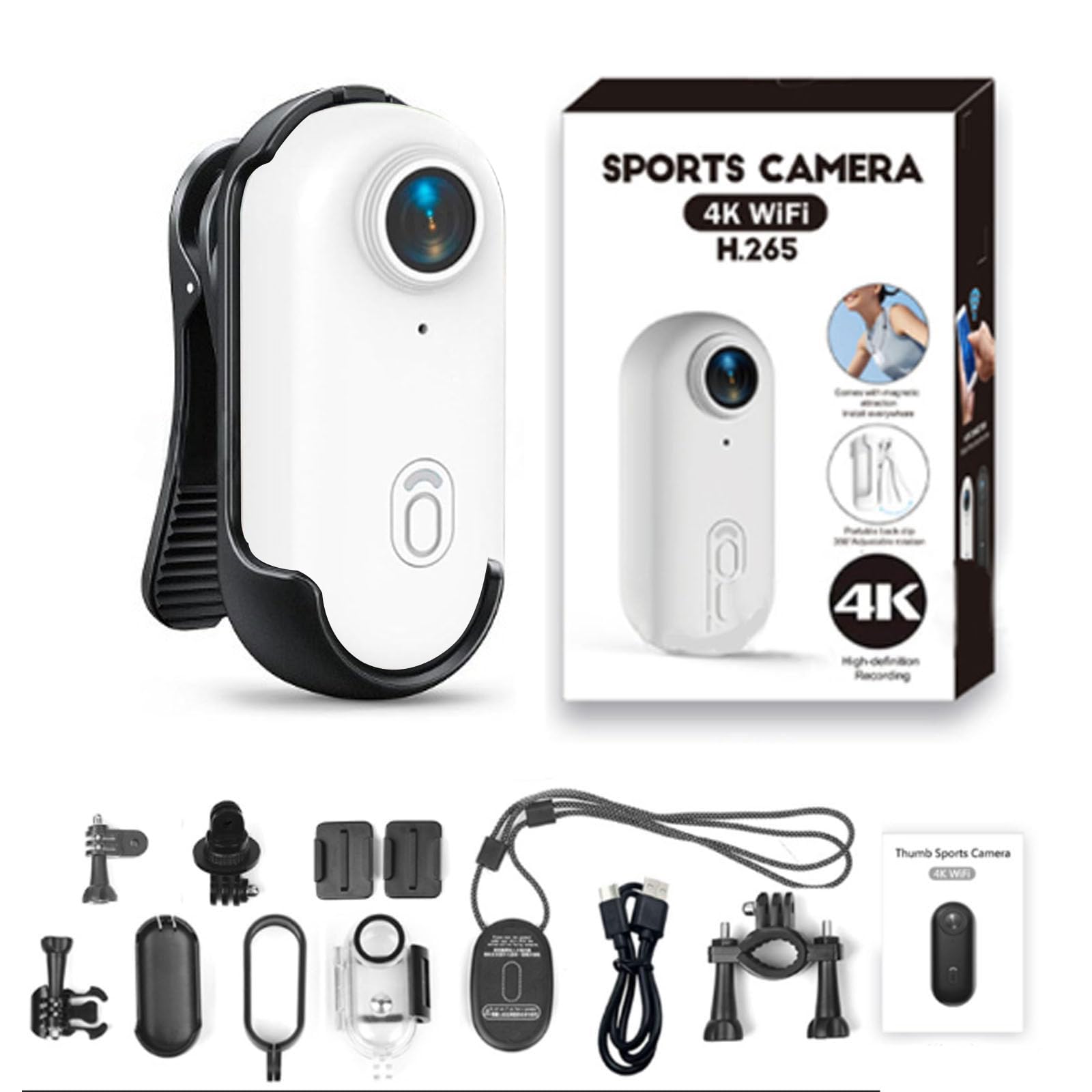
- లెన్స్: Wide-angle lens for capturing expansive views.
- Power/Record Button: Used for powering on/off and starting/stopping recording.
- సూచిక కాంతి: Displays camera status (e.g., recording, charging, Wi-Fi).
- టైప్-సి పోర్ట్: ఛార్జింగ్ మరియు డేటా బదిలీ కోసం.
- మైక్రో SD కార్డ్ స్లాట్: మెమరీ కార్డ్ చొప్పించడం కోసం.
- మాగ్నెటిక్ బేస్: Allows for easy attachment to metallic surfaces or compatible mounts.

The camera features a strong magnetic base, enabling flexible and secure attachment to various surfaces and accessories. This allows for diverse mounting options to capture your desired perspective.

For hands-free operation, the camera can be attached to a magnetic lanyard, providing a stable and comfortable way to record while on the move.
5. సెటప్
5.1 కెమెరాను ఛార్జ్ చేయడం
Before first use, fully charge the camera. Connect the provided Type-C charging cable to the camera's Type-C port and the other end to a USB power adapter (not included) or a computer's USB port. The indicator light will show charging status.

The camera can record footage even while it is connected to a power source and charging, allowing for continuous operation during longer activities.
5.2 మైక్రో SD కార్డ్ని చొప్పించడం
The camera requires a Micro SD card (not included) for storing recordings. Insert the Micro SD card into the designated slot with the contacts facing down until it clicks into place. Ensure the card is formatted for optimal performance. If the card is new or not recognized, format it using the camera's settings (refer to the app instructions) or on a computer.
5.3 కెమెరా మౌంటు
The camera offers versatile mounting options:
- అయస్కాంత అటాచ్మెంట్: Directly attach the camera to any metallic surface.
- అయస్కాంత క్లిప్: Use the included magnetic clip to attach the camera to clothing, straps, or other non-metallic surfaces. The clip allows for 360° rotation to adjust the recording angle.
- మౌంటు బ్రాకెట్: Utilize the mounting bracket for secure attachment to helmets, handlebars, or other gear.
5.4 Connecting to Wi-Fi and Mobile App
అధునాతన నియంత్రణ కోసం, ప్రత్యక్ష ప్రసారంview, మరియు file management, connect your camera to the dedicated mobile application via Wi-Fi.
- Download the official app from your smartphone's app store (search for "RideView Camera" or refer to the QR code in the quick start guide).
- కెమెరాను ఆన్ చేయండి.
- Activate Wi-Fi on the camera (refer to camera specific button press or app instructions).
- On your smartphone, go to Wi-Fi settings and connect to the camera's Wi-Fi network (SSID and password usually found on the camera or in the quick start guide).
- Open the app and follow the on-screen instructions to connect to your camera.

The integrated Wi-Fi allows for seamless connection to your mobile device, facilitating live viewing, easy file transfer, and instant sharing of your captured moments.
6. ఆపరేటింగ్ సూచనలు
6.1 పవర్ చేయడం ఆన్/ఆఫ్
- పవర్ ఆన్: Press and hold the Power/Record button for approximately 3 seconds until the indicator light illuminates.
- పవర్ ఆఫ్: Press and hold the Power/Record button for approximately 3 seconds until the indicator light turns off.
6.2 రికార్డింగ్ వీడియో
The camera is designed for simple one-button recording.
- Ensure the camera is powered on and an SD card is inserted.
- రికార్డింగ్ ప్రారంభించండి: Briefly press the Power/Record button. The indicator light will change to indicate recording is in progress (e.g., flashing red).
- రికార్డింగ్ ఆపివేయి: Briefly press the Power/Record button again. The indicator light will return to standby mode.
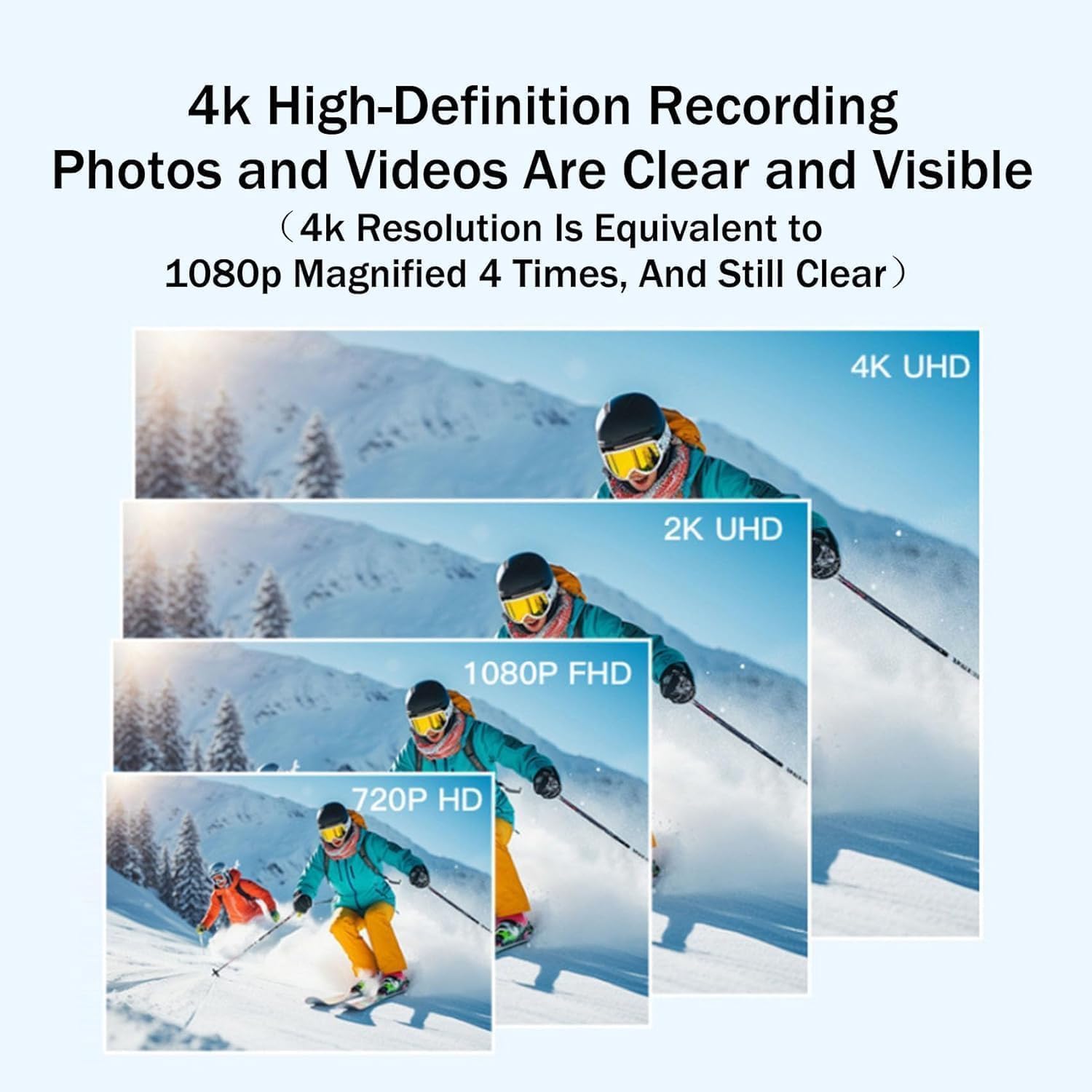
The camera captures video in 1080P resolution, ensuring high-definition footage of your activities. While the camera line may offer 4K variants, this specific model provides excellent 1080P clarity.
6.3 జలనిరోధక వినియోగం
The camera is designed to be waterproof up to 30 meters with its IPX8 waterproof case. This makes it suitable for various water-related activities.
- Ensure the waterproof case is securely closed and all seals are intact before submerging the camera.
- After use in saltwater, rinse the camera and case with fresh water and allow them to dry completely.

With its robust waterproof shell, the camera is capable of being submerged to a depth of 30 meters, making it suitable for diving, fishing, cycling in wet conditions, mountaineering, surfing, and other outdoor activities.
7. నిర్వహణ
7.1 కెమెరాను శుభ్రపరచడం
- కెమెరా బాడీని శుభ్రం చేయడానికి మృదువైన, మెత్తటి బట్టను ఉపయోగించండి.
- లెన్స్ కోసం, గీతలు పడకుండా ఉండటానికి ప్రత్యేకమైన లెన్స్ క్లీనింగ్ క్లాత్ మరియు ద్రావణాన్ని ఉపయోగించండి.
- కఠినమైన రసాయనాలు లేదా రాపిడి పదార్థాలను ఉపయోగించవద్దు.
7.2 బ్యాటరీ సంరక్షణ
- బ్యాటరీని తరచుగా పూర్తిగా డిశ్చార్జ్ చేయడాన్ని నివారించండి.
- Charge the camera regularly, even if not in use, to maintain battery health.
- Store the camera in a cool, dry place when not in use for extended periods.
7.3 నిల్వ
When storing the camera for long periods, ensure it is fully charged and kept in a protective case to prevent dust and damage. Remove the Micro SD card if you plan to store it separately.
8. ట్రబుల్షూటింగ్
కెమెరా ఆన్ చేయడం లేదు
- Ensure the battery is charged. Connect the camera to a power source and try again.
- Press and hold the Power/Record button for at least 5 seconds.
Cannot Record
- మైక్రో SD కార్డ్ సరిగ్గా చొప్పించబడిందో లేదో తనిఖీ చేయండి.
- Ensure the Micro SD card has sufficient free space.
- Format the Micro SD card if it's new or corrupted.
- Check battery level; low battery may prevent recording.
Wi-Fi కనెక్షన్ సమస్యలు
- కెమెరా మరియు మీ స్మార్ట్ఫోన్లో Wi-Fi ప్రారంభించబడిందని నిర్ధారించుకోండి.
- Verify you are connecting to the correct camera Wi-Fi network.
- కెమెరా మరియు మీ స్మార్ట్ఫోన్ రెండింటినీ రీస్టార్ట్ చేయండి.
- Ensure the camera and smartphone are within close proximity.
పేలవమైన వీడియో నాణ్యత
- కెమెరా లెన్స్ను మృదువైన గుడ్డతో శుభ్రం చేయండి.
- Ensure adequate lighting conditions.
- Check if the camera is set to the desired resolution (1080P for this model).
9. స్పెసిఫికేషన్లు
| ఫీచర్ | వివరాలు |
|---|---|
| మోడల్ పేరు | రైడ్View |
| రంగు | 1080P White |
| కొలతలు (D x W x H) | 0.78"డి x 2.54"వా x 0.78"హ |
| వీడియో క్యాప్చర్ రిజల్యూషన్ | 1080p |
| ప్రభావవంతమైన వీడియో రిజల్యూషన్ | 1920x1080 Pixels (for 1080p recording) |
| లెన్స్ రకం | వైడ్ యాంగిల్ |
| కనెక్టివిటీ టెక్నాలజీ | Wi-Fi, SD card slot |
| ఫ్లాష్ మెమరీ రకం | Micro SD (up to 64G for this variant) |
| నీటి నిరోధక స్థాయి | Waterproof (up to 30m with case) |
| ప్రత్యేక లక్షణాలు | Waterproof, Wi-Fi Connectivity, Magnetic Mounting |
| అనుకూల పరికరాలు | స్మార్ట్ఫోన్, టాబ్లెట్, పర్సనల్ కంప్యూటర్ |
గమనిక: ముందస్తు నోటీసు లేకుండా స్పెసిఫికేషన్లు మారవచ్చు.
10. మద్దతు మరియు వారంటీ
For any questions, technical assistance, or warranty inquiries regarding your Generic RideView Hands-Free POV Camera, please refer to the contact information provided at the point of purchase or on the product packaging.
మా వాగ్దానం: If you are not satisfied with your purchase for any reason, please do not hesitate to contact us. We are committed to addressing your concerns and offering a simple solution.
వారంటీ క్లెయిమ్ల కోసం దయచేసి మీ కొనుగోలు రుజువును ఉంచుకోండి.