
1. పరిచయం
This manual provides essential information for setting up, operating, maintaining, and troubleshooting your Lenovo Yoga 7i 2-in-1 Laptop. The Yoga 7i is designed for flexibility and performance, featuring a 16-inch FHD+ 2K touchscreen display and a robust 360-degree hinge, allowing it to function as a traditional laptop, tent, stand, or tablet.
Key features include an Intel Core Ultra 7 155U processor, 16GB LPDDR5X RAM, and a 1TB PCIe NVMe M.2 SSD, ensuring efficient performance for various tasks. The device runs on Windows 11 Home and includes a backlit keyboard, fingerprint reader, and multiple connectivity options.
2. ఉత్పత్తి ముగిసిందిview
2.1. Design and Flexibility
The Lenovo Yoga 7i features a versatile 2-in-1 design with a durable 360-degree hinge, enabling seamless transitions between laptop, tent, stand, and tablet modes. This adaptability supports various usage scenarios, from productivity to entertainment.
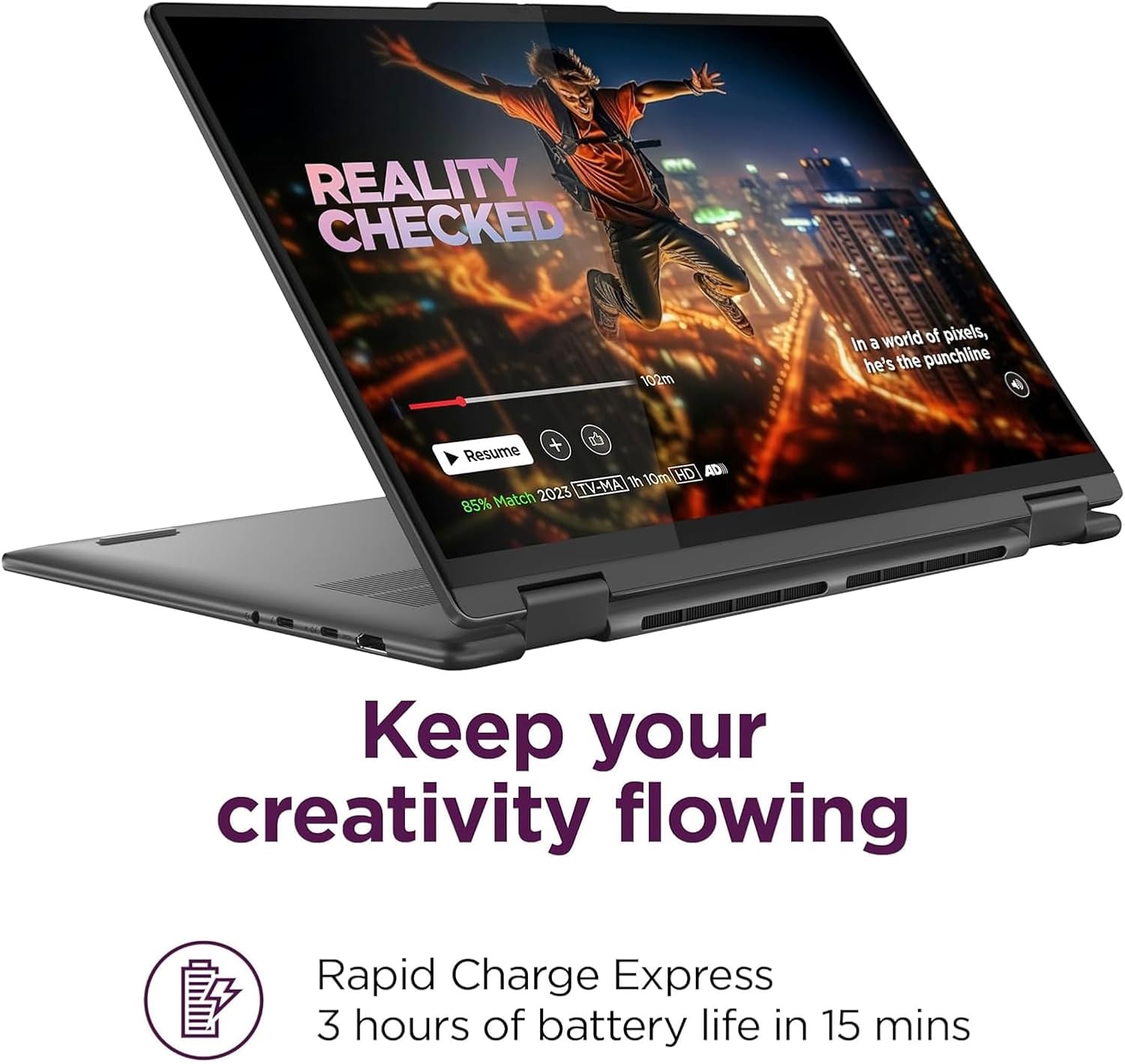
Image: The Lenovo Yoga 7i demonstrating its 2-in-1 capabilities, shown in laptop, tent, stand, and tablet configurations, highlighting its flexible hinge.

చిత్రం: వివరణాత్మక view of the laptop's robust 360-degree hinge, emphasizing its durability and design for multi-mode use.
2.2. డిస్ప్లే మరియు ఆడియో
Experience clear visuals on the 16-inch WUXGA (1920x1200) IPS touchscreen display, featuring 300 nits brightness, Dolby Vision, and TÜV Low Blue Light certification for comfortable viewing. The display supports 10-point multi-touch input.

Image: The Lenovo Yoga 7i's 16-inch WUXGA IPS touchscreen display, showcasing vibrant imagery and indicating 300 nits of brightness and Dolby Vision support.
The laptop is equipped with 2x speakers optimized by Dolby Atmos, providing an immersive audio experience.

Image: The Lenovo Yoga 7i with visual representations of sound waves, illustrating the optimized audio experience provided by its Dolby Atmos speakers.
2.3. పోర్టులు మరియు కనెక్టివిటీ
The Yoga 7i offers comprehensive connectivity options:
- 1x USB-A (USB 5Gbps / USB 3.2 Gen 1)
- 1x USB-A (USB 5Gbps / USB 3.2 Gen 1), ఎల్లప్పుడూ ఆన్లో ఉంటుంది
- 2x USB-C (Thunderbolt 4 / USB4 40Gbps), with USB PD 3.1 and DisplayPort 2.1
- 1x HDMI 2.1, 4K/60Hz వరకు
- 1x హెడ్ఫోన్ / మైక్రోఫోన్ కాంబో జాక్ (3.5 మిమీ)
- 1x మైక్రో SD కార్డ్ రీడర్
Wireless connectivity includes Wi-Fi 6E (802.11ax 2x2) and Bluetooth 5.3.
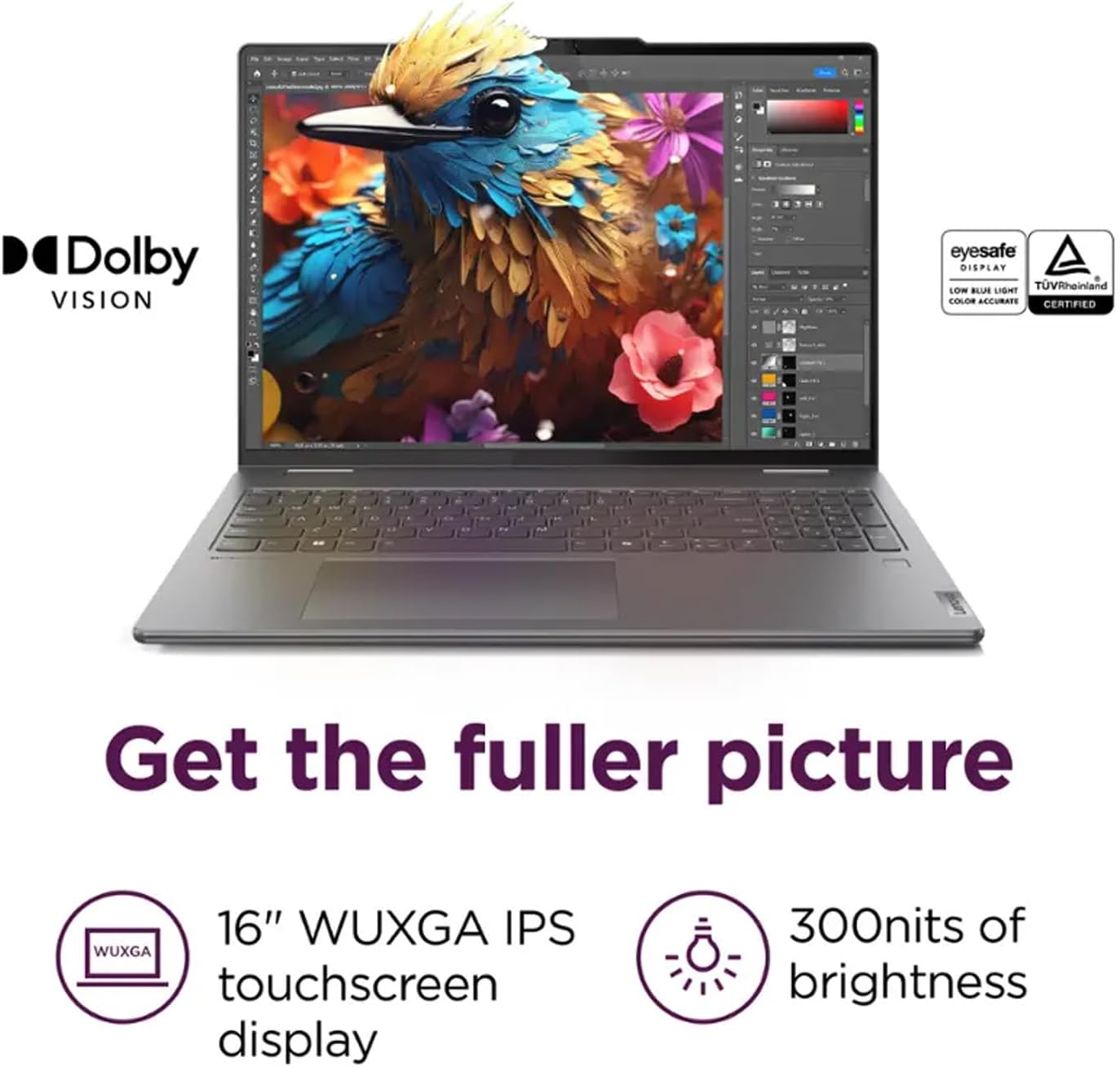
Image: A visual guide to the ports on the Lenovo Yoga 7i, including USB-A, USB-C (Thunderbolt 4), HDMI 2.1, audio combo jack, and microSD card reader, illustrating how to 'Stay truly connected'.
2.4. Security and Camera
The laptop features a fingerprint reader for secure access and a 1080p FHD IR camera with 2 Voice ID mics and Smart Noise Cancelling for clear video conferencing and secure logins.
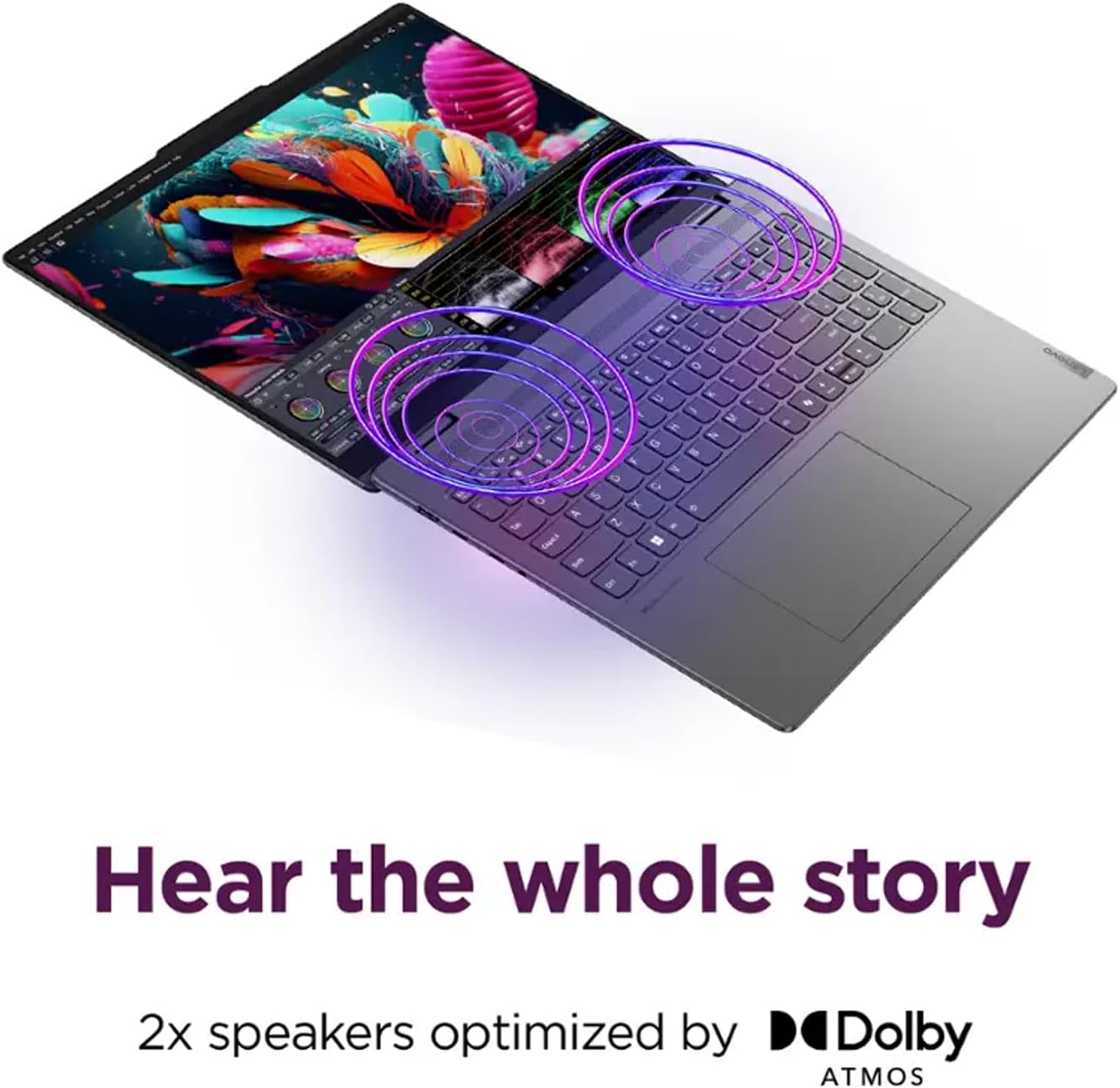
Image: The Lenovo Yoga 7i highlighting its 1080p FHD IR camera, 2 Voice ID microphones with Smart Noise Cancelling, and secure access via Smart Login, ensuring 'Clear? Crystal.' communication.
2.5. చేర్చబడిన ఉపకరణాలు
The product includes a 16GB USB Pen for additional storage or data transfer.

Image: The 16GB USB Pen included with the Lenovo Yoga 7i, illustrating its design and functionality as a portable storage device.
3. సెటప్
3.1. ప్రారంభ పవర్ ఆన్
- ల్యాప్టాప్ మరియు అన్ని ఉపకరణాలను పెట్టె నుండి అన్ప్యాక్ చేయండి.
- Connect the 65W USB-C power adapter to the laptop's USB-C port and then to a power outlet.
- Open the laptop lid. The system may power on automatically, or you may need to press the power button located on the side.
- భాష ఎంపిక, నెట్వర్క్ కనెక్షన్ మరియు వినియోగదారు ఖాతా సృష్టితో సహా ప్రారంభ Windows 11 హోమ్ సెటప్ను పూర్తి చేయడానికి స్క్రీన్పై సూచనలను అనుసరించండి.
3.2. ఫింగర్ప్రింట్ రీడర్ సెటప్
During the Windows setup or later via Windows Settings, configure the fingerprint reader for secure and convenient login. This enhances security and speeds up access to your device.
4. ఆపరేటింగ్ సూచనలు
4.1. 2-ఇన్-1 మోడ్లను ఉపయోగించడం
The 360-degree hinge allows for four primary modes:
- ల్యాప్టాప్ మోడ్: Standard laptop configuration for typing and traditional computing.
- టెంట్ మోడ్: Fold the display back to form an inverted 'V' shape. Ideal for watching videos or presentations in confined spaces.
- స్టాండ్ మోడ్: Fold the display back further, resting the keyboard face down. Suitable for touch-based applications and media consumption.
- టాబ్లెట్ మోడ్: Fold the display completely back against the base. The keyboard and touchpad are automatically disabled, and the device functions as a large tablet.
4.2. Touchscreen and Touchpad
The 10-point multi-touch glass panel allows for intuitive interaction with Windows 11. Use gestures like pinch-to-zoom, swipe, and tap. The buttonless glass surface multi-touch touchpad supports Precision TouchPad (PTP) for accurate cursor control and multi-finger gestures.

Image: The Lenovo Yoga 7i in tablet mode, emphasizing its responsive 10-point multi-touch glass panel for direct interaction, captioned 'All fingers on deck'.
4.3. Backlit Keyboard
The keyboard features backlighting for comfortable typing in low-light conditions. Adjust the backlight intensity using the dedicated function keys (Fn + Spacebar, typically).
4.4. పెరిఫెరల్స్ కనెక్ట్ చేయడం
- USB పరికరాలు: Connect USB-A devices (e.g., mouse, external drive) to the USB-A ports. Use the included 16GB USB Pen for portable storage.
- USB-C/Thunderbolt Devices: Use the USB-C/Thunderbolt 4 ports for high-speed data transfer, power delivery (charging), and connecting external displays via DisplayPort 2.1.
- HDMI డిస్ప్లే: Connect an external monitor or TV using the HDMI 2.1 port for resolutions up to 4K/60Hz.
- ఆడియో: Plug headphones or an external microphone into the 3.5mm headphone/microphone combo jack.
- మైక్రో SD కార్డ్: Insert a microSD card into the card reader for additional storage or transferring files from cameras/phones.
4.5. Wireless Connections
- Wi-Fi: Connect to wireless networks via Wi-Fi 6E (802.11ax) for fast internet access. Manage Wi-Fi settings through Windows 11.
- బ్లూటూత్: Pair Bluetooth devices (e.g., headphones, speakers, mouse) using Bluetooth 5.3. Access Bluetooth settings in Windows 11.
5. నిర్వహణ
5.1. ల్యాప్టాప్ను శుభ్రపరచడం
- కొద్దిగా మెత్తని, మెత్తని బట్టను ఉపయోగించండి dampడిస్ప్లేను శుభ్రం చేయడానికి నీరు లేదా స్క్రీన్ క్లీనర్తో నింపండి. కఠినమైన రసాయనాలను నివారించండి.
- For the keyboard and chassis, use a soft, dry cloth. A can of compressed air can help remove dust from between keys.
- ల్యాప్టాప్ను శుభ్రం చేయడానికి ముందు పవర్ ఆఫ్ చేయబడిందని మరియు అన్ప్లగ్ చేయబడిందని నిర్ధారించుకోండి.
5.2. బ్యాటరీ సంరక్షణ
- బ్యాటరీ జీవితకాలం పెంచడానికి, తరచుగా బ్యాటరీని పూర్తిగా డిశ్చార్జ్ చేయడాన్ని నివారించండి.
- ల్యాప్టాప్ను ఎక్కువ సేపు ఉపయోగించకపోతే చల్లని, పొడి ప్రదేశంలో నిల్వ చేయండి.
- The laptop supports Rapid Charge Express, providing 3 hours of battery life from a 15-minute charge.
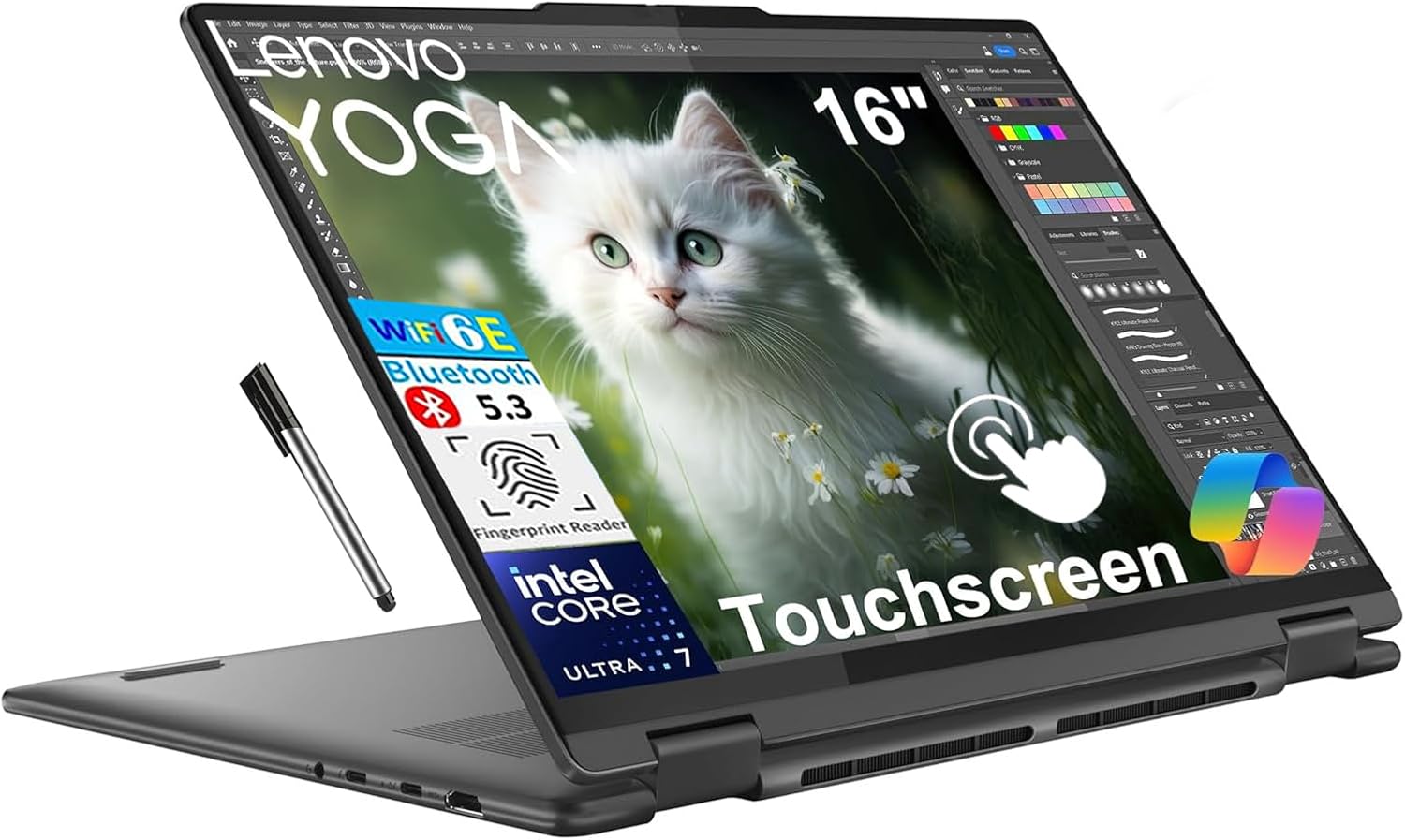
Image: The Lenovo Yoga 7i in use, highlighting its 'Rapid Charge Express' feature which provides 3 hours of battery life from a 15-minute charge, ensuring creativity keeps flowing.
5.3. సాఫ్ట్వేర్ నవీకరణలు
Regularly update Windows 11 and Lenovo drivers to ensure optimal performance, security, and compatibility. Check for updates through Windows Settings and the Lenovo Vantagఇ అప్లికేషన్.
6. ట్రబుల్షూటింగ్
6.1. విద్యుత్ సమస్యలు
- ల్యాప్టాప్ ఆన్ అవ్వడం లేదు: Ensure the power adapter is securely connected and the outlet is functional. Try pressing the power button for 10-15 seconds to perform a hard reset.
- బ్యాటరీ ఛార్జింగ్ కాదు: Verify the power adapter is correctly connected. Check for any damage to the cable or adapter.
6.2. డిస్ప్లే సమస్యలు
- ప్రదర్శన లేదు: Connect an external monitor to check if the issue is with the laptop's internal display. If the external monitor works, the internal display or its connection may be faulty.
- టచ్స్క్రీన్ స్పందించడం లేదు: Restart the laptop. Ensure the display is clean and free of debris. Check for driver updates.
6.3. కనెక్టివిటీ సమస్యలు
- Wi-Fi కనెక్ట్ కావడం లేదు: Ensure Wi-Fi is enabled in Windows settings. Restart your router and the laptop. Check for Wi-Fi driver updates.
- బ్లూటూత్ పరికరం జత కావడం లేదు: Ensure the Bluetooth device is in pairing mode and within range. Remove and re-add the device in Windows Bluetooth settings.
6.4 సిస్టమ్ పనితీరు
- నెమ్మది పనితీరు: అనవసరమైన అప్లికేషన్లను మూసివేయండి. అధిక CPU లేదా RAMని వినియోగించే ప్రక్రియల కోసం టాస్క్ మేనేజర్ను తనిఖీ చేయండి. SSDలో తగినంత ఖాళీ స్థలాన్ని నిర్ధారించుకోండి.
- వేడెక్కడం: వెంటిలేషన్ వెంట్లు మూసుకుపోకుండా చూసుకోండి. ల్యాప్టాప్ను గట్టి, చదునైన ఉపరితలంపై ఉపయోగించండి.
7. స్పెసిఫికేషన్లు
| ఫీచర్ | స్పెసిఫికేషన్ |
|---|---|
| బ్రాండ్ | లెనోవో |
| మోడల్ పేరు | లెనోవో యోగా 7i |
| ప్రాసెసర్ | ఇంటెల్ కోర్ అల్ట్రా 7 155U (12 కోర్లు, 14 థ్రెడ్లు, 4.8GHz వరకు) |
| గ్రాఫిక్స్ | ఇంటిగ్రేటెడ్ ఇంటెల్ గ్రాఫిక్స్ |
| ప్రదర్శించు | 16.0" WUXGA (1920x1200) IPS Touchscreen, 300nits, Glossy / Anti-fingerprint, 60Hz, Dolby Vision, TÜV Low Blue Light |
| జ్ఞాపకశక్తి | 16GB సోల్డర్డ్ LPDDR5x-7467 RAM |
| నిల్వ | 1TB PCIe NVMe M.2 SSD |
| ఆపరేటింగ్ సిస్టమ్ | Windows 11 హోమ్ |
| ఆడియో | High Definition (HD) Audio, Realtek ALC3306 codec, 2x speakers optimized by Dolby Atmos |
| Webకెమెరా | 1080p FHD IR camera with 2 Voice ID mics and Smart Noise Cancelling |
| ఓడరేవులు | 2x USB-A 3.2 Gen 1 (one Always On), 2x USB-C (Thunderbolt 4 / USB4 40Gbps with PD 3.1 & DP 2.1), 1x HDMI 2.1, 1x Headphone/Mic Combo Jack, 1x microSD Card Reader |
| వైర్లెస్ | Wi-Fi 6E (802.11ax 2x2), Bluetooth 5.3 |
| కీబోర్డ్ | Backlit, English (US) |
| భద్రత | Fingerprint reader, Privacy camera |
| బ్యాటరీ లైఫ్ | 13 గంటల వరకు |
| కొలతలు (WxDxH) | 14.24 x 9.84 x 0.67 అంగుళాలు |
| బరువు | 4.39 పౌండ్లు |
| రంగు | స్టార్మ్ గ్రే |
8. వారంటీ మరియు మద్దతు
Your Lenovo Yoga 7i 2-in-1 Laptop comes with a 1-సంవత్సరం పరిమిత వారంటీ. For detailed warranty terms and conditions, please refer to the warranty card included in your product packaging or visit the official Lenovo support webసైట్.
సాంకేతిక సహాయం, డ్రైవర్ డౌన్లోడ్లు లేదా సేవా అభ్యర్థనల కోసం, దయచేసి Lenovo సపోర్ట్ను సందర్శించండి. website or contact Lenovo customer service. Have your product's serial number ready when seeking support.