
1. పరిచయం
ధన్యవాదాలు, ధన్యవాదాలు.asing the InnoVibe Bluetooth Speaker Lantern. This device combines a portable LED lantern with a Bluetooth speaker, offering versatile lighting and audio for various outdoor and indoor activities. Please read this manual carefully to ensure proper use and maintenance of your product.
2. భద్రతా సూచనలు
- పరికరాన్ని తీవ్రమైన ఉష్ణోగ్రతలు, ప్రత్యక్ష సూర్యకాంతి లేదా అధిక తేమకు గురిచేయవద్దు.
- పరికరాన్ని వదలడం లేదా బలమైన ప్రభావాలకు గురి చేయడం మానుకోండి.
- Keep the device away from water and other liquids. This product is not water resistant.
- Do not attempt to disassemble, repair, or modify the device yourself. Contact customer support if service is required.
- Use only the provided USB-C charging cable or a certified equivalent.
- పిల్లలకు దూరంగా ఉంచండి.
3. ప్యాకేజీ విషయాలు
- InnoVibe Bluetooth Speaker Lantern
- USB-C ఛార్జింగ్ కేబుల్
- వినియోగదారు మాన్యువల్
4. ఉత్పత్తి ముగిసిందిview
Familiarize yourself with the components of your InnoVibe Bluetooth Speaker Lantern.

చిత్రం 1: ముందు view of the InnoVibe Bluetooth Speaker Lantern. It features a cylindrical light diffuser on top, a sturdy handle for portability, and a speaker base with a touch control icon.

చిత్రం 2: Diagram highlighting key features: Bass Boosting Sound, Color Changing RGB Lights, Adjustable Warm White Light, Touch Switch Control Button, Rechargeable Battery, and Sound-Reactive Light Mode.
భాగాలు:
- హ్యాండిల్: సులభంగా మోసుకెళ్ళడానికి మరియు వేలాడదీయడానికి.
- లైట్ డిఫ్యూజర్: Emits warm white and RGB light.
- స్పీకర్ గ్రిల్: Located at the base for audio output.
- టచ్ కంట్రోల్ బటన్: Located on the base, used for power and light mode adjustments.
- Control Panel (Rear): Contains buttons for volume, track control, and additional lighting modes.
- USB-C ఛార్జింగ్ పోర్ట్: అంతర్గత బ్యాటరీని రీఛార్జ్ చేయడానికి.
5. సెటప్
5.1. లాంతరును ఛార్జ్ చేయడం
- Locate the USB-C charging port on the back of the lantern.
- Connect the provided USB-C cable to the lantern and plug the other end into a compatible USB power adapter (not included) or a computer USB port.
- The charging indicator light will illuminate to show the device is charging.
- Allow approximately 3-4 hours for a full charge. The indicator light will change or turn off once fully charged.
5.2. పవర్ ఆన్/ఆఫ్
- పవర్ ఆన్ చేయడానికి: Press and hold the touch control button on the base for 2-3 seconds. The lantern will emit a sound and the light will turn on.
- పవర్ ఆఫ్ చేయడానికి: Press and hold the touch control button on the base for 2-3 seconds. The lantern will emit a sound and the light will turn off.
6. ఆపరేటింగ్ సూచనలు
6.1. బ్లూటూత్ పెయిరింగ్
- Ensure the lantern is powered on. It will automatically enter Bluetooth pairing mode, indicated by a flashing blue light (if applicable, refer to specific LED indicators).
- మీ స్మార్ట్ఫోన్ లేదా ఇతర బ్లూటూత్-ప్రారంభించబడిన పరికరంలో, బ్లూటూత్ సెట్టింగ్లకు వెళ్లండి.
- కోసం వెతకండి available devices and select "InnoVibe Lantern" (or similar name).
- Once connected, the lantern will emit a confirmation sound, and the Bluetooth indicator light will become solid.
- You can now play audio through the lantern's speaker.

చిత్రం 3: The InnoVibe Bluetooth Speaker Lantern emitting a blue light while playing music, demonstrating its audio capabilities in an outdoor setting.
6.2. Lantern Operation
The lantern offers both warm white light and color-changing RGB modes.
- వెచ్చని తెల్లని కాంతి: Short press the touch control button on the base to cycle through 3 brightness levels (Low, Medium, High) of warm white light.
- RGB Color Mode: After cycling through the warm white brightness levels, another short press will activate the RGB color mode.
- స్టాటిక్ రంగులు: In RGB mode, continue short pressing the touch control button to cycle through 7 static colors.
- డైనమిక్ ఎఫెక్ట్స్: After the static colors, further short presses will activate 3 dynamic lighting effects, including a sound-reactive mode.

చిత్రం 4: A hand reaching towards the InnoVibe Bluetooth Speaker Lantern, illustrating the touch control functionality. The image displays a grid of various static RGB color options available for the lantern.
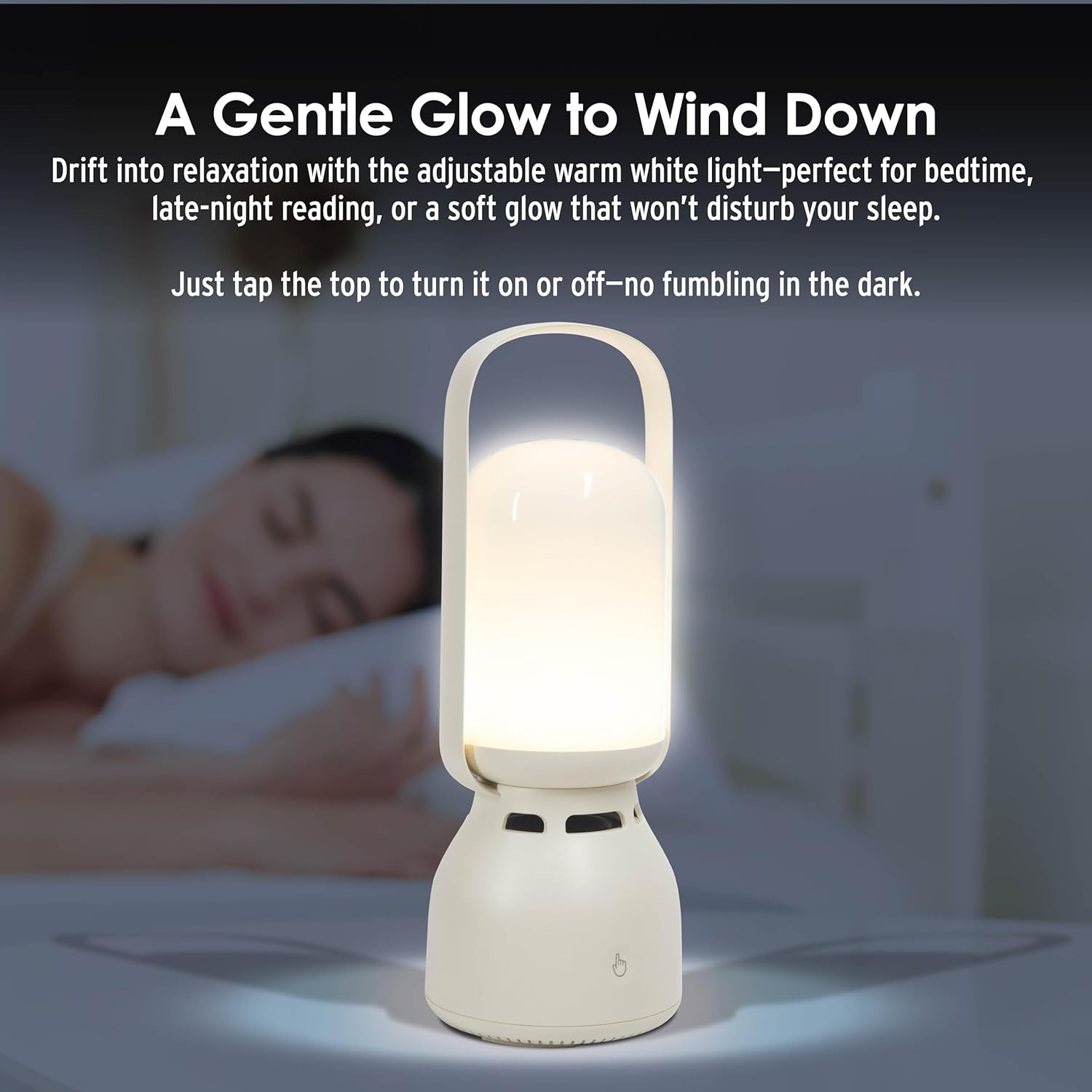
చిత్రం 5: The InnoVibe Bluetooth Speaker Lantern providing a gentle warm white glow on a bedside table, suitable for relaxation or reading.
6.3. సంగీత నియంత్రణలు
The control panel on the back of the lantern allows for direct music playback control:
- వాల్యూమ్ అప్/డౌన్: ప్రత్యేక వాల్యూమ్ బటన్లను ఉపయోగించండి.
- తదుపరి / మునుపటి ట్రాక్: Use the track skip buttons.
- ప్లే/పాజ్: Use the play/pause button.
7. నిర్వహణ
- Clean the lantern with a soft, dry cloth. Do not use abrasive cleaners or solvents.
- ఉపయోగంలో లేనప్పుడు పరికరాన్ని చల్లని, పొడి ప్రదేశంలో నిల్వ చేయండి.
- బ్యాటరీ ఆరోగ్యాన్ని కాపాడుకోవడానికి, తరచుగా ఉపయోగించకపోయినా, బ్యాటరీని క్రమం తప్పకుండా ఛార్జ్ చేయండి.
8. ట్రబుల్షూటింగ్
| సమస్య | సాధ్యమైన పరిష్కారం |
|---|---|
| లాంతరు ఆన్ చేయదు. | బ్యాటరీ ఛార్జ్ అయ్యిందని నిర్ధారించుకోండి. USB-C కేబుల్ ఉపయోగించి పవర్ సోర్స్కి కనెక్ట్ చేయండి. |
| బ్లూటూత్ ద్వారా కనెక్ట్ చేయడం సాధ్యం కాలేదు. | Ensure the lantern is in pairing mode. Turn off and on your device's Bluetooth. Move the lantern closer to your device. Forget the device in your Bluetooth settings and try pairing again. |
| స్పీకర్ నుండి శబ్దం లేదు. | Check the volume level on both the lantern and your connected device. Ensure the device is properly paired. |
| లైట్ మోడ్లు మారడం లేదు. | Ensure you are short-pressing the touch control button. If unresponsive, power cycle the device. |
9. స్పెసిఫికేషన్లు
| ఫీచర్ | వివరాలు |
|---|---|
| మోడల్ సంఖ్య | IVLS2050CM |
| బ్రాండ్ | ఇన్నోవైబ్ |
| ఉత్పత్తి కొలతలు | 9.53"లీ x 3.43"వా x 9.53"హ |
| వస్తువు బరువు | 1.86 పౌండ్లు |
| శక్తి మూలం | పునర్వినియోగపరచదగిన బ్యాటరీ |
| బ్యాటరీ రకం | Nonstandard Lithium-ion Polymer |
| వాల్యూమ్tage | 5 వోల్ట్లు (DC) |
| వాట్tage | 5 వాట్స్ |
| కాంతి మూలం రకం | LED (లైట్ ఎమిటింగ్ డయోడ్) |
| కాంతి లక్షణాలు | Color-changing, Adjustable Brightness (3 levels warm white, 7 static RGB, 3 dynamic effects) |
| మెటీరియల్ | Plastic, Glossy Finish |
| మౌంటు రకం | టాబ్లెట్ మౌంట్ |
| నీటి నిరోధక స్థాయి | వాటర్ రెసిస్టెంట్ కాదు |
| UPC | 810182220642 |
10. వారంటీ మరియు మద్దతు
For warranty information or technical support, please refer to the contact details provided with your purchase or visit the official InnoVibe webసైట్. ఏవైనా వారంటీ క్లెయిమ్ల కోసం మీ కొనుగోలు రుజువును ఉంచుకోండి.