
1. ఉత్పత్తి ముగిసిందిview
The InnoVibe Bluetooth Speaker (Model IVSP1597BK) is a versatile device combining a portable Bluetooth speaker, a sound machine with sleep therapy sounds, and a 15W wireless charger. This manual provides instructions for setup, operation, maintenance, and troubleshooting.

Image 1.1: The InnoVibe Bluetooth Speaker with a smartphone charging on its top surface.

Image 1.2: Key features of the InnoVibe speaker, including built-in speaker, wireless charger, sound machine, 6 built-in sounds, 3 timer modes, and rechargeable battery.
2. ప్యాకేజీ విషయాలు
దయచేసి ఈ క్రింది అంశాల కోసం ప్యాకేజీని తనిఖీ చేయండి:
- InnoVibe Bluetooth Speaker (Model IVSP1597BK)
- USB ఛార్జింగ్ కేబుల్
- వినియోగదారు మాన్యువల్ (ఈ పత్రం)
- బ్యాటరీలు (ముందుగా ఇన్స్టాల్ చేయబడినవి)
3. సెటప్
3.1 ప్రారంభ ఛార్జింగ్
Before first use, fully charge the speaker. Connect the provided USB charging cable to the charging port on the speaker and to a compatible USB power adapter (not included). The charging indicator light will show the charging status.
3.2 పవర్ చేయడం ఆన్/ఆఫ్
- To power on: Press and hold the Power button for 2-3 seconds.
- To power off: Press and hold the Power button for 2-3 seconds.
3.3 బ్లూటూత్ జత చేయడం
బ్లూటూత్ ద్వారా మీ పరికరాన్ని కనెక్ట్ చేయడానికి:
- స్పీకర్ ఆన్ చేయబడిందని నిర్ధారించుకోండి. ఇది స్వయంచాలకంగా బ్లూటూత్ జత చేసే మోడ్లోకి ప్రవేశిస్తుంది, ఇది ఫ్లాషింగ్ LED లైట్ ద్వారా సూచించబడుతుంది.
- మీ స్మార్ట్ఫోన్ లేదా టాబ్లెట్లో, బ్లూటూత్ సెట్టింగ్లకు వెళ్లండి.
- Select "InnoVibe Speaker" from the list of available devices.
- కనెక్ట్ చేసిన తర్వాత, LED సూచిక ఫ్లాషింగ్ ఆగిపోతుంది మరియు దృఢంగా ఉంటుంది.

Image 3.1: The InnoVibe speaker connected via Bluetooth, playing music from a smartphone.
4. ఆపరేటింగ్ సూచనలు
4.1 బ్లూటూత్ ఆడియో ప్లేబ్యాక్
After successful Bluetooth pairing, you can stream audio from your connected device. Use the volume controls on the speaker or your connected device to adjust the sound level. The speaker provides 3W audio output.
4.2 Sleep Therapy Sounds
The speaker includes 6 built-in sleep therapy tracks to aid relaxation and sleep. These include White Noise, Ocean Waves, Lullaby, Brook, Rain & Thunder, and Crackling Fire. Use the dedicated button to cycle through the available sounds.
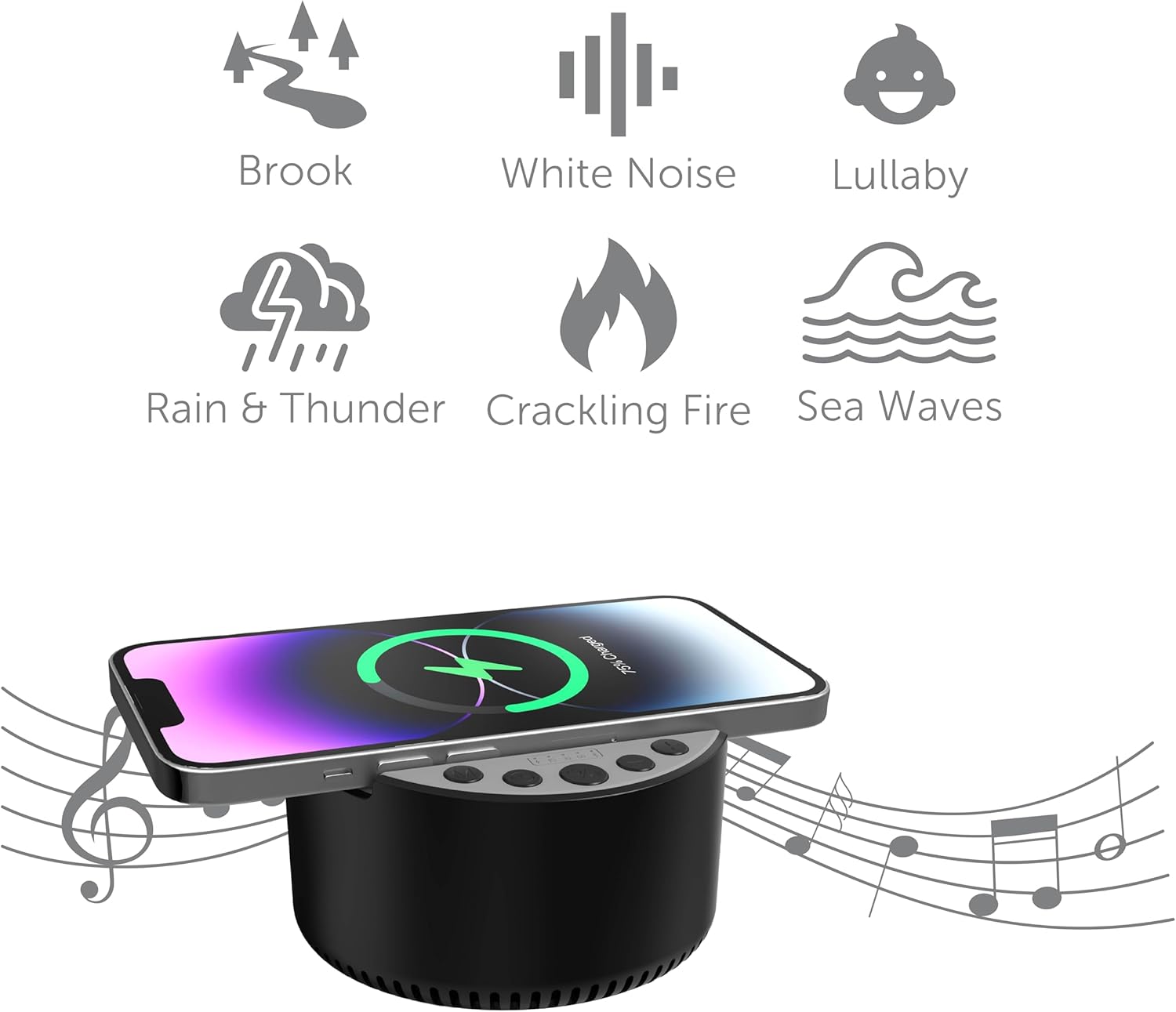
Image 4.1: Visual representation of the six built-in sleep therapy sounds.

Image 4.2: The InnoVibe speaker functioning as a sound machine on a nightstand.
4.3 Timer Modes
The speaker features three auto-off timer modes: 15, 30, and 60 minutes. Press the Timer button to cycle through these options. The speaker will automatically power off after the selected duration, conserving battery life.
4.4 15W వైర్లెస్ ఛార్జింగ్
The top surface of the speaker is equipped with a 15W wireless charging pad. To use this feature:
- Place your Qi-enabled smartphone or device directly onto the center of the charging pad.
- Ensure the device is properly aligned for optimal charging.
- A charging indicator on your device will confirm that charging has begun.

Image 4.3: A smartphone wirelessly charging on the InnoVibe speaker on a desk.
5. నిర్వహణ
5.1 శుభ్రపరచడం
To clean the speaker, use a soft, dry cloth. Do not use abrasive cleaners, solvents, or harsh chemicals, as these may damage the surface or internal components. Avoid exposing the device to excessive moisture.
5.2 బ్యాటరీ సంరక్షణ
The speaker contains a rechargeable battery. To prolong battery life:
- బ్యాటరీని తరచుగా పూర్తిగా డిశ్చార్జ్ చేయడాన్ని నివారించండి.
- ఎక్కువసేపు ఉపయోగంలో లేకపోయినా, పరికరాన్ని క్రమం తప్పకుండా ఛార్జ్ చేయండి.
- ఉపయోగంలో లేనప్పుడు పరికరాన్ని చల్లని, పొడి ప్రదేశంలో నిల్వ చేయండి.
5.3 నిల్వ
When storing the speaker for an extended period, ensure it is fully charged and then power it off. Store it in a dry environment away from direct sunlight and extreme temperatures.
6. ట్రబుల్షూటింగ్
6.1 శక్తి లేదు
- బ్యాటరీని తనిఖీ చేయండి: స్పీకర్ ఛార్జ్ అయ్యిందని నిర్ధారించుకోండి. USB కేబుల్ ఉపయోగించి దానిని పవర్ సోర్స్కి కనెక్ట్ చేయండి.
- పవర్ బటన్: Press and hold the Power button for 2-3 seconds to ensure it's properly turned on.
6.2 Bluetooth Not Connecting
- Speaker in Pairing Mode: Ensure the speaker's LED indicator is flashing, indicating it's in pairing mode.
- పరికరం బ్లూటూత్ ఆన్లో ఉంది: Verify Bluetooth is enabled on your smartphone or tablet.
- దూరం: Make sure your device is within 33 feet (10 meters) of the speaker.
- పరికరాన్ని మర్చిపో: If previously paired, try 'forgetting' the speaker from your device's Bluetooth list and re-pairing.
- పరికరాలను పునఃప్రారంభించండి: Power off and on both the speaker and your Bluetooth device.
6.3 Wireless Charging Not Working
- Qi-Enabled Device: Confirm your smartphone or device supports Qi wireless charging.
- సమలేఖనం: పరికరం ఛార్జింగ్ ప్యాడ్పై కేంద్రీకృతమై ఉందని నిర్ధారించుకోండి.
- Case Interference: వైర్లెస్ ఛార్జింగ్కు అంతరాయం కలిగించే ఏవైనా మందపాటి ఫోన్ కేసులను తీసివేయండి.
- శక్తి మూలం: Ensure the speaker itself has sufficient power or is connected to a power source.
6.4 ధ్వని లేదు
- వాల్యూమ్ స్థాయిలు: Check the volume on both the speaker and your connected device.
- బ్లూటూత్ కనెక్షన్: స్పీకర్ బ్లూటూత్ ద్వారా సరిగ్గా కనెక్ట్ అయ్యిందని నిర్ధారించుకోండి.
- ఆడియో మూలం: Verify that audio is playing on your connected device.
7. స్పెసిఫికేషన్లు
| ఫీచర్ | స్పెసిఫికేషన్ |
|---|---|
| మోడల్ పేరు | IVSP1597BK |
| బ్రాండ్ | ఇన్నోవైబ్ |
| కనెక్టివిటీ టెక్నాలజీ | బ్లూటూత్ |
| స్పీకర్ గరిష్ట అవుట్పుట్ పవర్ | 3 వాట్స్ |
| వైర్లెస్ ఛార్జింగ్ అవుట్పుట్ | 15 వాట్స్ |
| అంతర్నిర్మిత శబ్దాలు | 6 Sleep Therapy Tracks |
| టైమర్ మోడ్లు | 15, 30, 60 నిమిషాలు |
| బ్యాటరీ | రీఛార్జబుల్ (500mAh) |
| ఉత్పత్తి కొలతలు | 2.52"డి x 3.98"వా x 4.02"హ |
| వస్తువు బరువు | 13.3 ఔన్సులు |
| UPC | 810182221014 |
8. వారంటీ మరియు మద్దతు
This InnoVibe product is covered by a manufacturer's warranty. Please refer to the warranty card included in your package for specific terms and conditions. For technical support, troubleshooting assistance, or warranty claims, please contact InnoVibe customer service through the contact information provided on the product packaging or the official InnoVibe webసైట్.