
1. పరిచయం
Thank you for choosing the Dskeuzeew Power Tower Pro. This versatile fitness station is designed to provide a comprehensive full-body workout in the comfort of your home. It allows for a variety of exercises, including pull-ups, dips, leg raises, and push-ups, helping you build upper body strength and maintain your fitness goals. This manual provides essential information for safe assembly, operation, and maintenance of your Power Tower Pro.
2. భద్రతా సమాచారం
- గరిష్ట వినియోగదారు బరువు: సిఫార్సు చేయబడిన గరిష్ట వినియోగదారు బరువు 205 కిలోలు (451 పౌండ్లు) మించకూడదు.
- స్థిరమైన నిర్మాణం: The Power Tower Pro features a robust steel frame with a triangular base design for enhanced stability. Ensure the unit is placed on a flat, stable surface before use.
- అసెంబ్లీ: Follow all assembly instructions carefully. Ensure all bolts and nuts are securely tightened before using the equipment.
- ప్రీ-వర్కౌట్ చెక్: Before each use, inspect the equipment for any loose parts, damage, or wear. Do not use if any components are compromised.
- సరైన సాంకేతికత: Always use proper exercise form to prevent injuries. If you are new to certain exercises, consider consulting a fitness professional.
- పిల్లలు మరియు పెంపుడు జంతువులు: ఉపయోగించే సమయంలో పిల్లలు మరియు పెంపుడు జంతువులను పరికరాలకు దూరంగా ఉంచండి.
- ఎర్గోనామిక్ డిజైన్: The ergonomic pull-up bar, dip grips, and padded components are designed to reduce wrist fatigue and protect joints.
3. ప్యాకేజీ విషయాలు
దయచేసి మీ ప్యాకేజీలో కింది అన్ని భాగాలు చేర్చబడ్డాయని ధృవీకరించండి:
- Dip Station Frame
- పుల్-అప్ బార్
- Leg Raise Station
- ప్యాడెడ్ బ్యాక్రెస్ట్
- Armrests (Padded)
- Mounting Screws and Hardware Set
- అసెంబ్లీ సూచనల మాన్యువల్
4. సెటప్ మరియు అసెంబ్లీ
The Dskeuzeew Power Tower Pro requires assembly. A detailed assembly instruction manual is included in the package. Please follow these instructions carefully, step-by-step, to ensure correct and safe setup.
- భాగాలను అన్ప్యాక్ చేయండి: Carefully remove all parts from the packaging and lay them out. Check against the package contents list to ensure nothing is missing.
- Review సూచనలు: Read the entire assembly manual before beginning.
- బేస్ సమీకరించండి: Start by assembling the base frame, ensuring the triangular structure is correctly formed for maximum stability.
- నిలువు మద్దతులను అటాచ్ చేయండి: Secure the main vertical support beams to the base.
- Install Exercise Stations: Attach the pull-up bar, dip handles, leg raise station, backrest, and armrests according to the diagrams.
- అన్ని ఫాస్టెనర్లను బిగించండి: Once fully assembled, double-check and securely tighten all screws, bolts, and nuts. Do not overtighten.
- ప్లేస్మెంట్: Place the assembled Power Tower Pro on a level, stable surface. Ensure sufficient clear space around the unit for safe exercise.

మూర్తి 1: వివరంగా view of Power Tower Pro components, including thickened steel pipes, foam handles, soft foam pads, and rotating non-slip caps.
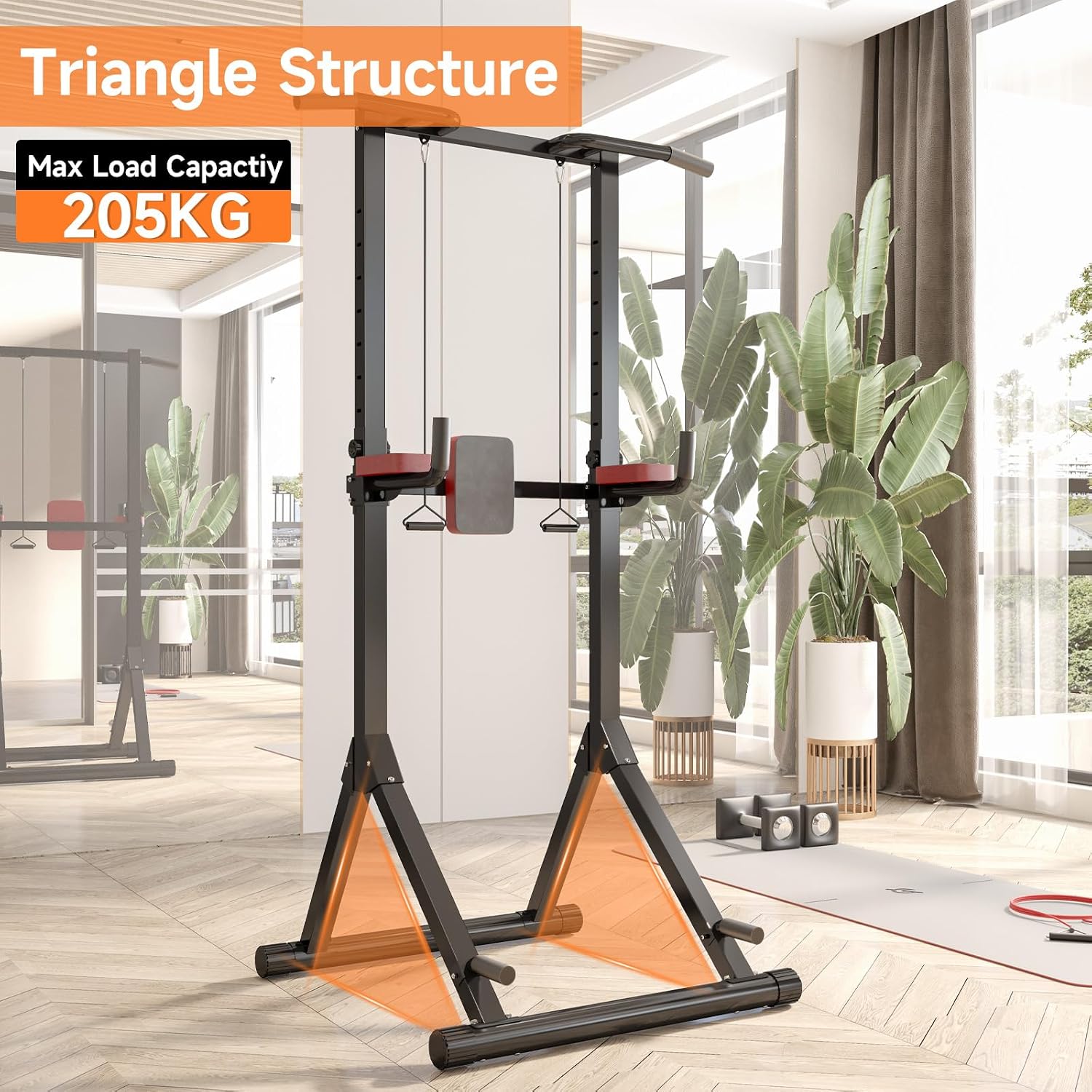
Figure 2: The Power Tower Pro's stable triangular base structure, designed for a maximum load capacity of 205 kg.
5. ఆపరేటింగ్ సూచనలు
5.1 ఎత్తు సర్దుబాటు
The Power Tower Pro features a 12-level height adjustment mechanism, allowing you to customize the height from 145 cm to 243 cm (approximately 57 to 96 inches). This ensures the equipment can be adapted for users of various heights and for different exercises.
- Locate the adjustment knob(s) on the vertical support beams.
- Unscrew or pull the knob to release the locking pin.
- Carefully slide the upper section of the tower to your desired height.
- లాకింగ్ పిన్ 12 సర్దుబాటు రంధ్రాలలో ఒకదానిలో పూర్తిగా నిమగ్నమై ఉందని నిర్ధారించుకోండి.
- Tighten the adjustment knob securely to prevent movement during exercise.

Figure 3: Height adjustment mechanism with adjustment knob, showing the range of customization.
5.2 వ్యాయామం ఉదాampలెస్
The Power Tower Pro supports a wide range of bodyweight exercises. Here are some common exampతక్కువ:
- Pull-ups: Use the top bar for various grip pull-ups (wide, narrow, neutral) to target back and arm muscles.
- డిప్స్: Utilize the dip handles to work chest, triceps, and shoulders.
- కాళ్ళు ఎత్తడం: Use the padded backrest and armrests for core exercises like knee raises and leg raises.
- పుష్-అప్స్: The base of the tower can be used for elevated push-ups or standard push-ups.
- తిరగబడిన వరుసలు: Use the lower bars or dip handles for inverted rows to target back muscles.
- స్క్వాట్లు: While primarily an upper body station, the sturdy frame can assist with bodyweight squats for balance.

Figure 4: Demonstrations of pull-ups, leg raises, and dips.

Figure 5: Demonstrations of push-ups, inverted rows, and step-ups.
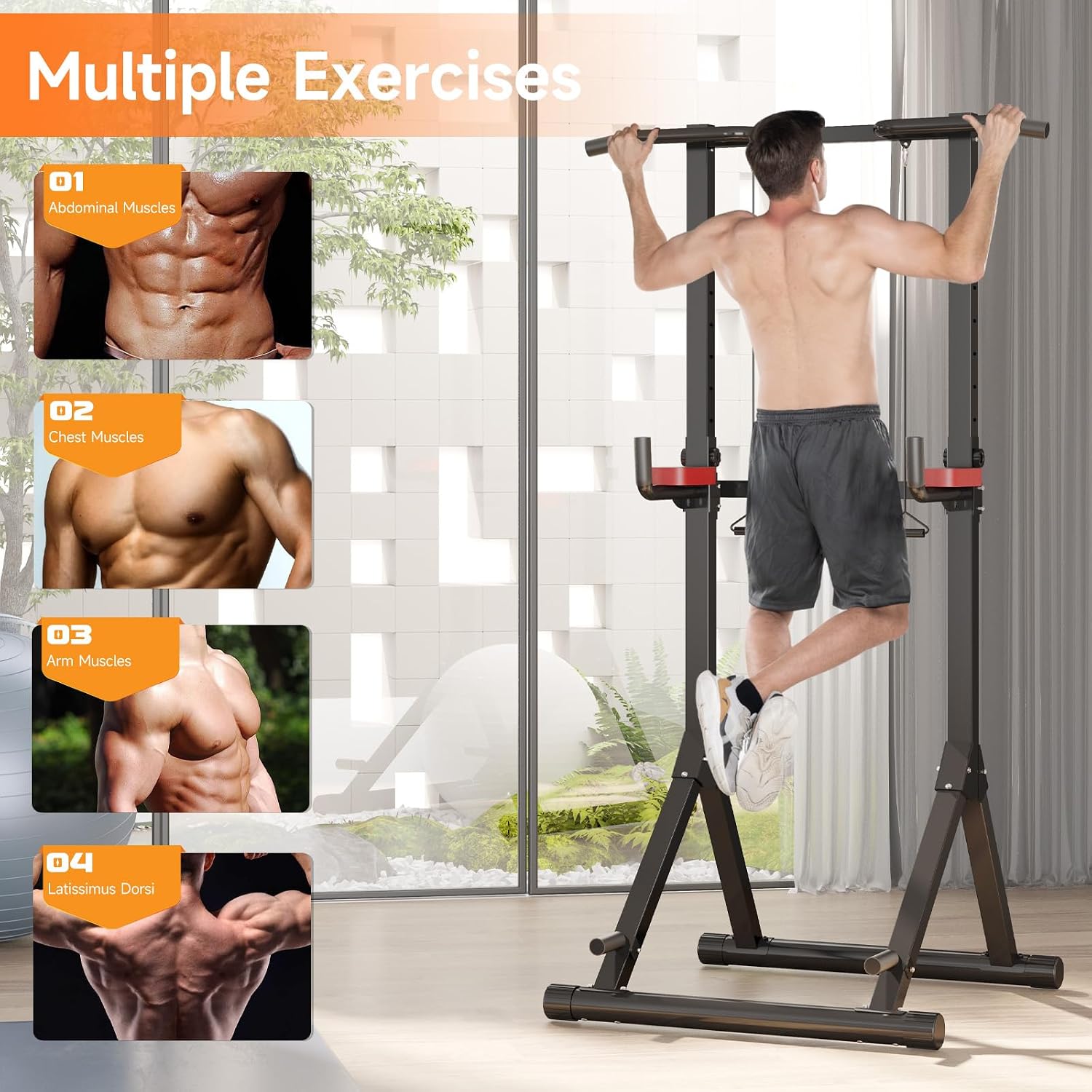
Figure 6: Visual guide to muscle groups targeted by various exercises on the Power Tower Pro.
6. నిర్వహణ
Regular maintenance ensures the longevity and safe operation of your Power Tower Pro.
- శుభ్రపరచడం: ఫ్రేమ్ మరియు ప్యాడ్ చేసిన ప్రాంతాలను ప్రకటనతో తుడవండిamp ప్రతి ఉపయోగం తర్వాత చెమట మరియు మురికిని తొలగించడానికి వస్త్రాన్ని ఉంచండి. రాపిడి క్లీనర్లను నివారించండి.
- తనిఖీ: Periodically check all bolts, nuts, and connections for tightness. Retighten as necessary.
- వేర్ అండ్ టియర్: Inspect foam grips, pads, and structural components for any signs of wear, tears, or damage. Replace worn parts immediately.
- నిల్వ: Store the Power Tower Pro in a dry, cool place away from direct sunlight and extreme temperatures.
7. ట్రబుల్షూటింగ్
| సమస్య | సాధ్యమైన కారణం | పరిష్కారం |
|---|---|---|
| Unit feels unstable or wobbly | Loose bolts/nuts; Uneven floor; Incorrect assembly | Ensure all fasteners are tightened; Move to a level surface; Re-check assembly steps. |
| Height adjustment mechanism is stuck | Pin not fully disengaged; Debris in adjustment holes | Ensure adjustment knob is fully unscrewed/pulled; Clear any obstructions from holes. |
| ఉపయోగం సమయంలో కీచు శబ్దాలు | Loose connections; Metal-on-metal friction | Tighten all bolts; Apply a small amount of lubricant to contact points if necessary. |
8. స్పెసిఫికేషన్లు
- బ్రాండ్: Dskeuzeew
- మోడల్: Power Tower Pro
- మెటీరియల్: మిశ్రమం ఉక్కు
- రంగు: Pro (Black with Red accents)
- ఉత్పత్తి కొలతలు (L x W x H): 113 cm x 103 cm x 145-243 cm (44.5 in x 40.5 in x 57-96 in)
- హ్యాండిల్ రకం: నురుగు
- Maximum Recommended Weight: 205 కిలోలు (451 పౌండ్లు)
- ఎత్తు సర్దుబాటు స్థాయిలు: 12 స్థాయిలు
- అసెంబ్లీ సూచనలు: చేర్చబడింది
9. వారంటీ
This product is sold without an explicit warranty. Please refer to the retailer's return policy for information regarding returns or exchanges.
10. కస్టమర్ మద్దతు
For any questions or assistance regarding your Dskeuzeew Power Tower Pro, please contact our customer support. We aim to respond to all inquiries within 24 hours.
దయచేసి మీ కొనుగోలు డాక్యుమెంటేషన్ లేదా రిటైలర్ యొక్క webనిర్దిష్ట సంప్రదింపు వివరాల కోసం సైట్.