
1. పరిచయం
This manual provides detailed instructions for the KOOSMILE Mini PC N150 (Model N80). This device is a compact and portable computer featuring an 8-inch multi-touch display, designed for various applications from daily tasks to light entertainment. Please read this manual thoroughly before using the product to ensure proper operation and to maximize its lifespan.

మూర్తి 1.1: The KOOSMILE Mini PC N150, showcasing its integrated 8-inch touchscreen and various connectivity ports.
ముఖ్య లక్షణాలు:
- ప్రాసెసర్: Twin Lake N150 CPU (4 cores, 4 threads, up to 3.6 GHz)
- మెమరీ: 12GB DDR5 ర్యామ్
- నిల్వ: 256GB M.2 SSD (expandable, other variants available)
- ప్రదర్శన: 8-inch HD multi-touch screen
- కనెక్టివిటీ: WiFi 6, Bluetooth 5.2, Dual RJ45 Ethernet
- పోర్టులు: 2x USB 3.0, 2x USB 2.0, HDMI, DisplayPort, Full-function Type-C, 3.5mm Audio Jack, TF Card Slot
- ఆపరేటింగ్ సిస్టమ్: Windows 11 ప్రో
- బ్యాటరీ: Integrated 5000mAh battery for portable use
2. ప్యాకేజీ విషయాలు
అన్బాక్సింగ్ సమయంలో అన్ని వస్తువులు ప్యాకేజీలో ఉన్నాయని నిర్ధారించుకోండి:
- KOOSMILE Mini PC N150 (Model N80)
- పవర్ అడాప్టర్
- HDMI కేబుల్
- DP కేబుల్
- వినియోగదారు మాన్యువల్ (ఈ పత్రం)
3. ఉత్పత్తి ముగిసిందిview (Ports and Features)
Familiarize yourself with the various ports and features of your Mini PC for optimal connectivity and usage.

మూర్తి 3.1: వివరంగా view of the KOOSMILE Mini PC N150's 12-port design, highlighting each port's function.
పోర్ట్ వివరణలు:
- USB 3.0 పోర్ట్లు (x2): అనుకూల పరికరాలతో హై-స్పీడ్ డేటా బదిలీ కోసం.
- USB 2.0 పోర్ట్లు (x2): For connecting standard USB peripherals like keyboards and mice.
- HDMI పోర్ట్: Connects to external displays, TVs, or projectors for video and audio output.
- డిస్ప్లేపోర్ట్ (DP): Connects to external displays for high-resolution video output.
- పూర్తి-ఫంక్షన్ టైప్-సి పోర్ట్: Supports 4K@60Hz video output, data transfer, and power delivery.
- RJ45 Ethernet Ports (x2): వైర్డు నెట్వర్క్ కనెక్షన్ల కోసం.
- 3.5mm ఆడియో జాక్: హెడ్ఫోన్లు లేదా బాహ్య స్పీకర్లను కనెక్ట్ చేయడానికి.
- TF కార్డ్ స్లాట్: For expanding storage or transferring data from TF cards.
- పవర్ బటన్: పరికరాన్ని ఆన్/ఆఫ్ చేయడానికి.

మూర్తి 3.2: The integrated adjustable metal bracket allows for flexible viewing కోణాలు.
4. సెటప్ గైడ్
4.1 కనెక్ట్ పవర్
- Connect the provided power adapter to the power input port on the Mini PC.
- పవర్ అడాప్టర్ను వాల్ అవుట్లెట్లోకి ప్లగ్ చేయండి.
- The device is now ready for initial power on.
4.2 ప్రారంభ బూట్ మరియు విండోస్ సెటప్
- మినీ PC వైపు ఉన్న పవర్ బటన్ను నొక్కండి.
- The device will boot up, and the 8-inch touchscreen will display the Windows 11 Pro setup wizard.
- Follow the on-screen instructions to complete the initial Windows setup, including language, region, network connection, and user account creation.
4.3 కనెక్ట్ పెరిఫెరల్స్
You can connect external devices such as a keyboard, mouse, and external monitors.
- కీబోర్డ్ మరియు మౌస్: Connect USB keyboards and mice to the available USB 2.0 or USB 3.0 ports. Wireless peripherals can be connected via Bluetooth 5.2.
- బాహ్య మానిటర్లు: Use the provided HDMI or DP cables to connect to external displays. The full-function Type-C port also supports video output.
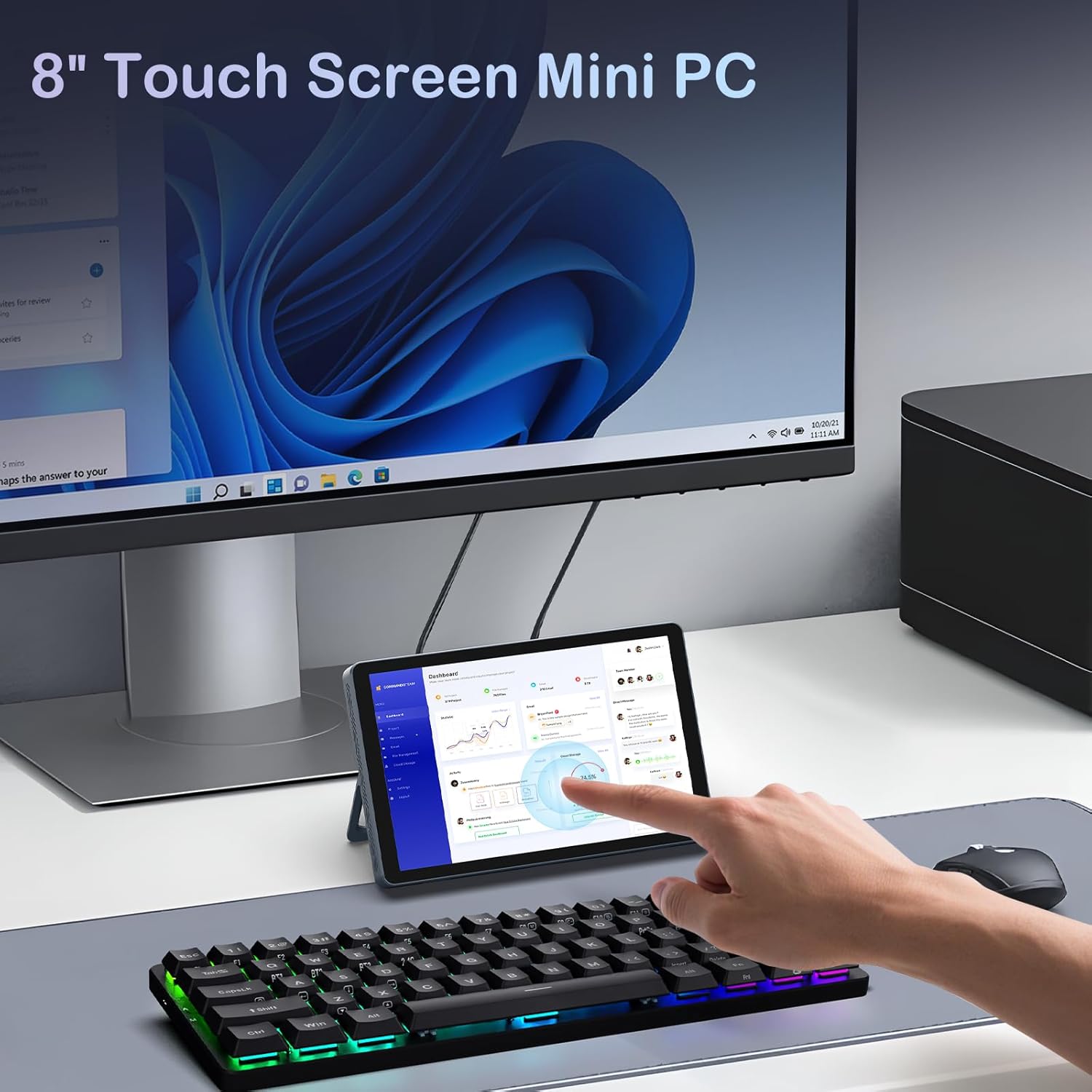
మూర్తి 4.1: The Mini PC N150 in a desktop setup, utilizing an external monitor and peripherals.
4.4 నెట్వర్క్ కనెక్షన్
- Wi-Fi: During Windows setup or via Windows settings, connect to your preferred Wi-Fi 6 network.
- ఈథర్నెట్: Connect an Ethernet cable from your router or modem to one of the two RJ45 ports on the Mini PC for a wired network connection.
5. ఆపరేటింగ్ సూచనలు
5.1 టచ్స్క్రీన్ని ఉపయోగించడం
The 8-inch display supports multi-touch gestures, allowing for intuitive interaction with Windows 11 Pro. Use standard touch gestures for navigation, scrolling, zooming, and selecting items.
5.2 Connecting External Displays (Dual Display)
The Mini PC supports dual 4K displays simultaneously via HDMI, DisplayPort, and the full-function Type-C port. This allows for an extended desktop experience.
- Connect your external monitors using the appropriate cables (HDMI, DP, or Type-C).
- Once connected, Windows will automatically detect the displays. You can configure display settings (extend, duplicate, or second screen only) via the Display Settings in Windows.
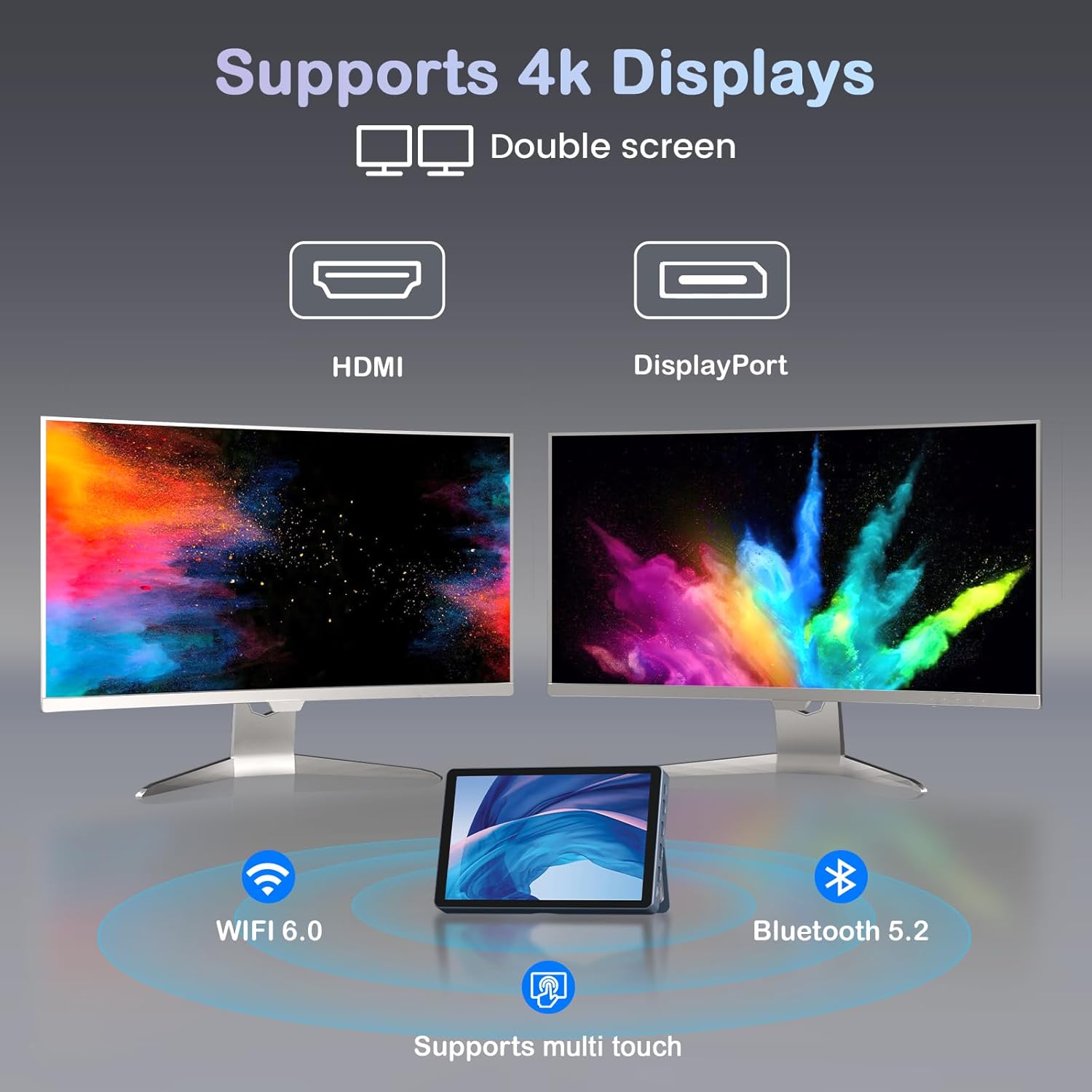
మూర్తి 5.1: The Mini PC N150 supporting a dual 4K monitor setup, enhancing productivity.
5.3 బ్యాటరీ నిర్వహణ
The integrated 5000mAh battery provides power for portable use. The battery also supports charging other devices via its Type-C port.
- Charging the Mini PC: Connect the power adapter to fully charge the internal battery.
- బాహ్య పరికరాలను ఛార్జ్ చేస్తోంది: Use a compatible USB-C cable to connect your smartphone or other devices to the Mini PC's full-function Type-C port for charging. Ensure the Mini PC has sufficient battery charge.

మూర్తి 5.2: The Mini PC N150 can provide power to charge other portable devices.
5.4 Adjusting the Integrated Stand
The Mini PC features an adjustable metal bracket on its rear, allowing you to set the device at various viewసౌకర్యవంతమైన ఉపయోగం కోసం కోణాలను ing.
- Gently pull out the metal bracket from the back of the device.
- Adjust the bracket to your desired angle (e.g., 45 degrees or 165 degrees) to prop up the screen.
- Ensure the bracket is stable before releasinపరికరాన్ని గ్రా చేయండి.
6. నిర్వహణ
6.1 శుభ్రపరచడం
- పరికరం యొక్క బాహ్య భాగాన్ని శుభ్రం చేయడానికి మృదువైన, పొడి, మెత్తటి బట్టను ఉపయోగించండి.
- For the touchscreen, use a screen-specific cleaning solution and a microfiber cloth. Avoid harsh chemicals.
- శుభ్రపరిచే ముందు పరికరం ఆఫ్ చేయబడిందని మరియు అన్ప్లగ్ చేయబడిందని నిర్ధారించుకోండి.
6.2 నిల్వ విస్తరణ
The Mini PC comes with an M.2 SSD, which can be upgraded. Refer to the manufacturer's guidelines or a qualified technician for storage upgrades to avoid voiding the warranty or damaging the device.
- The device supports M.2 SSDs.
- Consult the technical support team for recommended compatible M.2 SSD types and installation procedures.
7. ట్రబుల్షూటింగ్
If you encounter issues with your KOOSMILE Mini PC N150, refer to the following common troubleshooting steps:
- శక్తి లేదు:
- పవర్ అడాప్టర్ మినీ పిసి మరియు పనిచేసే పవర్ అవుట్లెట్ రెండింటికీ సురక్షితంగా కనెక్ట్ చేయబడిందని నిర్ధారించుకోండి.
- మరొక పరికరాన్ని ప్లగ్ చేయడం ద్వారా పవర్ అవుట్లెట్ పనిచేస్తుందో లేదో ధృవీకరించండి.
- If using the battery, ensure it is charged.
- బాహ్య మానిటర్లో డిస్ప్లే లేదు:
- Check that the HDMI, DP, or Type-C cable is securely connected to both the Mini PC and the monitor.
- బాహ్య మానిటర్ ఆన్ చేయబడిందని మరియు సరైన ఇన్పుట్ సోర్స్కు సెట్ చేయబడిందని నిర్ధారించుకోండి.
- Try a different cable or monitor if available.
- Wi-Fi/బ్లూటూత్ కనెక్టివిటీ సమస్యలు:
- విండోస్ సెట్టింగ్లలో Wi-Fi/బ్లూటూత్ ప్రారంభించబడిందని నిర్ధారించుకోండి.
- Restart the Mini PC and your router/modem.
- Check for updated network drivers in Device Manager.
- టచ్స్క్రీన్ స్పందించడం లేదు:
- Restart the Mini PC.
- స్క్రీన్ శుభ్రంగా మరియు చెత్త లేకుండా ఉందని నిర్ధారించుకోండి.
- Check for updated touchscreen drivers.
If these steps do not resolve the issue, please contact KOOSMILE technical support for further assistance.
8. స్పెసిఫికేషన్లు
The following table outlines the technical specifications for the KOOSMILE Mini PC N150 (Model N80):
| ఫీచర్ | స్పెసిఫికేషన్ |
|---|---|
| మోడల్ సంఖ్య | N80 |
| ప్రాసెసర్ | Intel Celeron N150 (4 Cores, 4 Threads, up to 3.6 GHz) |
| RAM | 12GB DDR5 |
| నిల్వ | 256GB M.2 SSD (supports NVMe) |
| గ్రాఫిక్స్ | ఇంటిగ్రేటెడ్ గ్రాఫిక్స్ |
| ఆపరేటింగ్ సిస్టమ్ | Windows 11 ప్రో |
| ప్రదర్శించు | 8-inch HD Multi-touch Screen |
| గరిష్ట స్క్రీన్ రిజల్యూషన్ | 3840 x 2160 (4K) |
| USB పోర్ట్లు | 2x USB 3.0, 2x USB 2.0 |
| వీడియో అవుట్పుట్ | HDMI, DisplayPort, Full-function Type-C (4K@60Hz Dual Display Support) |
| నెట్వర్క్ | WiFi 6 (802.11ax), Bluetooth 5.2, 2x RJ45 Ethernet |
| ఆడియో | 3.5mm ఆడియో జాక్ |
| కార్డ్ రీడర్ | TF కార్డ్ స్లాట్ |
| బ్యాటరీ | 5000mAh (Nonstandard Battery) |
| కొలతలు | 7.62 × 4.88 × 0.91 అంగుళాలు (19.36 x 12.4 x 2.31 సెం.మీ) |
| బరువు | 2.42 పౌండ్లు (1.1 కిలోలు) |
9. వారంటీ మరియు మద్దతు
KOOSMILE is committed to providing reliable products and customer satisfaction.
- వారంటీ: Each KOOSMILE Mini PC N150 comes with a 1-year limited warranty from the date of purchase. This warranty covers manufacturing defects and hardware malfunctions under normal use.
- సాంకేతిక మద్దతు: We offer lifetime technical support for your product. Our professional after-sales team is available 24 hours a day to assist you with any technical inquiries or issues.
- కస్టమర్ సేవ: For responsive customer service, please refer to the contact information provided on the KOOSMILE official webసైట్ లేదా మీ కొనుగోలు వేదిక.