
1. పరిచయం
Welcome to the user manual for your new vivo Y31 5G smartphone. This guide provides essential information to help you set up, operate, maintain, and troubleshoot your device. Please read this manual thoroughly to ensure proper usage and to maximize your phone's capabilities.
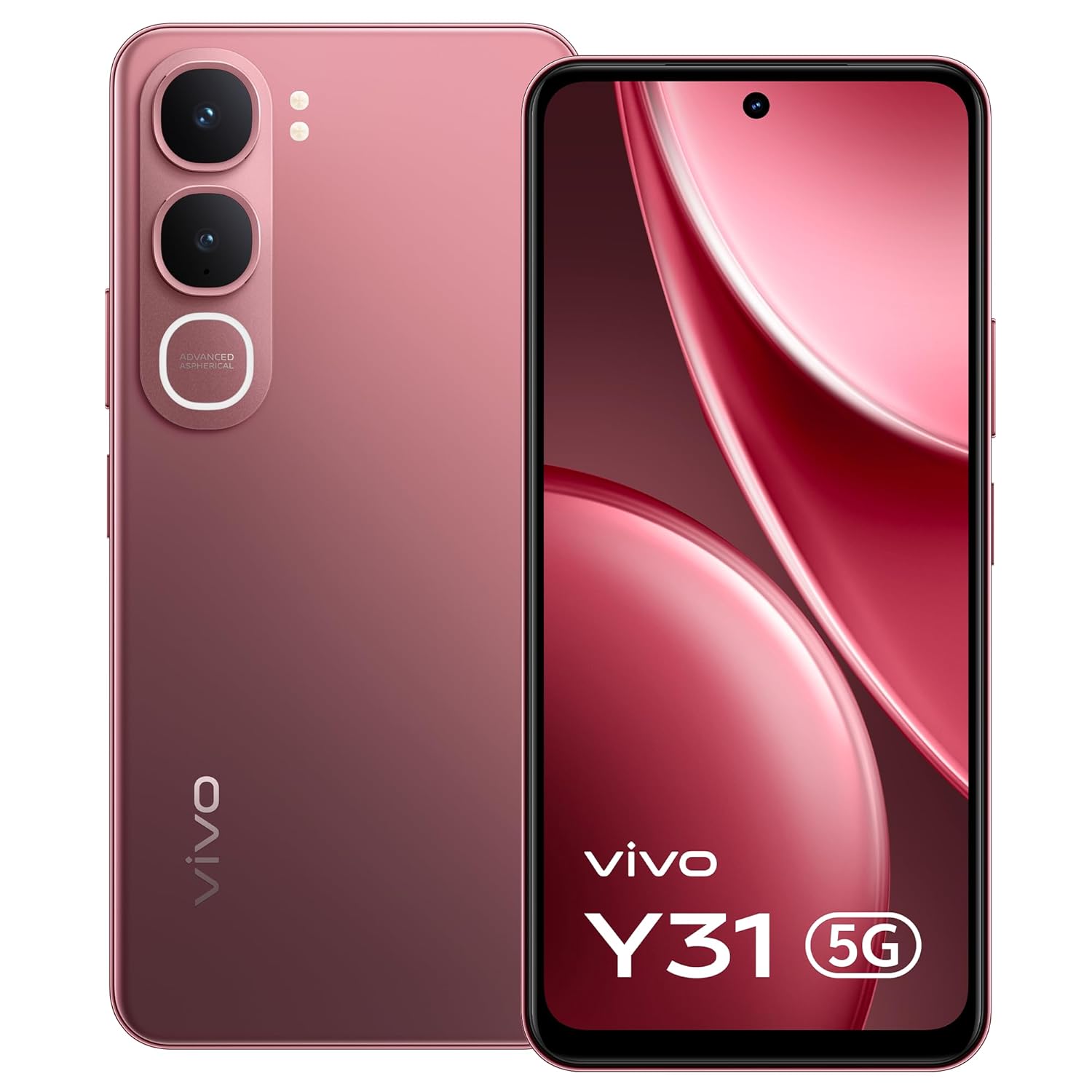
చిత్రం: ముందు భాగం view of the vivo Y31 5G smartphone in Rose Red.
2. పెట్టెలో ఏముంది
మీ ఉత్పత్తి ప్యాకేజింగ్లో అన్ని అంశాలు ఉన్నాయని నిర్ధారించుకోండి:
- vivo Y31 5G Smartphone
- ఫోన్ కేసు
- పవర్ అడాప్టర్
- SIM ట్రే ఎజెక్టర్
- స్క్రీన్ ప్రొటెక్టర్ (ముందే వర్తింపజేయబడింది)
- USB కేబుల్
3. సెటప్
3.1. Inserting the SIM Card and SD Card
- మీ ఫోన్ పక్కన సిమ్ కార్డ్ ట్రేని గుర్తించండి.
- ట్రే పక్కన ఉన్న చిన్న రంధ్రంలోకి సిమ్ ట్రే ఎజెక్టర్ సాధనాన్ని చొప్పించి, ట్రే బయటకు వచ్చే వరకు సున్నితంగా నొక్కండి.
- Place your Nano-SIM card(s) and/or microSD card (if applicable) into the tray with the gold contacts facing down, ensuring they are correctly oriented.
- ట్రే సరైన స్థానంలోకి వచ్చే వరకు జాగ్రత్తగా దాన్ని తిరిగి ఫోన్లోకి నెట్టండి.

చిత్రం: వైపు view of the vivo Y31 5G, illustrating the SIM tray location.
3.2. పరికరాన్ని ఛార్జ్ చేస్తోంది
Before first use, fully charge your phone. Use only the provided power adapter and USB cable.
- USB కేబుల్ను పవర్ అడాప్టర్కు కనెక్ట్ చేయండి.
- Plug the USB Type-C end of the cable into the charging port at the bottom of your phone.
- పవర్ అడాప్టర్ను వాల్ అవుట్లెట్లోకి ప్లగ్ చేయండి.
- ఛార్జింగ్ సూచిక తెరపై కనిపిస్తుంది.

చిత్రం: దిగువన view of the vivo Y31 5G, highlighting the USB Type-C charging port.
3.3. పవర్ ఆన్ మరియు ప్రారంభ సెటప్
- Press and hold the Power button (located on the right side) until the vivo logo appears.
- Follow the on-screen instructions to select your language, connect to Wi-Fi, set up your Google account, and configure security features like fingerprint or face unlock.
4. మీ పరికరాన్ని ఆపరేట్ చేయడం
4.1. ప్రాథమిక నావిగేషన్
Your vivo Y31 5G uses Funtouch OS 15, based on Android, for intuitive touch-based navigation:
- నొక్కండి: ఒక అంశాన్ని ఎంచుకోండి లేదా యాప్ను తెరవండి.
- స్వైప్: స్క్రీన్లు లేదా జాబితాల ద్వారా స్క్రోల్ చేయండి.
- చిటికెడు: ఫోటోలను జూమ్ ఇన్ లేదా అవుట్ చేయండి మరియు web పేజీలు.
- లాంగ్ ప్రెస్: సందర్భోచిత మెనూలను యాక్సెస్ చేయండి లేదా యాప్ చిహ్నాలను తరలించండి.
4.2. కాల్స్ చేయడం మరియు సందేశాలు పంపడం
- కాల్ చేయడానికి, తెరవండి ఫోన్ app, enter the number, and tap the call icon.
- To send a message, open the సందేశాలు app, tap the new message icon, enter the recipient and your message.
4.3. కెమెరా వినియోగం
Your phone features a 50 MP AI main camera and an 8 MP front camera.
- తెరవండి కెమెరా అనువర్తనం.
- మీకు కావలసిన మోడ్ను ఎంచుకోండి (ఫోటో, పోర్ట్రెయిట్, వీడియో, మొదలైనవి).
- చిత్రాన్ని క్యాప్చర్ చేయడానికి లేదా వీడియో రికార్డింగ్ ప్రారంభించడానికి/ఆపడానికి షట్టర్ బటన్ను నొక్కండి.
- ముందు మరియు వెనుక కెమెరాల మధ్య మారడానికి, జూమ్ను సర్దుబాటు చేయడానికి లేదా ఫిల్టర్లను వర్తింపజేయడానికి ఆన్-స్క్రీన్ నియంత్రణలను ఉపయోగించండి.
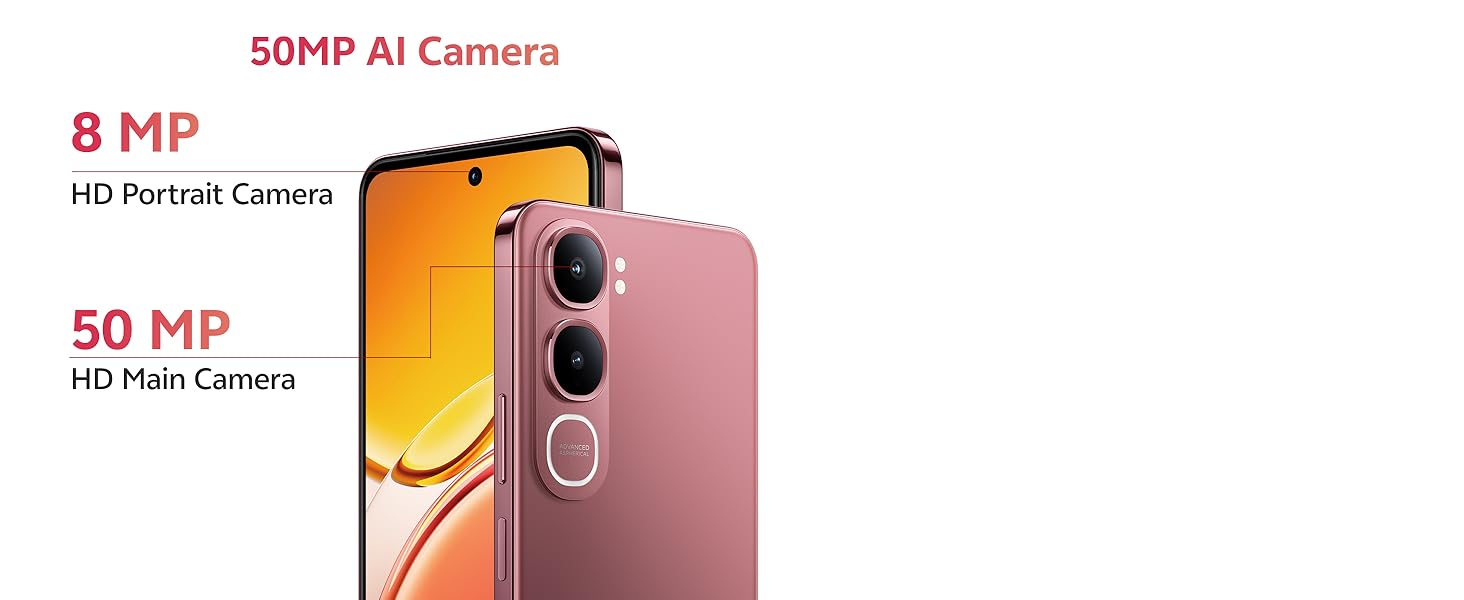
Image: Detail of the 50MP AI Camera system on the vivo Y31 5G.
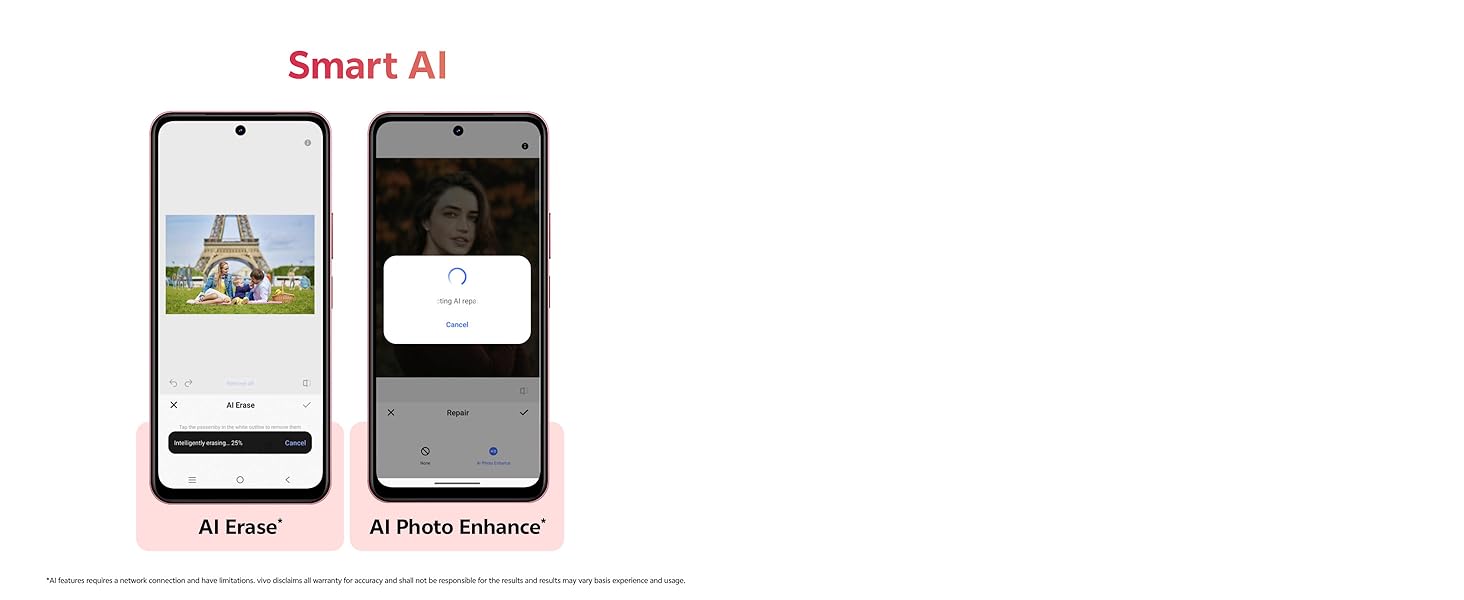
చిత్రం: ఉదాamples of Smart AI features like AI Erase and AI Photo Enhance.
4.4 కనెక్టివిటీ
- Wi-Fi: వెళ్ళండి సెట్టింగ్లు > నెట్వర్క్ & ఇంటర్నెట్ > Wi-Fi అందుబాటులో ఉన్న నెట్వర్క్లకు కనెక్ట్ అవ్వడానికి.
- బ్లూటూత్: వెళ్ళండి సెట్టింగ్లు > కనెక్ట్ చేయబడిన పరికరాలు > బ్లూటూత్ ఇతర పరికరాలతో జత చేయడానికి.
- 5G నెట్వర్క్: Your device supports 5G cellular technology. Ensure your SIM card and plan support 5G for optimal network speeds.
5. నిర్వహణ
5.1. మీ పరికరాన్ని శుభ్రపరచడం
మీ ఫోన్ స్క్రీన్ మరియు బాడీని శుభ్రం చేయడానికి మృదువైన, మెత్తటి బట్టను ఉపయోగించండి. కఠినమైన రసాయనాలు లేదా రాపిడి పదార్థాలను ఉపయోగించకుండా ఉండండి.
5.2. బ్యాటరీ సంరక్షణ
బ్యాటరీ జీవితాన్ని పొడిగించడానికి:
- తీవ్రమైన ఉష్ణోగ్రతలను నివారించండి.
- బ్యాటరీని క్రమం తప్పకుండా పూర్తిగా ఖాళీ చేయనివ్వకండి.
- Use the provided 44W FlashCharge adapter for efficient charging.
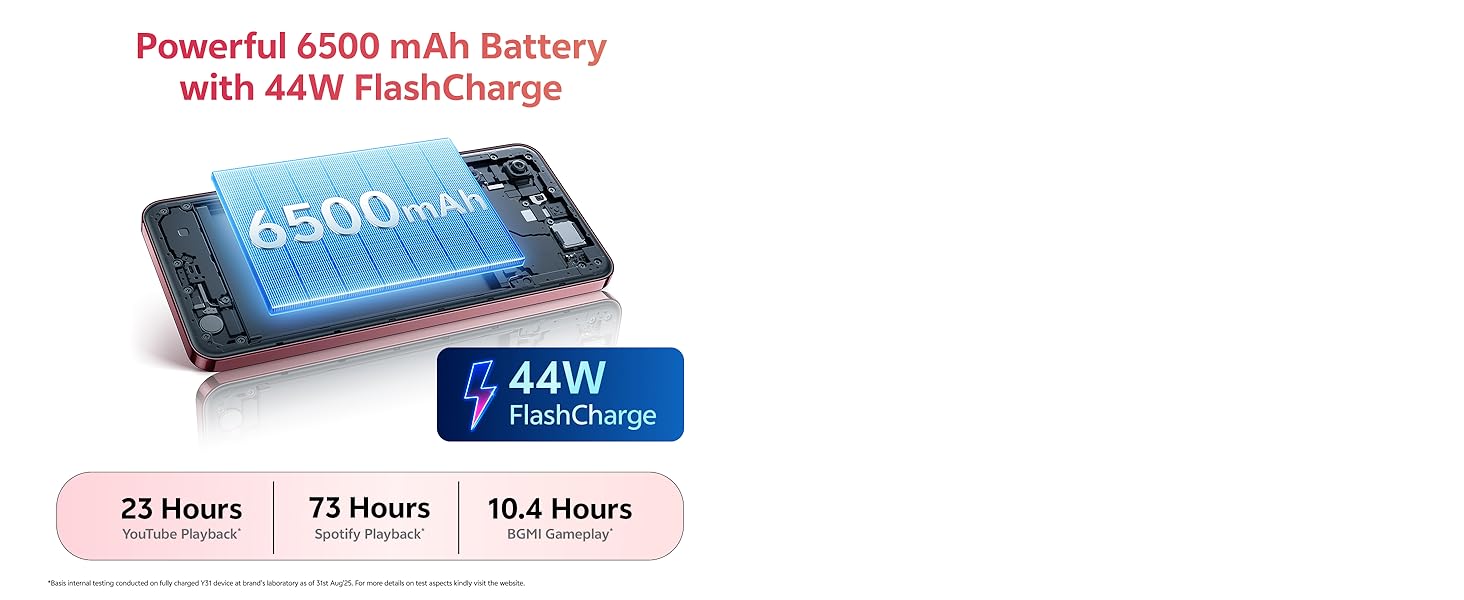
Image: Illustration of the 6500 mAh battery and 44W FlashCharge capability.
5.3. సాఫ్ట్వేర్ నవీకరణలు
సరైన పనితీరు మరియు భద్రతను నిర్ధారించుకోవడానికి సాఫ్ట్వేర్ నవీకరణలను క్రమం తప్పకుండా తనిఖీ చేసి, ఇన్స్టాల్ చేయండి. వెళ్ళండి సెట్టింగ్లు > సిస్టమ్ > సిస్టమ్ అప్డేట్.
5.4. నిల్వ నిర్వహణ
To manage your 128GB internal storage, go to సెట్టింగ్లు > నిల్వ. You can clear cache, uninstall unused apps, or move files to a microSD card (if installed).
6. ట్రబుల్షూటింగ్
If you encounter issues with your vivo Y31 5G, try the following solutions:
- పరికరం ఆన్ చేయడం లేదు: బ్యాటరీ ఛార్జ్ అయ్యిందని నిర్ధారించుకోండి. పవర్ బటన్ను కనీసం 10 సెకన్ల పాటు నొక్కి ఉంచండి.
- యాప్లు క్రాష్ అవుతున్నాయి లేదా స్తంభించిపోతున్నాయి: Close the app and reopen it. Clear the app's cache (Settings > Apps > [App Name] > Storage & cache). Restart your phone.
- Network issues (no signal, slow data): Check if your SIM card is properly inserted. Restart your phone. Go to సెట్టింగ్లు > నెట్వర్క్ & ఇంటర్నెట్ > SIMలు మరియు మీ SIM ప్రారంభించబడిందని నిర్ధారించుకోండి.
- పేలవమైన కాల్ నాణ్యత: Check network signal strength. Move to an area with better reception.
- పరికరం స్పందించడం లేదు: Perform a force restart by pressing and holding the Power button for about 10-15 seconds until the device restarts.
- ఫ్యాక్టరీ రీసెట్ (చివరి ప్రయత్నం): If problems persist, you may need to perform a factory reset. హెచ్చరిక: ఇది మీ ఫోన్లోని మొత్తం డేటాను తొలగిస్తుంది. కొనసాగే ముందు ముఖ్యమైన డేటాను బ్యాకప్ చేయండి. వెళ్ళండి సెట్టింగ్లు > సిస్టమ్ > రీసెట్ ఎంపికలు > మొత్తం డేటాను తొలగించండి (ఫ్యాక్టరీ రీసెట్).
7. స్పెసిఫికేషన్లు
Key technical specifications for the vivo Y31 5G:
| ఫీచర్ | స్పెసిఫికేషన్ |
|---|---|
| బ్రాండ్ | vivo |
| ఆపరేటింగ్ సిస్టమ్ | ఫన్టచ్ OS 15 |
| RAM మెమరీ | 4 GB |
| CPU మోడల్ | Snapdragon Octa-Core |
| CPU వేగం | 2.2 GHz |
| అంతర్గత నిల్వ | 128 GB |
| రంగు | గులాబీ ఎరుపు |
| సిమ్ కార్డ్ స్లాట్ కౌంట్ | డ్యూయల్ సిమ్ |
| కనెక్టర్ రకం | USB టైప్ C |
| ఫారమ్ ఫ్యాక్టర్ | బార్ |
| నీటి నిరోధక స్థాయి | వాటర్ రెసిస్టెంట్ కాదు |
| హెడ్ఫోన్స్ జాక్ | హెడ్ఫోన్ జాక్ లేదు |
| ఫ్రంట్ కెమెరా రిజల్యూషన్ | 8 ఎంపీ |
| వెనుక కెమెరా రిజల్యూషన్ | 50 ఎంపీ |
| బ్యాటరీ కెపాసిటీ | 6500 మిల్లీamp గంటలు |
| వస్తువు బరువు | 209 గ్రాములు |
| అంశం కొలతలు | 16.6 x 7.7 x 0.8 సెంటీమీటర్లు |
| స్క్రీన్ పరిమాణం | 6.68 అంగుళాలు |
| డిస్ప్లే రిజల్యూషన్ | 1608 x 720 పిక్సెల్లు |
| ప్రదర్శన రకం | LCD |
| సెల్యులార్ టెక్నాలజీ | 5G |
| మోడల్ సంవత్సరం | 2025 |
| మూలం దేశం | భారతదేశం |
8. వారంటీ సమాచారం
Your vivo Y31 5G comes with a 1-year manufacturer warranty for the device మరియు 6 months for in-box accessories, effective from the date of purchase. Please retain your proof of purchase for warranty claims. For detailed terms and conditions, refer to the warranty card included in your packaging or visit the official vivo webసైట్.
9. మద్దతు
For further assistance, technical support, or service inquiries, please contact vivo customer support:
- తయారీదారు: వివో మొబైల్ ఇండియా ప్రైవేట్ లిమిటెడ్
- చిరునామా: Plot No 08, Sector 24, Yamuna Expressway Area, Gautam Buddha Nagar, Uttar Pradesh, 201310
- Webసైట్: Refer to your product packaging or official vivo documentation for the latest support contact information.