
పరిచయం
This manual provides instructions for the proper use, setup, and maintenance of your CJ TECH NASA Laptop Backpack. Designed for versatility and durability, this backpack features a dedicated laptop compartment, a USB charging port, and water-resistant materials. Please read this manual thoroughly to ensure optimal performance and longevity of your product.
ఉత్పత్తి లక్షణాలు
- సర్దుబాటు చేయగల భుజం పట్టీలు: For comfortable and customizable fit.
- నీటి నిరోధక పదార్థం: Constructed from 300D Oxford Cloth and polyester to protect contents from moisture.
- Dedicated Laptop Compartment: 15 అంగుళాల వరకు ల్యాప్టాప్లను సురక్షితంగా పట్టుకుంటుంది.
- ఇంటిగ్రేటెడ్ USB ఛార్జింగ్ పోర్ట్: Allows for convenient charging of devices on the go (power bank not included).
- Multiple Storage Compartments: Includes a front exterior pocket, side pockets, and various interior pockets for organization.
- టాప్ హ్యాండిల్: సులభంగా తీసుకువెళ్లడానికి.
- కొలతలు: సుమారు 15.7 అంగుళాలు (L) x 11.8 అంగుళాలు (W) x 4.7 అంగుళాలు (H).

చిత్రం: పైగాview of the CJ TECH NASA Laptop Backpack highlighting its adjustable shoulder straps, water resistance, multiple pockets, top handle, dimensions, and material.
సెటప్
- Unpack the Backpack: Remove all packaging materials and inspect the backpack for any signs of damage.
- భుజం పట్టీలను సర్దుబాటు చేయండి: Loosen or tighten the shoulder straps to achieve a comfortable fit. The backpack should sit snugly against your back without sagging.
- Prepare USB Charging Port:
- Locate the internal USB cable inside the backpack.
- Connect your personal power bank (not included) to the internal USB cable.
- The external USB port on the side of the backpack is now ready to connect your device's charging cable.

Image: Instructions for using the integrated USB charging port, illustrating the connection from an internal power bank to an external device.
ఆపరేటింగ్ సూచనలు
ల్యాప్టాప్ కంపార్ట్మెంట్ని ఉపయోగించడం
The backpack features a padded compartment designed to protect your laptop. This compartment can accommodate laptops up to 15 inches in size.
- Open the main zipper of the backpack.
- Carefully slide your laptop into the dedicated padded sleeve.
- Ensure the laptop is fully seated and the compartment zipper is closed securely.

Image: The backpack's main compartment open, demonstrating how a 15-inch laptop fits into the padded sleeve.
Organizing Contents
Utilize the various pockets and compartments to organize your belongings efficiently.
- ప్రధాన కంపార్ట్మెంట్: For larger items like books, notebooks, or clothing.
- Front Exterior Pocket: Ideal for quick-access items such as keys, wallet, or small documents.
- సైడ్ పాకెట్స్: Suitable for water bottles, umbrellas, or other items you need to grab easily.
- Interior Pockets: Use for pens, chargers, or other small accessories to keep them secure and organized.

చిత్రం: క్లోజప్ view illustrating the multiple interior compartments, adjustable shoulder straps, and top handle for versatile use.
Carrying the Backpack
- Ensure both shoulder straps are adjusted evenly to distribute weight across your shoulders.
- For heavy loads, use both straps to prevent strain.
- The top handle can be used for short-distance carrying or hanging the backpack.
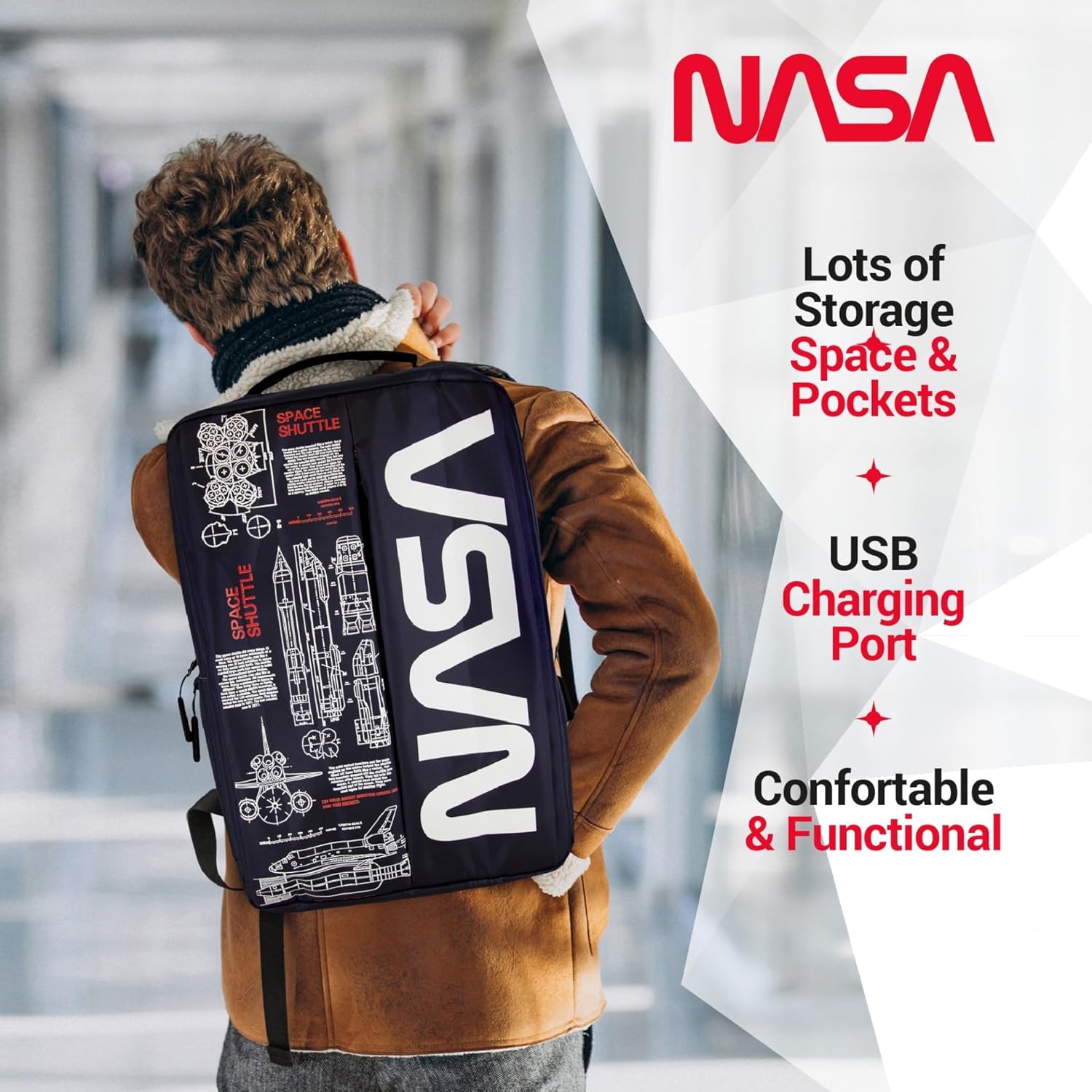
Image: A person wearing the backpack, showcasing its ergonomic design and how it sits on the back.
నిర్వహణ
- శుభ్రపరచడం:
- For minor dirt, wipe the exterior with a damp వస్త్రం మరియు తేలికపాటి సబ్బు.
- మెషిన్ వాష్ లేదా టంబుల్ డ్రై చేయవద్దు.
- Air dry completely before storing or reusing.
- నిల్వ: బ్యాక్ప్యాక్ను ఉపయోగంలో లేనప్పుడు ప్రత్యక్ష సూర్యకాంతి పడకుండా చల్లని, పొడి ప్రదేశంలో నిల్వ చేయండి.
- నీటి నిరోధకత: While the backpack is water-resistant, it is not fully waterproof. Avoid prolonged exposure to heavy rain or submerging the backpack in water.
ట్రబుల్షూటింగ్
| సమస్య | సాధ్యమైన కారణం | పరిష్కారం |
|---|---|---|
| USB port not charging device. | Power bank not connected or depleted. Faulty cable. | Ensure power bank is charged and correctly connected to the internal USB cable. Try a different charging cable for your device. |
| Zipper sticking or difficult to close. | Fabric caught in zipper. Zipper teeth misaligned. | Gently pull fabric away from the zipper. Apply a small amount of zipper lubricant (e.g., wax) if needed. Do not force the zipper. |
| Backpack feels uncomfortable. | Straps incorrectly adjusted. Overloaded backpack. | Adjust shoulder straps for even weight distribution. Reduce the amount of items carried if the backpack is too heavy. |
స్పెసిఫికేషన్లు
| ఫీచర్ | వివరాలు |
|---|---|
| ఉత్పత్తి కొలతలు | 4.72 x 11.81 x 15.75 అంగుళాలు (L x W x H) |
| వస్తువు బరువు | 1.1 పౌండ్లు |
| శాఖ | యునిసెక్స్-వయోజన |
| తయారీదారు | CJ టెక్ |
| ASIN | B0FQG9LPMW |
| అంశం మోడల్ సంఖ్య | 71736-NA |
| కెపాసిటీ మొత్తం | 20 లీటర్లు |
వారంటీ మరియు మద్దతు
For warranty information or customer support, please refer to the contact details provided with your purchase or visit the official CJ TECH webవారంటీ క్లెయిమ్ల కోసం మీ కొనుగోలు రుజువును ఉంచండి.