
AKNEAR GK-AF95800-K1
AKNEAR Rechargeable LED Flashlight GK-AF95800-K1 User Manual
Model: GK-AF95800-K1 | Brand: AKNEAR
1. పరిచయం
Thank you for choosing the AKNEAR Rechargeable LED Flashlight. This powerful and versatile flashlight is designed for various applications, from home use to outdoor activities like hiking and camping. It features high brightness, multiple lighting modes, a zoomable beam, USB-C charging, and a power bank function, all housed in a durable, waterproof aluminum alloy body.
2. ప్యాకేజీ విషయాలు
దయచేసి ఈ క్రింది అంశాల కోసం ప్యాకేజీని తనిఖీ చేయండి:
- 2 x AKNEAR Rechargeable LED Flashlights
- 2 x లాన్యార్డ్స్
- 2 x USB-C ఛార్జింగ్ కేబుల్స్
- వినియోగదారు మాన్యువల్ (ఈ పత్రం)
3. ఉత్పత్తి లక్షణాలు
The AKNEAR LED Flashlight is equipped with advanced features for optimal performance:
- హై ల్యూమెన్స్ అవుట్పుట్: Delivers up to 99000 lumens for exceptional brightness.
- 5 లైటింగ్ మోడ్లు: Includes High, Medium, Low, Strobe, and SOS for various situations.
- జూమ్ చేయగల ఫంక్షన్: Easily switch between a wide floodlight and a focused spotlight by stretching the flashlight head.
- USB-C పునర్వినియోగపరచదగినది: Fast charging via the built-in Type-C port.
- పవర్ బ్యాంక్ ఫంక్షన్: USB output port allows charging of mobile phones or other devices.
- పవర్ డిస్ప్లే: LED indicators show battery status (25%/50%/75%/100%).
- దీర్ఘకాలం ఉండే బ్యాటరీ: Features a 5000mAh high-capacity battery, providing up to 30 hours of runtime in SOS mode.
- మన్నికైన నిర్మాణం: Made from military-grade aluminum alloy, offering IPX-7 waterproof and drop-resistant performance.
Feature Visuals:

Figure 3.1: Aluminum Precision Design. The flashlight's robust construction ensures durability and reliability.

Figure 3.2: Super Bright Illumination. Experience powerful lighting for any environment.

Figure 3.3: Zoomable Function. Adjust the beam from a wide floodlight to a focused spotlight.

Figure 3.4: Five Lighting Modes. Cycle through High, Medium, Low, Strobe, and SOS modes.

Figure 3.5: Ultra Long Runtime. The 5000mAh battery provides extended usage.

Figure 3.6: USB-C Fast Charging and Power Bank Function. Charge the flashlight quickly and use it to power other devices.
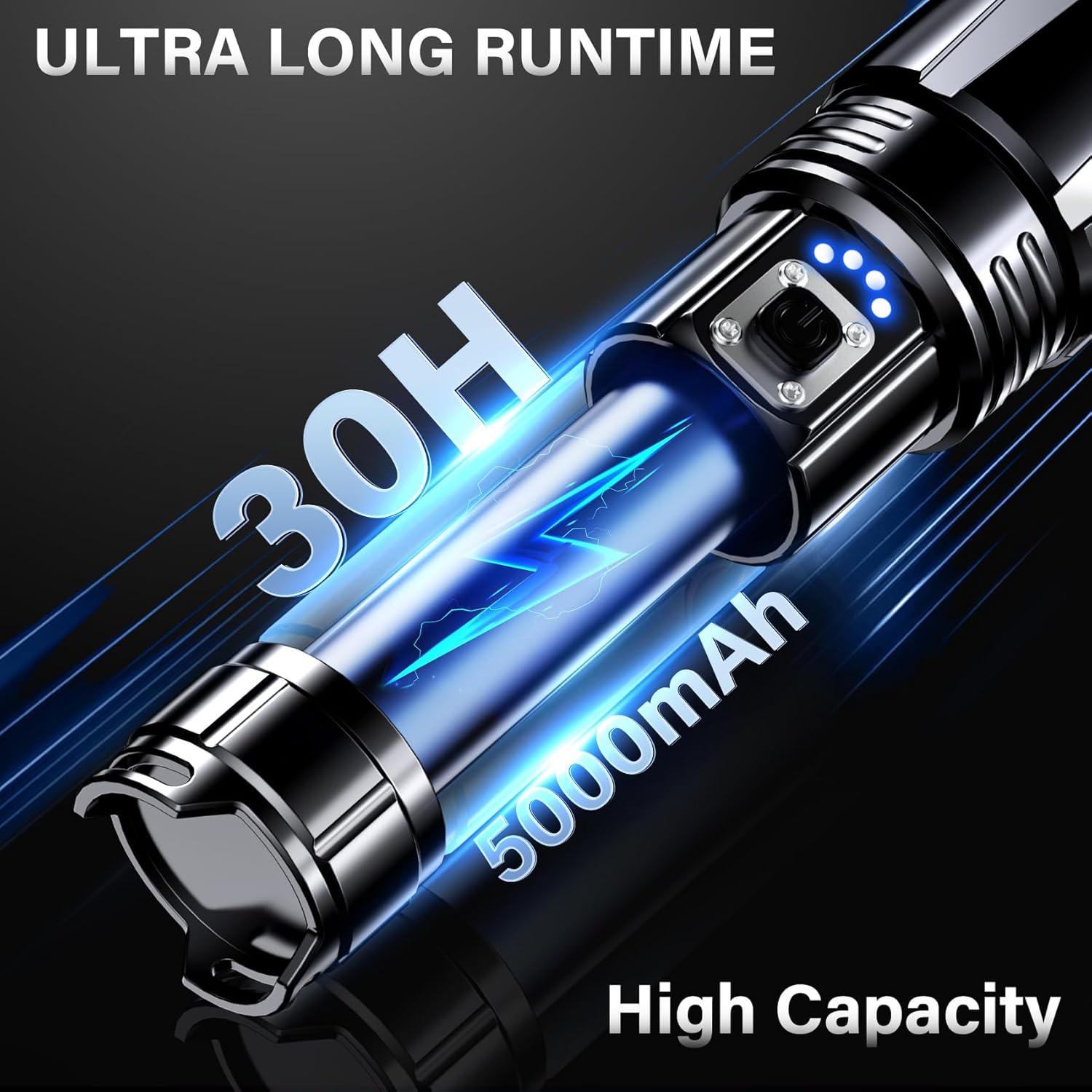
Figure 3.7: IPX-7 Waterproof. Designed to withstand rain and wet conditions.
4. సెటప్
4.1 ప్రారంభ ఛార్జింగ్
Before first use, fully charge the flashlight. Connect the provided USB-C cable to the flashlight's charging port and plug the other end into a USB power adapter (not included) or a computer USB port. The LED power indicators will show charging progress. All four lights will be solid when fully charged.
4.2 లాన్యార్డ్ను అటాచ్ చేయడం
Thread the lanyard through the designated loop at the tail cap of the flashlight to prevent accidental drops and for convenient carrying.
5. ఆపరేటింగ్ సూచనలు
5.1 పవర్ ఆన్/ఆఫ్
Press the power button once to turn the flashlight on. Press and hold the power button for 1.5 seconds to turn the flashlight off from any mode.
5.2 లైటింగ్ మోడ్లను మార్చడం
With the flashlight on, press the power button repeatedly to cycle through the 5 lighting modes: High > Medium > Low > Strobe > SOS.
5.3 జూమ్ ఫంక్షన్
To adjust the beam, gently pull the head of the flashlight forward to narrow the beam into a spotlight, or push it backward to widen it into a floodlight.
5.4 పవర్ బ్యాంక్ ఫంక్షన్
To use the flashlight as a power bank, connect your device's charging cable to the USB output port on the flashlight. The flashlight will automatically begin charging your device.
5.5 Power Display Indicators
The four blue LED indicators near the power button show the remaining battery charge:
- 1 LED: 0-25% charge
- 2 LED లు: 25-50% ఛార్జ్
- 3 LED లు: 50-75% ఛార్జ్
- 4 LED లు: 75-100% ఛార్జ్
6. నిర్వహణ
- శుభ్రపరచడం: ఫ్లాష్లైట్ బాడీని మృదువైన, d తో తుడవండిamp గుడ్డ. రాపిడి క్లీనర్లు లేదా ద్రావకాలు ఉపయోగించవద్దు.
- నిల్వ: ప్రత్యక్ష సూర్యకాంతి మరియు తీవ్రమైన ఉష్ణోగ్రతల నుండి దూరంగా చల్లని, పొడి ప్రదేశంలో ఫ్లాష్లైట్ను నిల్వ చేయండి.
- బ్యాటరీ సంరక్షణ: To maintain battery health, fully charge the flashlight every 3-6 months if not in regular use. Avoid fully discharging the battery for extended periods.
- సరళత: నీటి నిరోధకత మరియు సజావుగా పనిచేయడానికి O-రింగులు మరియు దారాలకు క్రమానుగతంగా సిలికాన్ గ్రీజును పూయండి.
7. ట్రబుల్షూటింగ్
| సమస్య | సాధ్యమైన కారణం | పరిష్కారం |
|---|---|---|
| ఫ్లాష్లైట్ ఆన్ అవ్వడం లేదు. | బ్యాటరీ తక్కువగా ఉంది లేదా బ్యాటరీ అయిపోయింది. | Charge the flashlight fully using the provided USB-C cable. |
| కాంతి మసకగా లేదా మిణుకుమిణుకుమంటుంది. | తక్కువ బ్యాటరీ. | ఫ్లాష్లైట్ని రీఛార్జ్ చేయండి. |
| ఫ్లాష్లైట్ ఛార్జ్ కావడం లేదు. | Cable or adapter issue; charging port obstruction. | Ensure the USB-C cable is securely connected. Try a different USB power adapter or cable. Check the charging port for debris. |
| పవర్ బ్యాంక్ ఫంక్షన్ పనిచేయడం లేదు. | Low flashlight battery; incorrect cable. | Ensure the flashlight has sufficient charge. Use a compatible charging cable for your external device. |
8. స్పెసిఫికేషన్లు
| ఫీచర్ | వివరాలు |
|---|---|
| మోడల్ సంఖ్య | GK-AF95800-K1 |
| ప్రకాశం | అప్ 99000 లు |
| కాంతి మూలం | LED |
| బ్యాటరీ కెపాసిటీ | 5000mAh (లిథియం పాలిమర్) |
| ఛార్జింగ్ పోర్ట్ | USB టైప్-C |
| అవుట్పుట్ పోర్ట్ | USB (for power bank function) |
| లైటింగ్ మోడ్లు | హై, మీడియం, తక్కువ, స్ట్రోబ్, SOS |
| జలనిరోధిత రేటింగ్ | IPX-7 |
| మెటీరియల్ | అల్యూమినియం మిశ్రమం |
| కొలతలు | 1.56"డి x 1.56"వా x 6.29"హ |
| Weight (per flashlight) | సుమారు 0.65 పౌండ్లు |
9. భద్రతా సమాచారం
- LED లైట్ ఆన్లో ఉన్నప్పుడు నేరుగా దానిలోకి చూడకండి, ఎందుకంటే అది తాత్కాలిక దృష్టి లోపానికి కారణమవుతుంది.
- పిల్లలకు దూరంగా ఉంచండి.
- Do not disassemble the flashlight, as this may void the warranty and cause damage.
- Avoid exposing the flashlight to extreme heat or fire.
- ఛార్జింగ్ కోసం అందించిన USB-C కేబుల్ను మాత్రమే ఉపయోగించండి.
10. వారంటీ మరియు మద్దతు
AKNEAR provides a 10-year product service for this flashlight. For any questions, concerns, or professional service, please contact our customer support team. We are available 7 days a week, 24 hours a day, to provide satisfactory solutions.
Contact Information: [Please refer to your product packaging or the AKNEAR official website for the most current contact details.]
Ask a question about this manual
Ask about setup, troubleshooting, compatibility, parts, safety, or missing instructions. Manuals+ will review the question and use this page’s manual context to help answer it.