
1. పరిచయం
ధన్యవాదాలు, ధన్యవాదాలు.asing the ENUOSUMA Mini Projector ENU41. This portable projector is designed to provide a versatile and immersive viewing experience for home entertainment, outdoor movies, and presentations. Featuring 4K 1080P support, WiFi 6, Bluetooth 5.0, and a 270-degree rotatable design, it offers flexibility and high-quality projection.
This manual provides essential information for setting up, operating, and maintaining your projector. Please read it thoroughly before use to ensure proper function and longevity of the device.
2. భద్రతా సమాచారం
- l ఉన్నప్పుడు ప్రొజెక్టర్ లెన్స్లోకి నేరుగా చూడకండిamp ఆన్లో ఉంది.
- వేడెక్కకుండా నిరోధించడానికి ప్రొజెక్టర్ చుట్టూ సరైన వెంటిలేషన్ ఉండేలా చూసుకోండి.
- పరికరంతో సరఫరా చేయబడిన పవర్ అడాప్టర్ను మాత్రమే ఉపయోగించండి.
- ప్రొజెక్టర్ను నీరు లేదా ఇతర ద్రవాలకు దూరంగా ఉంచండి.
- ప్రొజెక్టర్ను అస్థిర ఉపరితలాలపై ఉంచడం మానుకోండి.
- ప్రొజెక్టర్ను మీరే విడదీయడానికి లేదా రిపేర్ చేయడానికి ప్రయత్నించవద్దు. అర్హత కలిగిన సేవా సిబ్బందిని సంప్రదించండి.
- పిల్లలకు దూరంగా ఉంచండి.
3. ప్యాకేజీ విషయాలు
మీ ప్యాకేజీలో అన్ని అంశాలు ఉన్నాయని ధృవీకరించండి:
- ENUOSUMA Mini Projector ENU41
- రిమోట్ కంట్రోల్
- పవర్ అడాప్టర్
- వినియోగదారు మాన్యువల్
4. ఉత్పత్తి ముగిసిందిview
The ENUOSUMA Mini Projector ENU41 is a compact and versatile device. Below are key features and components.

Image: The ENUOSUMA Mini Projector ENU41, demonstrating its compact and portable design, easily held in one hand.
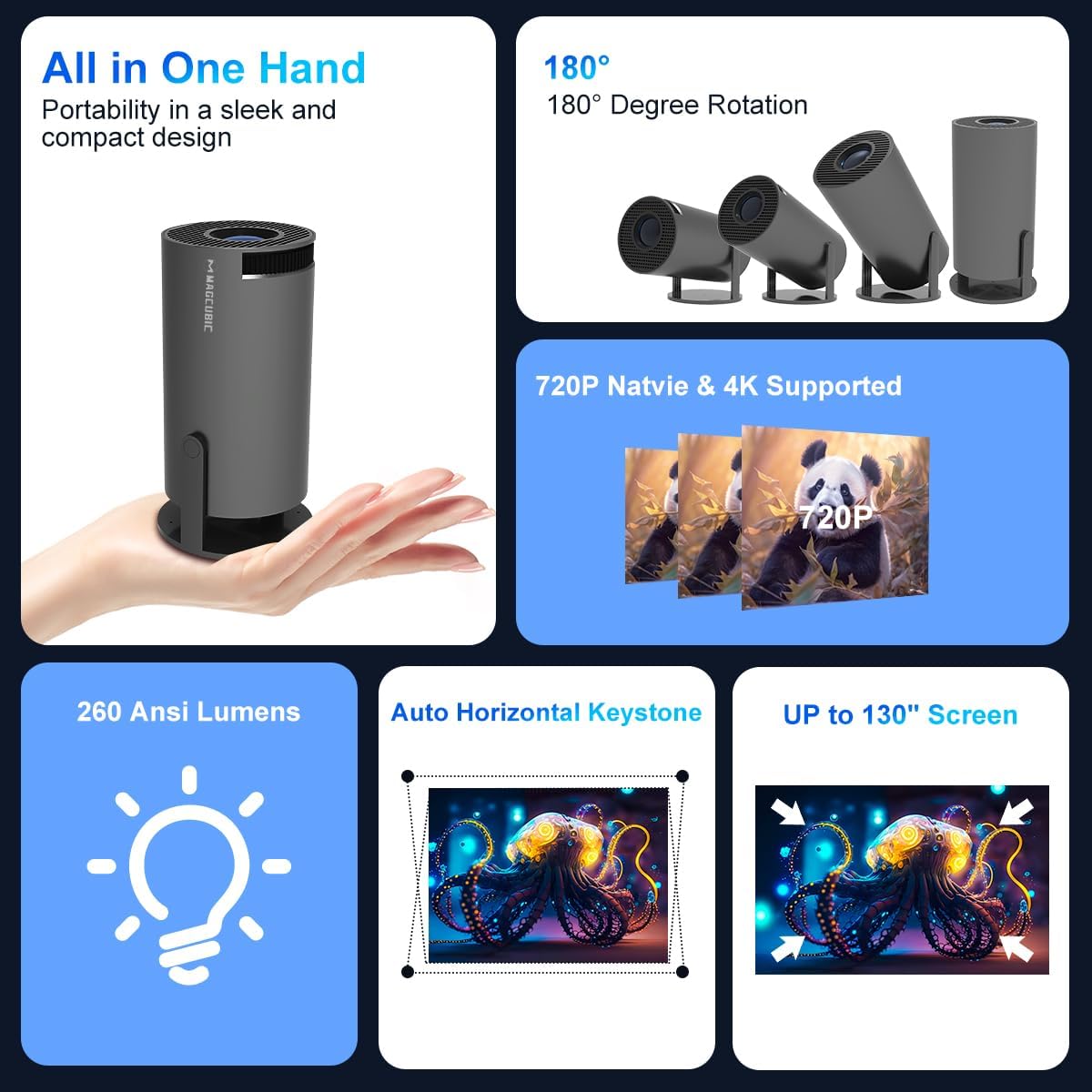
చిత్రం: ఒక ఓవర్view of the projector's features, including its portability, 180-degree rotation capability, 720P native resolution with 4K support, 260 ANSI Lumens brightness, automatic horizontal keystone correction, and ability to project up to a 130-inch screen.
5. సెటప్ సూచనలు
5.1 పవర్ కనెక్షన్
- పవర్ అడాప్టర్ను ప్రొజెక్టర్ పవర్ ఇన్పుట్ పోర్ట్కు కనెక్ట్ చేయండి.
- పవర్ అడాప్టర్ను వాల్ అవుట్లెట్లోకి ప్లగ్ చేయండి.
- పరికరాన్ని ఆన్ చేయడానికి ప్రొజెక్టర్ లేదా రిమోట్ కంట్రోల్లోని పవర్ బటన్ను నొక్కండి.
5.2 ప్లేస్మెంట్ మరియు ప్రొజెక్షన్
The projector features a 270-degree rotatable design, allowing for flexible placement and projection onto walls, ceilings, or floors.
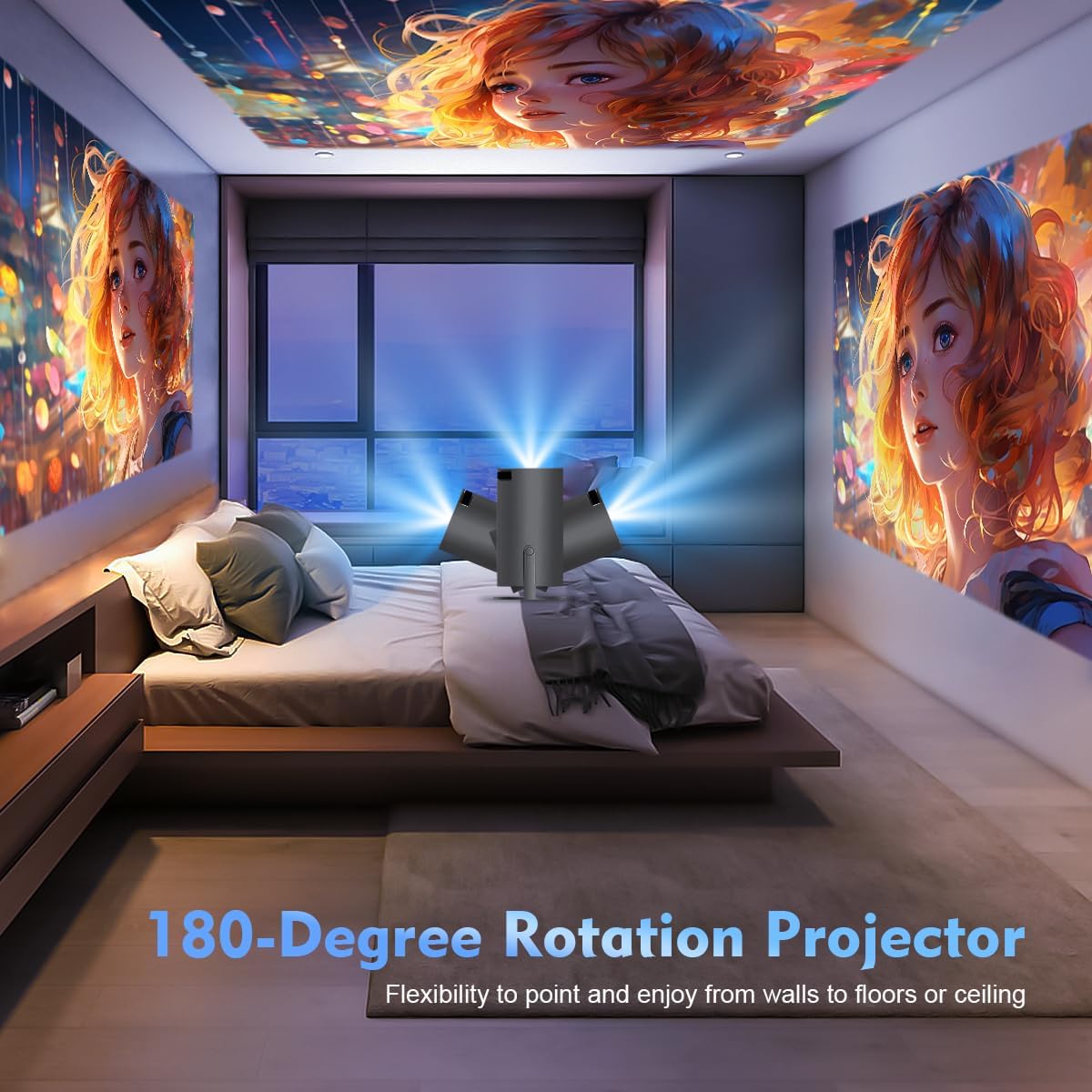
Image: The projector's 180-degree rotation feature, enabling projection onto various surfaces like walls, floors, or ceilings for versatile viewing.
ఆప్టిమల్ కోసం viewing, consider the projection distance and screen size:
- ఆదర్శం viewing distance for an 80-inch screen is approximately 1.6 meters.
- The projector supports screen sizes from 40 to 130 inches.

Image: A visual guide to projection distances and corresponding screen sizes, indicating an optimal projection distance of 1.6m for an 80-inch display.
5.3 ఫోకస్ మరియు కీస్టోన్ కరెక్షన్
The projector features automatic horizontal keystone correction and 4-point correction for a perfectly rectangular image.
- Automatic Keystone: The projector will automatically adjust the image shape horizontally.
- మాన్యువల్ ఫోకస్: Rotate the focus ring on the projector lens to achieve a clear image.
- 4-పాయింట్ల దిద్దుబాటు: Use the remote control to manually adjust each corner of the projected image for precise alignment if needed.

Image: Demonstration of the automatic horizontal keystone and 4-point correction features, ensuring a perfectly aligned and rectangular projection.
6. ఆపరేటింగ్ సూచనలు
6.1 కనెక్ట్ చేసే పరికరాలు
The ENUOSUMA Mini Projector ENU41 supports various connectivity options:
- WiFi 6: Connect to your home network for online streaming and screen mirroring. Navigate to the network settings in the projector's menu to connect to a WiFi network.
- బ్లూటూత్ 5.0: Connect external Bluetooth speakers or headphones for enhanced audio. Access Bluetooth settings in the menu to pair devices. The projector can also function as a Bluetooth speaker for your phone.
- HDMI: Connect devices such as laptops, gaming consoles (PS5), Blu-ray players, or TV sticks using an HDMI cable. Select the HDMI input source from the projector's menu.
- యొక్క: Connect older devices using an AV cable. Select the AV input source from the projector's menu.
6.2 స్క్రీన్ మిర్రరింగ్
Mirror content from your smartphone or tablet wirelessly using Miracast, Airplay, or DLNA.

Image: The projector's screen mirroring capabilities, supporting DLNA, Airplay, and Miracast for seamless content sharing from mobile devices.
- Ensure your mobile device and the projector are connected to the same WiFi network.
- Select the appropriate screen mirroring option (Miracast for Android, Airplay for iOS) from the projector's menu.
- Follow the instructions on your mobile device to initiate screen mirroring.
6.3 ఆడియో అవుట్పుట్
The projector has a built-in HiFi speaker. For a more immersive audio experience, connect external Bluetooth speakers.

Image: The projector's BT 5.0 and built-in HiFi speaker features, allowing convenient connection to external Bluetooth speakers for enhanced sound.
6.4 జూమ్ ఫంక్షన్
The projector supports a 50% zoom function, allowing you to adjust the image size without moving the projector.
- Access the zoom settings in the projector's display menu.
- Adjust the zoom level using the remote control.
7. నిర్వహణ
- లెన్స్ శుభ్రపరచడం: ఆప్టికల్ లెన్స్ల కోసం ప్రత్యేకంగా రూపొందించిన మృదువైన, మెత్తటి రహిత వస్త్రాన్ని ఉపయోగించండి. రాపిడి క్లీనర్లను ఉపయోగించవద్దు.
- సి ని శుభ్రపరచడంasing: Wipe the projector's exterior with a soft, dry cloth. For stubborn marks, use a slightly damp గుడ్డ ఆపై పూర్తిగా పొడిగా.
- వెంటిలేషన్: Regularly check that the ventilation openings are not blocked by dust or debris. Use a soft brush or compressed air to clean them.
- నిల్వ: ఎక్కువసేపు ఉపయోగంలో లేనప్పుడు, ప్రొజెక్టర్ను చల్లని, పొడి ప్రదేశంలో, దుమ్ము మరియు తీవ్రమైన ఉష్ణోగ్రతల నుండి రక్షించబడిన ప్రదేశంలో నిల్వ చేయండి.
8. ట్రబుల్షూటింగ్
- శక్తి లేదు: Ensure the power adapter is securely connected to both the projector and the power outlet. Try a different outlet.
- చిత్రం లేదు: Check the input source selection. Ensure the connected device is powered on and sending a signal. Verify all cables are securely connected.
- అస్పష్టమైన చిత్రం: Adjust the manual focus ring on the lens. Ensure the projector is placed within the recommended projection distance.
- Image is Crooked: The projector has automatic horizontal keystone. If further adjustment is needed, use the 4-point correction feature via the remote control.
- ధ్వని లేదు: Check the volume settings on both the projector and the connected device. If using external speakers, ensure they are properly connected and powered on. Verify Bluetooth connection if applicable.
- WiFi కనెక్షన్ సమస్యలు: Ensure the projector is within range of your WiFi router. Re-enter the WiFi password carefully. Restart both the projector and the router.
- రిమోట్ కంట్రోల్ పనిచేయదు: Check the batteries in the remote control and replace if necessary. Ensure there are no obstructions between the remote and the projector's IR receiver.
9. స్పెసిఫికేషన్లు
| ఫీచర్ | స్పెసిఫికేషన్ |
|---|---|
| బ్రాండ్ | ENUOSUMA |
| మోడల్ | ENU41 |
| ఉత్పత్తి కొలతలు | 10 x 5 x 10 సెం.మీ |
| వస్తువు బరువు | 300 గ్రా |
| ప్రదర్శన రకం | LCD |
| స్థానిక రిజల్యూషన్ | 1280 x 720 |
| మద్దతు ఉన్న రిజల్యూషన్ | 1920 x 1080 (4K Supported) |
| కారక నిష్పత్తి | 16:10 |
| ఇమేజ్ కాంట్రాస్ట్ రేషియో | అధిక |
| కనెక్టివిటీ టెక్నాలజీ | WiFi 6, Bluetooth 5.0, HDMI, AV |
| అనుకూల పరికరాలు | Laptops, Smartphones, Gaming Consoles, Blu-ray Players, Media Players |
| ప్రత్యేక లక్షణాలు | Wi-Fi 6, Bluetooth 5.0, Portable, Rotatable Design |
| మౌంటు రకం | టాబ్లెట్ మౌంట్ |
| రిఫ్రెష్ రేట్ | 600 Hz |
10. వారంటీ మరియు మద్దతు
ENUOSUMA products are manufactured to high-quality standards. For warranty information, please refer to the warranty card included in your product packaging or visit the official ENUOSUMA webసైట్.
For technical support, troubleshooting assistance, or service inquiries, please contact ENUOSUMA customer support through the contact information provided on our official webసైట్ లేదా మీ కొనుగోలు వేదిక.
Please have your model number (ENU41) and purchase date ready when contacting support.