
1. ఉత్పత్తి ముగిసిందిview
The Harvopu Keyboard Case is designed to enhance your iPad experience, offering protection, a multi-touch trackpad, and a backlit keyboard. It features a 360-degree rotating magnetic detachable design for versatile use.

చిత్రం: పైగాview of the Harvopu Rotating Magnetic Detachable Keyboard Case.
2. అనుకూలత
ఈ కీబోర్డ్ కేసు కింది ఐప్యాడ్ మోడళ్లకు అనుకూలంగా ఉంటుంది:
- iPad (A16) 11th Generation 11-inch 2025 (Models: A3354, A3355, A3356)
- iPad 10th Generation 10.9-inch 2022 (Models: A2696, A2757, A2777)
To confirm your iPad model number, check the back of your tablet for the 'AXXXX' number, or navigate to సెట్టింగ్లు > జనరల్ > గురించి and tap the 'M' part number to reveal the 'A' model number.

Image: Visual guide for identifying compatible iPad models and their corresponding model numbers.
3. సెటప్ సూచనలు
3.1 Case Installation
మీ ఐప్యాడ్ను కేసులో ఇన్స్టాల్ చేయడానికి:
- Align your iPad with the clear protective shell.
- Gently press the iPad into the shell until it snaps securely into place. Ensure all edges are properly seated.
- The case features a magnetic detachable design, allowing you to easily attach or detach the keyboard section as needed.

Image: Demonstration of installing the iPad into the magnetic detachable keyboard case.
3.2 కీబోర్డ్ కనెక్షన్
Follow these steps to connect the keyboard to your iPad via Bluetooth:
- Switch the keyboard's power ఆన్/ఆఫ్ బటన్ ON స్థానం.
- కీబోర్డ్లో, నొక్కి పట్టుకోండి Fn + C keys simultaneously for 3 seconds. The Bluetooth indicator light will begin to flash.
- మీ ఐప్యాడ్లో, ఇక్కడికి వెళ్లండి సెట్టింగ్లు > బ్లూటూత్ and toggle Bluetooth ON.
- In the list of 'Other Devices', search for "Bluetooth Keyboard" and tap to connect.
- Once successfully paired, the keyboard will automatically connect to your iPad whenever it is powered on and Bluetooth is enabled on your iPad.

Image: Visual steps for Bluetooth keyboard pairing with the iPad.
3.3 సిస్టమ్ స్విచింగ్
The keyboard supports seamless switching between different operating systems:
- నొక్కండి Fn+E to customize for the iOS system.
- నొక్కండి Fn+Q to customize for the Android system.
- నొక్కండి Fn + W to customize for the Windows system.

Image: Keyboard shortcuts for switching between different operating systems.
3.4 వీడియో ప్రదర్శన
Watch this video for a visual guide on the installation, rotation, and keyboard connection process:
Video: Demonstration of the Harvopu Rotating Detachable Keyboard Case for iPad, including installation, rotation, and keyboard connection.
4. ఆపరేటింగ్ సూచనలు
4.1 Multi-Angle Viewing and Rotation
The case features two precision-cut grooves and a 360-degree rotating mechanism, allowing for flexible viewing angles in both landscape and portrait modes. This design is ideal for various activities such as watching videos, video calls, or typing.

Image: The 360-degree rotating feature of the case, demonstrating various viewing ఓరియంటేషన్లు.
4.2 ట్రాక్ప్యాడ్ కార్యాచరణ
The integrated multi-touch trackpad allows for precise navigation and gesture control on your iPad. This enhances productivity for tasks like document editing and web బ్రౌజింగ్.
- Smooth Touchpad: Single-finger tap for click.
- రెండు వేళ్ల స్క్రోల్: పైకి లేదా క్రిందికి స్క్రోల్ చేయడానికి రెండు వేళ్లను ఉపయోగించండి.
- Mouse Right Button: Two-finger tap for right-click functionality.
- యాప్ స్విచ్చర్ను తెరవండి: Use specific gestures (refer to iPadOS settings for customization).
- Switch Active Window: Use specific gestures (refer to iPadOS settings for customization).

Image: Visual representation of trackpad gestures and their functions.
4.3 బ్యాక్లిట్ కీబోర్డ్
The keyboard features 7-color backlighting with 3 adjustable brightness levels, allowing you to type comfortably in various lighting conditions.
- To turn on/off or adjust brightness, use the dedicated backlight key (often represented by a light bulb icon).
- To change between the 7 colors, use the color cycle key (often represented by a color palette icon).

Image: The keyboard displaying various backlight colors and brightness levels.
4.4 Pencil Holder
The case includes a built-in pencil holder for convenient storage and access to your stylus (pencil not included).

Image: Features of the case including the pencil holder, magnetic detachment, precise cutouts, and drop protection.
4.5 Auto Wake/Sleep Function
The case supports the iPad's auto wake/sleep function. Closing the case will put your iPad to sleep, and opening it will wake it up, conserving battery life.
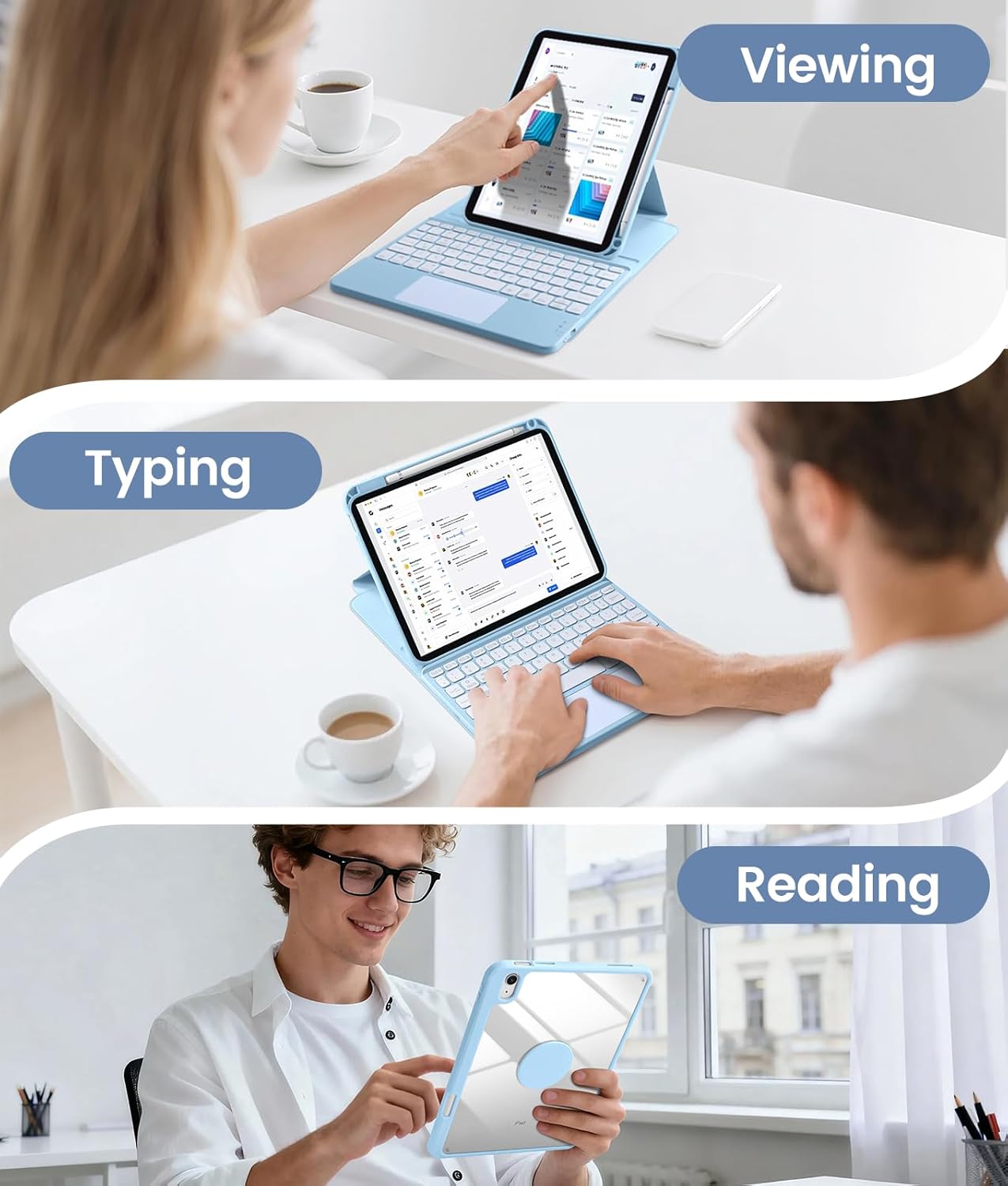
Image: Different usage modes (viewing, typing, reading) demonstrating the versatility of the case.
5. నిర్వహణ
5.1 శుభ్రపరిచే సూచనలు
The case is crafted from a soft, stain-resistant PU material. To clean:
- ఉపరితలాన్ని మృదువైన, డితో తుడవండిamp గుడ్డ.
- Avoid using harsh chemicals or abrasive cleaners, as these may damage the material.

Image: Demonstration of cleaning the stain-resistant case material.
5.2 బ్యాటరీ మరియు ఛార్జింగ్
The keyboard is powered by a built-in 420mAh battery and charges via a Type-C port.
- పూర్తిగా ఛార్జ్ చేయడానికి సుమారు 2-3 గంటలు పడుతుంది.
- The keyboard offers up to 240 hours of working time (with backlight off).
- It has a long standby time of up to 90 days.
- The keyboard will automatically enter energy-saving mode if not used for 15 minutes.

Image: Details on the Type-C charging port and battery performance.
6. ట్రబుల్షూటింగ్
6.1 కీబోర్డ్ కనెక్ట్ కావడం లేదు
- కీబోర్డ్ పవర్ ఆన్ చేయబడిందని నిర్ధారించుకోండి.
- మీ ఐప్యాడ్లో బ్లూటూత్ ప్రారంభించబడిందని ధృవీకరించండి.
- Re-initiate pairing by pressing Fn + C on the keyboard and searching for "Bluetooth Keyboard" in your iPad's Bluetooth settings.
- కీబోర్డ్ బ్యాటరీ ఛార్జ్ అయిందో లేదో తనిఖీ చేయండి.
- If issues persist, try restarting both your iPad and the keyboard.
6.2 Trackpad Not Responding
- Ensure the keyboard is connected via Bluetooth.
- Check iPadOS settings for trackpad gestures and ensure they are enabled.
- ఏదైనా చెత్తను తొలగించడానికి ట్రాక్ప్యాడ్ ఉపరితలాన్ని శుభ్రం చేయండి.
6.3 బ్యాక్లైట్ పనిచేయడం లేదు
- బ్రైట్నెస్ స్థాయిలు మరియు రంగుల ద్వారా చక్రం తిప్పడానికి బ్యాక్లైట్ కీని నొక్కండి.
- కీబోర్డ్ బ్యాటరీ తగినంతగా ఛార్జ్ చేయబడిందని నిర్ధారించుకోండి.
7. స్పెసిఫికేషన్లు
| ఫీచర్ | వివరాలు |
|---|---|
| ఉత్పత్తి కొలతలు | 9.75 x 5.91 x 0.25 అంగుళాలు |
| వస్తువు బరువు | 1.7 పౌండ్లు |
| తయారీదారు | హార్వోపు |
| బ్యాటరీలు | 1 లిథియం పాలిమర్ బ్యాటరీ అవసరం (చేర్చబడింది) |
| అనుకూల పరికరాలు | iPad (A16) 11th Gen (A3354/A3355/A3356), iPad 10th Gen (A2696/A2757/A2777) |
| కనెక్టివిటీ టెక్నాలజీ | బ్లూటూత్ |
| కీబోర్డ్ వివరణ | బహుళ ఫంక్షనల్ |
| రంగు | Sky Blue (Note: Color may vary by specific product variant) |
| శక్తి మూలం | బ్యాటరీ ఆధారితమైనది |
| కీబోర్డ్ లేఅవుట్ | QWERTY |
| Minimum Required OS | iPadOS 13.4 |
8. వారంటీ మరియు మద్దతు
మీ కొనుగోలులో ఇవి ఉన్నాయి:
- 1 x Case for iPad 11th generation 2025 or for iPad 10th generation 2022
- 1 x Touchpad Keyboard
- 1 x టైప్-సి ఛార్జింగ్ కేబుల్
- 1 x యూజర్ మాన్యువల్ (ఈ పత్రం)
For any questions regarding the product model or function, please refer to your purchase history or contact customer support through the retailer where the product was purchased.