
1. ఉత్పత్తి అనుకూలత
This keyboard case is designed for specific iPad models. Please verify your iPad model number before use.
- For iPad (A16) 11th generation 11-inch 2025 (Models: A3354, A3355, A3356)
- For iPad 10th generation 10.9-inch 2022 (Models: A2696, A2757, A2777)
గమనిక: This case is not compatible with any other iPad models. To confirm your iPad's model number, check the 'AXXXX' number located on the bottom of the back of your tablet.

2. సెటప్ మరియు ఇన్స్టాలేషన్
2.1 మీ ఐప్యాడ్ను కేసులో ఇన్స్టాల్ చేయడం
- Gently align your iPad with the clear PC inner cover of the case.
- Press firmly around the edges of the iPad until it snaps securely into place. Ensure all ports and buttons are accessible and aligned.

2.2 Connecting the Keyboard via Bluetooth
- Ensure the keyboard is charged. Connect the provided Type-C charging cable to the keyboard's charging port and a power source.
- కీబోర్డ్ మీద పవర్ స్విచ్ ని గుర్తించి, దానిని 'ఆన్' స్థానానికి స్లైడ్ చేయండి.
- Press and hold the function key "Fn" and the "C" button simultaneously for 3 seconds. The Bluetooth indicator light on the keyboard will begin to flash, indicating it is in pairing mode.
- మీ ఐప్యాడ్లో, ఇక్కడికి వెళ్లండి సెట్టింగ్లు > బ్లూటూత్ మరియు బ్లూటూత్ను ఆన్ చేయండి.
- In the 'Other Devices' list, search for "బ్లూటూత్ కీబోర్డ్" and tap to connect.
- Once paired, the Bluetooth indicator light on the keyboard will stop flashing. The keyboard will automatically connect to your iPad whenever it is turned on and within range.

2.3 సిస్టమ్ స్విచింగ్
The keyboard supports multiple operating systems. Use the following key combinations to switch between systems:
- For iOS: Press "Fn+E"
- For Android: Press "Fn+Q"
- For Windows: Press "Fn + W"

3. ఆపరేటింగ్ సూచనలు
3.1 Multi-Angle Viewing and 360° Rotation
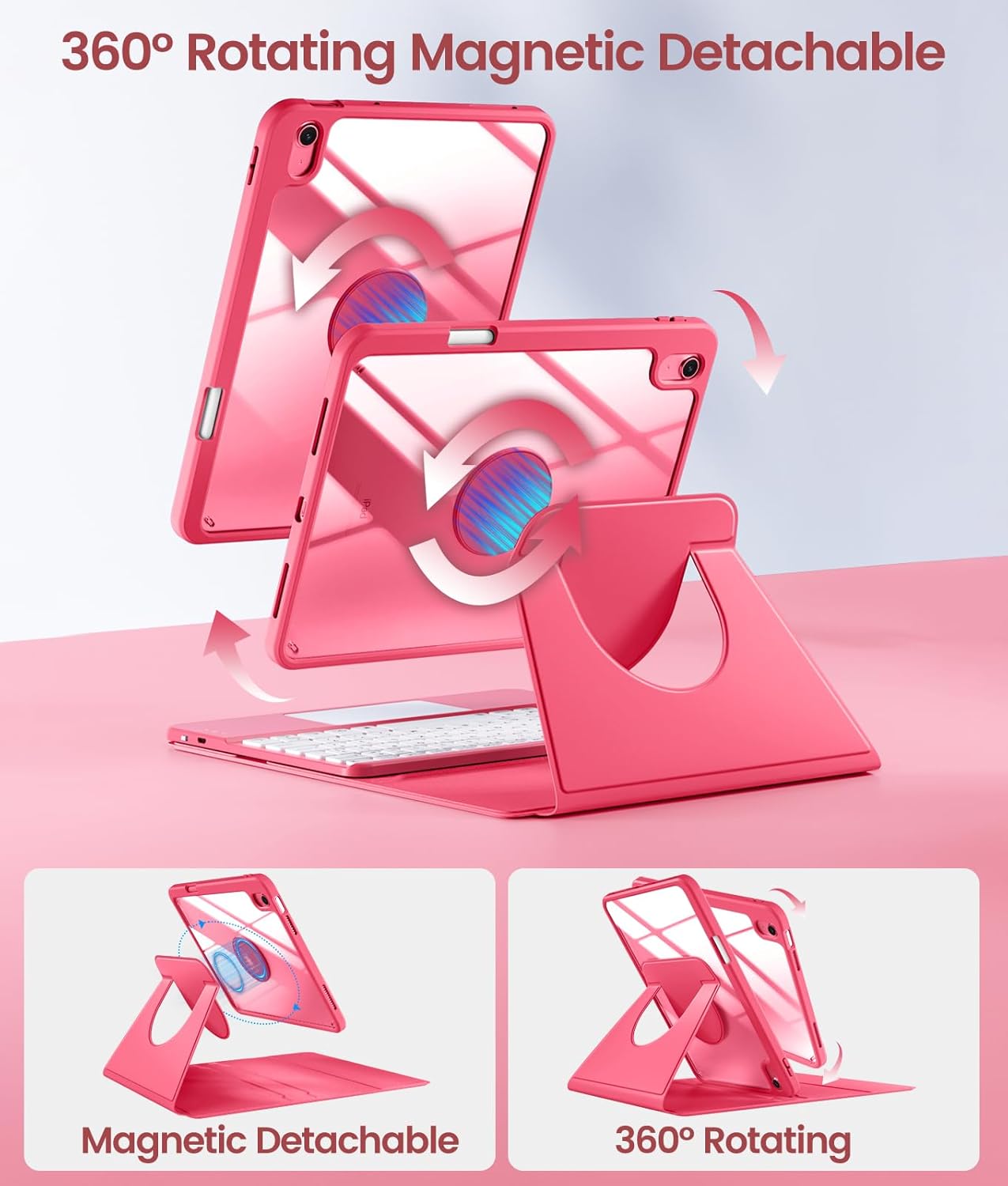
The case features a 360° rotating design and multiple viewing angles to enhance comfort and productivity. The iPad can be easily adjusted in both landscape and portrait modes.
- The magnetic detachable design allows for easy removal of the iPad from the keyboard base while keeping it protected.
- Utilize the precision-cut grooves within the case to set your desired viewing angle for tasks such as watching videos, video calls, or typing.

3.2 Backlit Keyboard and Multi-Touch Trackpad
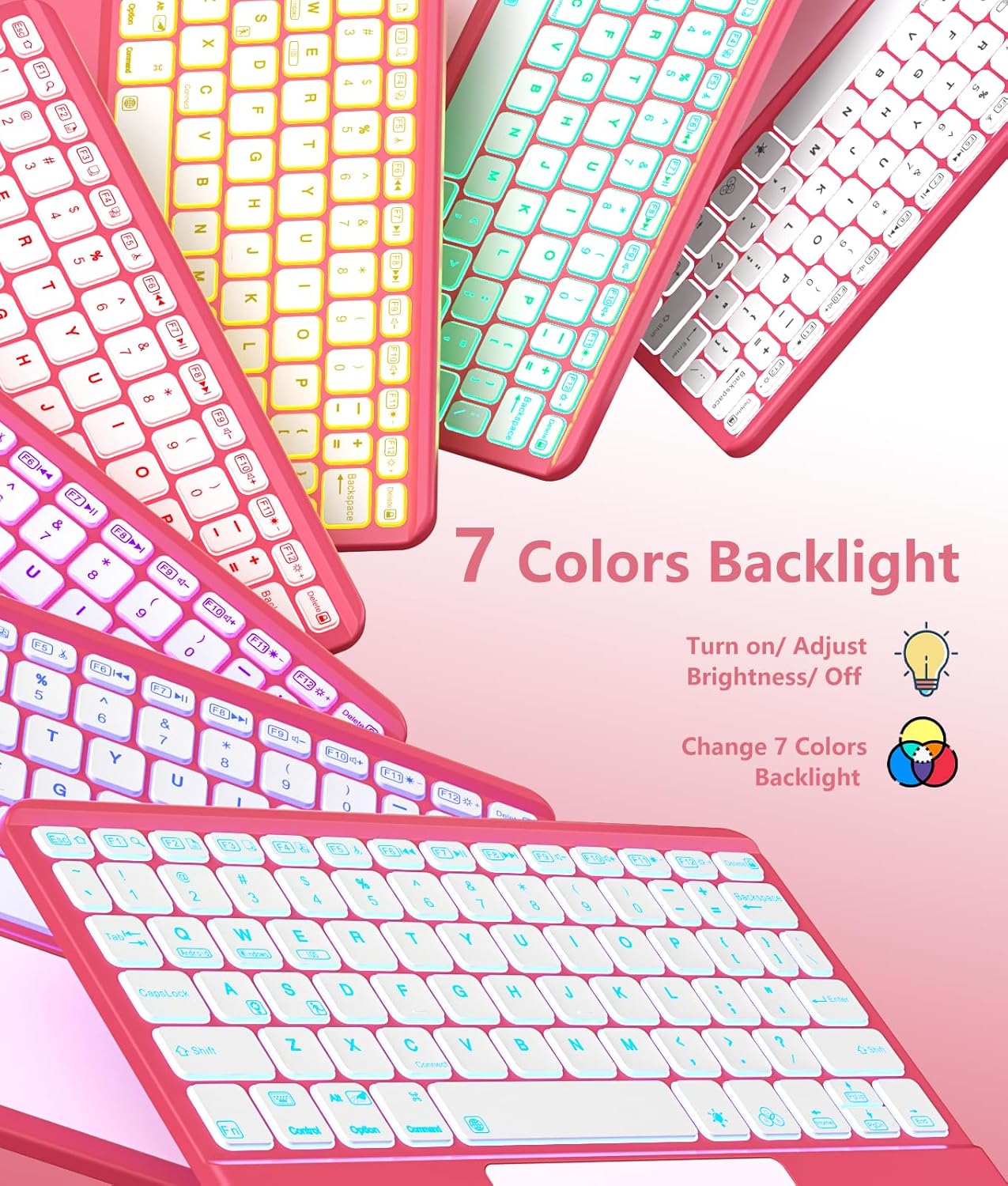
The keyboard features 7-color backlighting with 3 adjustable brightness levels, allowing for comfortable typing in various lighting conditions. The high-sensitive multi-touch trackpad enhances navigation and productivity.
- బ్యాక్లైట్ని సర్దుబాటు చేయడం: Use the dedicated backlight key (often represented by a lightbulb icon) to cycle through colors and adjust brightness levels.
- ట్రాక్ప్యాడ్ సంజ్ఞలు: The trackpad supports multi-touch gestures for efficient navigation, document editing, web browsing, and app switching. Refer to your iPad's settings for specific gesture configurations.

3.3 Pencil Holder
The case includes a built-in pencil holder for convenient storage and access to your Apple Pencil or stylus (pencil not included).
4. ఛార్జింగ్ మరియు బ్యాటరీ లైఫ్
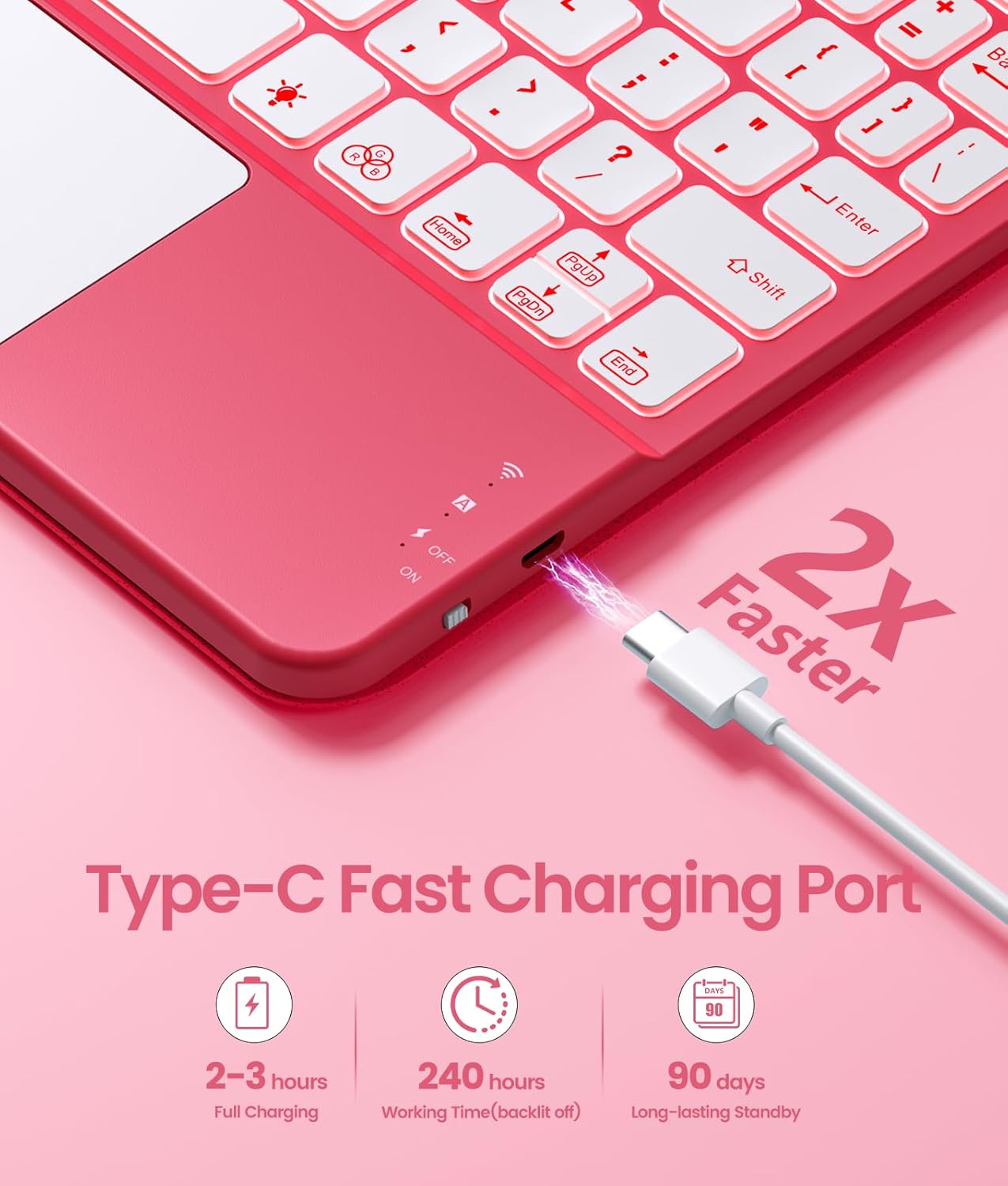
The keyboard is powered by a built-in 420mAh battery and charges via a Type-C port.
- ఛార్జింగ్ సమయం: పూర్తిగా ఛార్జ్ చేయడానికి దాదాపు 2-3 గంటలు పడుతుంది.
- పని సమయం: Up to 240 hours (with backlight off).
- స్టాండ్బై సమయం: 90 రోజుల వరకు.
- శక్తి-పొదుపు మోడ్: The keyboard automatically enters energy-saving mode if not used for 15 minutes to conserve battery.
5. నిర్వహణ మరియు సంరక్షణ
The case is crafted from a soft, stain-resistant PU material for durability and easy cleaning.
- శుభ్రపరచడం: కేసును మృదువైన, d వస్త్రంతో తుడవండి.amp cloth to remove stains and keep it looking new. Avoid harsh chemicals.
- రక్షణ: The sleek clear PC inner cover and robust design provide drop shockproof protection for your iPad.

6. స్పెసిఫికేషన్లు
- బ్రాండ్: హార్వోపు
- అనుకూల పరికరాలు: iPad (A16) 11th generation 11-inch 2025 (Models: A3354/A3355/A3356), iPad 10th generation 10.9-inch 2022 (Models: A2696/A2757/A2777)
- కనెక్టివిటీ టెక్నాలజీ: బ్లూటూత్
- కీబోర్డ్ వివరణ: బహుళ ఫంక్షనల్
- సిఫార్సు చేసిన ఉపయోగాలు: Office, Productivity
- ప్రత్యేక లక్షణాలు: Multi-touch Trackpad, Backlit with Adjustable Brightness, 360° Rotating Detachable Design
- మెటీరియల్: Plastic, Polycarbonate, Polyurethane (PU)
- శక్తి మూలం: బ్యాటరీ ఆధారితమైనది
- కీల సంఖ్య: 78
- కీబోర్డ్ లేఅవుట్: QWERTY
7. పెట్టెలో ఏముంది
- 1 x Case for iPad 11th generation 2025 or iPad 10th generation 2022
- 1 x Touchpad Keyboard
- 1 x టైప్-సి ఛార్జింగ్ కేబుల్
- 1 x యూజర్ మాన్యువల్ (ఈ పత్రం)
గమనిక: Apple Pencil or stylus is not included.
8. మద్దతు మరియు వారంటీ
For any questions regarding the product model or functionality, please refer to the product listing or contact Harvopu customer service. Information on warranty coverage is typically provided with your purchase documentation.
9. ఉత్పత్తి వీడియోలు
Harvopu Rotating Detachable Keyboard Case for iPad 10th/11th Generation A16
Video: This official product video from Harvopu demonstrates the key features of the keyboard case, including its rotating and detachable design, magnetic keyboard attachment, Bluetooth connection process, backlight options, and the integrated pen holder. It provides a visual guide to the product's functionality and ease of use.