
1. ఉత్పత్తి ముగిసిందిview
The AdaLov CPE882 WiFi 6 Wireless Bridge is designed to extend network connectivity over long distances, providing stable and high-speed internet access to remote locations. Utilizing advanced WiFi 6 technology, it supports both 2.4 GHz and 5.8 GHz dual-band frequencies, ensuring reliable performance for various applications.
ముఖ్య లక్షణాలు:
- వైఫై 6 టెక్నాలజీ: Advanced OFDMA and MU-MIMO for fast data transmission, low latency, and stable connections.
- డ్యూయల్-బ్యాండ్ ఆపరేషన్: Combines 2.4 GHz for long-distance stability and 5.8 GHz for ultra-fast transfers and reduced interference.
- గిగాబిట్ ఈథర్నెట్ పోర్ట్లు: Two Gigabit Ethernet ports for stable wired connections to routers, switches, modems, or Starlink systems.
- దీర్ఘ-శ్రేణి కవరేజ్: Supports reliable point-to-point (P2P) and point-to-multipoint (PTMP) connections up to 3 km (approximately 1.86 miles).
- IP65 వాతావరణ నిరోధక ఎన్క్లోజర్: Designed for outdoor use, resistant to rain, snow, intense sun, dust, and extreme conditions.
- ఫ్లెక్సిబుల్ మౌంటు: Includes mounting brackets for easy wall or pole installation with up to 150° vertical adjustment.
- బహుళ శక్తి ఎంపికలు: Powered by the included 24V PoE adapter, also supports 48V PoE switches or 12V DC power.

Figure 1.1: AdaLov CPE882 WiFi 6 Wireless Bridge showcasing WiFi 6 technology for enhanced performance.
2. పెట్టెలో ఏముంది
The AdaLov CPE882 kit includes all necessary components for immediate installation:
- 2 x AdaLov CPE882 Gigabit WiFi Bridges
- 2 x మౌంటు బ్రాకెట్లు
- 2 x 1m Network Cables
- Small and Large Cable Ties
- 2 x PoE Adapters (24V)
- 2 x Wall Cable Glands
- 50 x క్లిప్లు
- 1 x వినియోగదారు మాన్యువల్

Figure 2.1: Complete package contents for the AdaLov CPE882 Wireless Bridge kit.
3. ఇన్స్టాలేషన్ గైడ్
Follow these steps to install and configure your AdaLov CPE882 Wireless Bridge for optimal performance.
3.1 యూనిట్లను అమర్చడం
The CPE882 units are designed for outdoor installation. Use the provided mounting brackets to securely attach the units to a wall or pole. Ensure a clear line of sight between the two bridge units for best signal transmission.

Figure 3.1: Easy installation of the AdaLov CPE882 unit on an exterior surface.
3.2 Connecting Power and Ethernet
- Connect one end of an Ethernet cable to the PoE port on the included 24V PoE adapter.
- Connect the other end of this Ethernet cable to the LAN1/LAN2 port on the CPE882 unit. This cable provides both data and power to the unit.
- PoE అడాప్టర్ను పవర్ అవుట్లెట్లోకి ప్లగ్ చేయండి.
- For the Master unit, connect an Ethernet cable from your main router's LAN port to the LAN port on its PoE adapter.
- For the Slave unit, connect an Ethernet cable from the LAN port on its PoE adapter to your network device (e.g., computer, switch, or secondary router).

Figure 3.2: The two Gigabit LAN ports on the CPE882 unit.
3.3 DIP Switch Configuration and Pairing
The CPE882 units are Plug & Play, often pre-configured. However, you can adjust the DIP switches for specific roles (Master/Slave) and channels if needed. The display on the unit indicates the current channel number.
- Identify one unit as the మాస్టర్ (ఎ) and the other as the బానిస (బి).
- Use a small tool to adjust the DIP switch on the Master unit to 'A' and the Slave unit to 'B'.
- Briefly press the 'Reset' button on each unit to cycle through channel numbers until both units display the same channel number. This ensures they are paired correctly.
- Once paired, the LED indicators will show a solid green light, confirming a successful connection.
4. Operating Modes & Applications
The AdaLov CPE882 supports various operating modes to extend your network effectively.
4.1 Point-to-Point (P2P) Mode
In P2P mode, two CPE882 units establish a direct wireless link, extending your network from one location to another. This is ideal for connecting two buildings, such as a main house to a garage, barn, or remote office.

Figure 4.1: Point-to-Point network extension setup.
4.2 Point-to-Multipoint (PTMP) Mode
For scenarios requiring network extension to multiple remote locations from a single central point, the PTMP mode is utilized. One Master unit can connect to several Slave units, providing broader coverage.

Figure 4.2: Point-to-Multipoint network configuration.
4.3 డ్యూయల్-బ్యాండ్ కార్యాచరణ
The CPE882 operates on both 2.4 GHz and 5.8 GHz frequencies. The 2.4 GHz band offers wider coverage and better penetration through obstacles, suitable for general internet use and older devices. The 5.8 GHz band provides higher speeds and lower interference, ideal for streaming 4K video, online gaming, and connecting modern devices.

Figure 4.3: Dual-band operation for versatile connectivity.
4.4 Extended Range and Applications
With its 14 dBi antenna, the CPE882 can extend network signals up to 3 km, making it suitable for:
- భద్రతా కెమెరా వ్యవస్థలు: Connect remote IP cameras to your NVR wirelessly.
- Starlink Network Extension: Extend your Starlink internet to other buildings or areas on your property.
- Connecting Outbuildings: Provide internet to garages, workshops, barns, or sheds.
- Large Property Coverage: Ensure reliable network access across extensive properties or multi-acre terrains.
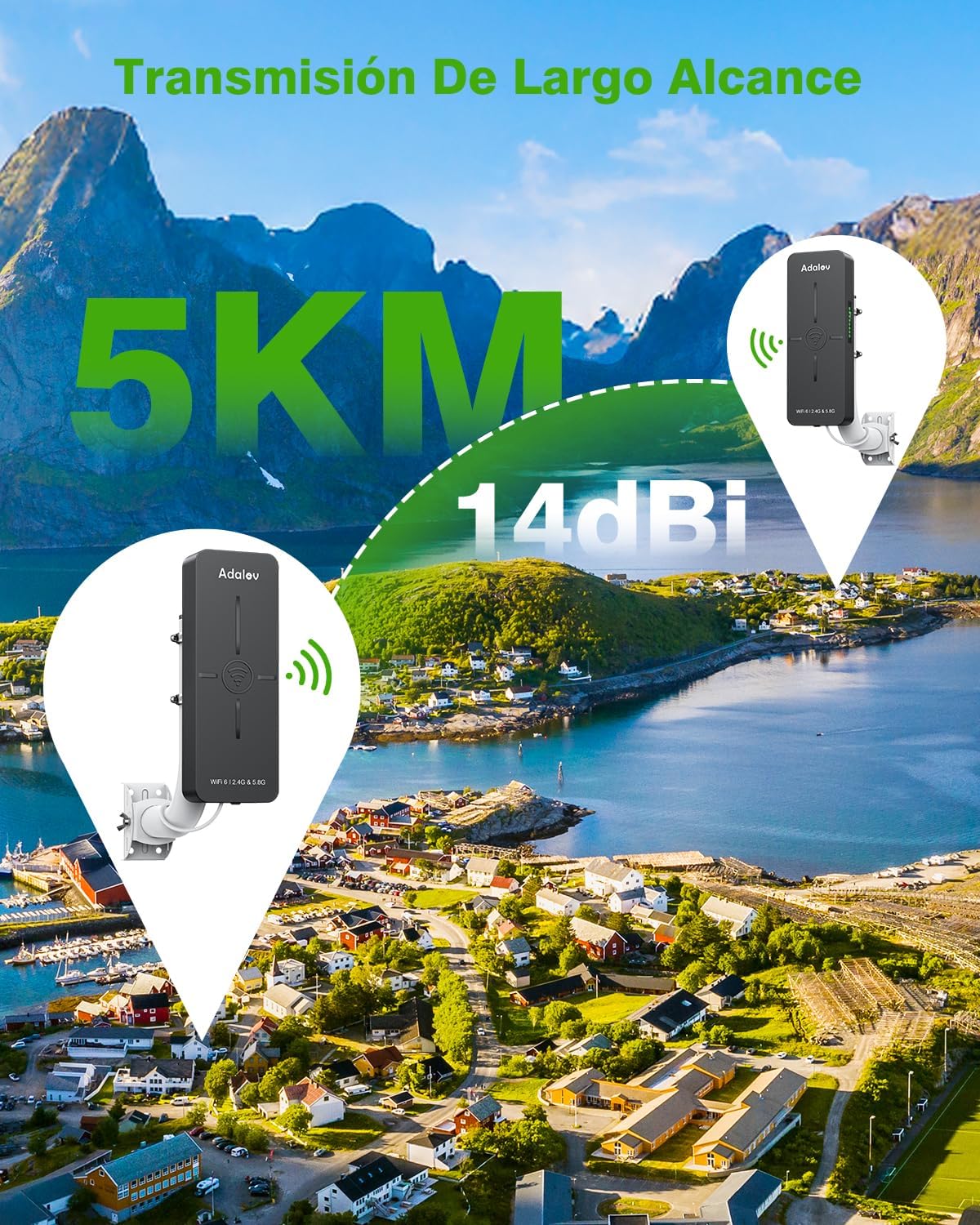
Figure 4.4: Long-range transmission capabilities of the CPE882.

Figure 4.5: P2P application for security camera systems.

Figure 4.6: Starlink network extension using CPE882.
5. సాంకేతిక లక్షణాలు
| ఫీచర్ | స్పెసిఫికేషన్ |
|---|---|
| మోడల్ పేరు | AdaLov CPE882 WiFi 6 Puente Inalámbrico Exterior |
| కొలతలు | 8l. x 4.6an. x 25.2al. cm (9 x 5.5 x 25.2 cm) |
| బరువు | 1.7 కిలోలు |
| వైర్లెస్ స్టాండర్డ్ | 802.11a, 802.11ac, 802.11ax, 802.11g, 802.11n (WiFi 6 Generation) |
| ఫ్రీక్వెన్సీ బ్యాండ్ క్లాస్ | Dual Band (2.4 GHz, 5.8 GHz) |
| డేటా బదిలీ రేటు | 3000 Mbps వరకు |
| LAN పోర్ట్ బ్యాండ్విడ్త్ | 1000 Mbps (గిగాబిట్) |
| యాంటెన్నా రకం | Internal (14 dBi) |
| యాంటెన్నాల సంఖ్య | 2 |
| పోర్టుల సంఖ్య | 2 (ఈథర్నెట్) |
| ప్రత్యేక లక్షణాలు | Waterproof (IP65), LED Indicator, Guest Mode, Access Point Mode, Internet Security |
| విద్యుత్ సరఫరా | 24V PoE Adapter (included), supports 48V PoE switches or 12V DC |
| భద్రతా ప్రోటోకాల్ | WP3-PSK, WPA2-PSK, WPA3 |
| అనుకూల పరికరాలు | Security Camera, Router, Personal Computer, Smart TV, Smart Thermostat |
| ఆపరేటింగ్ సిస్టమ్ | రూటర్OS |
6. నిర్వహణ & ట్రబుల్షూటింగ్
6.1 వాతావరణ నిరోధకత
The AdaLov CPE882 features an IP65-rated weatherproof enclosure, protecting it from environmental elements such as rain, snow, and dust. This ensures reliable operation in various outdoor conditions.

Figure 6.1: IP65 weather resistance for outdoor durability.
6.2 పవర్ ఎంపికలు
The device offers flexible power options, including the provided 24V PoE adapter, compatibility with 48V PoE switches, or 12V DC power. This versatility allows integration into various network setups.

Figure 6.2: Multiple power options for flexible deployment.
6.3 సాధారణ సమస్యలను పరిష్కరించడం
- No Signal/Poor Connection: Ensure a clear line of sight between the Master and Slave units. Obstacles like trees or buildings can degrade signal quality. Verify that both units are powered on and the Ethernet cables are securely connected.
- Incorrect Pairing: Check the DIP switch settings on both units to ensure one is set to 'A' (Master) and the other to 'B' (Slave). Confirm that both units are displaying the same channel number after pressing the 'Reset' button.
- తక్కువ వేగం: While the device supports high speeds, actual performance can be affected by the quality of your internet service, network congestion, and environmental factors. Ensure your main router is providing adequate speed.
- విద్యుత్ సమస్యలు: Verify that the PoE adapter is correctly plugged into a working power outlet and that the Ethernet cable is properly connected to the PoE port on the adapter and the CPE882 unit.
7. వారంటీ & సపోర్ట్
The AdaLov CPE882 Wireless Bridge comes with a ఒక సంవత్సరం వారంటీ కొనుగోలు తేదీ నుండి. ఈ వారంటీ తయారీ లోపాలను కవర్ చేస్తుంది మరియు ఉత్పత్తి విశ్వసనీయతను నిర్ధారిస్తుంది.
For technical support, troubleshooting assistance, or warranty claims, please refer to the contact information provided in the included user manual or visit the official AdaLov website. When contacting support, please have your product model (CPE882) and purchase details readily available.