
1. పరిచయం
This manual provides essential instructions for the safe and efficient operation, installation, and maintenance of your LCRHLCNC HE200-3600 Hybrid Solar Inverter. Please read this manual thoroughly before installation and use to ensure proper functionality and to prevent damage to the unit or injury to personnel. Keep this manual for future reference.
The HE200-3600 is a multifunctional hybrid inverter designed to integrate solar power, utility power, and battery power to provide continuous power supply. It features a pure sine wave output, an integrated MPPT solar charge controller, and WiFi/GPRS monitoring capabilities.
2. భద్రతా సూచనలు
ముఖ్యమైన భద్రతా జాగ్రత్తలు:
- Read all instructions and cautionary markings on the unit and in this manual before operating.
- Do not disassemble the inverter. Refer servicing to qualified service personnel.
- Ensure all wiring is performed by a qualified electrician.
- Do not install the inverter in direct sunlight, near heat sources, or in environments with high humidity or corrosive substances.
- వేడెక్కకుండా నిరోధించడానికి ఇన్వర్టర్ చుట్టూ సరైన వెంటిలేషన్ ఉండేలా చూసుకోండి.
- Always disconnect all power sources (solar, utility, battery) before performing any maintenance or wiring.
- This inverter is designed for indoor use.
- Use appropriate overcurrent protection for all circuits connected to the inverter.
3. ఉత్పత్తి ముగిసిందిview
The LCRHLCNC HE200-3600 Hybrid Solar Inverter combines the functions of an inverter, solar charger, and battery charger to offer uninterruptible power support. Its comprehensive LCD display provides user-configurable and easy-accessible button operations such as battery charging current, AC/solar charger priority, and acceptable input voltagఇ వివిధ అప్లికేషన్ల ఆధారంగా.
3.1 ముఖ్య లక్షణాలు
- ప్యూర్ సైన్ వేవ్ అవుట్పుట్.
- Integrated MPPT solar charge controller.
- కాన్ఫిగర్ చేయగల ఇన్పుట్ వాల్యూమ్tagLCD సెట్టింగ్ ద్వారా గృహోపకరణాలు మరియు వ్యక్తిగత కంప్యూటర్ల కోసం e శ్రేణి.
- LCD సెట్టింగ్ ద్వారా అప్లికేషన్ల ఆధారంగా కాన్ఫిగర్ చేయగల బ్యాటరీ ఛార్జింగ్ కరెంట్.
- LCD సెట్టింగ్ ద్వారా కాన్ఫిగర్ చేయగల AC/సోలార్ ఛార్జర్ ప్రాధాన్యత.
- Compatible with utility mains or generator power.
- AC కోలుకుంటున్నప్పుడు ఆటో రీస్టార్ట్ అవుతుంది.
- ఓవర్లోడ్/అధిక ఉష్ణోగ్రత/షార్ట్ సర్క్యూట్ రక్షణ.
- ఆప్టిమైజ్ చేయబడిన బ్యాటరీ పనితీరు కోసం స్మార్ట్ బ్యాటరీ ఛార్జర్ డిజైన్.
- కోల్డ్ స్టార్ట్ ఫంక్షన్.
- WiFi/GPRS remote monitoring capability.
- Supports parallel operation up to 9 units.
- Compatible with both lead-acid and lithium batteries.
3.2 ఉత్పత్తి భాగాలు
Familiarize yourself with the various components and connections of the HE200-3600 inverter.

చిత్రం 1: Front and Rear Panel Details of the HE200-3600 Inverter. This image illustrates the LED display screen, escape key, page up/down query keys, function settings, OK button, communication indicator lights (AC/INV, BAT, CHG, FAULT), primary and secondary AC outputs, AC input, BMS communication port, photovoltaic input (PV), battery input (BAT+/-), WiFi remote monitoring port, and dry contact ports.

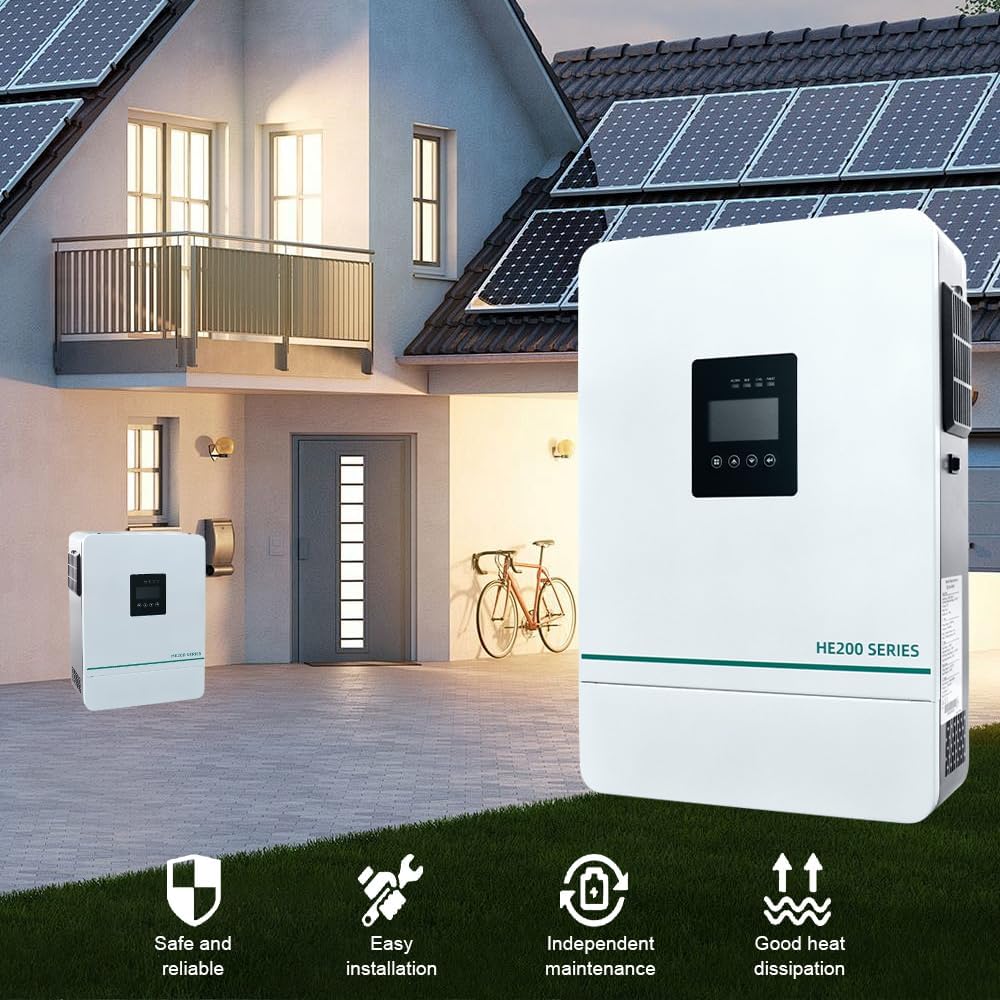
చిత్రం 2: ముందు View of the LCRHLCNC HE200-3600 Hybrid Solar Inverter. This image shows the overall design of the inverter with its display panel and HE200 SERIES branding.
4. సెటప్ మరియు ఇన్స్టాలేషన్
Proper installation is crucial for the safe and efficient operation of your inverter. It is highly recommended that installation be performed by a qualified professional.
4.1 అన్ప్యాకింగ్ మరియు తనిఖీ
- Carefully unpack the unit and verify that all components are included: Hybrid Inverter, Instruction Manual, and mounting hardware.
- Inspect the unit for any physical damage that may have occurred during transit. If any damage is found, contact your dealer immediately.

చిత్రం 3: Included Mounting Hardware. This image displays the screws, wall anchors, and mounting bracket components provided for installation.
4.2 యూనిట్ మౌంట్
- Choose a suitable mounting location:
- Mount on a solid surface capable of supporting the inverter's weight (17.38 pounds).
- Ensure adequate clearance (at least 20 cm) around the unit for proper heat dissipation.
- Avoid areas with excessive dust, moisture, or flammable materials.
- The ambient temperature should be between 0°C and 55°C.
- Use the provided mounting bracket and hardware to securely attach the inverter to the wall.
4.3 వైరింగ్ కనెక్షన్లు
హెచ్చరిక: All wiring must comply with local and national electrical codes. Incorrect wiring can cause severe injury or damage to the inverter.
- బ్యాటరీ కనెక్షన్: Connect the battery cables to the BAT+ and BAT- terminals. Ensure correct polarity. The inverter is compatible with 24V battery systems (lead-acid or lithium).
- PV అర్రే కనెక్షన్: Connect the solar panel array to the PV input terminals. Ensure the open-circuit voltage of the solar array does not exceed the maximum PV input voltagఇ (60-450VDC).
- AC ఇన్పుట్ కనెక్షన్: Connect the utility grid or generator power to the AC input terminals.
- AC అవుట్పుట్ కనెక్షన్: Connect your loads (household appliances, office equipment, industrial equipment) to the AC output terminals.
- కమ్యూనికేషన్ కనెక్షన్లు: Connect the WiFi module for remote monitoring and BMS communication if applicable.

చిత్రం 4: System Diagram for the HE200-3600 Inverter. This diagram illustrates how solar panels, generator, power grid, and batteries connect to the inverter to power various AC loads such as household appliances, office equipment, and industrial equipment.
5. ఆపరేటింగ్ సూచనలు
5.1 ప్రారంభ ప్రారంభ
- After all connections are secure, switch on the battery breaker.
- Switch on the AC input breaker (if connected to utility/generator).
- Switch on the PV array breaker (if solar panels are connected).
- Press and hold the ON/OFF button on the inverter for a few seconds to power it on.
- LCD డిస్ప్లే వెలిగిపోతుంది మరియు ఇన్వర్టర్ దాని స్టార్టప్ సీక్వెన్స్ను ప్రారంభిస్తుంది.
5.2 LCD డిస్ప్లే మరియు బటన్ విధులు
The LCD display provides real-time operational status and allows for configuration of various settings. Refer to Image 1 for button identification.
- Escape Key: Exits current menu or setting.
- Page Up/Down Query Keys: Navigates through display screens or adjusts settings.
- Function Settings/OK Button: Enters menu, confirms selection, or saves settings.
- సూచిక లైట్లు:
- AC/INV: Indicates AC input or inverter operation.
- బ్యాట్: బ్యాటరీ స్థితిని సూచిస్తుంది.
- CHG: ఛార్జింగ్ స్థితిని సూచిస్తుంది.
- లోపం: Indicates a system fault or error.
5.3 సిస్టమ్ సెట్టింగ్లు
Access the settings menu via the Function Settings/OK button to configure parameters such as:
- అవుట్పుట్ వాల్యూమ్tagఇ మరియు ఫ్రీక్వెన్సీ.
- Battery type and charging parameters.
- AC ఇన్పుట్ వాల్యూమ్tagఇ పరిధి.
- AC/Solar charger priority.
- Load type (e.g., sensitive electronics).
Refer to the detailed settings section in the full manual for specific menu options and parameter adjustments.
5.4 Remote Monitoring (WiFi/GPRS)
The inverter supports remote monitoring via WiFi or GPRS. Install the dedicated mobile application or access the web పోర్టల్ view real-time data, adjust settings, and receive alerts.
చిత్రం 5: WiFi Monitoring Setup for the HE200-3600 Inverter. This image illustrates the concept of remote monitoring via a smartphone app and a WiFi module connected to a computer, showing data analysis, mode adjustment, fault warnings, and remote monitoring capabilities.
6. నిర్వహణ
Regular maintenance ensures the longevity and optimal performance of your HE200-3600 inverter.
- శుభ్రపరచడం: ఇన్వర్టర్ యొక్క బాహ్య భాగాన్ని పొడి గుడ్డతో కాలానుగుణంగా శుభ్రం చేయండి. వెంటిలేషన్ ఓపెనింగ్లు దుమ్ము మరియు శిధిలాలు లేకుండా చూసుకోండి.
- కనెక్షన్లు: Annually check all electrical connections for tightness and corrosion. Loose connections can lead to overheating and poor performance.
- బ్యాటరీ తనిఖీ: If using lead-acid batteries, check electrolyte levels and terminal condition as per battery manufacturer guidelines.
- పర్యావరణం: Ensure the installation environment remains within recommended temperature and humidity ranges.
- ఫర్మ్వేర్ నవీకరణలు: తయారీదారుని తనిఖీ చేయండి webమెరుగైన పనితీరు లేదా కొత్త ఫీచర్ల కోసం అందుబాటులో ఉన్న ఏవైనా ఫర్మ్వేర్ అప్డేట్ల కోసం సైట్.
7. ట్రబుల్షూటింగ్
This section provides solutions to common issues you might encounter with your inverter. For problems not listed here, contact technical support.
| సమస్య | సాధ్యమైన కారణం | పరిష్కారం |
|---|---|---|
| ఇన్వర్టర్ ఆన్ అవ్వదు. |
|
|
| AC అవుట్పుట్ లేదు. |
|
|
| బ్యాటరీ ఛార్జింగ్ లేదు. |
|
|
8. స్పెసిఫికేషన్లు
Below are the technical specifications for the LCRHLCNC HE200-3600 Hybrid Solar Inverter.
| ఫీచర్ | స్పెసిఫికేషన్ |
|---|---|
| మోడల్ | HE200-3600 |
| రేట్ చేయబడిన శక్తి | 3600W |
| అవుట్పుట్ వేవ్ఫార్మ్ | స్వచ్ఛమైన సైన్ వేవ్ |
| బ్యాటరీ వాల్యూమ్tage | 24V |
| MPPT PV Input Voltagఇ పరిధి | 60-450VDC |
| గరిష్టంగా. పివి అర్రే పవర్ | 5000W |
| మాక్స్. ప్రస్తుత ఛార్జింగ్ | 100A (Combined AC and Solar) |
| కమ్యూనికేషన్ | WiFi/GPRS |
| సమాంతర సామర్థ్యం | 9 యూనిట్ల వరకు |
| కొలతలు (ప్యాకేజీ) | 16.54 x 11.73 x 4.17 అంగుళాలు |
| వస్తువు బరువు | 17.38 పౌండ్లు |
| తయారీదారు | Lishui Hengli Automation Technology Co., Ltd |
9. వారంటీ మరియు మద్దతు
For warranty information and technical support, please refer to the warranty card included with your product or contact LCRHLCNC customer service. Keep your purchase receipt as proof of purchase for warranty claims.
తయారీదారు: Lishui Hengli Automation Technology Co., Ltd
For further assistance, please visit the official LCRHLCNC webసైట్ లేదా మీ స్థానిక పంపిణీదారుని సంప్రదించండి.