1. పరిచయం
Thank you for choosing the Generic Pro 2 Wireless Earbuds. This manual provides essential information for the proper setup, operation, and maintenance of your device. These earbuds are designed to deliver a high-quality audio experience with features such as noise-canceling microphones, Bluetooth 5.4 connectivity, Type-C fast charging, and intuitive touch controls.
2. ప్యాకేజీ విషయాలు
దయచేసి మీ ప్యాకేజీలో అన్ని అంశాలు ఉన్నాయని ధృవీకరించండి:
- Pro 2 Wireless Earbuds (Left and Right)
- ఛార్జింగ్ కేసు
- USB-C ఛార్జింగ్ కేబుల్
- బహుళ పరిమాణాల సిలికాన్ చెవి చిట్కాలు
- Carrying Pendant
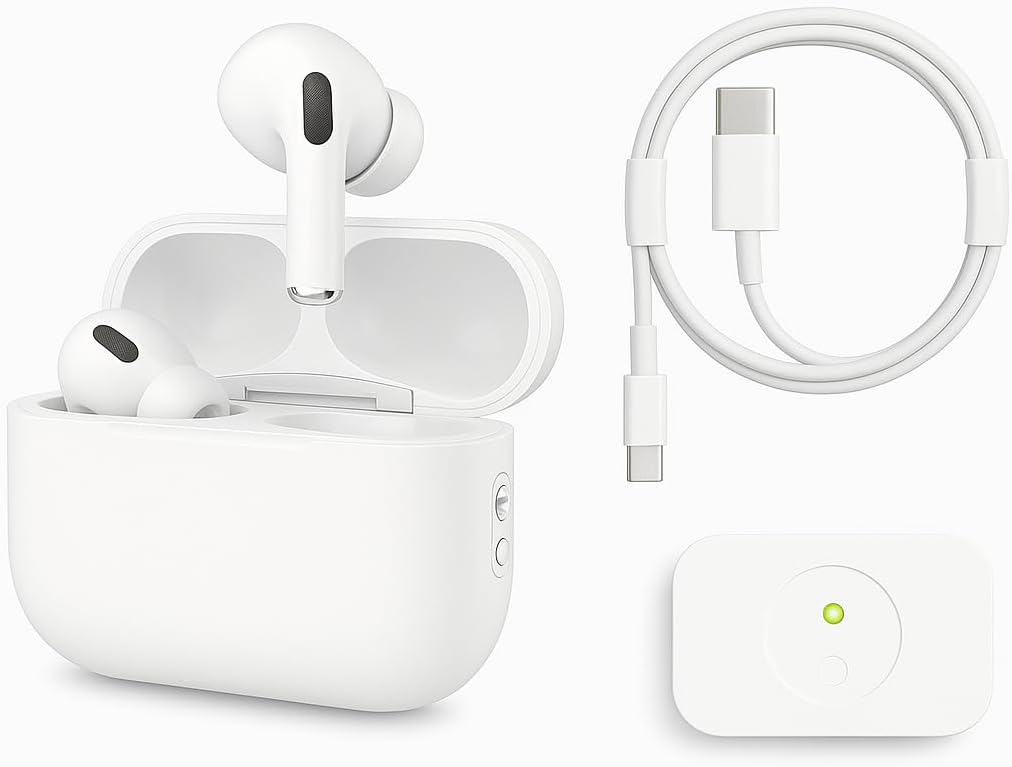
Image: The Pro 2 Wireless Earbuds, their charging case, a USB-C charging cable, and a small white accessory, likely a carrying pendant or additional component.
3. సెటప్
3.1 ఇయర్బడ్లు మరియు కేస్ను ఛార్జ్ చేయడం
Before first use, fully charge the earbuds and charging case. Use the provided USB-C cable to connect the charging case to a power source.
- A full charge provides approximately 6 hours of listening time with Active Noise Cancellation (ANC) enabled.
- The charging case extends total listening time to approximately 30 hours.
- 15 నిమిషాల శీఘ్ర ఛార్జ్ 6 గంటల వరకు వినే సమయాన్ని అందిస్తుంది.
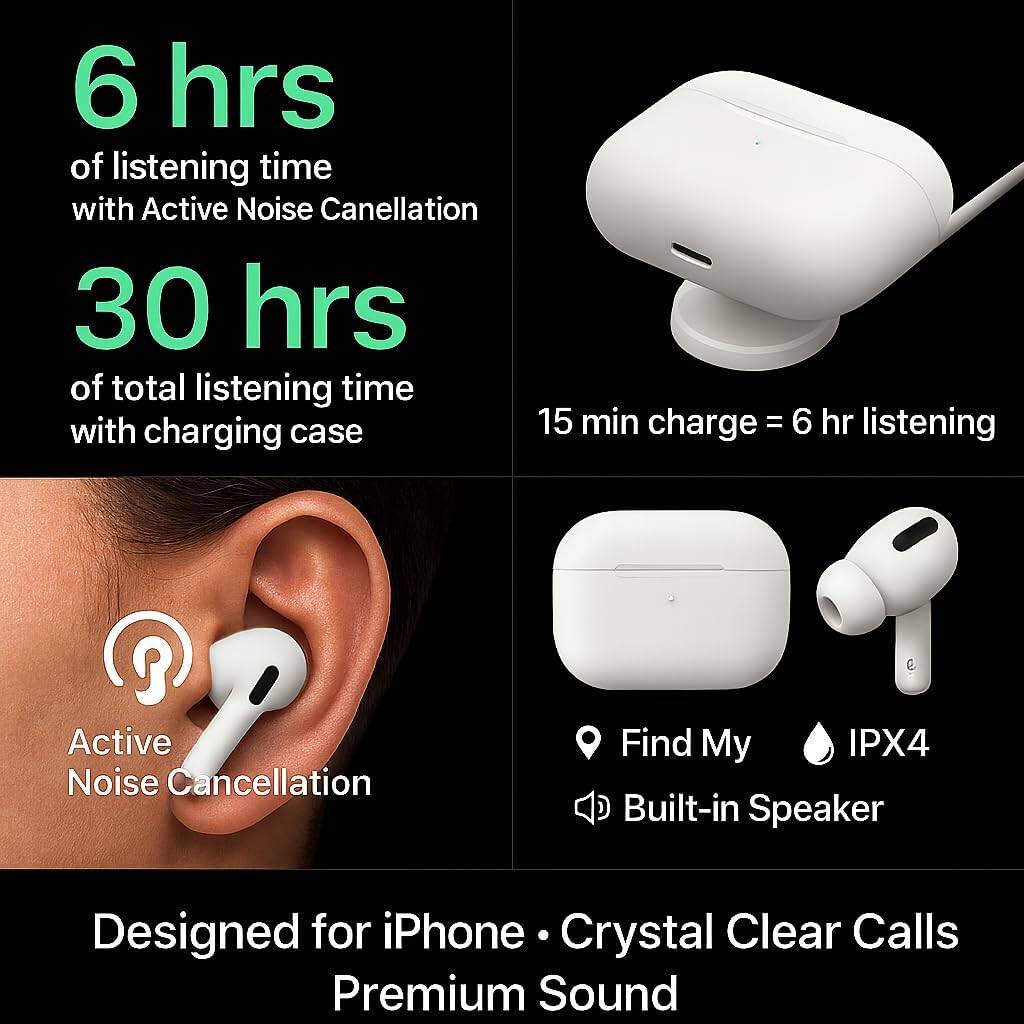
Image: Visual representation of battery life (6 hours with ANC, 30 hours total with case, 15 min charge for 6 hours listening), Active Noise Cancellation, IPX4 water resistance, 'Find My' feature, and a built-in speaker.
3.2 బ్లూటూత్ జత చేయడం
మీ ఇయర్బడ్లను పరికరానికి కనెక్ట్ చేయడానికి:
- ఇయర్బడ్లు ఛార్జింగ్ కేసులో ఉన్నాయని మరియు కేస్ మూత తెరిచి ఉందని నిర్ధారించుకోండి.
- మీ పరికరంలో (స్మార్ట్ఫోన్, టాబ్లెట్, మొదలైనవి), బ్లూటూత్ సెట్టింగ్లకు నావిగేట్ చేయండి.
- Select "Pro 2 Earbuds" or a similar name from the list of available devices.
- Once connected, the earbuds will automatically pair with your device in the future when removed from the case.
The earbuds feature upgraded Bluetooth 5.4 technology for a more stable connection, longer transmission range, lower power consumption, and reduced latency.

Image: Diagram illustrating the benefits of upgraded Bluetooth 5.4, including enhanced connection stability, extended transmission range, reduced power consumption, and lower audio latency.
3.3 ఇయర్బడ్స్ ధరించడం
The earbuds are ergonomically designed for comfort and stability. Choose the silicone ear tips that best fit your ears to ensure a secure fit and optimal sound quality. Gently insert each earbud into your ear canal and twist slightly to secure.
4. ఆపరేటింగ్ సూచనలు
4.1 టచ్ నియంత్రణలు
The Pro 2 Wireless Earbuds feature smart touch controls on each earbud for easy management of music and calls:
- ప్లే/పాజ్: ఇయర్బడ్పై ఒకసారి నొక్కండి.
- మునుపటి పాట: Tap twice on the left earbud.
- తదుపరి ట్రాక్: Tap three times on the right earbud.
- సమాధానం/ముగింపు కాల్: ఇయర్బడ్పై ఒకసారి నొక్కండి.
- కాల్ని తిరస్కరించండి: ఏ ఇయర్బడ్ను అయినా నొక్కి పట్టుకోండి.
- వాయిస్ అసిస్టెంట్ (సిరి/గూగుల్ అసిస్టెంట్)ని యాక్టివేట్ చేయండి: Tap twice on either earbud.

Image: A visual guide to the smart touch controls, showing specific tap and press-and-hold gestures for functions like play/pause, track skipping, call management, and voice assistant activation.
4.2 శబ్ద రద్దు
The earbuds are equipped with 4 noise-canceling microphones to provide clear calls and an immersive listening experience by isolating ambient noise. Active Noise Cancellation (ANC) can be toggled through the touch controls or your connected device's settings, if supported.
5. నిర్వహణ
5.1 శుభ్రపరచడం
క్రమం తప్పకుండా శుభ్రపరచడం వల్ల సరైన పనితీరు మరియు పరిశుభ్రత నిర్వహించబడుతుంది:
- ఇయర్బడ్లు మరియు ఛార్జింగ్ కేసును తుడవడానికి మృదువైన, పొడి, మెత్తటి బట్టను ఉపయోగించండి.
- Do not use abrasive materials, solvents, or harsh chemicals.
- Gently remove ear tips and clean them with water and mild soap if necessary, ensuring they are completely dry before reattaching.
5.2 నిల్వ
ఉపయోగంలో లేనప్పుడు, ఇయర్బడ్లను దుమ్ము, నష్టం నుండి రక్షించడానికి మరియు వాటిని ఛార్జ్లో ఉంచడానికి వాటి ఛార్జింగ్ కేసులో నిల్వ చేయండి.
6. ట్రబుల్షూటింగ్
If you encounter issues with your Pro 2 Wireless Earbuds, refer to the following common solutions:
- ఇయర్బడ్లు జత కావడం లేదు: Ensure both earbuds are charged. Place them back in the case, close the lid for a few seconds, then open it and try pairing again. Check your device's Bluetooth settings to forget previous connections and re-pair.
- ఒక ఇయర్బడ్ నుండి శబ్దం లేదు: Ensure both earbuds are charged. Try placing them back in the case and taking them out again. Re-pair with your device.
- ఛార్జింగ్ సమస్యలు: Verify the USB-C cable is securely connected to both the case and the power source. Try a different cable or power adapter. Ensure the charging contacts on the earbuds and inside the case are clean and free of debris.
- పేలవమైన ధ్వని నాణ్యత: Ensure the ear tips provide a good seal in your ear. Try different sized ear tips. Check for obstructions in the earbud speakers.
- టచ్ నియంత్రణలు స్పందించడం లేదు: మీ వేళ్లు శుభ్రంగా మరియు పొడిగా ఉన్నాయని నిర్ధారించుకోండి. ఇయర్బడ్లను కేస్లో ఉంచి, వాటిని బయటకు తీయడం ద్వారా వాటిని పునఃప్రారంభించడానికి ప్రయత్నించండి.
7. స్పెసిఫికేషన్లు
| ఫీచర్ | స్పెసిఫికేషన్ |
|---|---|
| బ్రాండ్ పేరు | సాధారణమైనది |
| మోడల్ సంఖ్య | QCPASS07 |
| కనెక్టివిటీ టెక్నాలజీ | వైర్లెస్ |
| వైర్లెస్ కమ్యూనికేషన్ టెక్నాలజీ | బ్లూటూత్ 5.4 |
| హెడ్ఫోన్స్ ఇయర్ ప్లేస్మెంట్ | చెవిలో |
| హెడ్ఫోన్ల ఫారమ్ ఫ్యాక్టర్ | చెవిలో |
| నాయిస్ కంట్రోల్ | Sound Isolation, Active Noise Cancellation |
| ఇంపెడెన్స్ | ౪౦ ఓం |
| హెడ్ఫోన్స్ జాక్ | జాక్ లేదు |
| బ్యాటరీలు | 3 ప్రామాణికం కాని బ్యాటరీ బ్యాటరీలు అవసరం (చేర్చబడ్డాయి) |
| ప్యాకేజీ కొలతలు | 5 x 3 x 3 సెం.మీ |
| వస్తువు బరువు | 70 గ్రా |
| తయారీదారు | evill.store |
| మొదటి తేదీ అందుబాటులో ఉంది | 5 ఆగస్టు 2025 |
8. వారంటీ మరియు మద్దతు
వారంటీ సమాచారం మరియు కస్టమర్ మద్దతు కోసం, దయచేసి మీ కొనుగోలుతో అందించిన డాక్యుమెంటేషన్ను చూడండి లేదా విక్రేతను నేరుగా సంప్రదించండి. ఏవైనా వారంటీ క్లెయిమ్ల కోసం మీ కొనుగోలు రుజువును ఉంచండి.