
1. ఉత్పత్తి ముగిసిందిview
The Acer Kids Bluetooth Headphones (Model OHR668) are designed to provide a safe and enjoyable audio experience for children. These over-ear wireless headphones feature volume limiting technology to protect sensitive hearing, a long-lasting battery, and a built-in microphone for communication. They are foldable for easy portability and constructed with durable, child-friendly materials.
కీ ఫీచర్లు
- సురక్షిత వాల్యూమ్ పరిమితి: Built-in technology limits volume to 85dB (Study Mode) or 94dB (Travel Mode) to protect children's hearing.
- పొడిగించిన ప్లేటైమ్: ఒక్కసారి ఛార్జ్ చేస్తే 60 గంటల వరకు బ్యాటరీ లైఫ్.
- బ్లూటూత్ 6.0 కనెక్టివిటీ: Ensures stable and reliable wireless audio streaming.
- అంతర్నిర్మిత మైక్రోఫోన్: Facilitates clear voice calls and interactive learning.
- Durable and Foldable Design: Reinforced headband and foldable earcups for resilience and portability.
- సౌకర్యవంతమైన ఫిట్: Soft memory foam ear cushions and an adjustable headband for prolonged comfort.
- వైర్డు ఎంపిక: Compatible with 3.5mm audio cables for high-definition, lossless audio.
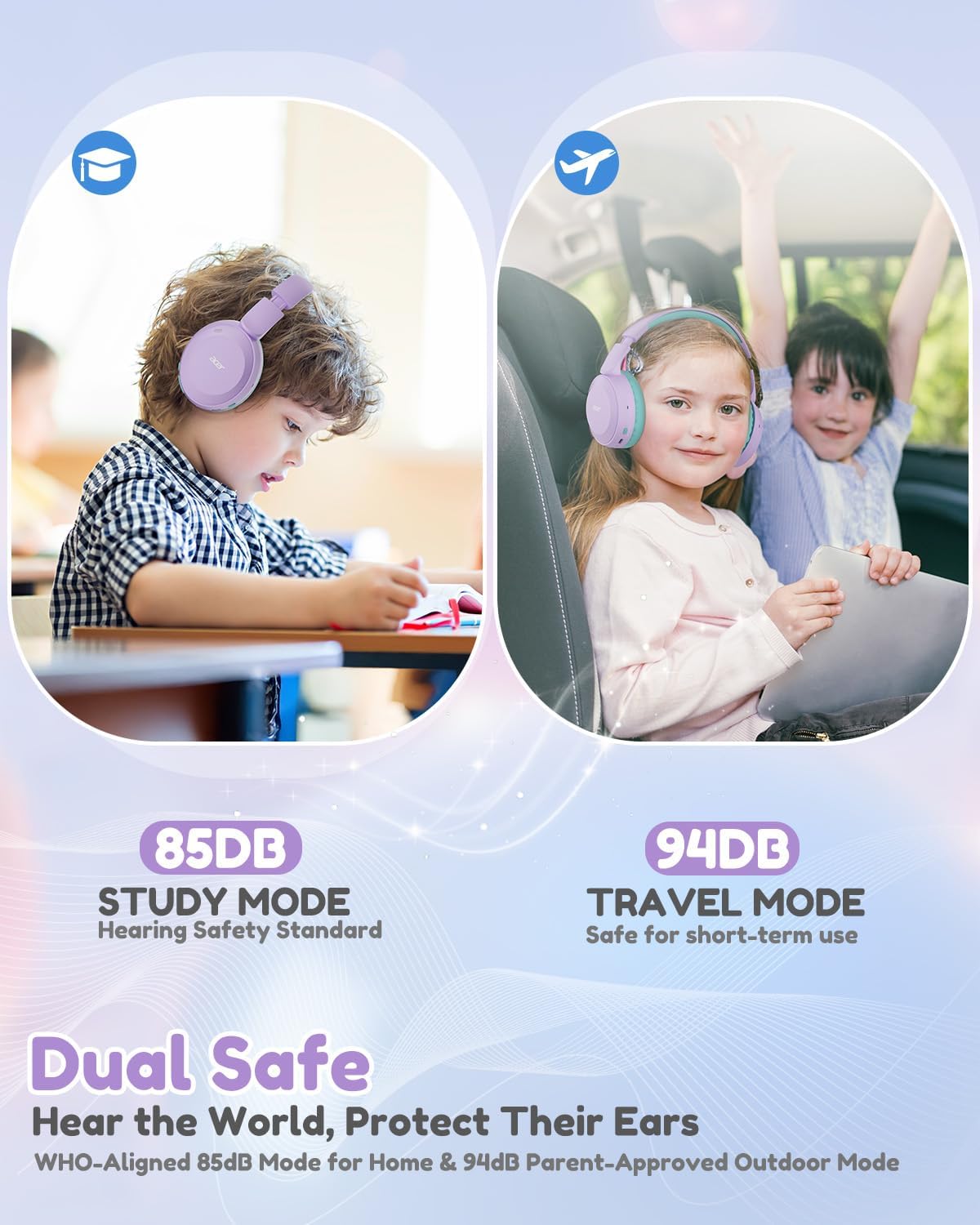
Image: Dual Safe Volume Modes (85dB Study Mode, 94dB Travel Mode).

Image: Kid-Proof Durability with BPA-Free and CPSIA certification icons.

Image: Built for All Day Comfort, highlighting soft ear cushions, soft headband, adjustability, and foldable design.
2. సెటప్
2.1 పెట్టెలో ఏముంది
- 1x Acer Kids Bluetooth Headphones (Model OHR668)
- 1x USB-C ఛార్జింగ్ కేబుల్
- 1x 3.5 మిమీ ఆడియో కేబుల్
- 1x వినియోగదారు మాన్యువల్

చిత్రం: ఉత్పత్తి ప్యాకేజీలోని విషయాలు.
2.2 హెడ్ఫోన్లను ఛార్జ్ చేయడం
- Locate the USB-C charging port on the headphones.
- Connect the provided USB-C charging cable to the headphones.
- USB-C కేబుల్ యొక్క మరొక చివరను అనుకూలమైన USB పవర్ సోర్స్కి (ఉదా. వాల్ అడాప్టర్, కంప్యూటర్ USB పోర్ట్) కనెక్ట్ చేయండి.
- The LED indicator will show charging status (refer to the LED indicator section for details). A full charge takes approximately 2.5 hours and provides up to 60 hours of playtime. A 5-minute quick charge provides 2 hours of playtime.
2.3 పవర్ ఆన్/ఆఫ్
- పవర్ ఆన్ చేయడానికి: LED సూచిక వెలిగే వరకు పవర్ బటన్ను దాదాపు 3 సెకన్ల పాటు నొక్కి పట్టుకోండి.
- పవర్ ఆఫ్ చేయడానికి: LED సూచిక ఆఫ్ అయ్యే వరకు పవర్ బటన్ను దాదాపు 3 సెకన్ల పాటు నొక్కి పట్టుకోండి.
2.4 బ్లూటూత్ జత చేయడం
- హెడ్ఫోన్లు పవర్ ఆఫ్లో ఉన్నాయని నిర్ధారించుకోండి.
- LED సూచిక నీలం మరియు ఎరుపు రంగుల్లో ప్రత్యామ్నాయంగా మెరిసే వరకు పవర్ బటన్ను దాదాపు 5 సెకన్ల పాటు నొక్కి పట్టుకోండి, ఇది జత చేసే మోడ్ను సూచిస్తుంది.
- మీ పరికరంలో (స్మార్ట్ఫోన్, టాబ్లెట్, ల్యాప్టాప్), బ్లూటూత్ను ప్రారంభించి, అందుబాటులో ఉన్న పరికరాల కోసం శోధించండి.
- పరికరాల జాబితా నుండి "Acer OHR668" ఎంచుకోండి.
- Once paired, the LED indicator will show a solid blue light or flash blue slowly.

Image: Broad compatibility with various devices via Bluetooth 6.0.
2.5 వైర్డ్ కనెక్షన్ (3.5mm ఆడియో కేబుల్)
For a wired connection, use the provided 3.5mm audio cable.
- Plug one end of the 3.5mm audio cable into the 3.5mm audio jack on the headphones.
- Plug the other end into the audio output port of your device.
- The headphones will automatically switch to wired mode. Bluetooth functionality will be disabled when the audio cable is connected.
3. ఆపరేటింగ్ సూచనలు
3.1 నియంత్రణలు మరియు పోర్ట్లు

Image: Headphone controls and ports (Volume Up/Down, 3.5mm Jack, Type-C Charging Port, Volume Limiter Switch).
- వాల్యూమ్ అప్ / డౌన్ బటన్లు: వాల్యూమ్ సర్దుబాటు చేయడానికి నొక్కండి.
- 3.5mm ఆడియో జాక్: వైర్డు కనెక్షన్ కోసం.
- టైప్-సి ఛార్జింగ్ పోర్ట్: హెడ్ఫోన్లను ఛార్జ్ చేయడానికి.
- Volume Limiter Switch: Toggle between 85dB (Study Mode) and 94dB (Travel Mode).
- Multi-function Button (Power Button):
- పవర్ ఆన్/ఆఫ్ చేయడానికి 3 సెకన్ల పాటు నొక్కి పట్టుకోండి.
- బ్లూటూత్ జత చేసే మోడ్లోకి ప్రవేశించడానికి 5 సెకన్ల పాటు నొక్కి, పట్టుకోండి.
- Short press to Play/Pause music.
- Short press to Answer/End calls.
- Double press for Next Track (if supported by device).
- Triple press for Previous Track (if supported by device).
3.2 Adjusting Volume Limiter
The headphones feature a physical switch to select between two volume limiting modes:
- 85dB (Study Mode): Recommended for extended listening sessions and quiet environments, aligning with WHO hearing safety standards.
- 94dB (Travel Mode): Suitable for short-term use in noisier environments, providing a slightly higher volume while still protecting hearing.
Slide the "Volume Limiter Switch" to select the desired mode.
3.3 Folding for Storage and Travel
The headphones are designed to be foldable for compact storage and easy transport. Gently fold the earcups inwards towards the headband until they are compact. This helps protect the headphones when not in use or during travel.
4. నిర్వహణ
4.1 శుభ్రపరచడం
- హెడ్ఫోన్ల బాహ్య ఉపరితలాలను తుడవడానికి మృదువైన, పొడి వస్త్రాన్ని ఉపయోగించండి.
- చెవి కుషన్ల కోసం, కొద్దిగా d తో సున్నితంగా తుడవండిamp ఉపయోగించే ముందు గుడ్డతో తుడిచి, గాలికి పూర్తిగా ఆరనివ్వండి.
- కఠినమైన రసాయనాలు, శుభ్రపరిచే ద్రావకాలు లేదా బలమైన డిటర్జెంట్లు ఉపయోగించవద్దు.
- ఏదైనా ఓపెనింగ్స్ లేదా పోర్ట్లలోకి తేమ రాకుండా ఉండండి.
4.2 నిల్వ
- ఉపయోగంలో లేనప్పుడు, హెడ్ఫోన్లను చల్లని, పొడి ప్రదేశంలో, ప్రత్యక్ష సూర్యకాంతి మరియు తీవ్రమైన ఉష్ణోగ్రతలకు దూరంగా నిల్వ చేయండి.
- Utilize the foldable design to make them compact for storage, reducing the risk of damage.
- హెడ్ఫోన్ల పైన బరువైన వస్తువులను ఉంచడం మానుకోండి.
5. ట్రబుల్షూటింగ్
5.1 శక్తి లేదు
- హెడ్ఫోన్లు పూర్తిగా ఛార్జ్ అయ్యాయని నిర్ధారించుకోండి. USB-C కేబుల్ ఉపయోగించి వాటిని పవర్ సోర్స్కి కనెక్ట్ చేయండి.
- Verify that the charging cable and power source are functioning correctly.
5.2 బ్లూటూత్ ద్వారా జత చేయడం సాధ్యం కాదు
- హెడ్ఫోన్లు జత చేసే మోడ్లో ఉన్నాయని నిర్ధారించుకోండి (LED నీలం మరియు ఎరుపు రంగులో మెరుస్తోంది).
- Ensure Bluetooth is enabled on your device and it is within 33 feet (10 meters) of the headphones.
- మీ పరికరంలో బ్లూటూత్ను ఆఫ్ చేసి ఆన్ చేసి, ఆపై మళ్లీ జత చేయడానికి ప్రయత్నించండి.
- If previously paired, try "forgetting" or "unpairing" the headphones from your device's Bluetooth settings and then re-pair.
- కనెక్షన్లో ఇతర బ్లూటూత్ పరికరాలు జోక్యం చేసుకోకుండా చూసుకోండి.
5.3 శబ్దం లేదు లేదా తక్కువ శబ్దం
- హెడ్ఫోన్లు మరియు మీ కనెక్ట్ చేయబడిన పరికరం రెండింటిలోనూ వాల్యూమ్ స్థాయిలను తనిఖీ చేయండి.
- Ensure the volume limiter switch is set to the desired mode (85dB or 94dB).
- If using a wired connection, ensure the 3.5mm audio cable is fully inserted into both the headphones and the device. Try a different 3.5mm cable if available.
- If connected via Bluetooth, try disconnecting and reconnecting the headphones.
- Test with a different audio source or device to rule out device-specific issues.
6. స్పెసిఫికేషన్లు
| ఫీచర్ | వివరాలు |
|---|---|
| బ్రాండ్ | ఏసర్ |
| మోడల్ సంఖ్య | OHR668 |
| చెవి ప్లేస్మెంట్ | ఓవర్ చెవి |
| వాల్యూమ్ పరిమితి | 85dB / 94dB (Switchable) |
| కనెక్టివిటీ టెక్నాలజీ | వైర్లెస్ (బ్లూటూత్), వైర్డ్ (3.5mm జాక్) |
| బ్లూటూత్ వెర్షన్ | 6.0 |
| బ్లూటూత్ రేంజ్ | 33 అడుగులు (10 మీటర్లు) |
| బ్యాటరీ లైఫ్ | 60 గంటల వరకు |
| బ్యాటరీ ఛార్జ్ సమయం | 2.5 Hours (5 min quick charge for 2 hours playtime) |
| అంతర్నిర్మిత మైక్రోఫోన్ | అవును |
| ఆడియో డ్రైవర్ పరిమాణం | 40 మిల్లీమీటర్లు |
| ఫ్రీక్వెన్సీ రేంజ్ | 20Hz - 20,000Hz |
| బరువు | 6.63 ఔన్సులు |
| మెటీరియల్ | Memory Foam, Durable Material (BPA-Free, CPSIA Certified) |
| అదనపు ఫీచర్లు | Adjustable Headband, Foldable Design |
7. వారంటీ మరియు మద్దతు
7.1 వారంటీ సమాచారం
The Acer Kids Bluetooth Headphones (Model OHR668) come with a 1-సంవత్సరం పరిమిత వారంటీ from the date of purchase. This warranty covers manufacturing defects in materials and workmanship. It does not cover damage caused by misuse, accidents, unauthorized modifications, or normal wear and tear. Please retain your proof of purchase for warranty claims.
7.2 కస్టమర్ మద్దతు
For technical assistance, warranty claims, or any questions regarding your Acer Kids Bluetooth Headphones, please visit the official Acer support webసైట్ లేదా వారి కస్టమర్ సేవను సంప్రదించండి.
ఆన్లైన్ మద్దతు: సందర్శించండి www.acer.com/support ద్వారా
ఫోన్ మద్దతు: Refer to your product packaging or the Acer support webప్రాంతీయ సంప్రదింపు నంబర్ల కోసం సైట్.