
1. పరిచయం
This manual provides detailed instructions for the LAXASFIT GT1 Smart Watch. Please read this manual thoroughly before using your device to ensure proper operation and to maximize its features. Keep this manual for future reference.
2. ఉత్పత్తి ముగిసిందిview
2.1 ప్యాకేజీ విషయాలు
ప్యాకేజీని తెరిచిన తర్వాత, అన్ని అంశాలు ఉన్నాయని నిర్ధారించుకోండి:
- LAXASFIT GT1 Smart Watch
- USB ఛార్జింగ్ కేబుల్
- వినియోగదారు మాన్యువల్ (ఈ పత్రం)
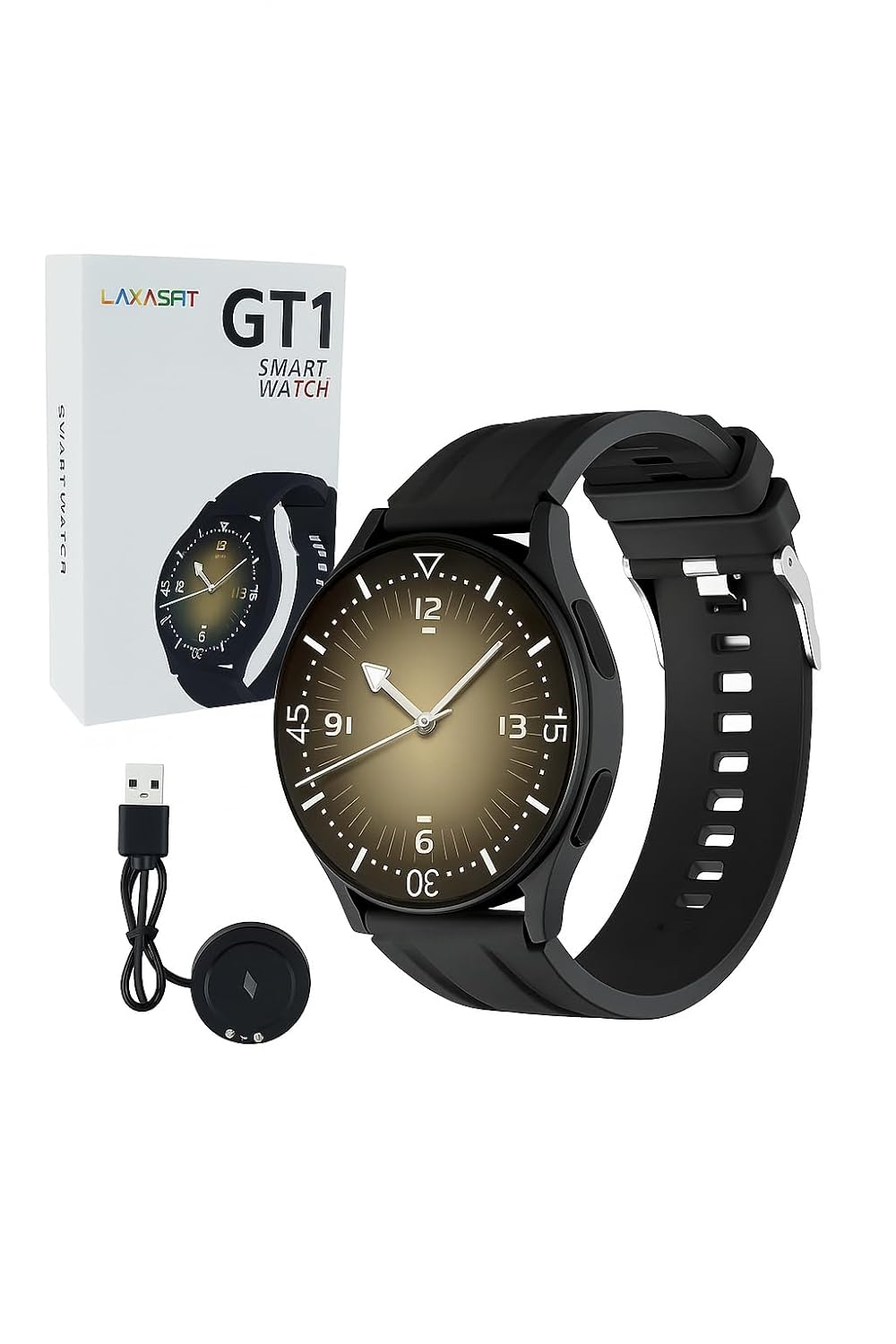
Image: The LAXASFIT GT1 Smart Watch, its retail packaging, and the included USB charging cable.
2.2 ముఖ్య లక్షణాలు
The LAXASFIT GT1 Smart Watch offers a range of functionalities designed to enhance your daily life:
- 1.32" IPS Pure Round Full Touch Screen: Vibrant and responsive display for clear interaction.
- బ్లూటూత్ కాల్ కార్యాచరణ: మీ మణికట్టు నుండి నేరుగా కాల్స్ చేయండి మరియు స్వీకరించండి.
- స్లీప్ మానిటరింగ్: Tracks sleep patterns to help assess sleep quality.
- బహుళ స్పోర్ట్స్ మోడ్లు: Records data for various physical activities.
- IP67 జలనిరోధిత రేటింగ్: Resistant to splashes and brief immersion.
- SpO2 మానిటర్: రక్త ఆక్సిజన్ సంతృప్త స్థాయిలను కొలుస్తుంది.
- హృదయ స్పందన పర్యవేక్షణ: నిరంతర హృదయ స్పందన రేటు ట్రాకింగ్.
- దశల కౌంటర్: Tracks daily steps and activity.
- నోటిఫికేషన్లు: Receives alerts for calls, messages, and app notifications.
- మన్నికైన డిజైన్: Features a black silicone strap with ventilation for comfort.
3. సెటప్ గైడ్
3.1 స్మార్ట్ వాచ్ను ఛార్జ్ చేయడం
Before initial use, fully charge your LAXASFIT GT1 Smart Watch.
- Connect the USB charging cable to a standard USB power adapter (not included) or a computer's USB port.
- Attach the magnetic charging pins to the charging contacts on the back of the watch. Ensure a secure connection.
- వాచ్ డిస్ప్లే ఛార్జింగ్ స్థితిని సూచిస్తుంది. పూర్తిగా ఛార్జ్ చేయడానికి సాధారణంగా దాదాపు 2 గంటలు పడుతుంది.
3.2 పవర్ ఆన్/ఆఫ్
- పవర్ ఆన్ చేయడానికి: Press and hold the side button until the LAXASFIT logo appears on the screen.
- పవర్ ఆఫ్ చేయడానికి: From the watch face, swipe down to access the quick settings, then tap the power icon, or navigate to Settings > System > Power Off. Confirm your selection.
3.3 యాప్ ఇన్స్టాలేషన్ మరియు పరికర జత చేయడం
To unlock the full potential of your LAXASFIT GT1 Smart Watch, install the companion application on your smartphone.
- అనువర్తనాన్ని డౌన్లోడ్ చేయండి: కోసం వెతకండి "Laxasfit" in the Google Play Store (for Android devices) or the Apple App Store (for iOS devices).
- యాప్ను ఇన్స్టాల్ చేయండి: అప్లికేషన్ను ఇన్స్టాల్ చేయడానికి స్క్రీన్పై ఉన్న సూచనలను అనుసరించండి.

Image: Screenshot of the Laxasfit app listing on the Google Play Store.

Image: Screenshot of the Laxasfit app listing on the Apple App Store.
- బ్లూటూత్ని ప్రారంభించండి: మీ స్మార్ట్ఫోన్లో బ్లూటూత్ ప్రారంభించబడిందని నిర్ధారించుకోండి.
- యాప్ను తెరవండి: Launch the Laxasfit app and follow the on-screen prompts to create an account or log in.
- జత పరికరం: Within the app, navigate to the device section and select "Add Device" or "Search Device." The app will scan for available smartwatches. Select "GT1" or the corresponding device name when it appears.
- జత చేయడాన్ని నిర్ధారించండి: A pairing request may appear on both your phone and watch. Confirm the pairing on both devices.
4. ఆపరేటింగ్ సూచనలు
4.1 ప్రాథమిక నావిగేషన్
- టచ్ స్క్రీన్: Swipe left, right, up, or down to navigate through menus and features. Tap to select an item.
- సైడ్ బటన్: Press the side button to return to the watch face or to wake the screen. A long press may access power options or other functions depending on context.
4.2 బ్లూటూత్ కాల్ ఫంక్షన్
After successful pairing with your smartphone, you can use the watch for Bluetooth calls:
- వాచ్ బ్లూటూత్ ద్వారా మీ ఫోన్కి కనెక్ట్ చేయబడిందని నిర్ధారించుకోండి.
- To make a call, access the dialer on the watch or select a contact from your synced phonebook.
- To answer an incoming call, tap the green answer icon on the watch screen.
- To reject a call, tap the red reject icon.
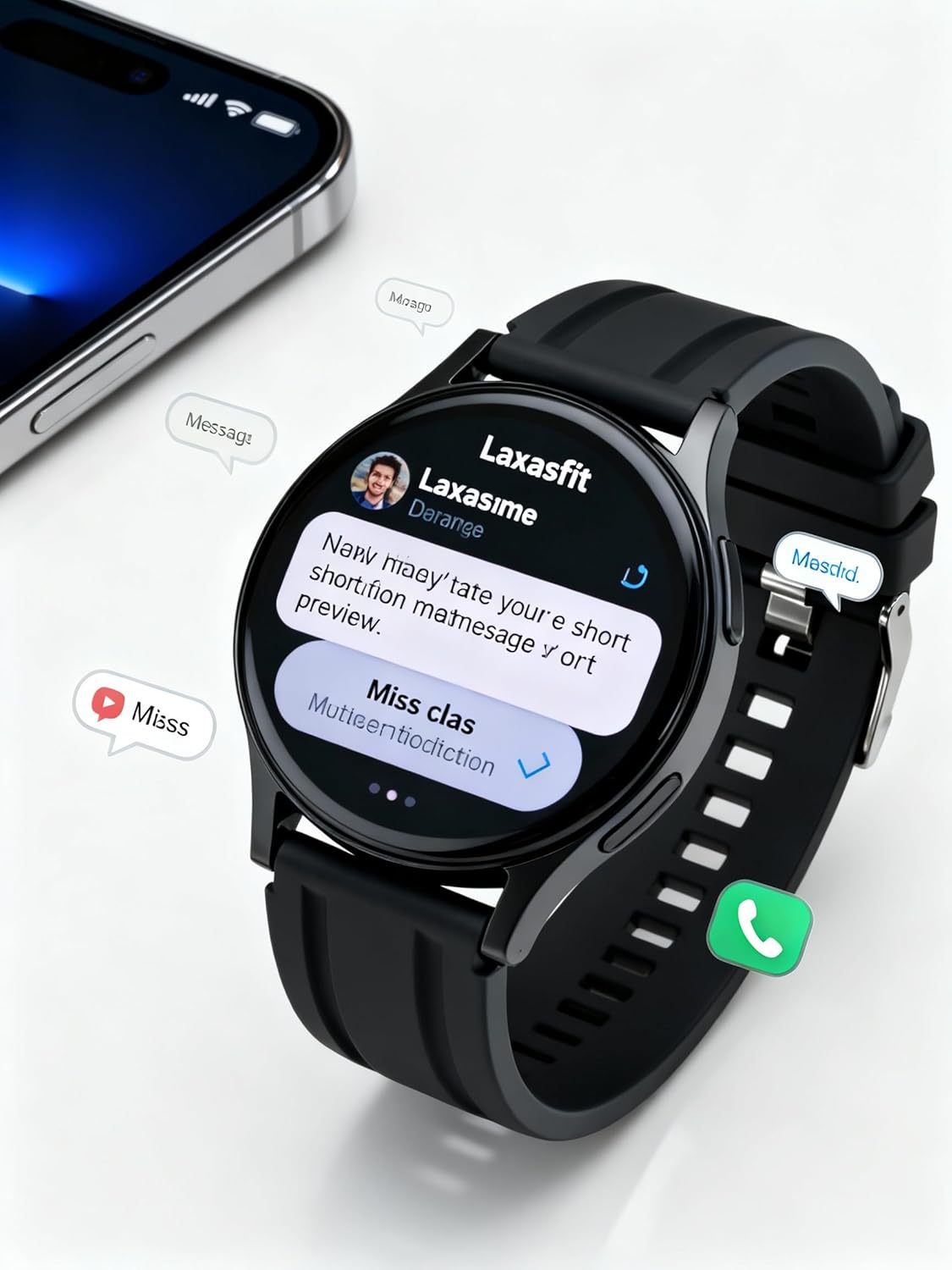
Image: The smart watch screen showing incoming message notifications and an icon for a phone call, indicating its communication features.
4.3 ఆరోగ్య పర్యవేక్షణ
The GT1 Smart Watch provides various health tracking features:
- హృదయ స్పందన రేటు: Access the heart rate monitor from the main menu. The watch will automatically measure and display your current heart rate. Continuous monitoring can be enabled via the app.
- SpO2 (బ్లడ్ ఆక్సిజన్): Navigate to the SpO2 function. Keep your arm still during measurement for accurate results.
- స్లీప్ మానిటరింగ్: Wear the watch to bed. It will automatically track your sleep duration and quality. View detailed sleep data in the Laxasfit app.
- దశల కౌంటర్: The watch continuously tracks your steps, distance, and calories burned throughout the day.

Image: The smart watch on a user's wrist, displaying sleep duration and quality metrics, with a person sleeping in the background.

Image: The smart watch screen showing a heart rate reading in BPM and the total number of steps taken.
4.4 స్పోర్ట్స్ మోడ్లు
మీ వ్యాయామాలను ట్రాక్ చేయడానికి వాచ్ వివిధ క్రీడా మోడ్లకు మద్దతు ఇస్తుంది:
- మీ వాచ్లోని "క్రీడలు" లేదా "వర్కౌట్" మెనూకు నావిగేట్ చేయండి.
- Select your desired activity (e.g., running, walking, cycling).
- The watch will begin recording data such as duration, distance, calories burned, and heart rate.
- End the workout by following the on-screen prompts. Data will sync to the Laxasfit app.
4.5 నోటిఫికేషన్లు
Receive notifications from your smartphone directly on your watch:
- Ensure notification permissions are granted to the Laxasfit app on your smartphone.
- Enable specific app notifications within the Laxasfit app settings.
- When a notification arrives, the watch will vibrate and display the message content.
5. నిర్వహణ
5.1 మీ స్మార్ట్ వాచ్ను శుభ్రపరచడం
- వాచ్ స్క్రీన్ మరియు స్ట్రాప్ను మృదువైన, d తో క్రమం తప్పకుండా శుభ్రం చేయండి.amp గుడ్డ.
- కఠినమైన రసాయనాలు, రాపిడి క్లీనర్లు లేదా ద్రావకాలను ఉపయోగించడం మానుకోండి, ఎందుకంటే ఇవి పరికరాన్ని దెబ్బతీస్తాయి.
- తుప్పు పట్టకుండా ఉండటానికి ఛార్జింగ్ చేసే ముందు ఛార్జింగ్ కాంటాక్ట్లు శుభ్రంగా మరియు పొడిగా ఉన్నాయని నిర్ధారించుకోండి.
5.2 నీటి నిరోధకత (IP67)
The LAXASFIT GT1 Smart Watch is rated IP67, meaning it is resistant to dust and can withstand immersion in water up to 1 meter for 30 minutes. However, it is not suitable for swimming, diving, or high-pressure water activities. Avoid exposure to hot water or steam.
5.3 ఛార్జింగ్ ఉత్తమ పద్ధతులు
- అందించిన ఛార్జింగ్ కేబుల్ను మాత్రమే ఉపయోగించండి.
- Avoid overcharging the device; disconnect once fully charged.
- తడి పరిస్థితుల్లో వాచ్ను ఛార్జ్ చేయవద్దు.
6. ట్రబుల్షూటింగ్
If you encounter issues with your LAXASFIT GT1 Smart Watch, refer to the following common solutions:
- గడియారం ఆన్ కావడం లేదు: వాచ్ పూర్తిగా ఛార్జ్ అయ్యిందని నిర్ధారించుకోండి. కనీసం 10 నిమిషాలు దానిని ఛార్జర్కి కనెక్ట్ చేయండి.
- ఫోన్తో జత చేయడం సాధ్యం కాదు:
- మీ ఫోన్ మరియు వాచ్లో బ్లూటూత్ ప్రారంభించబడిందని నిర్ధారించుకోండి.
- వాచ్ మీ ఫోన్ పరిధిలో ఉందని నిర్ధారించుకోండి.
- మీ ఫోన్ మరియు వాచ్ రెండింటినీ రీస్టార్ట్ చేయండి.
- మీ ఫోన్ (ఆండ్రాయిడ్)లో బ్లూటూత్ కాష్ను క్లియర్ చేయండి లేదా పరికరాన్ని మర్చిపోయి తిరిగి జత చేయండి (iOS/ఆండ్రాయిడ్).
- సరికాని ఆరోగ్య డేటా: మీ మణికట్టు మీద వాచ్ గట్టిగా ధరించేలా చూసుకోండి, మరీ బిగుతుగా లేదా మరీ వదులుగా ఉండకూడదు. సెన్సార్ను శుభ్రంగా ఉంచండి.
- నోటిఫికేషన్లు అందలేదు:
- మీ ఫోన్లో యాప్ నోటిఫికేషన్ అనుమతులను తనిఖీ చేయండి.
- Verify that notifications are enabled within the Laxasfit app.
- వాచ్ మీ ఫోన్కి కనెక్ట్ చేయబడిందని నిర్ధారించుకోండి.
- స్క్రీన్ స్పందించడం లేదు: Try restarting the watch by long-pressing the side button. If unresponsive, allow the battery to drain completely and then recharge.
సమస్యలు కొనసాగితే, తదుపరి సహాయం కోసం కస్టమర్ సపోర్ట్ని సంప్రదించండి.
7. స్పెసిఫికేషన్లు
| ఫీచర్ | వివరాలు |
|---|---|
| బ్రాండ్ | లాక్సాస్ఫిట్ |
| మోడల్ పేరు | GT1 (Zt1) |
| అంశం మోడల్ సంఖ్య | H9proMax |
| ప్రదర్శన రకం | AMOLED |
| స్టాండింగ్ స్క్రీన్ డిస్ప్లే సైజు | 1.9 అంగుళాలు (Note: Product title states 1.32" IPS, specifications state 1.9" AMOLED. Using 1.9" from specifications for consistency in this section.) |
| ఆపరేటింగ్ సిస్టమ్ | వాచ్ఓఎస్ (Note: This is likely a generic term or placeholder, as WatchOS is Apple's OS. The actual OS is typically proprietary for such devices.) |
| మెమరీ స్టోరేజ్ కెపాసిటీ | 500 MB |
| RAM మెమరీ ఇన్స్టాల్ చేయబడిన పరిమాణం | 0.13 MB |
| ప్రత్యేక లక్షణాలు | GPS |
| అనుకూల పరికరాలు | ఐఫోన్ (Note: Also compatible with Android via the Laxasfit app.) |
| బ్యాటరీ సగటు జీవితం | 1 రోజు |
| ఛార్జింగ్ సమయం | 2 గంటలు |
| బ్యాటరీ కెపాసిటీ | 100 Amp గంటలు (Note: This unit is unusual for smartwatches, typically mAh. Assuming it refers to 100mAh or similar capacity.) |
| వైర్లెస్ రకం | బ్లూటూత్ |
| కనెక్టర్ రకం | బ్లూటూత్ |
| పరికర ఇంటర్ఫేస్ - ప్రాథమికం | టచ్స్క్రీన్ |
| మెటీరియల్ | సిలికాన్ |
| వస్తువు బరువు | 200 గ్రా |
| నీటి నిరోధకత రేటింగ్ | IP67 |
8. వారంటీ మరియు మద్దతు
For warranty information and customer support, please refer to the documentation provided with your purchase or contact LAXASFIT customer service through their official website or the Laxasfit application. Keep your proof of purchase for warranty claims.