
1. పరిచయం
This manual provides essential information and instructions for the LAXASFIT H9 Pro Max Smart Watch. Please read this manual thoroughly before using your device to ensure proper operation and to maximize its features. Keep this manual for future reference.
2. ఉత్పత్తి ముగిసిందిview
The LAXASFIT H9 Pro Max Smart Watch is designed to integrate seamlessly into your daily life, offering health monitoring, sports tracking, and smart notifications. It features a 2.01-inch TFT display and a durable silicone strap.
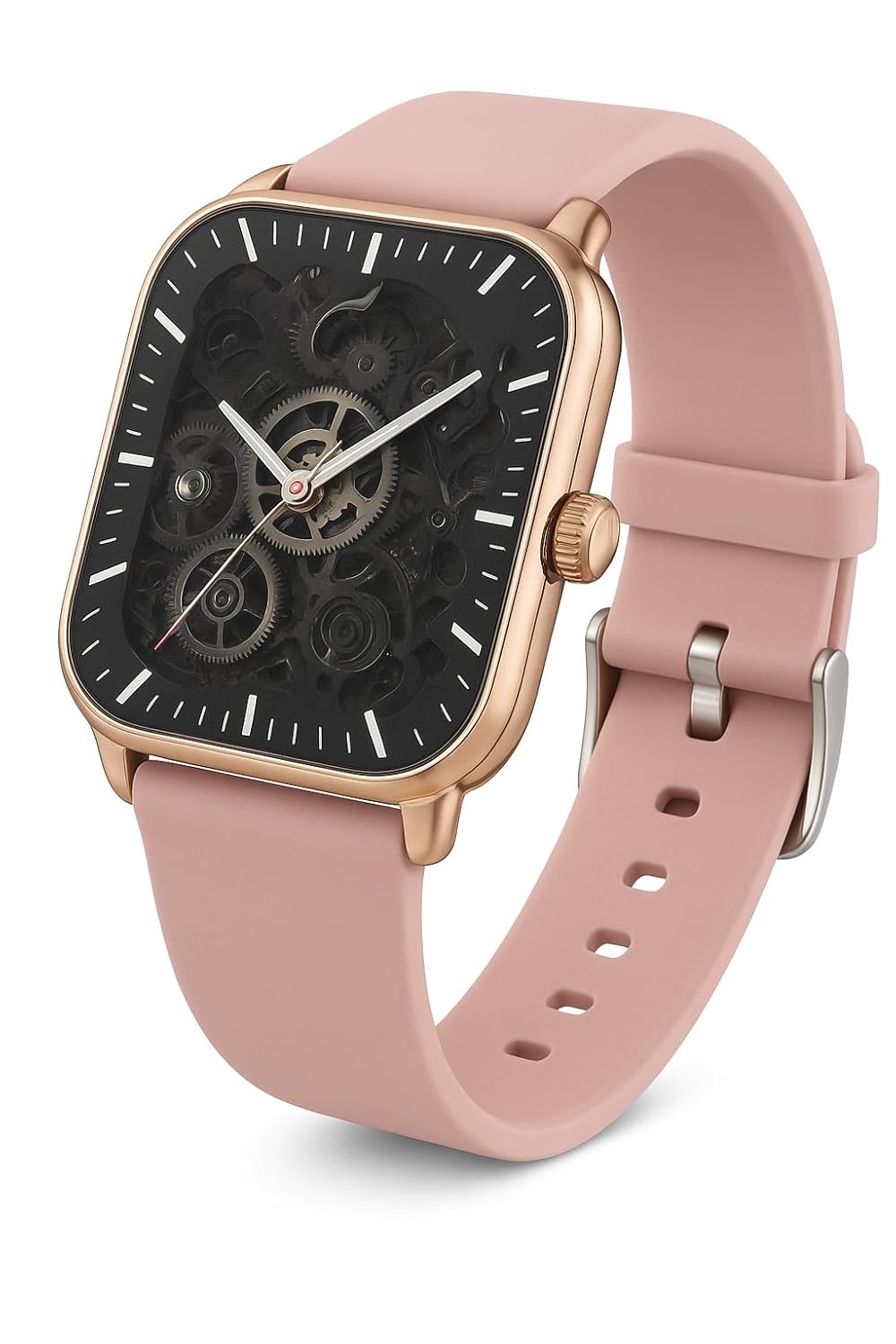
చిత్రం 2.1: LAXASFIT H9 Pro Max Smart Watch. This image shows the watch's square face with a rose gold-toned case and a pink silicone band. The display features a skeleton dial design, revealing internal mechanical elements, with white hour markers and sleek hands for time reading.
ముఖ్య లక్షణాలు:
- ప్రదర్శన: 2.01" TFT Display for clear visuals.
- కనెక్టివిటీ: Bluetooth 5.0 for stable connection with smartphones.
- ఆరోగ్య పర్యవేక్షణ: Integrated Heart Rate and Blood Oxygen Monitor.
- స్పోర్ట్స్ మోడ్లు: Over 100 sports modes for comprehensive activity tracking.
- నోటిఫికేషన్లు: Compatible with Android & iOS for call and message alerts.
- మన్నిక: IP67 వాటర్ప్రూఫ్ రేటింగ్.
3. సెటప్
3.1. స్మార్ట్ వాచ్ ఛార్జింగ్
Before first use, fully charge your LAXASFIT H9 Pro Max Smart Watch. Connect the charging cable to the watch's charging port and a USB power adapter. A full charge typically takes approximately 2 hours.
- ఛార్జింగ్ సమయం: పూర్తి ఛార్జ్ కోసం సుమారు 2 గంటలు.
- బ్యాటరీ లైఫ్: Up to 7 days under typical usage; approximately 1 day with heavy calling.

చిత్రం 3.1: Watch features including enhanced health sensor, IP68 waterproof rating, and battery life details. The image shows the watch face displaying health metrics and a visual representation of its water resistance.
3.2. యాప్ ఇన్స్టాలేషన్
To unlock the full potential of your smart watch, download and install the companion application on your smartphone. The app allows for data synchronization, watch face customization, and advanced settings management.
- Scan the QR code provided below or search for "Laxasfit" in your smartphone's app store (Google Play Store for Android or Apple App Store for iOS).
- అప్లికేషన్ను ఇన్స్టాల్ చేయడానికి స్క్రీన్పై ఉన్న సూచనలను అనుసరించండి.

చిత్రం 3.2: Smart Sync feature with a QR code for downloading the companion application. This image illustrates the watch's ability to synchronize with a smartphone app for comprehensive health monitoring, customizable experiences, and fitness tracking.
Scan this QR code to download the app: https://me-qr.com/W37v4fPq

చిత్రం 3.3: Laxasfit App Preview on iOS. This image displays screenshots of the Laxasfit application interface on an iPhone, showing features like device search, bracelet settings, target steps, and historical data for health and movement tracking.

చిత్రం 3.4: Laxasfit App Preview on Android. This image shows the Laxasfit application's Google Play Store page, including app ratings, download size, and screenshots of the app's interface for health, data, and sports tracking.
3.3. మీ స్మార్ట్ఫోన్తో జత చేయడం
- మీ స్మార్ట్ఫోన్లో బ్లూటూత్ ప్రారంభించబడిందని నిర్ధారించుకోండి.
- Open the Laxasfit application.
- యాప్లోని "పరికరం" లేదా "పరికరాన్ని జోడించు" విభాగానికి నావిగేట్ చేయండి.
- The app will search for available devices. Select "H9 Pro Max" from the list.
- ప్రాంప్ట్ చేయబడితే మీ వాచ్ మరియు స్మార్ట్ఫోన్ రెండింటిలోనూ జత చేసే అభ్యర్థనను నిర్ధారించండి.
- జత చేసిన తర్వాత, వాచ్ యాప్తో డేటాను సమకాలీకరిస్తుంది.
4. స్మార్ట్ వాచ్ను ఆపరేట్ చేయడం
4.1. ప్రాథమిక నావిగేషన్
The LAXASFIT H9 Pro Max Smart Watch features a responsive touchscreen interface. Swipe across the screen to navigate through menus and tap to select options. The side button typically serves as a power button or a return-to-home function.
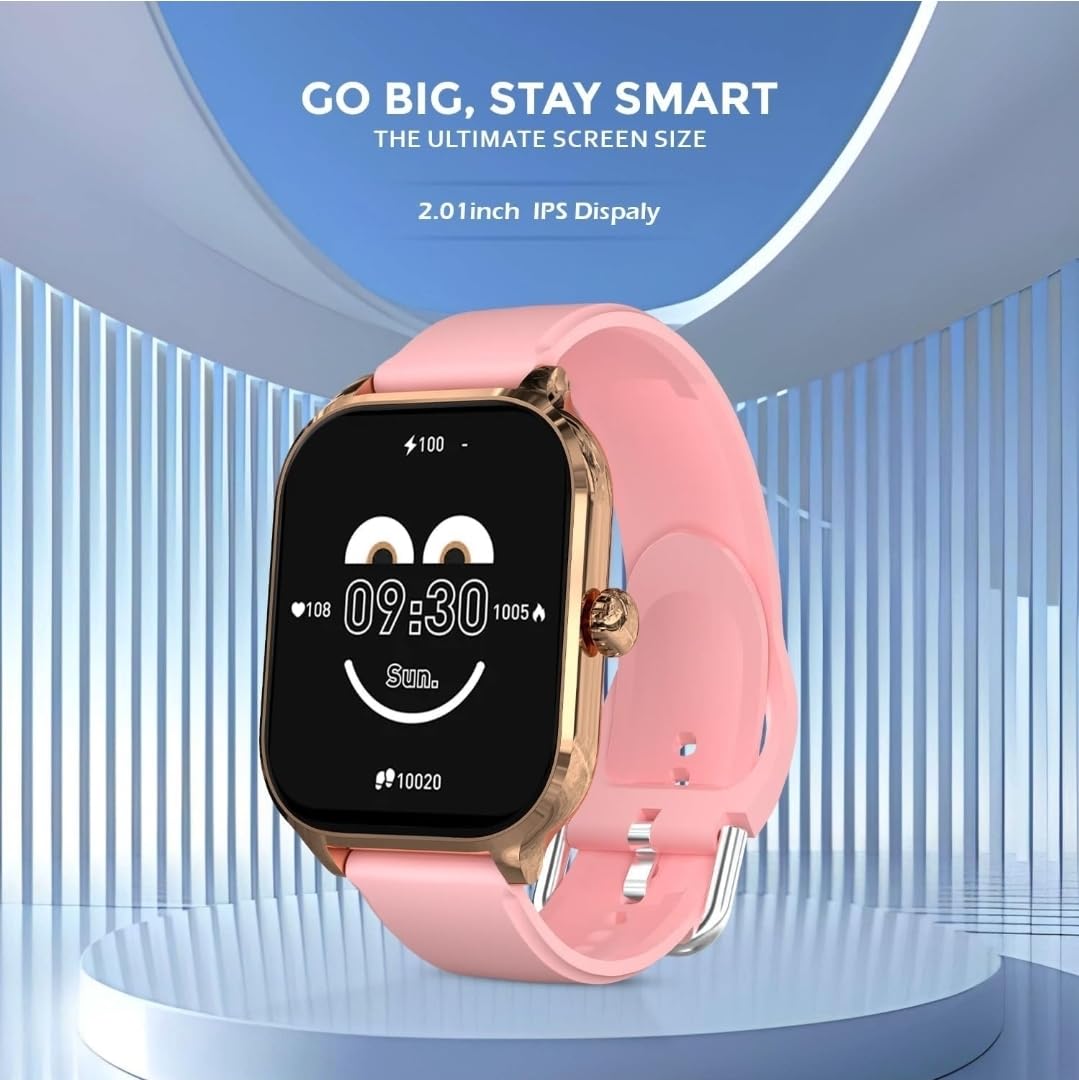
చిత్రం 4.1: Watch face displaying time, battery level, and health data. This image highlights the 2.01-inch IPS display, showing a customizable watch face with current time, heart rate, and step count.
4.2. ఆరోగ్య పర్యవేక్షణ
The watch continuously monitors your heart rate and blood oxygen levels. Access these features through the health menu on the watch or view detailed historical data in the Laxasfit app.
- హార్ట్ రేట్ మానిటర్: రియల్ టైమ్ హృదయ స్పందన రేటు డేటాను అందిస్తుంది.
- రక్త ఆక్సిజన్ మానిటర్: రక్త ఆక్సిజన్ సంతృప్తతను (SpO2) కొలుస్తుంది.
4.3. స్పోర్ట్స్ మోడ్లు
Engage in various physical activities with over 100 built-in sports modes. Select your activity to track duration, calories burned, distance, and other relevant metrics.

చిత్రం 4.2: Watch displaying "100+ Sports Mode" with icons for various activities. This image emphasizes the extensive range of sports tracking capabilities, showing icons for running, cycling, weightlifting, and more.
4.4. Call and Message Notifications
Once paired with your smartphone, the watch will display incoming call alerts and message notifications directly on your wrist. You can manage these settings within the Laxasfit app.
5. నిర్వహణ
5.1. నీటి నిరోధకత
The LAXASFIT H9 Pro Max Smart Watch has an IP67 waterproof rating. This means it is protected against dust ingress and can withstand immersion in water up to 1 meter for up to 30 minutes. It is suitable for daily use, such as hand washing or light rain. Avoid prolonged immersion, hot water, or steam.
5.2. శుభ్రపరచడం
To maintain your watch, regularly clean the device and strap with a soft, dry cloth. If necessary, use a slightly damp cloth with mild soap, then wipe dry. Avoid using harsh chemicals or abrasive materials.
6. ట్రబుల్షూటింగ్
- గడియారం ఆన్ కావడం లేదు: వాచ్ పూర్తిగా ఛార్జ్ అయ్యిందని నిర్ధారించుకోండి. కనీసం 30 నిమిషాలు దానిని ఛార్జర్కి కనెక్ట్ చేయండి.
- స్మార్ట్ఫోన్తో జత చేయలేము:
- మీ ఫోన్లో బ్లూటూత్ ప్రారంభించబడిందని నిర్ధారించుకోండి.
- వాచ్ మీ ఫోన్ పరిధిలో ఉందని నిర్ధారించుకోండి.
- మీ వాచ్ మరియు మీ ఫోన్ రెండింటినీ రీస్టార్ట్ చేయండి.
- Try unpairing and re-pairing through the Laxasfit app.
- సరికాని ఆరోగ్య డేటా: మీ మణికట్టు మీద వాచ్ గట్టిగా ధరించేలా చూసుకోండి, మరీ బిగుతుగా లేదా మరీ వదులుగా ఉండకూడదు. వాచ్ వెనుక ఉన్న సెన్సార్ను శుభ్రం చేయండి.
- నోటిఫికేషన్లు కనిపించడం లేదు: Check app permissions on your smartphone to ensure the Laxasfit app has access to notifications. Verify notification settings within the Laxasfit app.
7. స్పెసిఫికేషన్లు
| ఫీచర్ | స్పెసిఫికేషన్ |
|---|---|
| బ్రాండ్ | లాక్సాస్ఫిట్ |
| మోడల్ | H9 Pro Max (H9proMaxPink) |
| ప్రదర్శన పరిమాణం | 2.01 Inches (TFT/IPS) |
| కనెక్టివిటీ | బ్లూటూత్ 5.0 |
| ఆపరేటింగ్ సిస్టమ్ | WatchOS (as per provided data, likely a custom OS) |
| నీటి నిరోధకత | IP67 |
| బ్యాటరీ కెపాసిటీ | 220 mAh |
| ఛార్జింగ్ సమయం | 2 గంటలు |
| సగటు బ్యాటరీ జీవితం | 1 Day (up to 7 days with light use) |
| అనుకూల పరికరాలు | ఆండ్రాయిడ్, iOS |
| మెటీరియల్ | Silicone (Strap) |
| వస్తువు బరువు | 200 గ్రా |
8. వారంటీ మరియు మద్దతు
For warranty information and customer support, please refer to the official LAXASFIT webసైట్లో లేదా మీ రిటైలర్ను సంప్రదించండి. కొనుగోలు రుజువుగా మీ కొనుగోలు రసీదును ఉంచండి.

చిత్రం 8.1: LAXASFIT brand logo, featuring colorful stylized letters and the tagline "LIVE IN A SMART LIFE".