
పరిచయం
The Romicta AK50 Digital Audio Amplifier is designed to enhance your home audio experience. This 2-channel amplifier delivers 400W+400W peak power and 50W+50W rated power, supporting both 4-16 inch passive speakers and active subwoofers. It features advanced Bluetooth 5.0 connectivity, FM radio, and multiple input options including USB, SD card, and microphone inputs with echo control. Its compact design makes it suitable for various settings such as home karaoke, home theaters, HiFi sound systems, and small event setups.
పెట్టెలో ఏముంది
- 1x AK50 Ampజీవితకాలం
- 1x రిమోట్ కంట్రోల్
- 1x FM యాంటెన్నా
- 1x విద్యుత్ సరఫరా
- 1x ఇన్స్ట్రక్షన్ మాన్యువల్
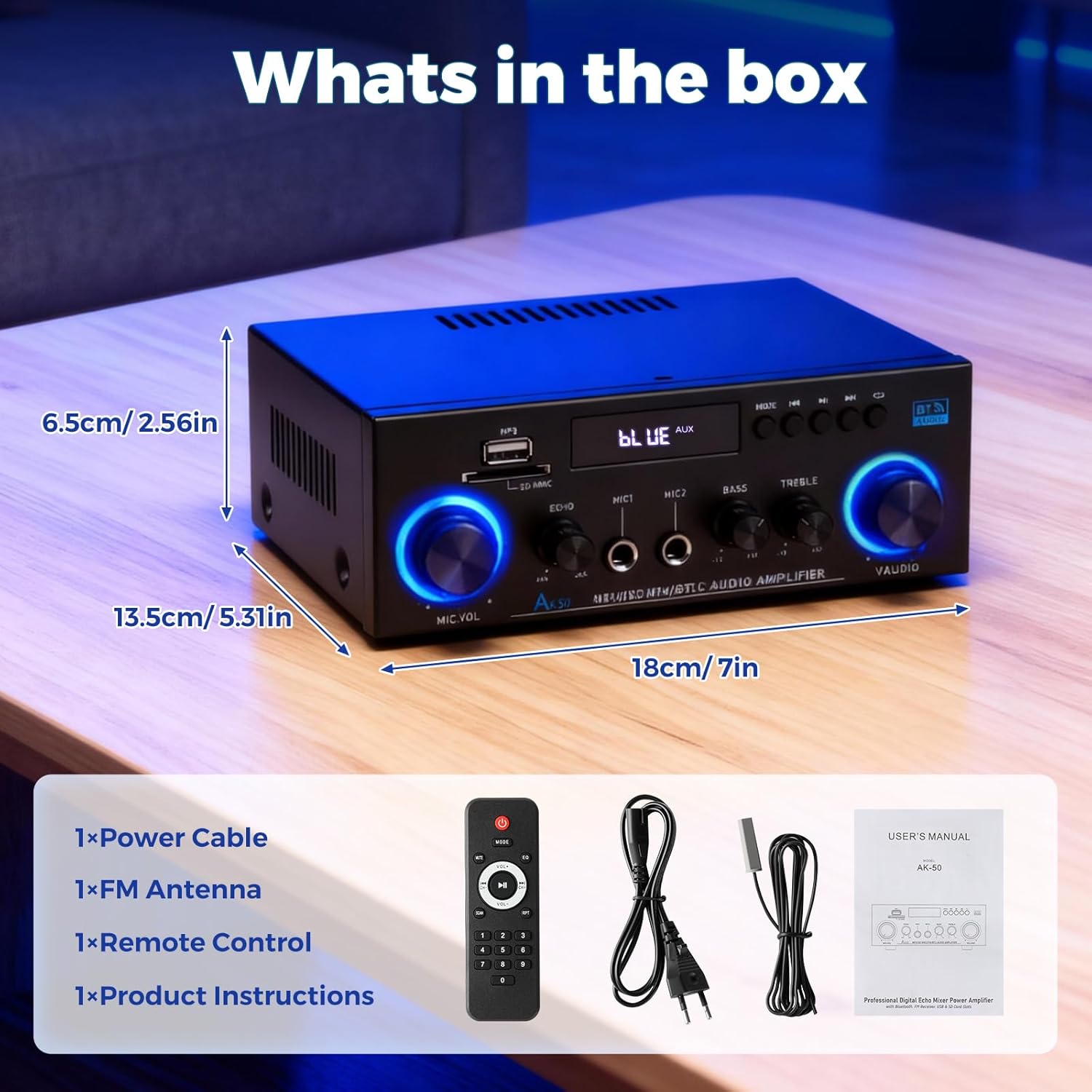
Image: The Romicta AK50 amplifier and its included accessories: remote control, FM antenna, power cable, and user manual.
ఉత్పత్తి ముగిసిందిview
ముందు ప్యానెల్
The front panel provides access to various controls and input ports for convenient operation.

చిత్రం: ముందు భాగం view of the AK50 amplifier, highlighting the microphone volume, echo, microphone inputs (MIC1, MIC2), bass, treble, and master volume knobs, along with USB/SD card slots and mode buttons.
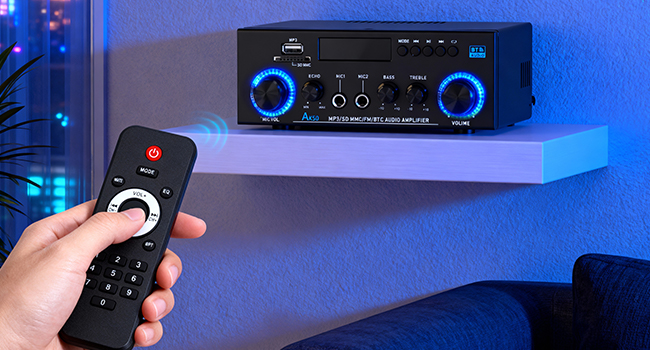
Image: A diagram illustrating the various inputs and controls on the front panel of the AK50 amplifier, including USB, SD card, microphone inputs, echo, bass, treble, and volume controls.
- MIC.VOL: కనెక్ట్ చేయబడిన మైక్రోఫోన్ల వాల్యూమ్ను సర్దుబాటు చేస్తుంది.
- ECHO: Controls the echo effect for microphone inputs.
- MIC1/MIC2: 1/4" (6.35mm) input jacks for microphones.
- బాస్: తక్కువ-ఫ్రీక్వెన్సీ ఆడియో అవుట్పుట్ను సర్దుబాటు చేస్తుంది.
- ట్రెబుల్: అధిక-ఫ్రీక్వెన్సీ ఆడియో అవుట్పుట్ను సర్దుబాటు చేస్తుంది.
- వాల్యూమ్: మొత్తం ఆడియో అవుట్పుట్ కోసం మాస్టర్ వాల్యూమ్ నియంత్రణ.
- DIRECTIONS: Cycles through input sources (Bluetooth, FM, USB, SD, AUX, Line).
- USB/SD MMC: Ports for USB flash drives and SD/MMC cards for MP3 playback.
- ప్రదర్శన: ప్రస్తుత మోడ్, ట్రాక్ సమాచారం లేదా FM ఫ్రీక్వెన్సీని చూపుతుంది.
వెనుక ప్యానెల్
The rear panel houses all necessary connections for speakers and external audio sources.
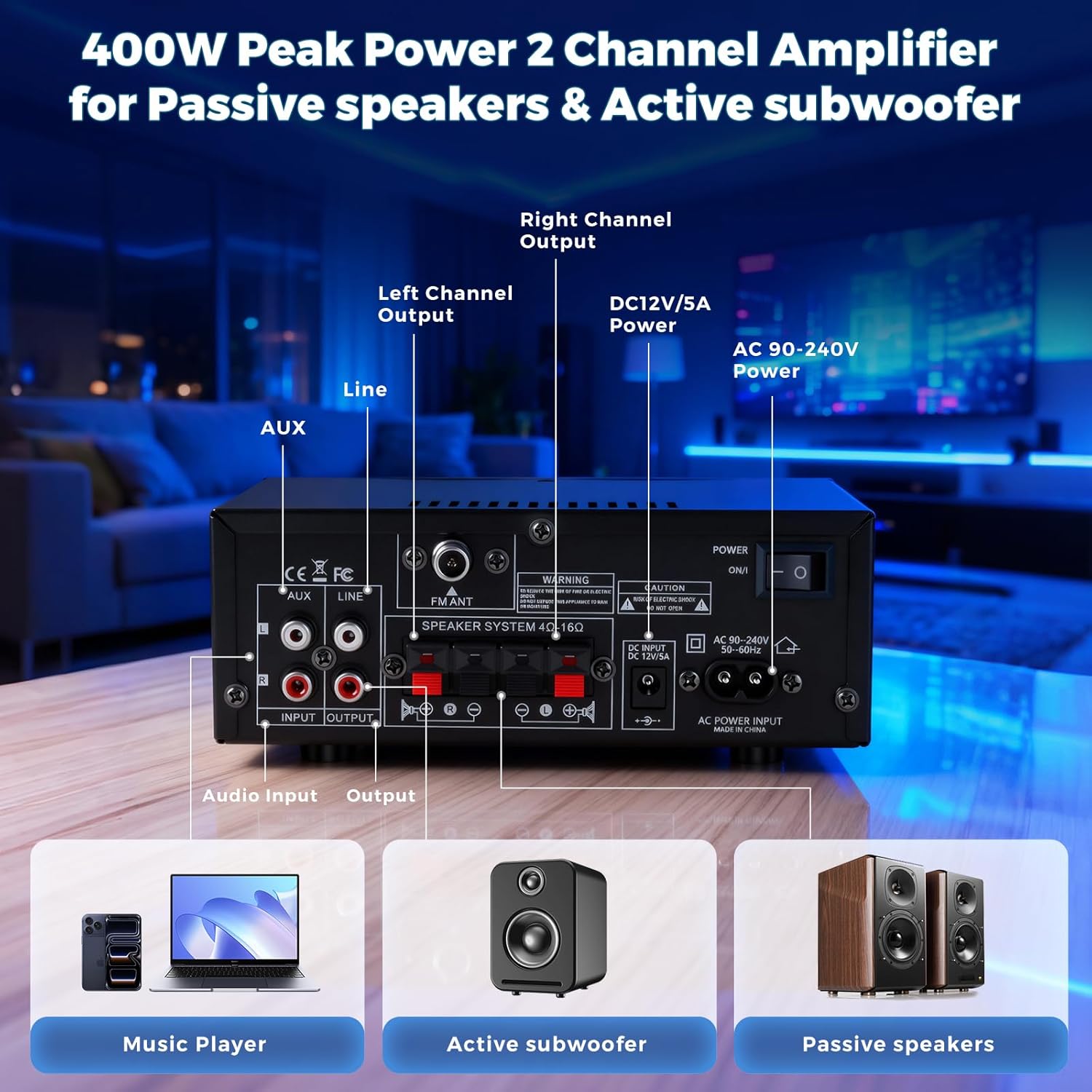
చిత్రం: వెనుక view of the AK50 amplifier, displaying the AUX and Line inputs, speaker terminals, FM antenna input, DC 12V/5A input, AC power input, and power switch.
Image: A diagram detailing the rear panel connections of the AK50 amplifier, including inputs for CD/DVD players, active subwoofers, passive speakers, FM antenna, and power.
- AUX ఇన్పుట్ (RCA): Connect external audio devices like CD/DVD players.
- LINE Input (RCA): Connect other line-level audio sources.
- FM ANT: చేర్చబడిన FM యాంటెన్నా కోసం కనెక్షన్.
- Speaker System (4Ω-16Ω): Terminals for connecting passive speakers.
- DC INPUT (12V/5A): Alternative power input for 12V DC sources.
- AC POWER INPUT (90-240V): Main power input for AC power.
- POWER ON/I: ప్రధాన పవర్ స్విచ్.
- OUTPUT (RCA): Connect to an external speaker (active subwoofer) or recording device.
సెటప్ సూచనలు
- స్పీకర్లను కనెక్ట్ చేయండి: Connect your passive speakers to the "Speaker System" terminals on the rear panel. Ensure correct polarity (+ to + and - to -). The ampలైఫైయర్ 4-16Ω స్పీకర్లకు మద్దతు ఇస్తుంది.
- ఆడియో మూలాలను కనెక్ట్ చేయండి:
- బ్లూటూత్: పవర్ ఆన్ amplifier. The display will show "BLUE". Enable Bluetooth on your device (phone, tablet, etc.) and select "AK50" to pair.
- USB/SD కార్డ్: Insert a USB flash drive or SD card (with MP3 files) into the respective slot on the front panel. The ampలైఫైయర్ స్వయంచాలకంగా USB/SD మోడ్కి మారి ప్లేబ్యాక్ను ప్రారంభిస్తుంది.
- AUX/Line Input: Connect your external audio device (CD/DVD player, TV, laptop) to the AUX or LINE RCA inputs on the rear panel using appropriate cables. Press the "MODE" button on the front panel or remote to select the corresponding input.
- FM రేడియో: Connect the included FM antenna to the "FM ANT" port on the rear panel. Press the "MODE" button to select FM mode. Use the remote or front panel buttons to scan for stations.
- మైక్రోఫోన్లు: Plug your microphones into the MIC1 or MIC2 1/4" jacks on the front panel.
- పవర్ కనెక్ట్ చేయండి: Connect the power supply to the AC POWER INPUT on the rear panel and plug it into a wall outlet. Alternatively, use a 12V/5A DC power source with the DC INPUT.
- పవర్ ఆన్: Flip the "POWER ON/I" switch on the rear panel to the "ON" position.
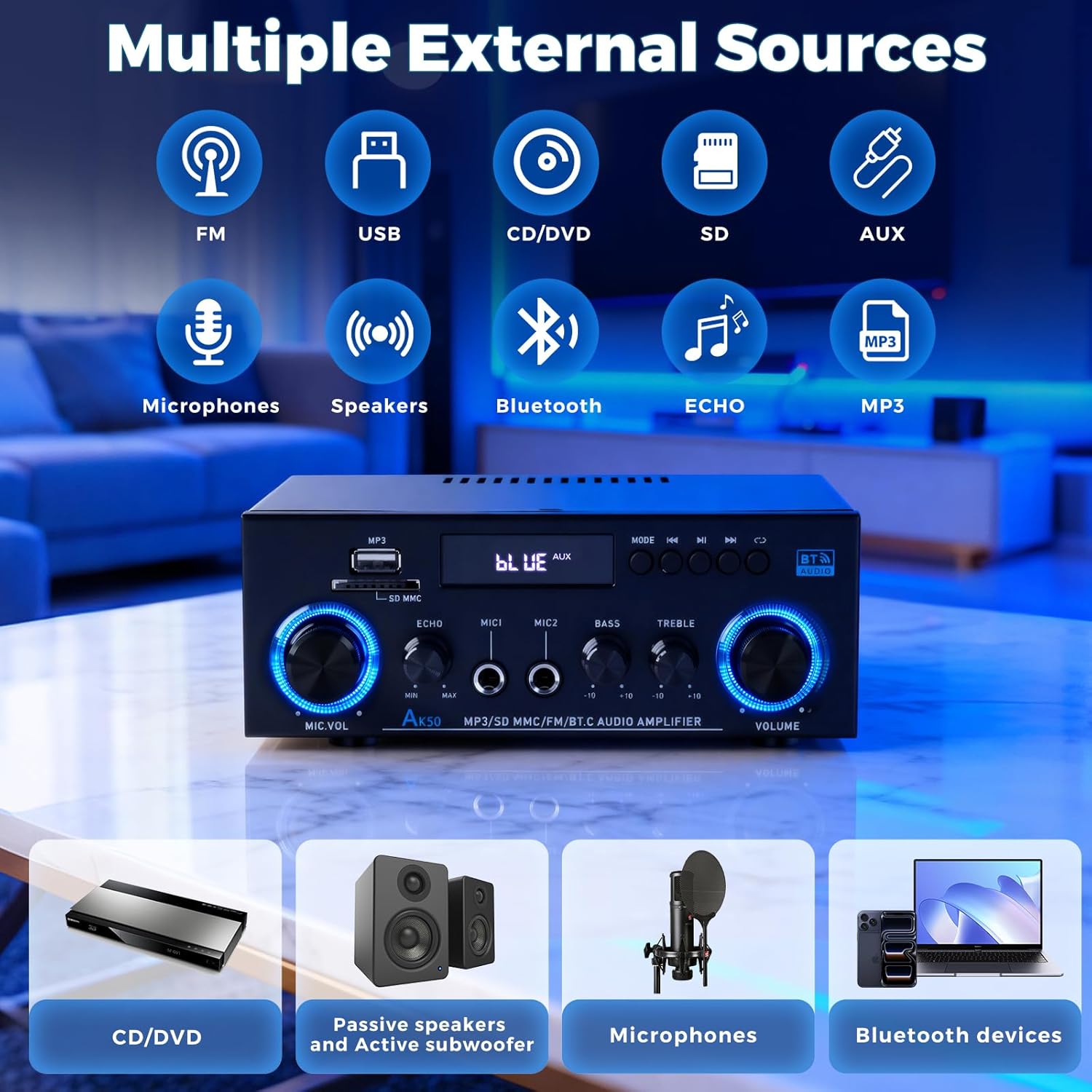
Image: An illustration demonstrating the various external sources that can be connected to the AK50 amplifier, including FM radio, USB, CD/DVD, SD card, AUX, microphones, and Bluetooth devices.
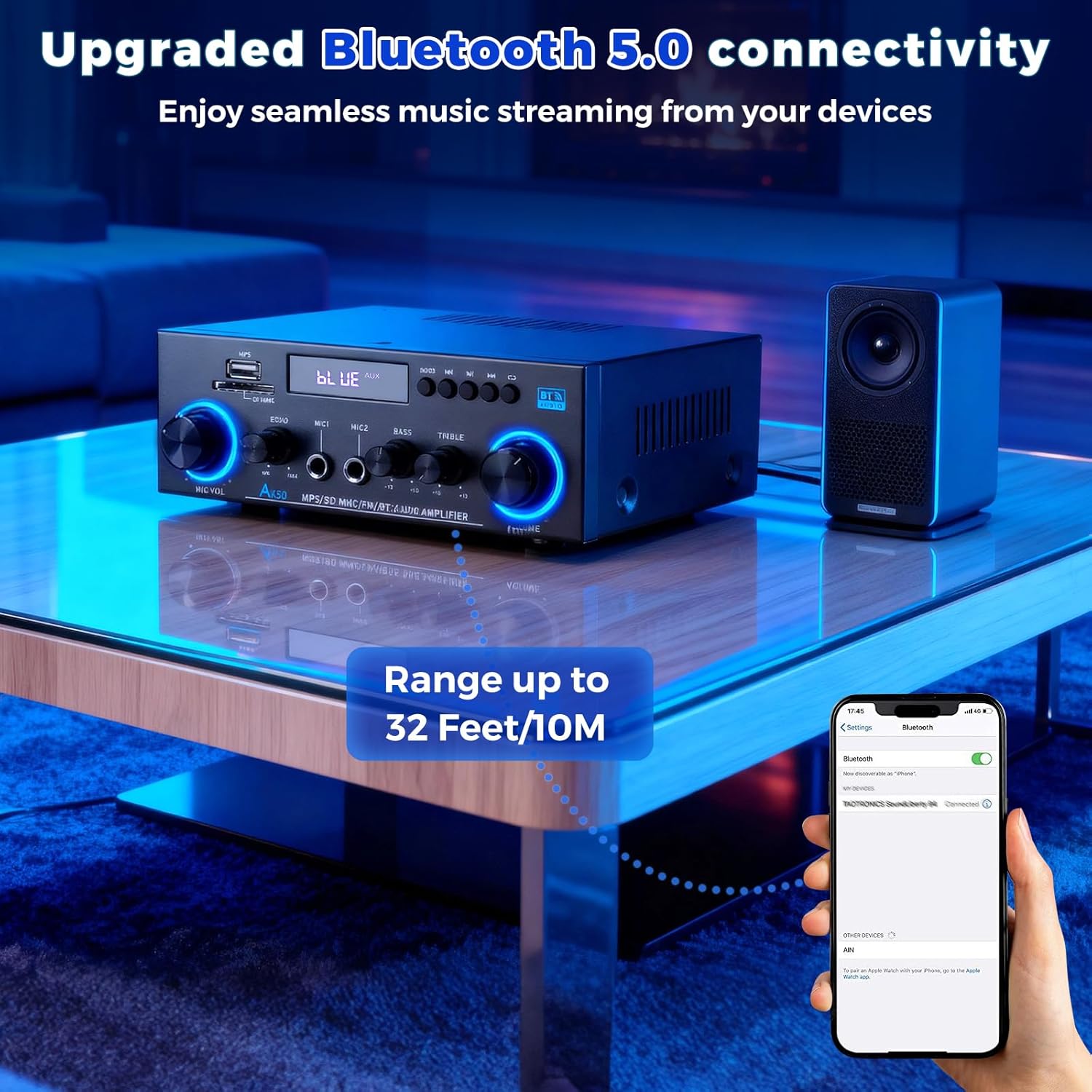
Image: A smartphone displaying its Bluetooth settings, connected to the AK50 amplifier, illustrating the enhanced Bluetooth 5.0 connectivity with a range of up to 32 feet/10 meters.
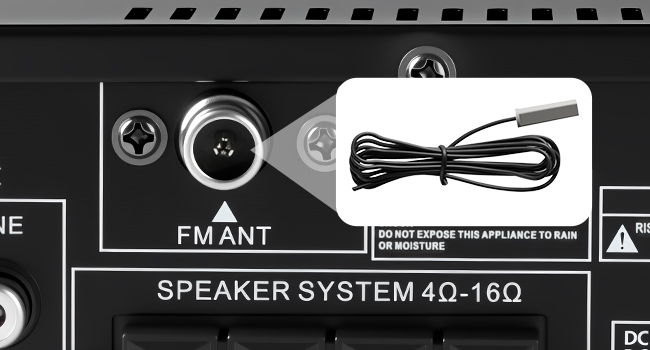
చిత్రం: వివరణాత్మక view of the FM antenna input on the rear panel of the AK50 amplifier, showing where to connect the included FM antenna for radio reception.
ఆపరేటింగ్ సూచనలు
- Select Input Mode: Use the "MODE" button on the front panel or the remote control to switch between Bluetooth, FM, USB, SD, AUX, and Line inputs.
- వాల్యూమ్ సర్దుబాటు: Rotate the large "VOLUME" knob on the front panel or use the volume buttons on the remote control to adjust the master audio output level.
- టోన్ సర్దుబాటు చేయండి: Use the "BASS" and "TREBLE" knobs to customize the low and high frequencies of the audio output.
- మైక్రోఫోన్ నియంత్రణ:
- Adjust microphone volume using the "MIC.VOL" knob.
- Apply and adjust echo effect using the "ECHO" knob.
- USB/SD ప్లేబ్యాక్: When in USB/SD mode, use the play/pause, next, and previous track buttons on the front panel or remote to control media playback.
- రిమోట్ కంట్రోల్ వినియోగం: The included remote control allows for convenient adjustments of input modes, volume, and media playback from a distance.
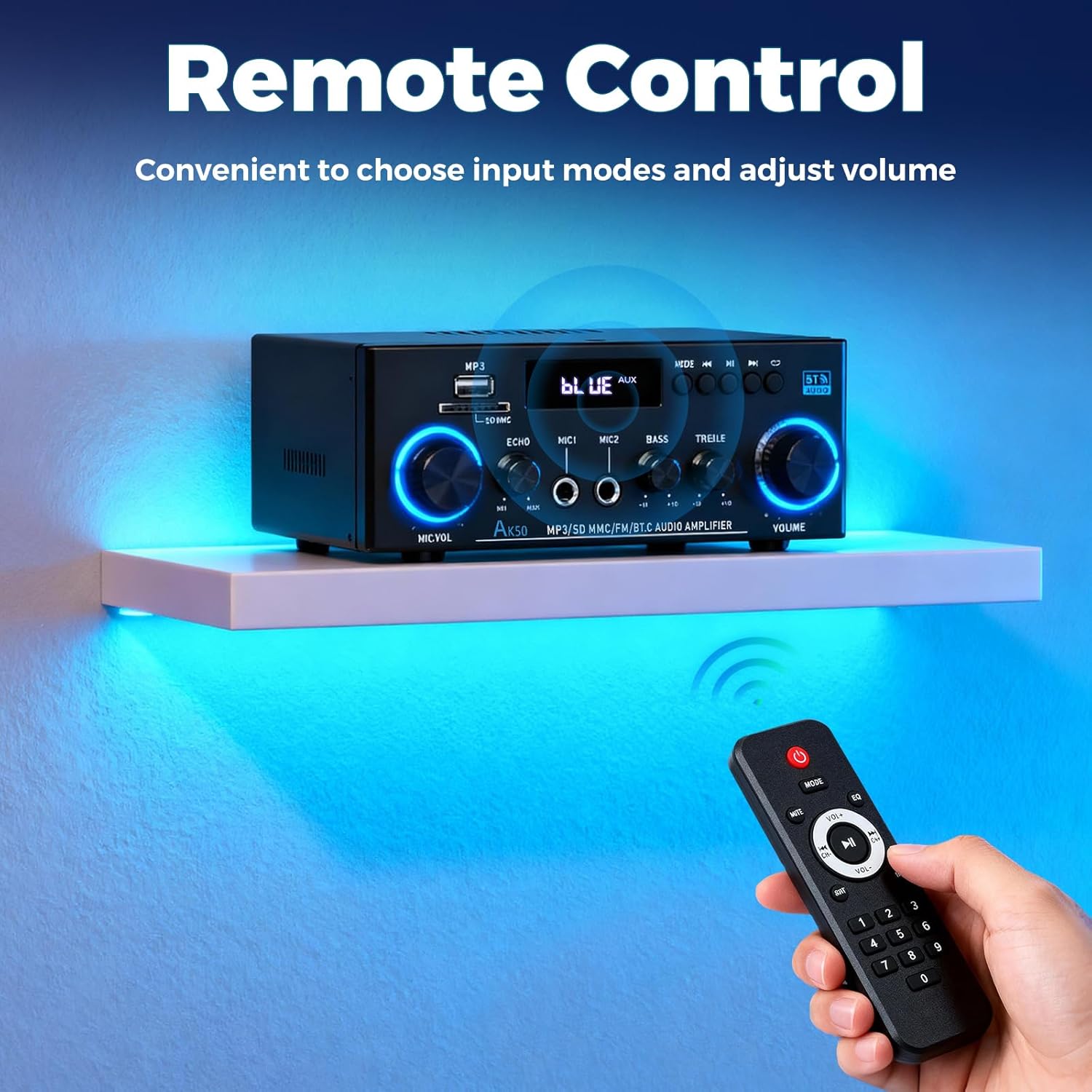
Image: A hand holding the remote control, pointing it towards the AK50 amplifier, demonstrating convenient control over input modes and volume from a distance.
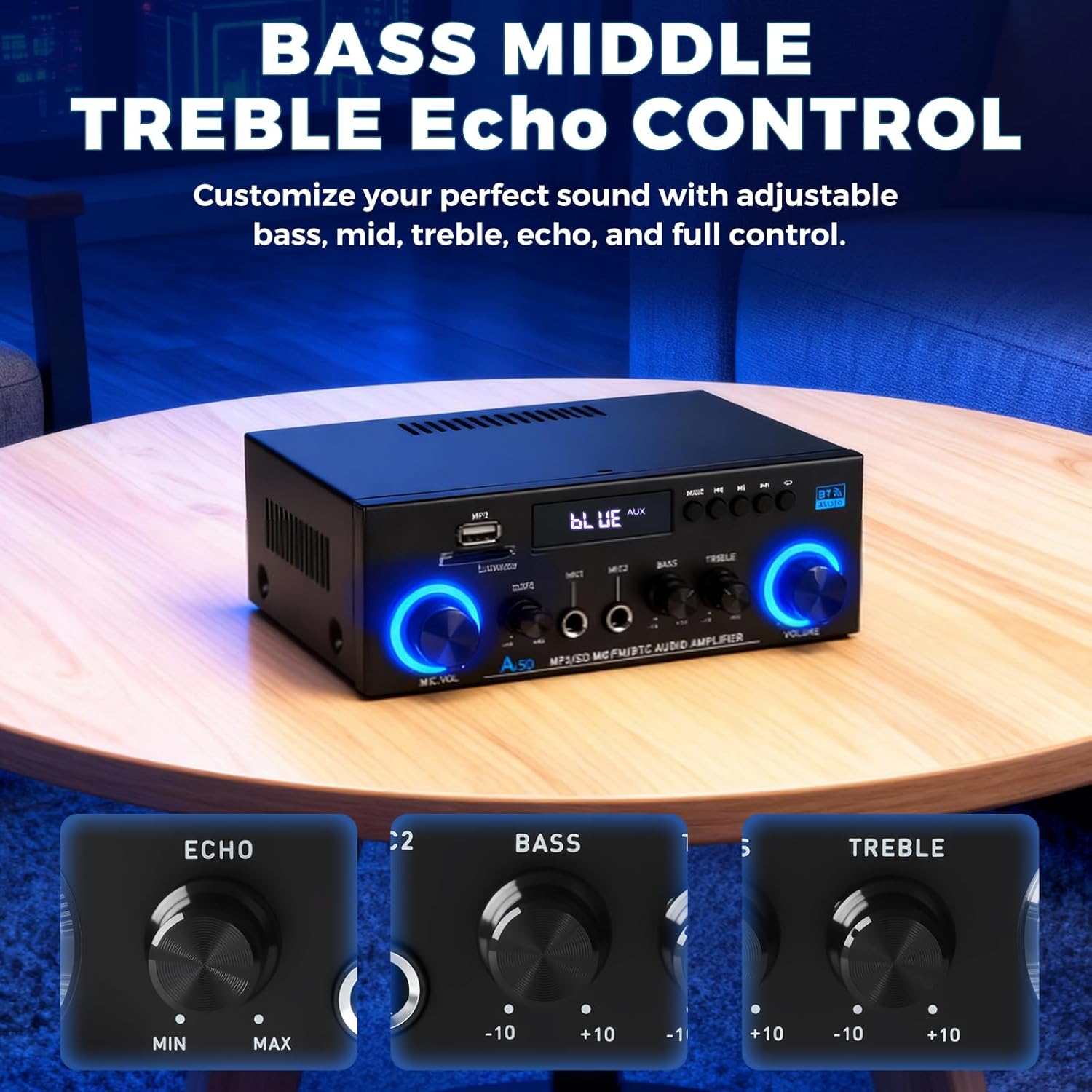
చిత్రం: క్లోజప్ view of the Bass, Treble, and Echo control knobs on the AK50 amplifier, illustrating the independent adjustments available for sound customization.

Image: The AK50 amplifier with two microphones connected, emphasizing the MIC1 and MIC2 inputs and the Echo adjustment knob for karaoke and vocal effects.
నిర్వహణ
- శుభ్రపరచడం: శుభ్రం చేయడానికి మృదువైన, పొడి వస్త్రాన్ని ఉపయోగించండి amplifier's exterior. Avoid using liquid cleaners or solvents.
- వెంటిలేషన్: నిర్ధారించండి amplifier has adequate ventilation to prevent overheating. Do not block the ventilation openings.
- నిల్వ: నిల్వ చేయండి ampలైఫైయర్ను ఎక్కువసేపు ఉపయోగించనప్పుడు ప్రత్యక్ష సూర్యకాంతి మరియు తీవ్రమైన ఉష్ణోగ్రతలకు దూరంగా చల్లని, పొడి ప్రదేశంలో ఉంచండి.
- పవర్ డిస్కనెక్ట్: Always disconnect the power cable from the wall outlet before cleaning or performing any maintenance.
ట్రబుల్షూటింగ్
| సమస్య | సాధ్యమైన కారణం | పరిష్కారం |
|---|---|---|
| శక్తి లేదు | పవర్ కేబుల్ కనెక్ట్ కాలేదు; పవర్ స్విచ్ ఆఫ్; అవుట్లెట్ పనిచేయకపోవడం | Ensure power cable is securely connected; Turn power switch to ON; Test outlet with another device. |
| సౌండ్ అవుట్పుట్ లేదు | Incorrect input mode; Speaker cables loose/incorrectly connected; Volume too low; Mute activated | Select correct input mode; Check speaker connections and polarity; Increase master volume; Deactivate mute. |
| బ్లూటూత్ కనెక్ట్ కావడం లేదు | Amplifier not in Bluetooth mode; Device too far; Interference | మారండి amplifier to Bluetooth mode; Move device closer (within 50ft/15m); Reduce interference from other wireless devices. |
| USB/SD కార్డ్ ప్లే కావడం లేదు | సరికాదు file ఫార్మాట్; కార్డ్/డ్రైవ్ సరిగ్గా చొప్పించబడలేదు; పాడైంది files | నిర్ధారించండి files are MP3 format; Reinsert USB/SD card; Try a different USB/SD card. |
| మైక్రోఫోన్ పని చేయడం లేదు | Microphone not connected; MIC.VOL too low; Microphone faulty | Connect microphone to MIC1/MIC2; Increase MIC.VOL; Test with another microphone. |
స్పెసిఫికేషన్లు
- బ్రాండ్: Romicta
- మోడల్ సంఖ్య: AK50
- ఛానెల్ల సంఖ్య: 2
- అవుట్పుట్ పవర్: 50 Watts (Rated)
- పీక్ పవర్: 400W+400W
- స్పీకర్ ఇంపెడెన్స్: 4-16Ω
- వాల్యూమ్tage: 110 Volts (AC Input: 90-240V)
- బ్లూటూత్ వెర్షన్: 5.0
- కనెక్టివిటీ: Bluetooth, USB, SD Card, FM Radio, AUX, Line Input, Microphone Inputs
- ఫీచర్లు: Echo Control, Bass/Treble Adjustment, Remote Control
- వస్తువు బరువు: 1.96 పౌండ్లు
- ప్యాకేజీ కొలతలు: 8.5 x 8.15 x 3.82 అంగుళాలు
వారంటీ మరియు మద్దతు
For warranty information and technical support, please refer to the documentation included with your product or contact Romicta customer service. Keep your purchase receipt for warranty claims.