
1. పరిచయం
Welcome to the user manual for your LAXASFIT T900 Ultra2 Smartwatch. This guide provides essential information on setting up, operating, and maintaining your device. The T900 Ultra2 is designed to be a comprehensive fitness companion and personal assistant, featuring a 2.19-inch HD IPS display and various health monitoring capabilities.
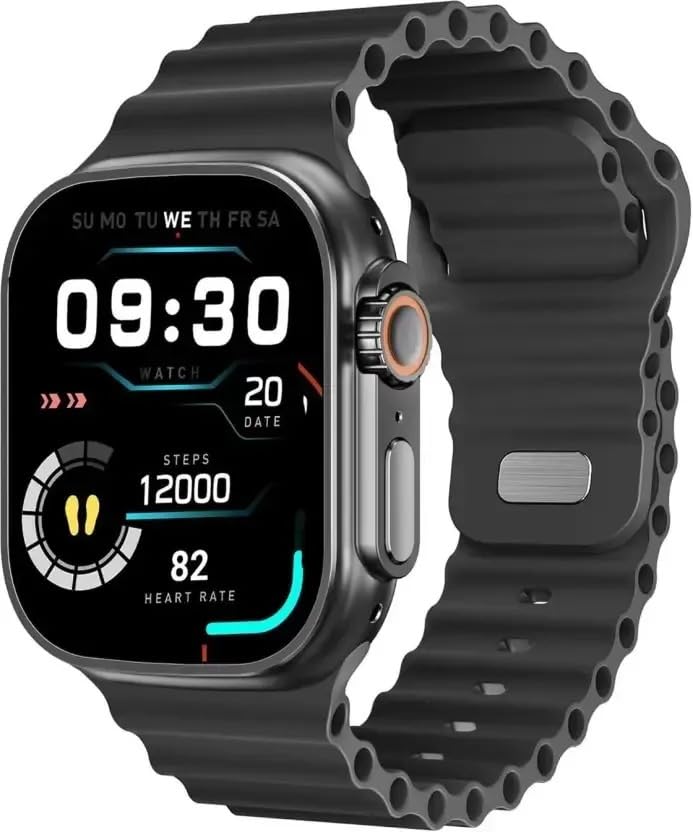
Figure 1: LAXASFIT T900 Ultra2 Smartwatch with main display showing time, steps, and heart rate.
2. భద్రతా సమాచారం
- Do not attempt to disassemble or modify the smartwatch.
- పరికరాన్ని తీవ్రమైన ఉష్ణోగ్రతలు మరియు ప్రత్యక్ష సూర్యకాంతి నుండి దూరంగా ఉంచండి.
- Avoid exposing the smartwatch to strong impacts or drops.
- ఏదైనా కొత్త వ్యాయామ నియమాన్ని ప్రారంభించే ముందు వైద్య నిపుణుడిని సంప్రదించండి, ప్రత్యేకించి మీకు ముందుగా ఉన్న ఆరోగ్య పరిస్థితులు ఉంటే.
- This device is not a medical instrument and should not be used for diagnostic purposes.
- Ensure the charging cable is used correctly to prevent damage to the device or charger.
3. పెట్టెలో ఏముంది
Upon opening your LAXASFIT T900 Ultra2 Smartwatch package, you should find the following items:
- LAXASFIT T900 Ultra2 Smartwatch
- ఛార్జింగ్ కేబుల్
- వినియోగదారు మాన్యువల్ (ఈ పత్రం)
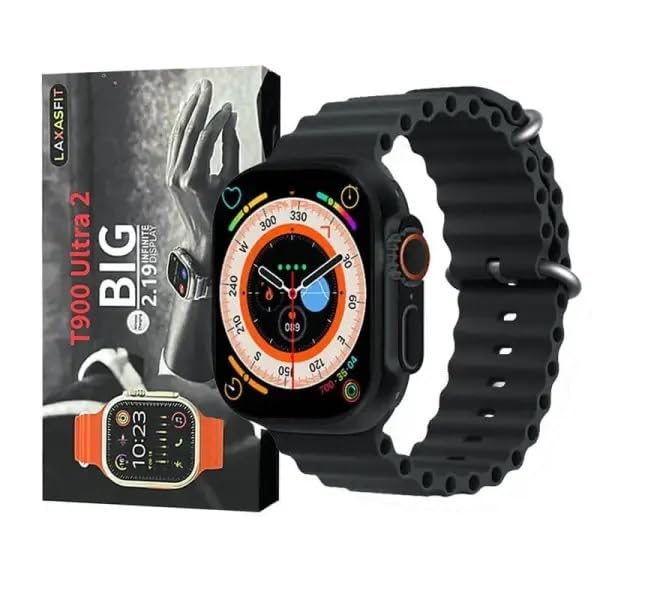
Figure 2: Contents of the LAXASFIT T900 Ultra2 Smartwatch package, including the smartwatch and its box.
4. సెటప్
4.1 స్మార్ట్వాచ్ను ఛార్జ్ చేయడం
- Connect the charging cable to a compatible USB power adapter (not included).
- Attach the magnetic end of the charging cable to the charging contacts on the back of the smartwatch. Ensure a secure connection.
- The smartwatch display will indicate charging status. A full charge typically takes approximately 2 hours.
4.2 పవర్ చేయడం ఆన్/ఆఫ్
- పవర్ ఆన్ చేయడానికి: Press and hold the side button until the LAXASFIT logo appears on the screen.
- పవర్ ఆఫ్ చేయడానికి: సైడ్ బటన్ను నొక్కి పట్టుకోండి, ఆపై స్క్రీన్పై "పవర్ ఆఫ్" ఎంపికను ఎంచుకోండి.
4.3 మీ మొబైల్ పరికరంతో జత చేయడం
To unlock the full functionality of your T900 Ultra2 Smartwatch, pair it with your smartphone via Bluetooth.
- Ensure your smartwatch is charged and powered on.
- మీ మొబైల్ ఫోన్లో బ్లూటూత్ను ప్రారంభించండి.
- Download and install the companion application (refer to the smartwatch display or packaging for app name, typically found by scanning a QR code).
- Open the companion app and follow the on-screen instructions to search for and connect to your LAXASFIT T900 Ultra2.
- మీ ఫోన్ మరియు స్మార్ట్ వాచ్ రెండింటిలోనూ జత చేసే అభ్యర్థనను నిర్ధారించండి.
5. ఆపరేటింగ్ సూచనలు
5.1 ఇంటర్ఫేస్ను నావిగేట్ చేయడం
- టచ్స్క్రీన్: మెనూలు మరియు స్క్రీన్ల ద్వారా నావిగేట్ చేయడానికి ఎడమ, కుడి, పైకి లేదా క్రిందికి స్వైప్ చేయండి. అంశాలను ఎంచుకోవడానికి నొక్కండి.
- సైడ్ బటన్: Press to return to the home screen or wake the device. Press and hold for power options.
- డిజిటల్ క్రౌన్: Rotate to scroll through lists or zoom in/out (functionality may vary by app). Press to access the app menu.
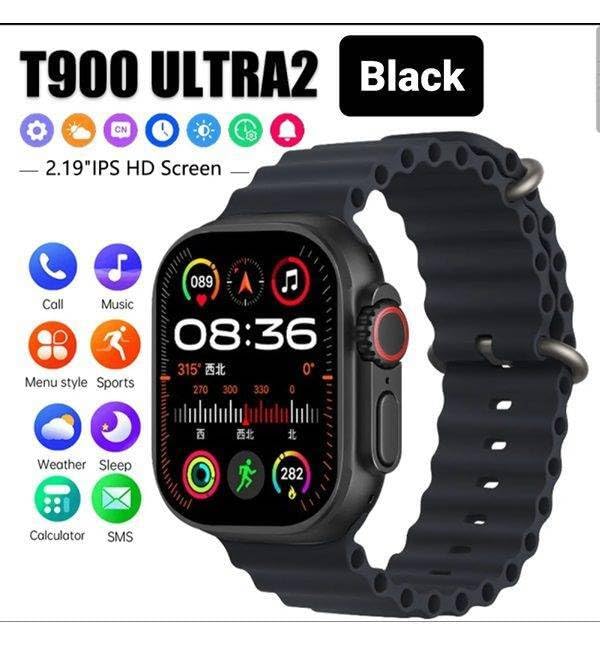
Figure 3: Smartwatch display illustrating various functions such as call, music, sports, weather, sleep, and calculator.
5.2 ముఖ్య లక్షణాలు
The LAXASFIT T900 Ultra2 Smartwatch offers a range of features to enhance your daily life and fitness routine:
- హార్ట్ రేట్ మానిటర్: Continuously tracks your heart rate. Access historical data through the companion app.
- కార్యాచరణ ట్రాకర్: Records steps, distance, and calories burned. Supports various sports modes (e.g., running, cycling, swimming).
- నిద్ర ట్రాకింగ్: నిద్ర విధానాలు మరియు నాణ్యతను పర్యవేక్షిస్తుంది.
- సంగీత నియంత్రణ: Control music playback on your paired smartphone directly from your smartwatch.
- వాతావరణ ప్రదర్శన: Provides current weather conditions and forecasts.
- నోటిఫికేషన్లు: Receive call, SMS, and app notifications from your paired smartphone.
- క్యాలిక్యులేటర్: Basic arithmetic functions available on your wrist.
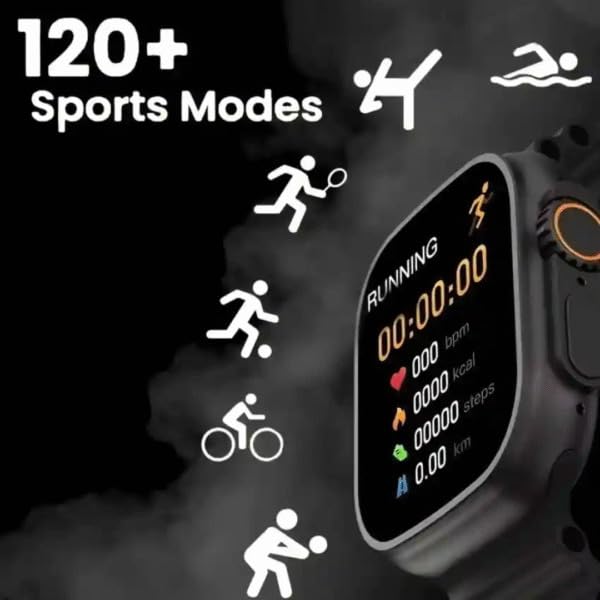
Figure 4: Smartwatch screen showing active sports tracking for running, including duration, heart rate, calories, steps, and distance.
6. నిర్వహణ
6.1 మీ స్మార్ట్వాచ్ను శుభ్రపరచడం
- Wipe the screen and body of the smartwatch with a soft, lint-free cloth.
- మొండి గుర్తుల కోసం, కొద్దిగా dampen గుడ్డను నీటితో తడిపివేయండి. కఠినమైన రసాయనాలు లేదా రాపిడి పదార్థాలను ఉపయోగించకుండా ఉండండి.
- ఛార్జింగ్ చేసే ముందు ఛార్జింగ్ కాంటాక్ట్లు శుభ్రంగా మరియు పొడిగా ఉన్నాయని నిర్ధారించుకోండి.
6.2 బ్యాండ్ కేర్
- Clean the sport band regularly with a damp చెమట మరియు ధూళిని తొలగించడానికి వస్త్రం.
- Allow the band to air dry completely before wearing.
7. ట్రబుల్షూటింగ్
| సమస్య | సాధ్యమైన పరిష్కారం |
|---|---|
| Smartwatch does not power on. | Ensure the device is fully charged. Press and hold the side button for at least 10 seconds. |
| ఫోన్తో జత చేయడం సాధ్యం కాదు. |
|
| హృదయ స్పందన రేటు రీడింగ్లు తప్పుగా ఉన్నాయి. | Ensure the smartwatch is worn snugly on your wrist, not too tight or too loose. Clean the sensor on the back of the device. |
| నోటిఫికేషన్లు అందలేదు. |
|
8. స్పెసిఫికేషన్లు
| ఫీచర్ | వివరాలు |
|---|---|
| మోడల్ | T900 Ultra2 |
| ప్రదర్శించు | 2.19 Inches IPS HD |
| ఆపరేటింగ్ సిస్టమ్ | యాజమాన్య OS |
| మెమరీ స్టోరేజ్ కెపాసిటీ | 256 MB |
| కనెక్టివిటీ | బ్లూటూత్, GPS |
| బ్యాటరీ కెపాసిటీ | 1200 మిల్లీamp గంటలు |
| ఛార్జింగ్ సమయం | సుమారు 2 గంటలు |
| బ్యాటరీ సగటు జీవితం | Up to 8 Hours (usage dependent) |
| ప్రత్యేక లక్షణాలు | Activity Tracker, Heart Rate Monitor, Music Player, Sleep Tracking, Weather Display |
| అనుకూల పరికరాలు | Mobile Phones, Smartphones |
| మెటీరియల్ | మెటల్, సిలికాన్ |
| వస్తువు బరువు | 100 గ్రా |
| మూలం దేశం | చైనా |
9. వారంటీ మరియు మద్దతు
For warranty information and customer support, please refer to the documentation provided with your purchase or contact the retailer. Keep your proof of purchase for warranty claims.
Manufacturer: Retailix Solution
Importer: Retailix Solution Basti Uttar Pradesh 272170