
1. పరిచయం
The Generic HCT-311 Digital Hose Irrigation Water Timer is designed to automate garden watering, providing flexible scheduling options for lawns, beds, and potted plants. This device features an easy-to-read LCD display, manual watering capabilities, rain delay, and a child lock function. It is built for outdoor use with a rugged, leak-resistant construction and standard 3/4" garden tap compatibility.
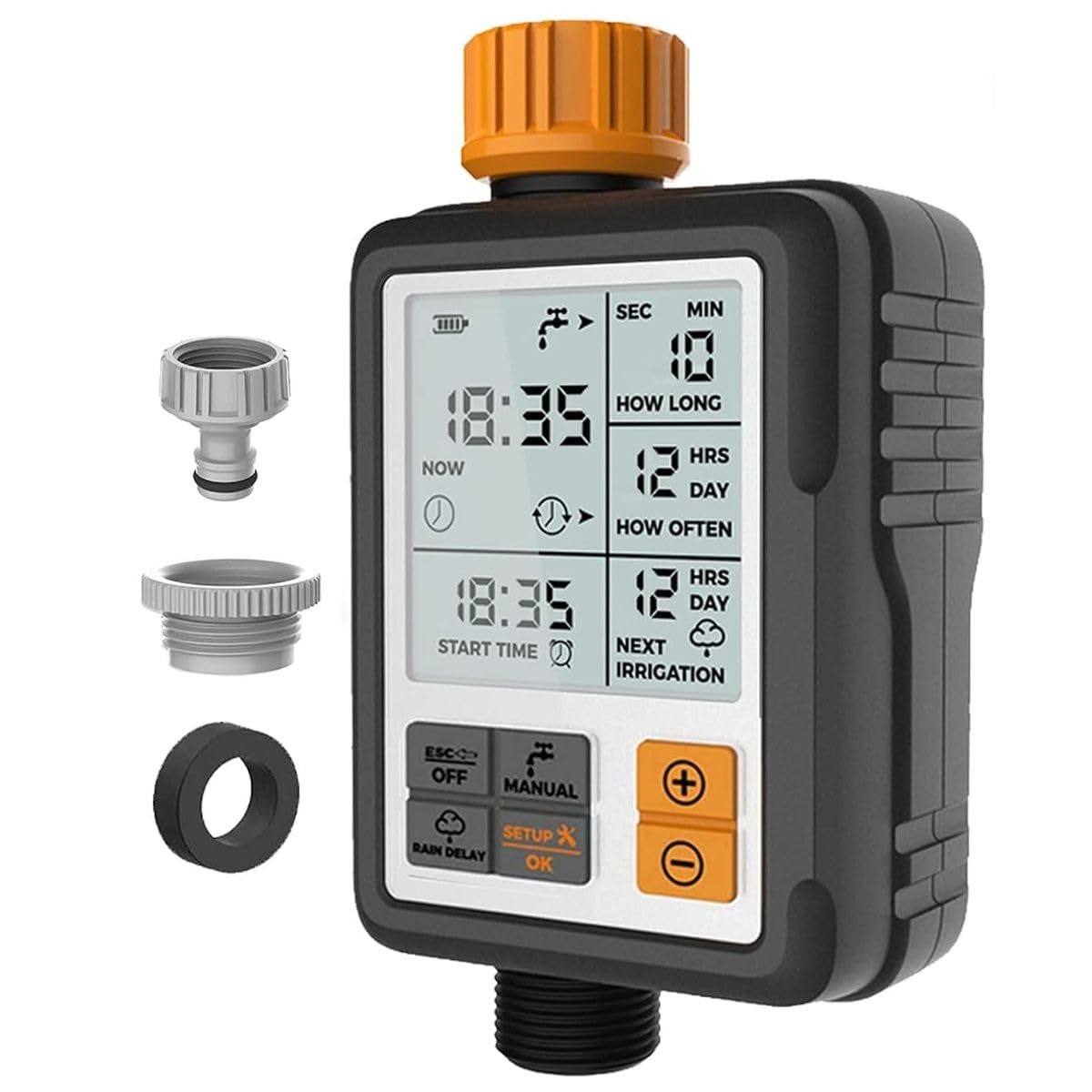
Image 1.1: HCT-311 Digital Hose Irrigation Water Timer in use, highlighting key features.
2. ఉత్పత్తి ముగిసిందిview
Familiarize yourself with the components and display elements of your HCT-311 water timer.

Image 2.1: HCT-311 LCD Display and Control Buttons.
Key Display Elements:
- ప్రస్తుత సమయం: Displays the current time in a 24-hour format.
- ప్రారంభ సమయం: Indicates the programmed start time for watering.
- ఎంతసేపు: Shows the watering duration (1 second to 300 minutes).
- ఎంత తరచుగా: Displays the watering frequency (1-23 hours or 1-15 days).
- Next Irrigation: Automatically prompts the time for the next watering cycle.
- బ్యాటరీ పవర్ సూచిక: Blinks when power is low.
- Watering Indications: A water-drop icon blinks during irrigation.
నియంత్రణ బటన్లు:
- ESC/OFF (Rain Delay/Child Lock): Used to exit current settings, turn off the timer, activate Rain Delay, or activate Child Lock.
- మాన్యువల్: Activates manual watering mode.
- SETUP/OK: Used to enter setup mode and confirm settings.
- +/- బటన్లు: Used to adjust time and system settings.
3. బ్యాటరీ ఇన్స్టాలేషన్
The HCT-311 timer requires 2x AA alkaline batteries (not included) for operation. Ensure batteries are installed correctly for proper function.
- టైమర్ వెనుక భాగంలో బ్యాటరీ కంపార్ట్మెంట్ను గుర్తించండి.
- బ్యాటరీ కంపార్ట్మెంట్ కవర్ తెరవండి.
- Insert two new AA alkaline batteries, observing the correct polarity (+/-) as indicated inside the compartment.
- బ్యాటరీ కంపార్ట్మెంట్ కవర్ను సురక్షితంగా మూసివేయండి.
The timer's screen will automatically turn off without operation within 30 seconds to conserve power, contributing to a battery life of over 6 months.

Image 3.1: Battery installation and power supply details.
4. సంస్థాపన
The HCT-311 timer is designed for easy connection to standard outdoor taps and garden hoses.
- Ensure the tap is turned off before installation.
- Screw the timer's 3/4" female inlet onto your outdoor garden tap. Hand-tighten only to prevent damage.
- Connect your garden hose to the timer's 3/4" male outlet.
- Turn on the tap. The timer is now ready for use.
చిట్కా: For best longevity, avoid prolonged direct sun/heat; mount in shade where possible.

Image 4.1: Timer connected to a tap and hose.
5. Initial Setup: Setting Current Time
Before programming watering schedules, set the current time on your timer.
- నొక్కండి SETUP/OK button to enter setup mode. The 'Current Time' display will begin to flash.
- ఉపయోగించండి +/- గంటను సర్దుబాటు చేయడానికి బటన్లు.
- నొక్కండి SETUP/OK గంటను నిర్ధారించి నిమిషాలకు తరలించడానికి.
- ఉపయోగించండి +/- నిమిషాలను సర్దుబాటు చేయడానికి బటన్లు.
- నొక్కండి SETUP/OK to confirm the minutes and save the current time. The display will stop flashing.
6. Programming Watering Schedule
The HCT-311 allows for flexible automatic scheduling. You can set the watering duration, frequency, and a specific start time.
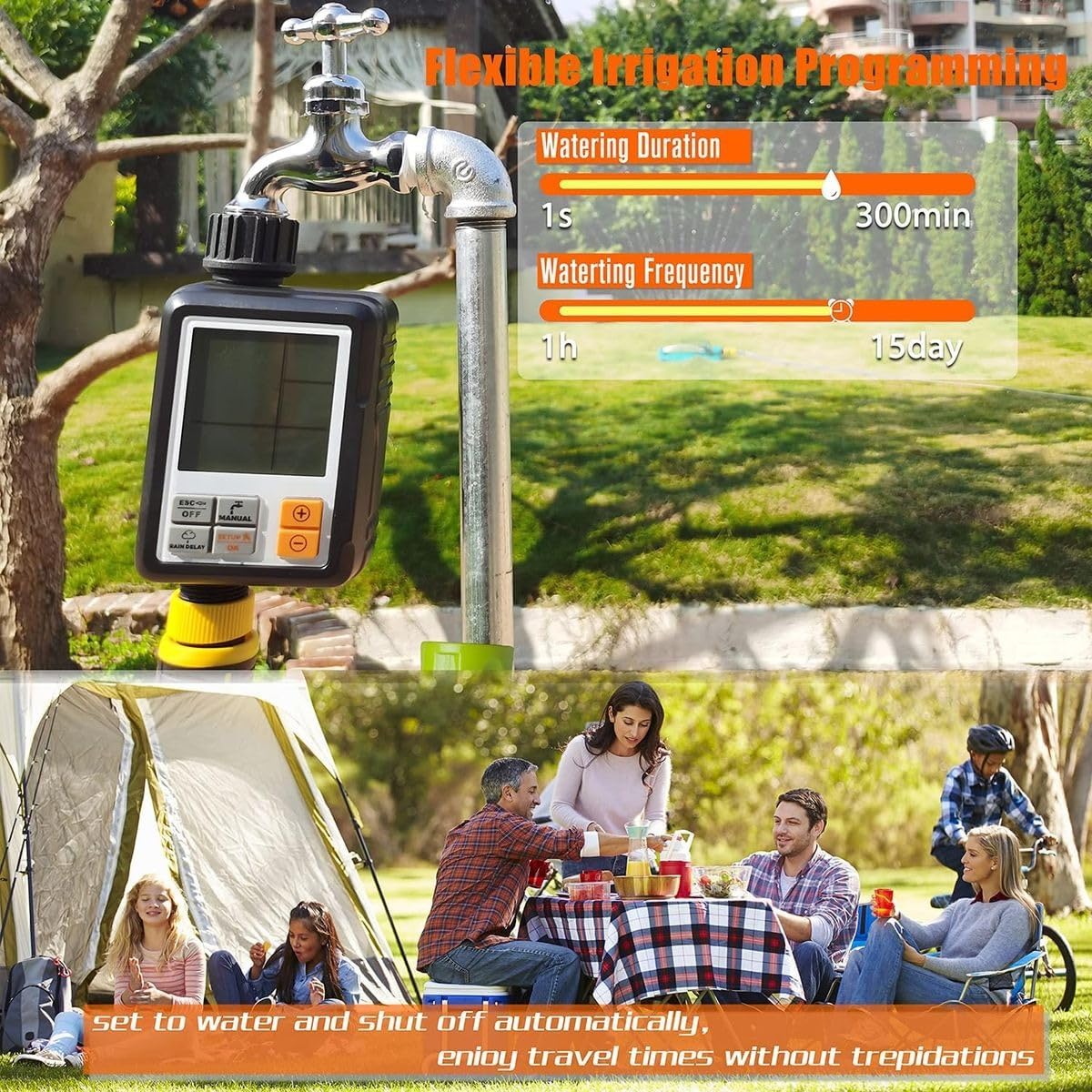
Image 6.1: Flexible Irrigation Programming parameters.
Setting Start Time:
- ప్రధాన స్క్రీన్ నుండి, నొక్కండి SETUP/OK until 'Start Time' flashes.
- ఉపయోగించండి +/- buttons to set your desired watering start hour (24-hour clock).
- నొక్కండి SETUP/OK గంటను నిర్ధారించి నిమిషాలకు తరలించడానికి.
- ఉపయోగించండి +/- నిమిషాలను సెట్ చేయడానికి బటన్లు.
- నొక్కండి SETUP/OK to confirm and save the start time.
Setting Watering Duration ('How Long'):
- ప్రధాన స్క్రీన్ నుండి, నొక్కండి SETUP/OK until 'How Long' flashes.
- ఉపయోగించండి +/- buttons to set the watering duration from 1 second to 300 minutes.
- నొక్కండి SETUP/OK to confirm and save the duration.
Setting Watering Frequency ('How Often'):
- ప్రధాన స్క్రీన్ నుండి, నొక్కండి SETUP/OK until 'How Often' flashes.
- ఉపయోగించండి +/- buttons to set the watering frequency from every 1-23 hours or every 1-15 days.
- నొక్కండి SETUP/OK to confirm and save the frequency.
Once all settings are confirmed, the timer will automatically follow the programmed schedule.
7. మాన్యువల్ నీరు త్రాగుట
The manual watering function allows you to water immediately without altering your saved program. You can set a manual watering duration from 1 second to 240 minutes.
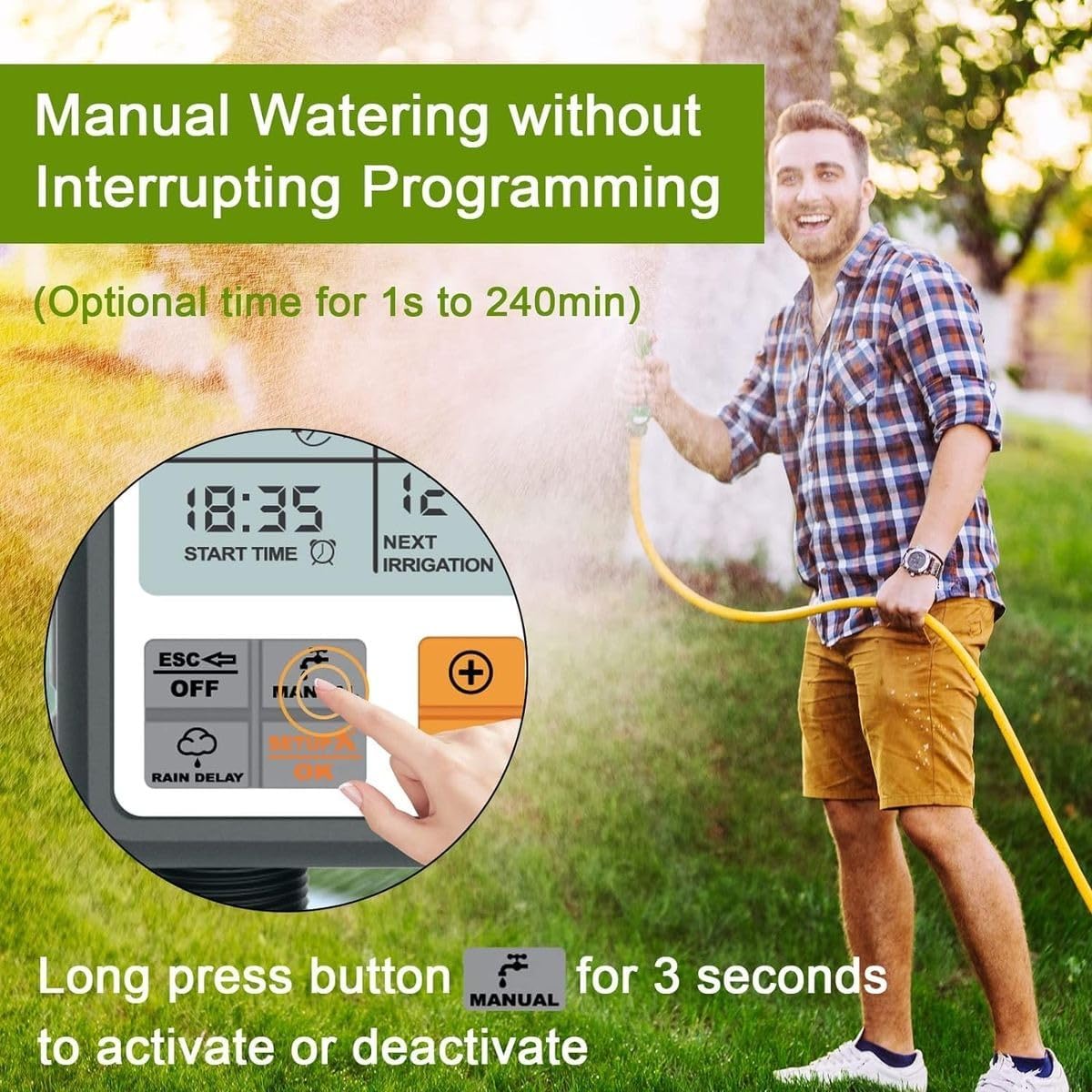
Image 7.1: Activating Manual Watering.
- ప్రధాన స్క్రీన్ నుండి, long press the MANUAL button for 3 seconds to activate manual watering. The display will show 'MANUAL' and a default duration.
- ఉపయోగించండి +/- buttons to adjust the desired manual watering duration (1 second to 240 minutes).
- నొక్కండి SETUP/OK to start manual watering. The timer will begin watering for the set duration.
- To stop manual watering prematurely, long press the MANUAL button for 3 seconds మళ్ళీ, లేదా నొక్కండి ESC/OFF.
8. వర్షం ఆలస్యం ఫంక్షన్
The Rain Delay function allows you to temporarily pause your watering schedule to prevent over-watering after rainfall. This will skip the next scheduled watering cycle.
- ప్రధాన స్క్రీన్ నుండి, నొక్కండి ESC/OFF button once. The 'Rain Delay' icon will appear, and the delay duration will flash.
- ఉపయోగించండి +/- buttons to select the desired delay period (e.g., 24 hours, 48 hours, etc.).
- నొక్కండి SETUP/OK to confirm the rain delay. The timer will pause for the selected period and resume the schedule afterward.
- To cancel Rain Delay, press ESC/OFF again until the 'Rain Delay' icon disappears.
9. చైల్డ్ లాక్ ఫంక్షన్
The Child Lock function prevents accidental changes to your programmed settings by locking the control buttons.
- ప్రధాన స్క్రీన్ నుండి, long press the ESC/OFF button for 3 seconds. A lock icon will appear on the display, indicating that the buttons are locked.
- To unlock the buttons, long press the ESC/OFF button for 3 seconds again. The lock icon will disappear.
10. నిర్వహణ
Proper maintenance ensures the longevity and optimal performance of your HCT-311 water timer.
- శుభ్రపరచడం: Periodically clean the timer's exterior with a soft, damp గుడ్డ. రాపిడి క్లీనర్లు లేదా ద్రావకాలు ఉపయోగించవద్దు.
- ఫిల్టర్ నిర్వహణ: The timer includes an internal fine filter to prevent blockages. Regularly check and clean this filter to ensure proper water flow.
- బ్యాటరీ భర్తీ: Replace batteries when the low battery indicator blinks on the LCD. Always use new AA alkaline batteries.
- శీతాకాలపు నిల్వ: Before freezing temperatures, disconnect the timer from the tap and hose. Remove batteries and store the timer indoors in a dry, frost-free location.
- పర్యావరణ పరిస్థితులు: While rated IPX5 water-resistant, avoid prolonged direct exposure to intense sunlight or extreme heat. Mounting in a shaded area is recommended.
11. ట్రబుల్షూటింగ్
If you encounter issues with your HCT-311 water timer, refer to the following common problems and solutions:
| సమస్య | సాధ్యమైన కారణం | పరిష్కారం |
|---|---|---|
| Timer does not turn on or LCD is blank. | డెడ్ లేదా తప్పుగా ఇన్స్టాల్ చేయబడిన బ్యాటరీలు. | Replace with new AA alkaline batteries, ensuring correct polarity. |
| Water does not flow at scheduled time. |
|
|
| టైమర్ లీక్ అవుతోంది. |
|
|
| బటన్లు స్పందించడం లేదు. | చైల్డ్ లాక్ యాక్టివ్గా ఉంది. | లాంగ్ ప్రెస్ ది ESC/OFF చైల్డ్ లాక్ని నిష్క్రియం చేయడానికి 3 సెకన్ల పాటు బటన్ను నొక్కండి. |
12. స్పెసిఫికేషన్లు
- మోడల్: HCT-311
- కొలతలు: 82 × 56 × 160 మిమీ
- జలనిరోధిత రేటింగ్: IPX5
- పని ఒత్తిడి: 0.05–0.8 MPa (7–116 psi)
- ఆపరేటింగ్ ఉష్ణోగ్రత: 1-45 °C
- Tap Connection: 3/4" female thread
- అవుట్లెట్ కనెక్షన్: 3/4" male thread
- శక్తి: 2× AA alkaline batteries (not included)
- మెటీరియల్: Reinforced Nylon, Plastic
- రంగు: నలుపు మరియు నారింజ
13. వారంటీ మరియు మద్దతు
వారంటీ సమాచారం లేదా సాంకేతిక మద్దతు కోసం, దయచేసి రిటైలర్ లేదా తయారీదారు అధికారిని చూడండి. webఉత్పత్తిని కొనుగోలు చేసిన సైట్. ఏవైనా వారంటీ క్లెయిమ్ల కోసం మీ కొనుగోలు రుజువును ఉంచండి.