
పరిచయం
This manual provides instructions for the setup, operation, maintenance, and troubleshooting of your MOFII Wireless Keyboard and Mouse Combo. Please read this manual thoroughly before using the product to ensure proper function and longevity.
భద్రతా సమాచారం
- పరికరాన్ని నీరు మరియు ఇతర ద్రవాలకు దూరంగా ఉంచండి.
- పరికరాన్ని తీవ్రమైన ఉష్ణోగ్రతలకు బహిర్గతం చేయకుండా ఉండండి.
- పరికరాన్ని మీరే విడదీయడానికి లేదా మరమ్మతు చేయడానికి ప్రయత్నించవద్దు. అర్హత కలిగిన సేవా సిబ్బందిని సంప్రదించండి.
- స్థానిక నిబంధనల ప్రకారం బ్యాటరీలను పారవేయండి.
ప్యాకేజీ విషయాలు
- MOFII వైర్లెస్ కీబోర్డ్
- MOFII వైర్లెస్ మౌస్
- USB Nano Receiver (stored in the mouse battery compartment)
- Cleaning Brush (for keycaps)
సెటప్
- బ్యాటరీలను వ్యవస్థాపించండి:
Open the battery compartment on the underside of both the keyboard and the mouse. Insert one AA battery into each device, ensuring correct polarity. Batteries are not included.
- USB రిసీవర్ను గుర్తించండి:
The USB nano receiver is stored in the battery compartment of the mouse for convenience during transport.
- రిసీవర్ను కనెక్ట్ చేయండి:
Plug the USB nano receiver into an available USB port on your computer (PC, Laptop, Desktop, Smart TV). The system will automatically detect and install the necessary drivers.
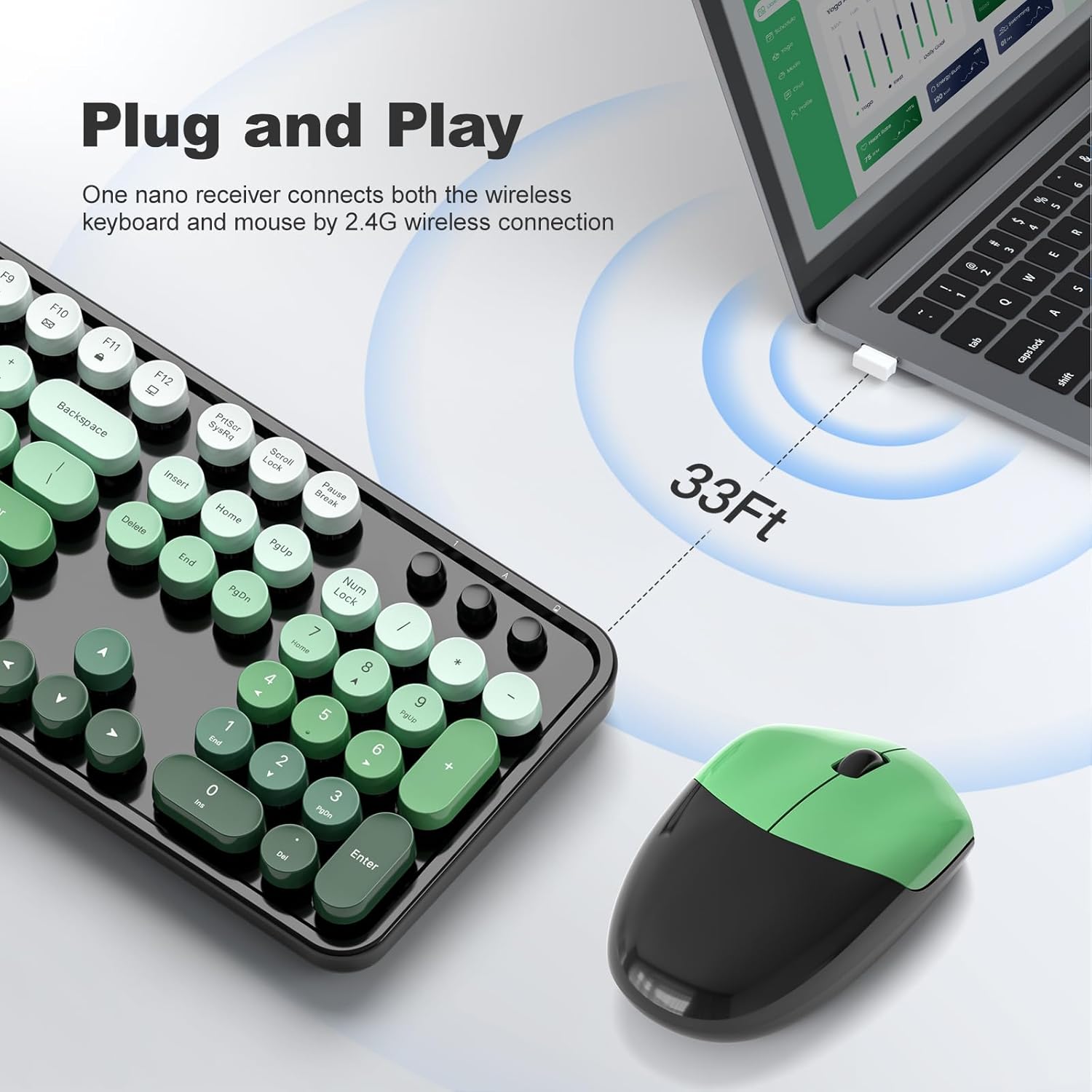
Figure 1: Plug and Play connection with USB receiver.
- పవర్ ఆన్:
Turn on the keyboard and mouse using their respective power switches, usually located on the underside of each device. The devices are now ready for use.
ఆపరేటింగ్ సూచనలు
కీబోర్డ్ ఫీచర్లు
- పూర్తి-పరిమాణ లేఅవుట్: The keyboard features a 104-key full-size layout, including a numeric keypad for efficient data entry.
- మల్టీమీడియా సత్వరమార్గాలు: Access 13 multimedia shortcuts (Fn + F1-F12, etc.) to control audio/video playback, volume, web browsing, and email. Refer to the key legends for specific functions.
- ఎర్గోనామిక్ డిజైన్: The keyboard includes foldable stands and anti-slip pads to adjust the typing angle and reduce wrist pressure.
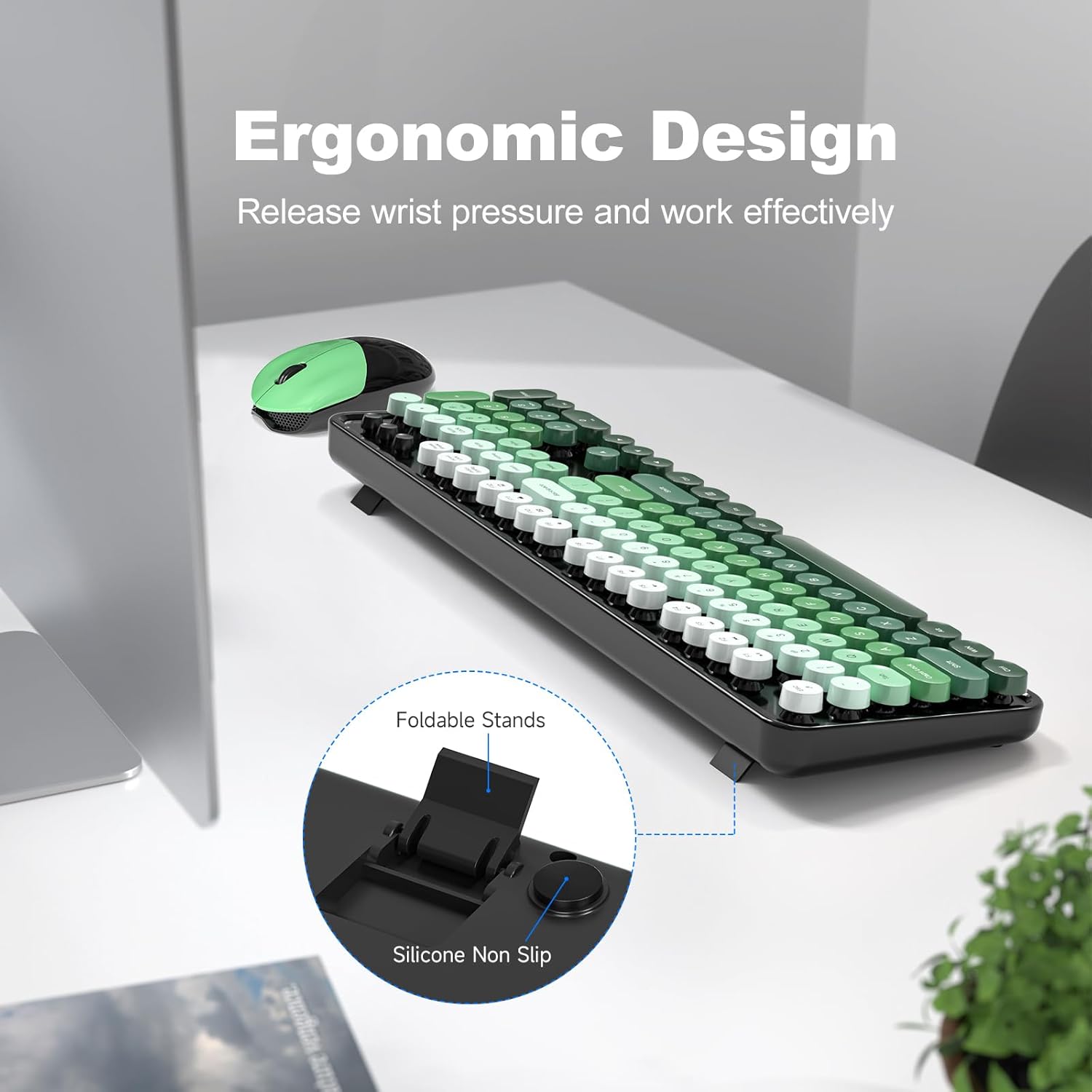
Figure 2: Ergonomic design with foldable stands.
మౌస్ ఫీచర్లు
- ప్రామాణిక కార్యాచరణ: మౌస్ ప్రామాణిక ఎడమ-క్లిక్, కుడి-క్లిక్ మరియు స్క్రోల్ వీల్ ఫంక్షన్లను అందిస్తుంది.
- సున్నితమైన ట్రాకింగ్: Designed for precise and smooth cursor movement.
ఆటో స్లీప్ మోడ్
To conserve battery life, both the keyboard and mouse will automatically enter sleep mode after 5 minutes of inactivity. To wake them up, simply click any key on the keyboard or move/click the mouse. This feature helps extend battery life to approximately 18 months, though actual battery life may vary based on usage.

Figure 3: Intelligent Auto-Sleep feature.
నిర్వహణ
- కీక్యాప్లను శుభ్రపరచడం: The round keycaps are detachable for easy cleaning. Use the provided cleaning brush to remove dust and debris from between the keys.
- సాధారణ శుభ్రపరచడం: Wipe the keyboard and mouse with a soft, damp వస్త్రం. కఠినమైన రసాయనాలు లేదా రాపిడి పదార్థాలను ఉపయోగించడం మానుకోండి.
- బ్యాటరీ భర్తీ: When performance degrades, replace the AA batteries in both the keyboard and mouse.

Figure 4: Detachable keycaps and cleaning brush.
ట్రబుల్షూటింగ్
- కనెక్షన్ లేదు:
- USB రిసీవర్ పనిచేసే USB పోర్ట్కి సురక్షితంగా ప్లగ్ చేయబడిందని నిర్ధారించుకోండి.
- కీబోర్డ్ మరియు మౌస్ ఆన్లో ఉన్నాయో లేదో తనిఖీ చేయండి.
- బ్యాటరీలు సరిగ్గా ఇన్స్టాల్ చేయబడ్డాయని మరియు తగినంత ఛార్జ్ కలిగి ఉన్నాయని ధృవీకరించండి.
- రిసీవర్ని వేరే USB పోర్ట్లోకి ప్లగ్ చేసి ప్రయత్నించండి.
- మీ కంప్యూటర్ని పునఃప్రారంభించండి.
- లాగ్ లేదా అడపాదడపా కనెక్షన్:
- Ensure the devices are within the 33ft operating range of the receiver.
- Minimize obstructions between the devices and the receiver.
- Avoid using the devices near strong electromagnetic interference sources.
- బ్యాటరీలు తక్కువగా ఉంటే వాటిని మార్చండి.
- స్పందించని కీలు:
- బ్యాటరీ స్థాయిలను తనిఖీ చేయండి.
- కీబోర్డ్ ఆన్ చేయబడి, కనెక్ట్ చేయబడిందని నిర్ధారించుకోండి.
- Clean under the keycaps if debris is suspected.
- Mouse Not Moving:
- బ్యాటరీ స్థాయిలను తనిఖీ చేయండి.
- మౌస్ ఆన్ చేయబడి, కనెక్ట్ చేయబడిందని నిర్ధారించుకోండి.
- మౌస్ కింద ఉన్న ఆప్టికల్ సెన్సార్ను శుభ్రం చేయండి.
- Ensure you are using the mouse on a suitable surface.
స్పెసిఫికేషన్లు
| బ్రాండ్ | MOFII |
| మోడల్ | B0FZ84SQFD |
| రంగు | Black Green Gradient Color |
| కనెక్టివిటీ టెక్నాలజీ | 2.4GHz వైర్లెస్ (USB రిసీవర్) |
| ప్రత్యేక లక్షణాలు | Round Keycaps, Detachable Keycaps, Ergonomic Design, Auto Sleep Mode, Multimedia Keys |
| అనుకూల పరికరాలు | Laptop, Personal Computer, Desktop, Smart TV |
| ఆపరేటింగ్ సిస్టమ్ అనుకూలత | విండోస్ 7/8/10/11/XP/Vista, Linux, Chrome |
| బ్యాటరీ రకం | AA (1 for keyboard, 1 for mouse - not included) |
| వైర్లెస్ రేంజ్ | 33 అడుగుల (10 మీటర్లు) వరకు |
| కీబోర్డ్ కొలతలు | Approximately 17.4 inches (length) |
| మౌస్ కొలతలు | Approximately 4 inches (length) x 2.9 inches (width) x 1.7 inches (height) |
| వస్తువు బరువు | 0.2 Pounds (approximate, likely for mouse only) |

Figure 5: Keyboard and mouse dimensions.
వారంటీ మరియు మద్దతు
The product comes with a 1-year warranty as specified by the manufacturer. For technical support, warranty claims, or further assistance, please contact MOFII customer service through their official webఉత్పత్తిని కొనుగోలు చేసిన సైట్ లేదా రిటైలర్. వారంటీ ప్రయోజనాల కోసం దయచేసి మీ కొనుగోలు రుజువును ఉంచుకోండి.
అదనపు సమాచారం కోసం, మీరు సందర్శించవచ్చు MOFII Store on Amazon.