
1. పరిచయం
Thank you for choosing the DUDGSIS Portable Bluetooth Speaker X2. This manual provides essential information for setting up, operating, and maintaining your speaker. Please read it carefully before use.
ముఖ్య లక్షణాలు:
- IPX7 Waterproof & Rugged Design: Fully submersible in 1 meter of water for 30 minutes, dustproof, and durable for outdoor use.
- 20W Crystal Clear Sound: Equipped with a 53mm high-performance driver for 20W peak power, punchy bass, and crisp highs.
- Dynamic Beat-Driven RGB Light Show: Multi-color light display that syncs with music, offering 7 RGB colors.
- Stable Bluetooth 5.4 & Multi-Mode Connectivity: Fast pairing and stable connection. Supports Bluetooth, AUX input (WAV/FLAC/APE/MP3).
- Ultra-Portable with 15H Playtime: Weighs 300g (0.66 lbs), 4.25 inches tall, with a 2600mAh battery for up to 15 hours of continuous music. Includes a convenient lanyard.
2. ప్యాకేజీ విషయాలు
పెట్టెలో అన్ని వస్తువులు ఉన్నాయని నిర్ధారించుకోండి:
- DUDGSIS Portable Bluetooth Speaker X2
- USB-C ఛార్జింగ్ కేబుల్
- త్వరిత ప్రారంభ గైడ్
- వారంటీ కార్డ్

Figure 2.1: Speaker packaging showing the X2 model and waterproof feature.

Figure 2.2: Unboxed items: DUDGSIS X2 speaker, USB-C charging cable, and user manual.
3. సెటప్
3.1 స్పీకర్ను ఛార్జ్ చేయడం
Before first use, fully charge the speaker. The battery indicator lights will show the charging status.
- Locate the rubber flap on the side of the speaker, covering the charging port.
- Open the flap and connect the USB-C charging cable to the speaker's charging port.
- USB-C కేబుల్ యొక్క మరొక చివరను అనుకూలమైన USB పవర్ అడాప్టర్కి కనెక్ట్ చేయండి (చేర్చబడలేదు).
- The LED indicators on the speaker will light up to show the charging progress. All four LEDs will be solid when fully charged.

Figure 3.1: Speaker displaying the battery indicator lights during charging.
3.2 పవర్ ఆన్/ఆఫ్
స్పీకర్ను ఆన్ లేదా ఆఫ్ చేయడానికి:
- పవర్ ఆన్: నొక్కండి మరియు పట్టుకోండి పవర్ బటన్ (
 ) for 2-3 seconds until you hear an audible prompt and the LED lights illuminate.
 - పవర్ ఆఫ్: నొక్కండి మరియు పట్టుకోండి పవర్ బటన్ for 2-3 seconds until the LED lights turn off.
3.3 బ్లూటూత్ జత చేయడం
మీ స్పీకర్ను బ్లూటూత్-ప్రారంభించబడిన పరికరానికి కనెక్ట్ చేయడానికి:
- Ensure the speaker is powered on and in Bluetooth pairing mode (the LED light ring will flash).
- మీ పరికరంలో (స్మార్ట్ఫోన్, టాబ్లెట్, మొదలైనవి), బ్లూటూత్ సెట్టింగ్లకు వెళ్లండి.
- కోసం వెతకండి అందుబాటులో ఉన్న పరికరాలను ఎంచుకోండి మరియు జాబితా నుండి "X2" ఎంచుకోండి.
- Once connected, you will hear an audible confirmation, and the LED light ring will become solid.
Video 3.1: Demonstrates unboxing, power on, Bluetooth pairing, and basic controls of the DUDGSIS X2 speaker.
4. స్పీకర్ను ఆపరేట్ చేయడం
4.1 నియంత్రణలు
స్పీకర్ సులభంగా నియంత్రించడానికి సహజమైన బటన్లను కలిగి ఉంది:
- పవర్ బటన్: Press and hold to power on/off. Short press to change RGB light modes.
- వాల్యూమ్ అప్ (+): వాల్యూమ్ పెంచడానికి షార్ట్ ప్రెస్ చేయండి. తదుపరి ట్రాక్ కోసం ఎక్కువసేపు ప్రెస్ చేయండి.
- ప్లే/పాజ్ బటన్ (): సంగీతాన్ని ప్లే చేయడానికి లేదా పాజ్ చేయడానికి షార్ట్ ప్రెస్ చేయండి.
- వాల్యూమ్ డౌన్ (-): వాల్యూమ్ తగ్గించడానికి షార్ట్ ప్రెస్ చేయండి. మునుపటి ట్రాక్ కోసం ఎక్కువసేపు ప్రెస్ చేయండి.
మూర్తి 4.1: వివరంగా view స్పీకర్ కంట్రోల్ ప్యానెల్ యొక్క.
4.2 Dynamic RGB Light Show
The speaker features a dynamic RGB light ring that can be customized:
- షార్ట్ ప్రెస్ ది పవర్ బటన్ to cycle through 7 different RGB color modes.
- The lights can sync with your music's rhythm, creating an enhanced audio-visual experience.

చిత్రం 4.2: స్పీకర్ షోసిasing its dynamic RGB lighting feature.
Video 4.1: Demonstrates the various LED light modes and their responsiveness to music.
4.3 ట్రూ వైర్లెస్ స్టీరియో (TWS) జత చేయడం
For an immersive stereo experience, you can pair two DUDGSIS X2 speakers together:
- రెండు స్పీకర్లు ఆన్లో ఉన్నాయని మరియు మరే ఇతర బ్లూటూత్ పరికరానికి కనెక్ట్ కాలేదని నిర్ధారించుకోండి.
- ఒక స్పీకర్పై (ఇది ప్రాథమిక స్పీకర్ అవుతుంది), నొక్కి పట్టుకోండి ప్లే/పాజ్ బటన్ for 3-5 seconds until you hear a pairing tone.
- రెండు స్పీకర్లు స్వయంచాలకంగా ఒకదానికొకటి కనెక్ట్ అవుతాయి. కనెక్ట్ అయిన తర్వాత, మీరు నిర్ధారణ టోన్ వింటారు.
- ఇప్పుడు, విభాగం 3.3లో వివరించిన విధంగా బ్లూటూత్ ద్వారా మీ పరికరాన్ని ప్రాథమిక స్పీకర్కు కనెక్ట్ చేయండి.

Figure 4.3: Two speakers connected via TWS for a wider soundstage.
5. నిర్వహణ
5.1 IPX7 వాటర్ప్రూఫ్ రేటింగ్
The DUDGSIS X2 speaker is IPX7 rated, meaning it can be submerged in water up to 1 meter (3 feet) for 30 minutes. This makes it suitable for use in showers, by the pool, or at the beach.
- Ensure the rubber flap covering the charging port is securely closed before exposing the speaker to water.
- నీటికి గురైన తర్వాత, స్పీకర్ను మృదువైన గుడ్డతో పొడిగా తుడవండి.
- Do not charge the speaker if the charging port is wet.
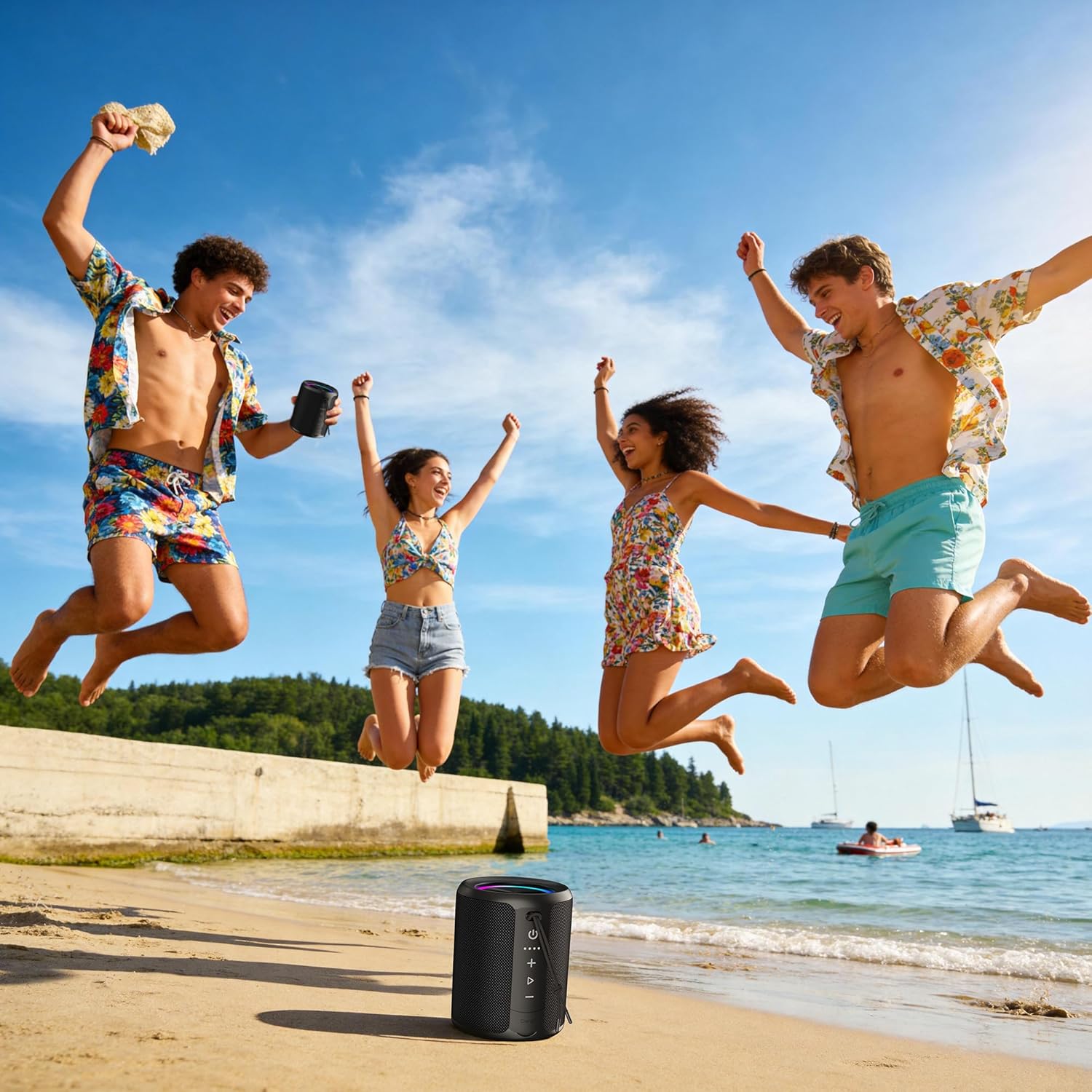
Figure 5.1: Speaker demonstrating its IPX7 waterproof capability in various environments.
Video 5.1: A demonstration of the speaker's waterproof capabilities by submerging it in water.
6. స్పెసిఫికేషన్లు
| ఫీచర్ | స్పెసిఫికేషన్ |
|---|---|
| మోడల్ సంఖ్య | X2 |
| బ్రాండ్ | DUDGSIS |
| స్పీకర్ గరిష్ట అవుట్పుట్ పవర్ | 20 వాట్స్ |
| బ్లూటూత్ వెర్షన్ | 5.4 |
| నీటి నిరోధక స్థాయి | IPX7 |
| బ్యాటరీ కెపాసిటీ | 2600 mAh |
| బ్యాటరీ సగటు జీవితం | 15 గంటలు |
| కనెక్టివిటీ టెక్నాలజీ | ఆక్సిలరీ, బ్లూటూత్, యుఎస్బి |
| ఆడియో అవుట్పుట్ మోడ్ | స్టీరియో |
| వస్తువు బరువు | 300 గ్రాములు |
| అంశం కొలతలు (D x W x H) | 2.99"డి x 2.99"వా x 4.25"హ |
| నియంత్రణ పద్ధతి | పుష్ బటన్ |
7. ట్రబుల్షూటింగ్
If you encounter any issues with your DUDGSIS X2 speaker, please refer to the following common solutions:
- స్పీకర్ ఆన్ అవ్వదు: బ్యాటరీ ఛార్జ్ అయ్యిందని నిర్ధారించుకోండి. USB-C కేబుల్ ఉపయోగించి స్పీకర్ను పవర్ సోర్స్కి కనెక్ట్ చేయండి.
- బ్లూటూత్ ద్వారా జత చేయడం సాధ్యం కాదు:
- Make sure the speaker is in pairing mode (LED light ring flashing).
- మీ పరికరంలో బ్లూటూత్ ప్రారంభించబడిందని నిర్ధారించుకోండి.
- స్పీకర్ను మీ పరికరానికి దగ్గరగా తరలించండి.
- మీ పరికరం బ్లూటూత్ జాబితా నుండి స్పీకర్ను మర్చిపోయి, మళ్ళీ జత చేయడానికి ప్రయత్నించండి.
- శబ్దం లేదు లేదా తక్కువ వాల్యూమ్:
- స్పీకర్ మరియు మీ కనెక్ట్ చేయబడిన పరికరం రెండింటిలోనూ వాల్యూమ్ పెంచండి.
- స్పీకర్ బ్లూటూత్ లేదా AUX ద్వారా సరిగ్గా కనెక్ట్ అయ్యిందని నిర్ధారించుకోండి.
- Check if the speaker is muted.
- TWS జత చేసే సమస్యలు: Ensure both speakers are fully charged and not connected to any other device before attempting TWS pairing.
8. వారంటీ మరియు మద్దతు
The DUDGSIS Portable Bluetooth Speaker X2 comes with a 1-సంవత్సరం తయారీదారు వారంటీ. Please retain your purchase receipt for warranty claims.
For further assistance or support, please refer to the contact information provided on the warranty card included in your package.