
1. ఉత్పత్తి ముగిసిందిview
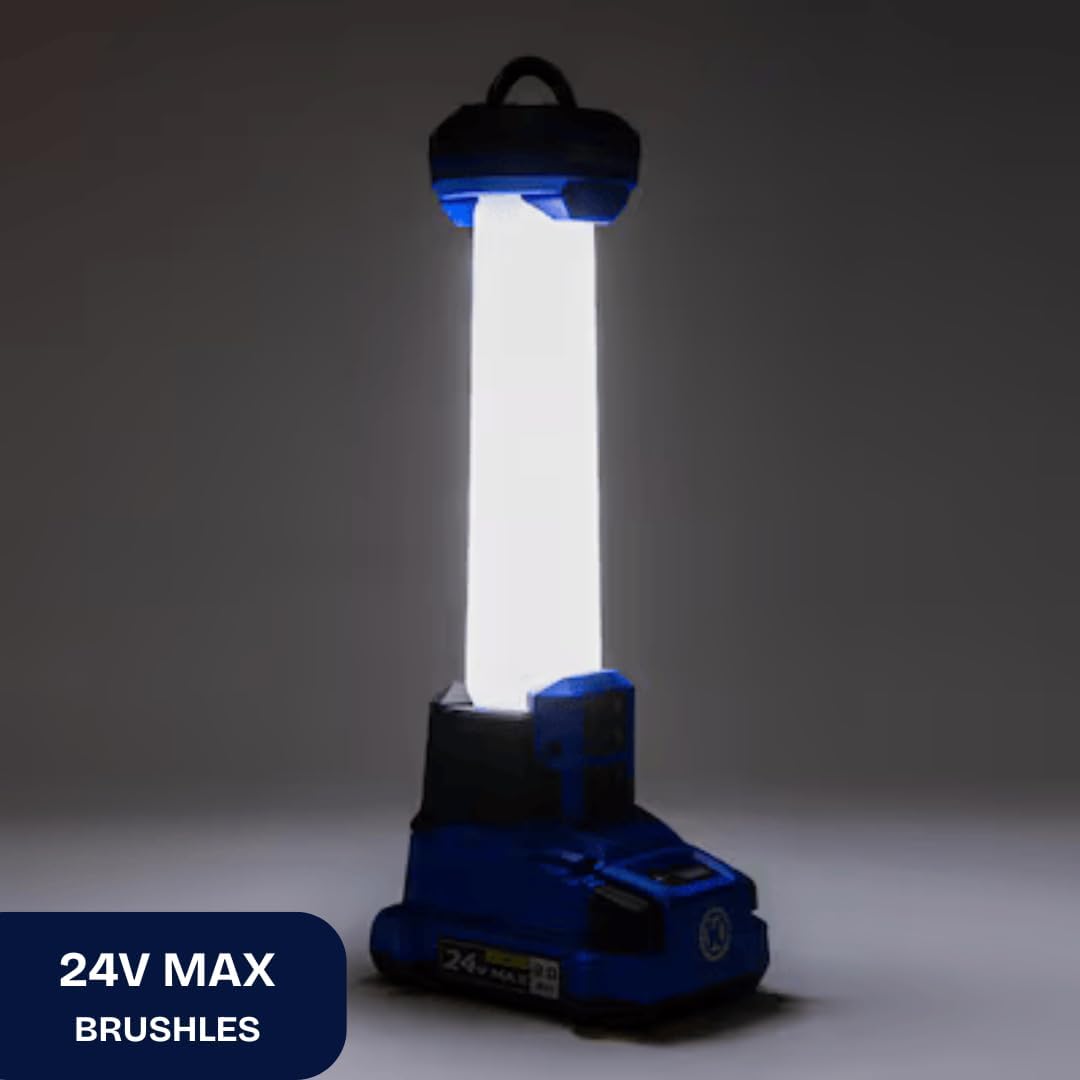
The Kobalt 24-Volt Cordless Area Light provides portable illumination for various tasks. It features two LED brightness settings, offering up to 1000 lumens, and can operate in 360-degree or 180-degree radius modes. An integrated USB port allows for charging mobile devices. This tool is compatible with all Kobalt 24-volt batteries and chargers, which are sold separately.

Image 1.1: The Kobalt 24-Volt Cordless Area Light in operation, showing its illumination.
ముఖ్య లక్షణాలు:
- Two brightness settings, up to 1000 lumens.
- Onboard 2.1A USB port for charging devices.
- Retractable metal hang hook with lock-down feature for versatile placement.
- Selectable 360° and 180° radius lighting modes.
- Strobe mode for emergency situations (activated by long press of power button).
- Durable impact-resistant lens.
- Low battery indicator (low frequency flash).
- Kelvin color temperature: 5000K +/-10%.
2. భద్రతా సమాచారం
ఈ ఉత్పత్తిని ఆపరేట్ చేసే ముందు అన్ని భద్రతా హెచ్చరికలు మరియు సూచనలను చదివి అర్థం చేసుకోండి. హెచ్చరికలు మరియు సూచనలను పాటించడంలో విఫలమైతే విద్యుత్ షాక్, అగ్ని ప్రమాదం మరియు/లేదా తీవ్రమైన గాయం సంభవించవచ్చు.
సాధారణ భద్రతా హెచ్చరికలు:
- బ్యాటరీ భద్రత: Use only Kobalt 24-volt Lithium-ion batteries. Do not attempt to use other battery types. Ensure the battery is fully seated before operation.
- కంటి రక్షణ: Do not stare directly into the light beam. The high intensity light can cause temporary vision impairment or eye damage.
- వేడి: The LED light head may become warm during extended use. Avoid direct contact with the light head when operating.
- మండే పదార్థాలు: Do not operate the light near flammable liquids, gases, or dust.
- తేమ: This product is not water resistant. Do not expose to rain or wet conditions.
- పిల్లలు: పిల్లలకు దూరంగా వుంచండి. ఇది బొమ్మ కాదు.
- నిర్వహణ: Do not attempt to disassemble or modify the light. Refer all servicing to qualified service personnel.
3. సెటప్
3.1. బ్యాటరీ ఇన్స్టాలేషన్
- Ensure the area light is turned off.
- Align the Kobalt 24-volt Lithium-ion battery (sold separately) with the battery port on the base of the area light.
- Slide the battery into the port until it clicks securely into place. Ensure it is fully seated to prevent accidental disconnection.
3.2 బ్యాటరీ తొలగింపు
- Press and hold the battery release button, typically located on the battery itself.
- Slide the battery out of the area light.

చిత్రం 3.1: క్లోజప్ view of the 24V MAX battery port on the area light, where the battery is inserted.
4. ఆపరేటింగ్ సూచనలు
4.1. Powering On/Off and Brightness Adjustment
- To turn the light on, press the power button located on the control panel.
- Press the power button again to cycle through brightness settings (e.g., Low, High).
- To turn the light off, continue pressing the power button until the light extinguishes, or press and hold the power button for a few seconds.
4.2. Adjusting Lighting Radius (360°/180°)
The area light offers two lighting modes: full 360-degree illumination or a focused 180-degree illumination. Use the mode selection button on the control panel to switch between these modes.
4.3. స్ట్రోబ్ మోడ్
For emergency situations, the light features a strobe mode. To activate, press and hold the power button for an extended period (typically 2-3 seconds) while the light is on.
చిత్రం 4.1: వివరణాత్మకమైనది view of the control panel, showing the power button and mode selection button.
4.4. USB ఛార్జింగ్ పోర్ట్ ఉపయోగించడం
The integrated 2.1A USB port allows you to charge compatible mobile devices. Connect your device's USB charging cable to the port on the area light. The light does not need to be on for the USB port to function, provided a charged battery is installed.

Image 4.2: Close-up of the USB charging port located on the side of the area light.
4.5. Utilizing the Hang Hook
The area light is equipped with a retractable metal hang hook. Pull the hook out from its stored position to hang the light from various objects, such as rafters, pipes, or tent poles. Ensure the hook is securely engaged to prevent the light from falling.
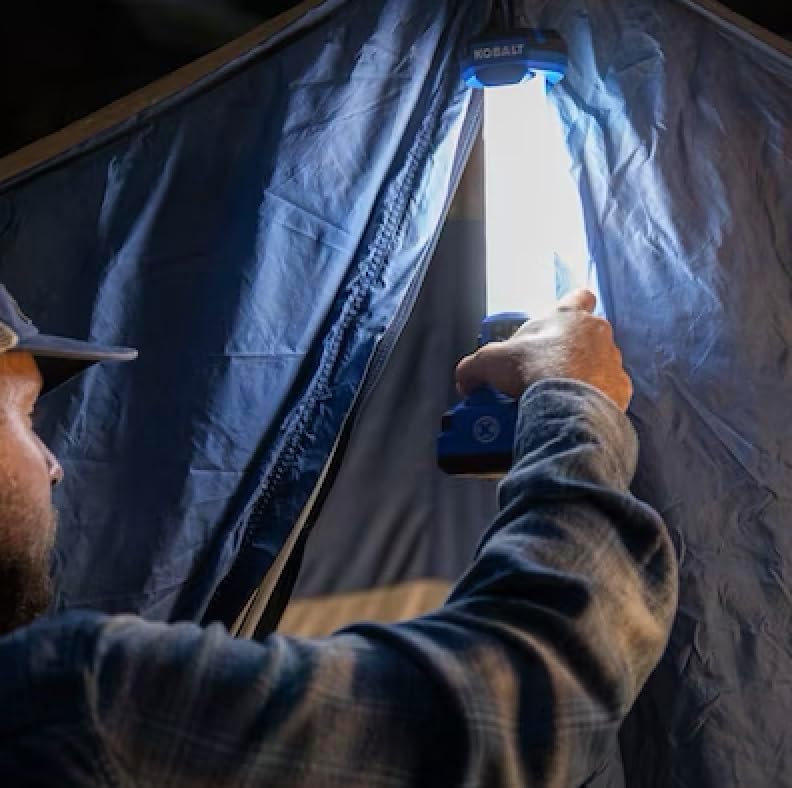
Image 4.3: The retractable metal hang hook extended from the top of the area light.
5. నిర్వహణ
5.1. శుభ్రపరచడం
- Before cleaning, remove the battery from the area light.
- ఒక మృదువైన ఉపయోగించండి, డిamp cloth to wipe down the exterior of the light. Do not use harsh chemicals or abrasive cleaners.
- Ensure all vents and openings are free from dust and debris.
5.2. నిల్వ
- Store the area light in a dry, cool place, away from direct sunlight and extreme temperatures.
- Remove the battery from the light during long periods of storage.
6. ట్రబుల్షూటింగ్
| సమస్య | సాధ్యమైన కారణం | పరిష్కారం |
|---|---|---|
| లైట్ ఆన్ చేయదు. | బ్యాటరీ సరిగ్గా ఇన్స్టాల్ చేయబడలేదు లేదా డిస్చార్జ్ చేయబడలేదు. | Ensure battery is fully seated. Charge the battery using a compatible Kobalt 24-volt charger. |
| కాంతి ఉత్పత్తి తక్కువగా ఉంది. | Battery is low or light is in low brightness mode. | Charge the battery. Press the power button to cycle to a higher brightness setting. |
| USB పోర్ట్ పరికరాలను ఛార్జ్ చేయడం లేదు. | Battery is discharged or device is incompatible. | Ensure a charged battery is installed. Verify device compatibility with 2.1A USB output. |
| కాంతి అడపాదడపా మెరుస్తుంది. | తక్కువ బ్యాటరీ సూచిక. | వెంటనే బ్యాటరీని ఛార్జ్ చేయండి. |
7. స్పెసిఫికేషన్లు
| ఫీచర్ | వివరాలు |
|---|---|
| మోడల్ సంఖ్య | KAL 124B-03 |
| బ్రాండ్ | కోబాల్ట్ |
| కాంతి మూలం రకం | LED (లైట్ ఎమిటింగ్ డయోడ్) |
| వాల్యూమ్tage | 24 వోల్ట్లు |
| వాట్tage | 10 వాట్స్ |
| మాక్స్ ల్యూమెన్స్ | 1000 ల్యూమన్ల వరకు |
| రంగు ఉష్ణోగ్రత | 5000K +/-10% |
| USB అవుట్పుట్ | 2.1A |
| శక్తి మూలం | Battery Powered (Kobalt 24V Li-ion) |
| బ్యాటరీలు ఉన్నాయి | నం |
| మెటీరియల్ | ప్లాస్టిక్ |
| నీటి నిరోధక స్థాయి | వాటర్ రెసిస్టెంట్ కాదు |
| అంశం కొలతలు (L x W x H) | 11.02"లీ x 3.54"వా x 3.74"హ |
| వస్తువు బరువు | 0.5 కిలోలు |

Image 7.1: Diagram highlighting key features of the Kobalt 24V Area Light, including lumen output, USB port, control options, and hang hook.
8. వారంటీ సమాచారం
This Kobalt 24-Volt Cordless Area Light comes with a 5-సంవత్సరం పరిమిత వారంటీ. For specific terms and conditions of the warranty, please refer to the documentation included with your purchase or contact customer support.
9. మద్దతు మరియు సంప్రదింపు సమాచారం
For technical assistance, warranty claims, or general inquiries regarding your Kobalt product, please visit the manufacturer's webసైట్: