
పరిచయం
Thank you for choosing the BYINTEK U90 Max DLP Full HD 1080P Portable Projector. This manual provides essential information for the safe and efficient operation of your device. Please read it thoroughly before use and retain it for future reference.
The BYINTEK U90 Max is a versatile portable projector featuring 700 ANSI Lumens, licensed Google TV with official Netflix integration, TOF auto focus, MEMC technology, a 20800mAh battery, 20W sound, and dual-band Wi-Fi. It is designed to deliver a premium home cinema experience anywhere.
పెట్టెలో ఏముంది
Carefully unpack your BYINTEK U90 Max projector and ensure all items are present. If any items are missing or damaged, please contact customer support.
- BYINTEK U90 Max Projector
- పవర్ అడాప్టర్
- పవర్ కేబుల్
- రిమోట్ కంట్రోల్
- వినియోగదారు మాన్యువల్
- వారంటీ కార్డ్

Image: The BYINTEK U90 Max projector shown with its power adapter, power cable, remote control, and user manual.
సెటప్
- ప్లేస్మెంట్: Position the projector on a stable, flat surface. Ensure adequate ventilation around the device. The projector features a 100-degree elevation rotation for flexible projection angles.
- పవర్ కనెక్షన్: Connect the power adapter to the projector's power input and then plug it into an electrical outlet.
- పవర్ ఆన్: పరికరాన్ని ఆన్ చేయడానికి ప్రొజెక్టర్ లేదా రిమోట్ కంట్రోల్లోని పవర్ బటన్ను నొక్కండి.
- ఫోకస్ మరియు కీస్టోన్ కరెక్షన్: The U90 Max features TOF auto focus and automatic keystone correction (up to ±40°). The projector will automatically adjust the image for clarity and shape. Manual adjustments can be made via the settings menu if needed.
- నెట్వర్క్ కనెక్షన్: Navigate to the settings menu to connect to your Wi-Fi network (2.4G/5G dual-band supported).
- Google TV Setup: Follow the on-screen instructions to set up your Google TV account and access integrated apps like Netflix.

Image: The projector demonstrating its 100-degree flexible rotation for versatile projection angles.
ఆపరేటింగ్ సూచనలు
రిమోట్ కంట్రోల్ నావిగేషన్
Use the included remote control to navigate the Google TV interface. The remote allows you to select apps, adjust volume, and access settings.
బాహ్య పరికరాలను కనెక్ట్ చేస్తోంది
ప్రొజెక్టర్ వివిధ కనెక్టివిటీ ఎంపికలకు మద్దతు ఇస్తుంది:
- HDMI: Connect Blu-ray players, game consoles, laptops, or other HDMI-enabled devices.
- USB: మీడియాను ప్లే చేయండి files నేరుగా USB ఫ్లాష్ డ్రైవ్ నుండి.
- బ్లూటూత్: Connect external speakers or headphones wirelessly.
- Wi-Fi: Stream content wirelessly from compatible smartphones, tablets, or laptops using Chromecast or Airscreen.

Image: The projector's side panel displaying various input ports for multi-device connectivity.
Google TV and Streaming
With licensed Google TV 4K and native Netflix, you can access a vast library of movies, series, and content from Prime Video, Disney+, YouTube, and thousands of other apps. The 2GB RAM and 8GB storage ensure a smooth and fast experience.
Image: The projector displaying the Google TV home screen with popular streaming applications.
కీ ఫీచర్లు
- DLP టెక్నాలజీ: Equipped with Texas Instruments DLP technology for sharp, vibrant images and a 10,000:1 contrast ratio.
- Full HD 1080p Native Resolution: Delivers crystal-clear images (4K compatible).
- 700 ANSI ల్యూమెన్స్: Provides bright and clear projections.
- TOF Auto Focus & Automatic Keystone Correction: Ensures a perfectly focused and rectangular image in seconds.
- MEMC టెక్నాలజీ: Reduces motion blur in fast-paced scenes for smoother viewing.
- పెద్ద ప్రొజెక్షన్ పరిమాణం: Capable of projecting an image up to 300 inches from a short distance (1.2:1 throw ratio).
- అంతర్నిర్మిత బ్యాటరీ: 20800mAh battery for portable use, offering 1.5 to 3 hours of playback.
- 20W Sound: Integrated speaker for immersive audio.
- డ్యూయల్-బ్యాండ్ Wi-Fi: Supports 2.4G and 5G Wi-Fi for stable wireless connectivity.
- పోర్టబుల్ డిజైన్: Compact and lightweight, ideal for various environments including home, outdoor, and business use.

Image: Demonstration of MEMC technology, showing a clearer image with reduced motion blur when activated.

Image: Visual representation of the projector's ability to create large screens from short distances.
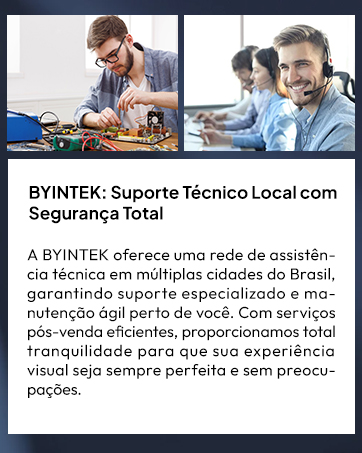
Image: The compact projector fitting easily into a backpack, emphasizing its portability.
నిర్వహణ
- లెన్స్ క్లీనింగ్: ప్రొజెక్టర్ లెన్స్ను సున్నితంగా తుడవడానికి ఆప్టికల్ లెన్స్ల కోసం ప్రత్యేకంగా రూపొందించిన మృదువైన, మెత్తటి రహిత వస్త్రాన్ని ఉపయోగించండి. రాపిడి పదార్థాలు లేదా కఠినమైన రసాయనాలను నివారించండి.
- వెంటిలేషన్: ప్రొజెక్టర్ యొక్క వెంటిలేషన్ ఓపెనింగ్లు స్పష్టంగా మరియు అడ్డంకులు లేకుండా ఉండేలా చూసుకోండి, తద్వారా వేడెక్కడం నిరోధించబడుతుంది. గాలి ప్రవాహాన్ని నిరోధించే మృదువైన ఉపరితలాలపై ప్రొజెక్టర్ను ఉంచవద్దు.
- నిల్వ: ఉపయోగంలో లేనప్పుడు, ప్రొజెక్టర్ను చల్లని, పొడి ప్రదేశంలో, ప్రత్యక్ష సూర్యకాంతి మరియు తీవ్రమైన ఉష్ణోగ్రతలకు దూరంగా నిల్వ చేయండి.
- బ్యాటరీ సంరక్షణ: For optimal battery life, avoid fully discharging the battery frequently. Charge the projector regularly, even if not in constant use.
ట్రబుల్షూటింగ్
| సమస్య | సాధ్యమైన కారణం | పరిష్కారం |
|---|---|---|
| చిత్రం ఏదీ ప్రొజెక్ట్ చేయబడలేదు | Power cable disconnected, projector off, input source not selected. | Check power connection, turn on projector, select correct input source (HDMI, USB, Wi-Fi). |
| చిత్రం అస్పష్టంగా ఉంది | Out of focus, projector too close/far from screen. | Allow auto focus to adjust, or manually adjust focus in settings. Adjust projection distance. |
| చిత్రం వక్రీకరించబడింది (ట్రాపెజాయిడ్ ఆకారం) | ప్రొజెక్టర్ స్క్రీన్కు లంబంగా లేదు. | Allow automatic keystone correction to adjust, or manually correct in settings. |
| శబ్దం లేదు | Volume too low, external speaker not connected, incorrect audio output. | Increase volume. Check Bluetooth connection for external speakers. Ensure correct audio output is selected in settings. |
| రిమోట్ కంట్రోల్ పనిచేయడం లేదు | Low battery, obstruction, not paired. | Replace batteries. Ensure no obstructions between remote and projector. Re-pair remote if necessary. |
స్పెసిఫికేషన్లు
| ఫీచర్ | వివరాలు |
|---|---|
| బ్రాండ్ | బైఇంటెక్ |
| మోడల్ పేరు | U90 గరిష్టం |
| ప్రదర్శన రకం | DLP |
| స్థానిక రిజల్యూషన్ | 1920 x 1080 (పూర్తి HD) |
| Maximum Screen Resolution | 1920 x 1080 పిక్సెల్లు |
| ప్రకాశం | 700 lm (ANSI Lumens) |
| ఇమేజ్ కాంట్రాస్ట్ రేషియో | 15000:1 |
| కనెక్టివిటీ టెక్నాలజీ | బ్లూటూత్, HDMI, USB, Wi-Fi |
| హార్డ్వేర్ ఇంటర్ఫేస్ | Bluetooth 5, Memory Card, HDMI, USB |
| ప్రత్యేక లక్షణాలు | Built-in Speaker, Digital Keystone Correction, Auto Focus, Portable, 3D Ready |
| ఆపరేటింగ్ సిస్టమ్ | Google TV 4K (Licensed with Official Netflix) |
| బ్యాటరీ | 20800mAh (1.5-3 hours playback) |
| సౌండ్ అవుట్పుట్ | 20W |
| Maximum Projection Distance | 21.85 అడుగులు |
| గరిష్ట చిత్ర పరిమాణం | 800 సెంటీమీటర్లు (సుమారు 315 అంగుళాలు) |
| అంశం కొలతలు (L x W x H) | 29.3 x 26.5 x 24.5 సెంటీమీటర్లు |
| వస్తువు బరువు | 2.62 కిలోలు |
వారంటీ మరియు మద్దతు
BYINTEK U90 Max ప్రొజెక్టర్ ఒక ఒక సంవత్సరం వారంటీ కొనుగోలు తేదీ నుండి. వారంటీ క్లెయిమ్ల కోసం దయచేసి మీ కొనుగోలు రుజువును ఉంచుకోండి.
BYINTEK offers a technical assistance network in multiple cities, ensuring specialized support and agile maintenance. With efficient after-sales services, we provide complete peace of mind so your visual experience is always perfect and worry-free.
For technical support, warranty claims, or any inquiries, please refer to the contact information provided on your warranty card or visit the official BYINTEK webసైట్.