
పరిచయం
This manual provides detailed instructions for the ASHATA Desktop Barcode Scanner (Model B0GGZSVXTN). Please read this manual thoroughly before using the device to ensure proper operation, optimal performance, and longevity of the product. Keep this manual for future reference.
భద్రతా సమాచారం
- స్కానర్ను తీవ్రమైన ఉష్ణోగ్రతలు, తేమ లేదా ప్రత్యక్ష సూర్యకాంతికి గురిచేయవద్దు.
- Avoid dropping the device from heights greater than 1.5 meters, although it is designed to be drop-proof up to this height.
- Do not attempt to disassemble or modify the scanner. This will void the warranty and may cause damage.
- కనెక్షన్ కోసం అందించిన USB కేబుల్ను మాత్రమే ఉపయోగించండి.
- Keep the scanning window clean to ensure accurate barcode reading.
ఉత్పత్తి ముగిసిందిview
The ASHATA Desktop Barcode Scanner is a high-performance device designed for efficient and accurate scanning of 1D and 2D barcodes. It features a CMOS sensor, auto-recognition capabilities, and voice prompts for successful scans.

Figure 1: ASHATA Desktop Barcode Scanner in use, highlighting its sensitive barcode scanning and convenient checkout features.
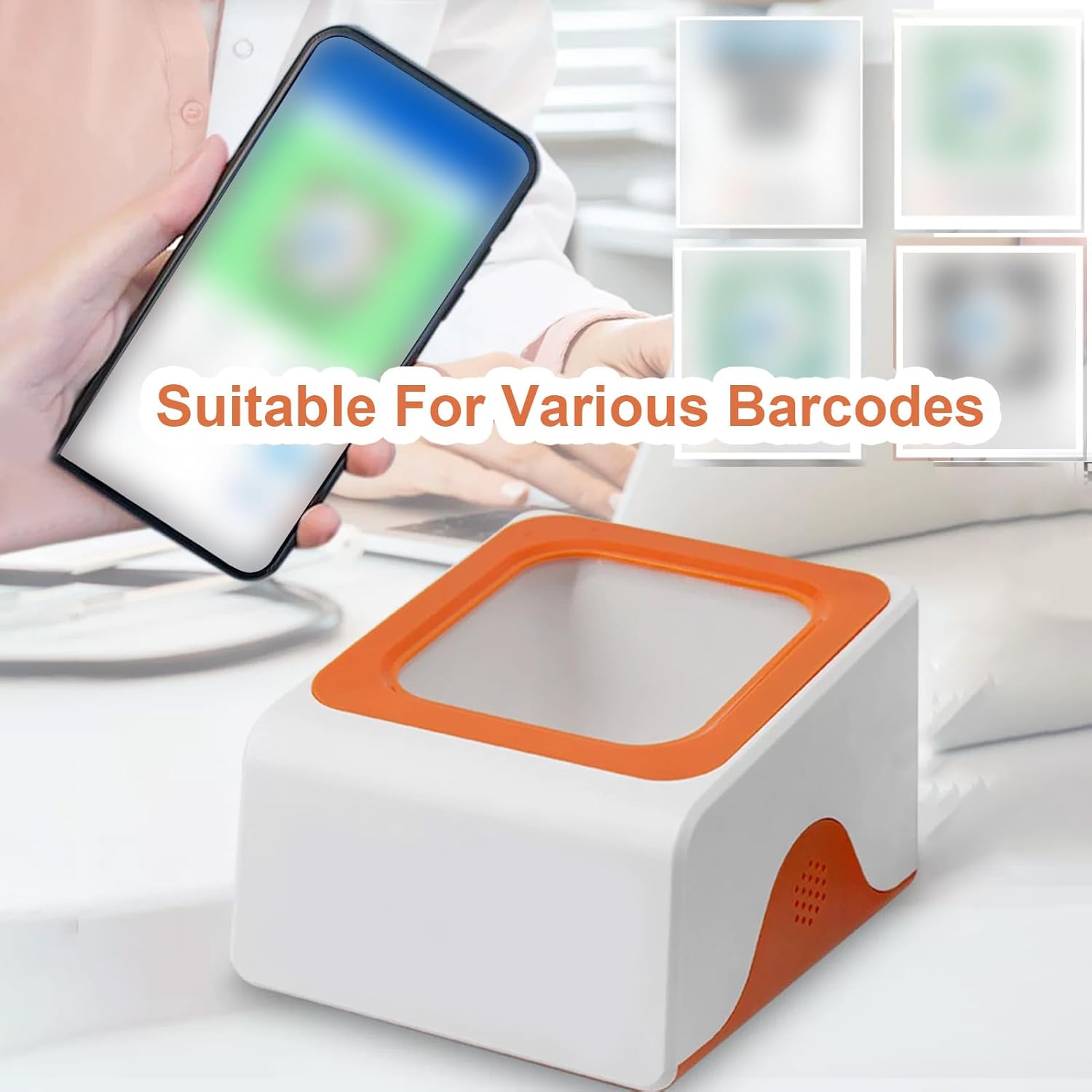
Figure 2: The scanner's ability to read various barcodes, including those on digital displays.

Figure 3: High-Definition Camera details, showing decoding speed and density.

Figure 4: Real-Person Voice Prompts indicating a successful scan.

Figure 5: Stable Structure, Shockproof and Drop-proof design.

చిత్రం 6: ఉత్పత్తి కొలతలు.
సెటప్
Follow these steps to set up your ASHATA Desktop Barcode Scanner:
- పరికరాన్ని అన్ప్యాక్ చేయండి: ప్యాకేజింగ్ నుండి స్కానర్ మరియు అన్ని ఉపకరణాలను జాగ్రత్తగా తీసివేయండి.
- Connect Power/Data Cable: Insert the USB cable into the designated port on the scanner. Connect the other end of the USB cable to an available USB port on your computer or POS system.
- సిస్టమ్ గుర్తింపు: Your operating system should automatically detect and install the necessary drivers for the scanner. This may take a few moments.
- ప్లేస్మెంట్: Place the scanner on a stable, flat surface in a convenient location for scanning. Ensure the scanning window is unobstructed.
- ప్రారంభ పరీక్ష: Open a text editor or a compatible application and scan a known barcode to confirm proper functionality.
ఆపరేటింగ్ సూచనలు
The ASHATA Desktop Barcode Scanner is designed for ease of use with its auto-induction feature.
- Automatic Scanning: The scanner features an auto-induction mode. Simply place the barcode within the scanning window. The scanner will automatically detect the barcode and initiate the scan.
- Barcode Placement: Position the barcode flat and centered within the scanning window for optimal reading. The large scanning window provides flexibility for various barcode sizes and orientations.
- వాయిస్ ప్రాంప్ట్: Upon a successful scan, the device will emit a "Scan Successful" voice prompt, confirming that the barcode has been read.
- మద్దతు ఉన్న బార్కోడ్లు: The scanner supports all universal 1D and 2D barcodes, whether printed on labels, paper, or displayed on mobile/computer screens.
నిర్వహణ
మీ స్కానర్ యొక్క దీర్ఘాయువు మరియు సరైన పనితీరును నిర్ధారించడానికి, ఈ నిర్వహణ మార్గదర్శకాలను అనుసరించండి:
- స్కానింగ్ విండోను శుభ్రపరచడం: Regularly clean the scanning window with a soft, lint-free cloth. For stubborn smudges, slightly dampen the cloth with water or a mild, non-abrasive cleaner. Do not spray liquids directly onto the scanner.
- సాధారణ శుభ్రపరచడం: స్కానర్ యొక్క బాహ్య భాగాన్ని పొడిగా లేదా కొద్దిగా d తో తుడవండి.amp దుమ్ము మరియు ధూళిని తొలగించడానికి వస్త్రం.
- నిల్వ: When not in use for extended periods, store the scanner in a clean, dry environment away from direct sunlight and extreme temperatures.
ట్రబుల్షూటింగ్
| సమస్య | సాధ్యమైన కారణం | పరిష్కారం |
|---|---|---|
| Scanner not responding | Loose USB connection; Power issue; Driver not installed. | Check USB cable connection; Try a different USB port; Restart computer; Verify driver installation in device manager. |
| Cannot read barcode | Barcode damaged/unclear; Scanning window dirty; Incorrect barcode placement; Unsupported barcode type. | Ensure barcode is clear and undamaged; Clean scanning window; Adjust barcode position; Confirm barcode type is 1D/2D. |
| వాయిస్ ప్రాంప్ట్ లేదు | Voice prompt feature disabled (if configurable); Internal error. | Ensure scanner is functioning correctly; If problem persists, contact support. |
స్పెసిఫికేషన్లు
| మోడల్ | B0GGZSVXTN |
| డీకోడింగ్ రకం | 640x480 CMOS |
| కాంతి మూలం | తెలుపు LED |
| Barcode Contrast | ≥20% |
| రిజల్యూషన్ | ≥4mil/0.1mm |
| Supported Code System | All 1D/2D Universal Barcodes |
| కేబుల్ పొడవు | 1.5 మీ / 4.92 అడుగులు |
| ఉత్పత్తి పరిమాణం | 11 x 9.5 x 6.6 సెం.మీ / 4.33 x 3.74 x 2.6 in |
| ఉత్పత్తి బరువు | 198g / 6.98oz |
| Guard Grade | IP42 |
| డ్రాప్ ప్రూఫ్ | 1.5మీ |
| ఇంటర్ఫేస్ | USB/RS232 (Wired Version) |
వారంటీ మరియు మద్దతు
ASHATA products are manufactured to high quality standards. For warranty information or technical support, please refer to the documentation included with your purchase or contact your retailer. Please have your product model number (B0GGZSVXTN) available when contacting support.