
1. పరిచయం మరియు ఓవర్view
The ORGBRO DX1 Label Maker is a portable Bluetooth thermal printer designed for efficient organization in various environments, including home, office, school, and small businesses. This device utilizes advanced inkless thermal printing technology, offering a cost-effective and convenient labeling solution.
ముఖ్య లక్షణాలు:
- Versatile Printing Modes: Supports both pre-cut and continuous labels, allowing for customizable label lengths for diverse applications.
- Smart App & Easy Setup: Connects via Bluetooth in under a minute using the XeasyLabel App (iOS/Android), offering over 95 fonts, 15 languages, and 1200+ symbols without registration or hidden fees.
- ఇంక్ లెస్ థర్మల్ టెక్నాలజీ: Features a German thermal print head for 203 DPI high-definition monochrome printing, eliminating the need for ink, toner, or ribbon. Includes a built-in cutter for clean edges.
- Compact & Long-Lasting: Weighs only 7 ounces, pocket-sized, and equipped with a 2000mAh battery for extended operation on a single USB charge.
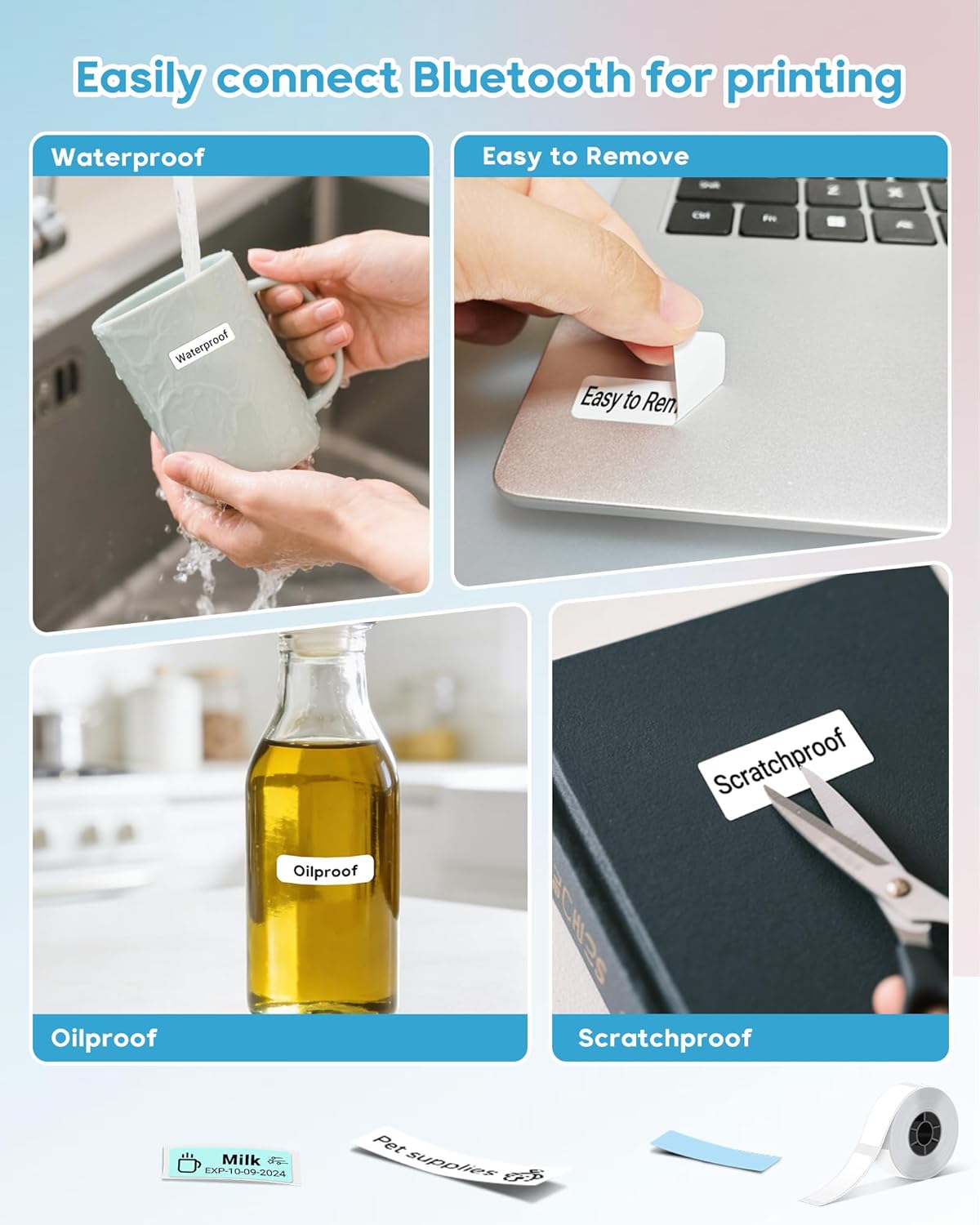
- మన్నికైన లేబుల్స్: Included labels are BPA-free, waterproof, oil-proof, and scratch-resistant with strong adhesive that leaves no residue.

The ORGBRO DX1 Label Maker in a home office setting, demonstrating its compact size and versatility.
2. సెటప్ గైడ్
2.1 అన్బాక్సింగ్ మరియు ప్యాకేజీ కంటెంట్లు
Carefully unpack your ORGBRO DX1 Label Maker. Ensure all components are present as listed below:
- 1 x Mini Label Maker
- 1 x Roll of white label paper
- 1 x వినియోగదారు మాన్యువల్
- 1 x టైప్-సి ఛార్జింగ్ కేబుల్
The complete packing list for the ORGBRO DX1 Label Maker.
Official video demonstrating the unboxing and initial overview of the ORGBRO DX1 Label Maker.
2.2 లేబుల్ టేప్ను లోడ్ చేస్తోంది
- Press the open button on the side of the device to open the cover.
- Insert the label roll with the print side facing up. Ensure the label tape is fed smoothly through the printer's slot.
- కవర్ సరిగ్గా తగిలే వరకు దాన్ని గట్టిగా మూసివేయండి.
- Press and hold the power button to turn on the device. Double-press the power button to print a test page and calibrate the label.
Visual instructions for installing the label tape.
Official video demonstrating the label loading process and initial setup.
2.3 యాప్ డౌన్లోడ్ మరియు బ్లూటూత్ కనెక్షన్
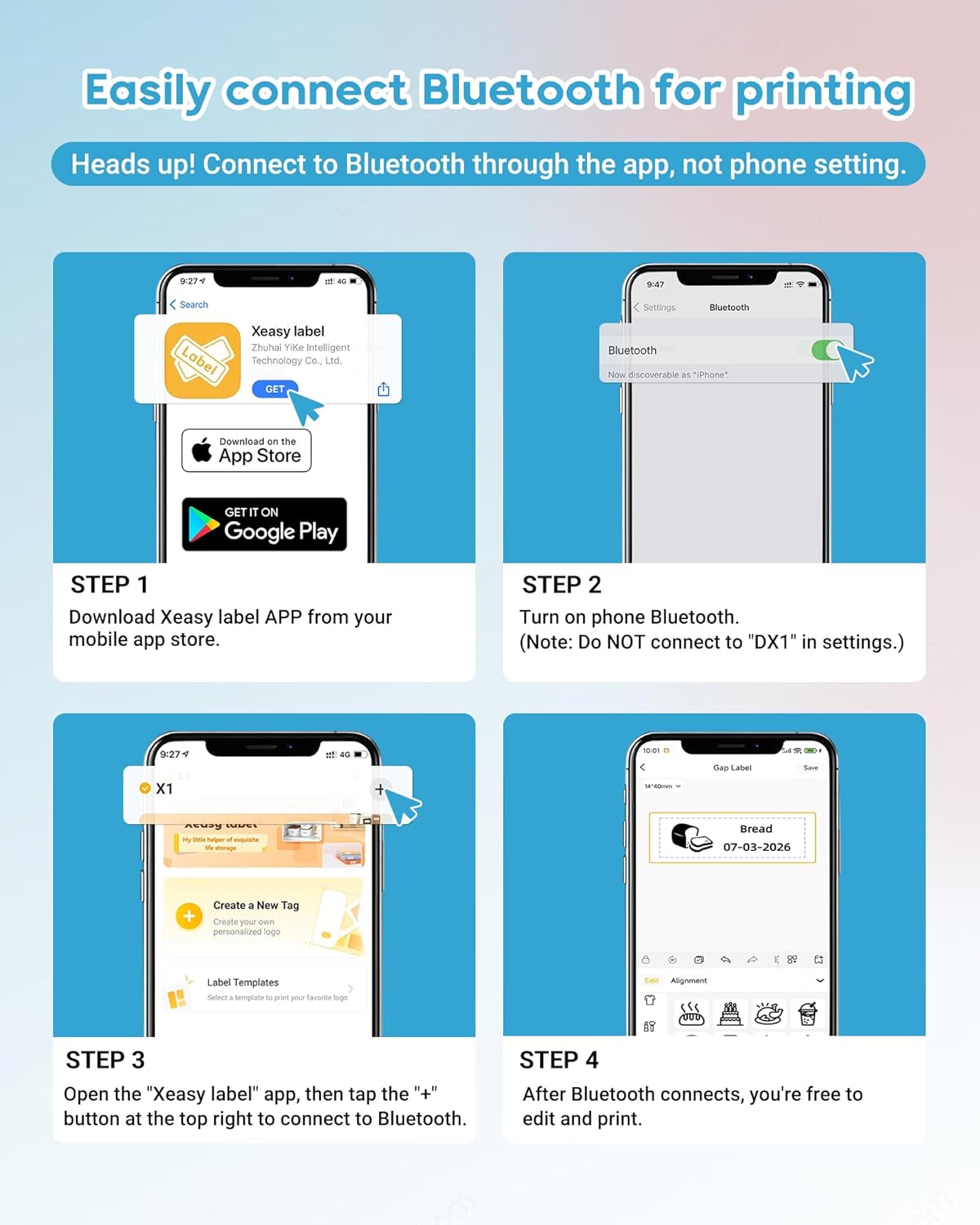
- డౌన్లోడ్ చేయండి "XEasyLabel" app from your mobile app store (available on iOS and Android).
- మీ ఫోన్ బ్లూటూత్ను ఆన్ చేయండి. Important: Do NOT connect to "DX1" in your phone's Bluetooth settings directly.
- Open the XEasyLabel app. Tap the "+" icon in the top right corner to search for and connect to the printer.
- Once connected, the app will indicate "Connected" and you are ready to edit and print.

Detailed steps for app installation and Bluetooth pairing.
3. ఆపరేటింగ్ సూచనలు
3.1 లేబుల్లను సృష్టించడం మరియు ముద్రించడం
The XEasyLabel app provides extensive customization options for your labels:
- వచనం: Add custom text using various fonts (over 95 available) and languages (15 available).
- Stickers & Symbols: Choose from over 1200+ symbols and stickers to enhance your labels.
- చిత్రాలు: Embed images onto your labels.
- సమయం & తేదీ: Add current time or date stamps.
- QR Code & Barcode: Generate and print QR codes or barcodes directly from the app.
- టెంప్లేట్లు: Utilize pre-designed templates for common uses like kitchen, office, or school organization.
After designing your label, preview it in the app, adjust print density if needed, and tap "Print Label" to send it to the DX1 printer.

The XEasyLabel app offers a powerful multi-function application for label design.
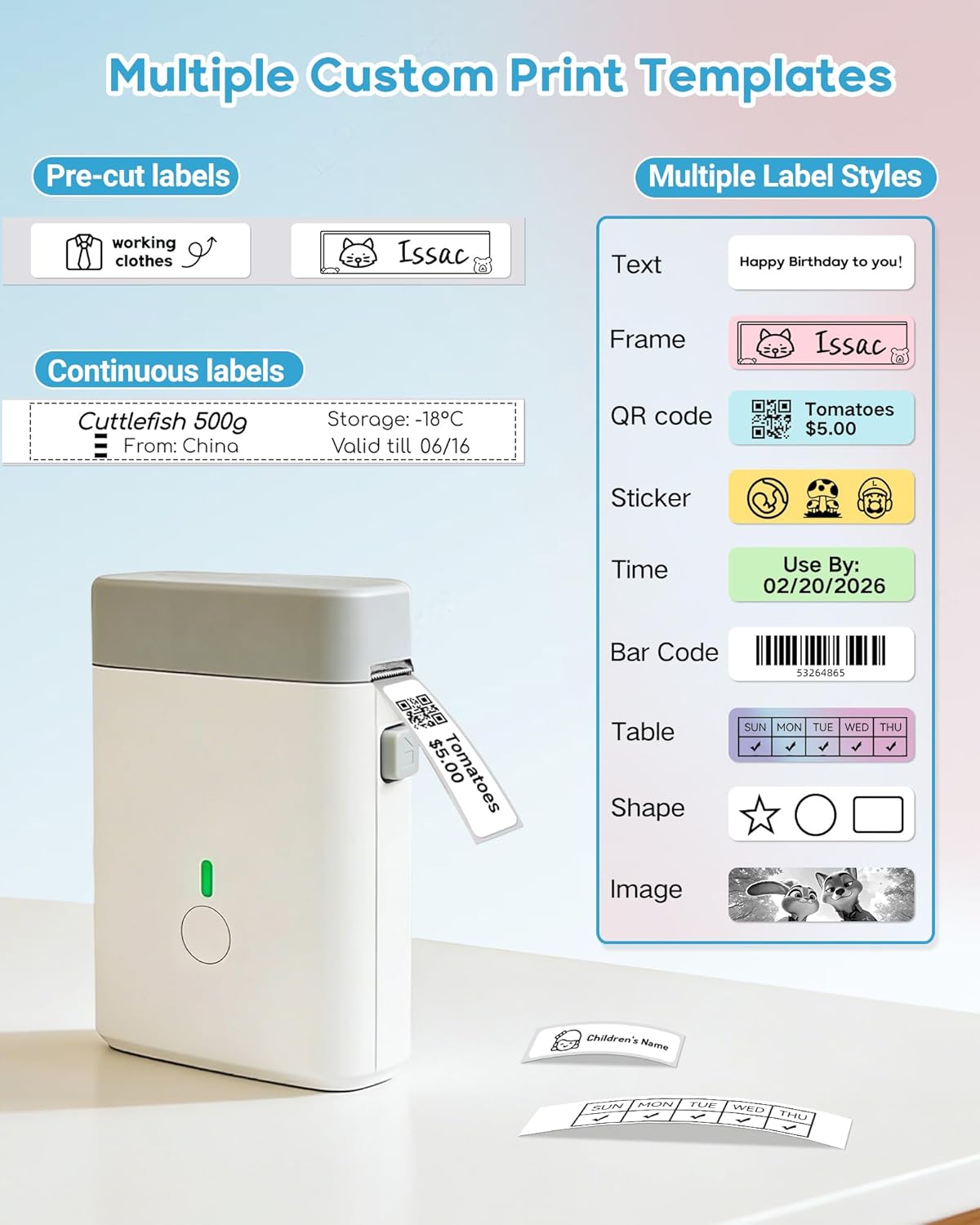
Multiple custom print templates and label styles for diverse labeling needs.
Official video demonstrating how to design and print labels using the XEasyLabel app.
3.2 ఆచరణాత్మక అనువర్తనాలు
The ORGBRO DX1 is ideal for:
- Home organization (spice jars, food containers, storage boxes)
- Office organization (file folders, cables, stationery)
- School supplies and personal item identification
- Small business pricing and product labeling

Various applications of the ORGBRO DX1 Label Maker in different settings.
4. నిర్వహణ
The ORGBRO DX1 Label Maker uses inkless thermal technology, which significantly reduces maintenance requirements. There is no need to replace ink cartridges or ribbons.
4.1 ప్రింట్ హెడ్ను శుభ్రపరచడం
To ensure optimal print quality, occasionally clean the thermal print head. Use a soft, lint-free cloth lightly dampened with isopropyl alcohol. Gently wipe the print head surface. Allow it to dry completely before closing the cover and resuming use.
4.2 బ్యాటరీ సంరక్షణ
The device is equipped with a 2000mAh rechargeable battery. For best battery life, avoid fully discharging the battery frequently and store the device in a cool, dry place when not in use for extended periods. Charge using the provided Type-C cable.
5. ట్రబుల్షూటింగ్
5.1 సాధారణ సమస్యలు మరియు పరిష్కారాలు
- ప్రింటర్ బ్లూటూత్ ద్వారా కనెక్ట్ కావడం లేదు: Ensure Bluetooth is enabled on your phone and connect through the XEasyLabel app, not directly through phone settings. Restart both the printer and your phone if issues persist.
- పేలవమైన ముద్రణ నాణ్యత: Check if the label tape is loaded correctly with the print side up. Clean the print head as described in the Maintenance section. Adjust the print density setting within the XEasyLabel app.
- సరిగ్గా ఆహారం ఇవ్వని లేబుల్స్: Ensure the label roll is properly seated and the tape is not jammed. Double-press the power button to calibrate the label.
- పరికరం ఆన్ చేయడం లేదు: Ensure the battery is charged. Connect the Type-C charging cable and allow it to charge for a while before attempting to power on again.
6. స్పెసిఫికేషన్లు
| ఫీచర్ | వివరాలు |
|---|---|
| బ్రాండ్ | ORGBRO |
| మోడల్ పేరు | X1 Label Maker |
| కనెక్టివిటీ టెక్నాలజీ | బ్లూటూత్ |
| ప్రింటింగ్ టెక్నాలజీ | థర్మల్ |
| ప్రింటర్ అవుట్పుట్ | మోనోక్రోమ్ |
| గరిష్ట ప్రింట్స్పీడ్ మోనోక్రోమ్ | 30 ppm |
| రిజల్యూషన్ | 203 x 203 dpi |
| వస్తువు బరువు | 7 ఔన్సులు |
| ఉత్పత్తి కొలతలు (D x W x H) | 1.2"డి x 3"వా x 4.2"హ |
| కంట్రోలర్ రకం | iOS, Android |
| ప్రింట్ మీడియా | లేబుల్స్ |
| గరిష్ట మీడియా పరిమాణం | 0.6 x 1.57 అంగుళాలు |
| బ్యాటరీ కెపాసిటీ | 2000mAh (from feature bullets) |
7. వారంటీ మరియు మద్దతు
7.1 వారంటీ సమాచారం
The ORGBRO DX1 Label Maker comes with a 30-day free return and exchange policy. నిర్దిష్ట నిబంధనలు మరియు షరతుల కోసం దయచేసి మీ కొనుగోలు డాక్యుమెంటేషన్ను చూడండి.
7.2 కస్టమర్ మద్దతు
For any questions, technical assistance, or support, please contact ORGBRO customer service. ORGBRO is dedicated to providing high-quality products and an excellent printing experience.
మీరు సందర్శించవచ్చు ORGBRO Store on Amazon మరిన్ని వివరాలు మరియు సంబంధిత ఉత్పత్తుల కోసం చూడండి.