
1. పరిచయం
This manual provides essential information for setting up, operating, and maintaining your Lenovo LOQ Gaming Laptop. Please read this manual thoroughly before using your device to ensure optimal performance and longevity.
The Lenovo LOQ Gaming Laptop is designed for high-performance computing, gaming, and creative tasks. It features an AMD Ryzen 7 250 processor, NVIDIA GeForce RTX 5060 graphics, a 15.6-inch FHD 144Hz display, 32GB RAM, and a 1TB SSD.
2. పెట్టెలో ఏముంది
Upon unboxing your Lenovo LOQ Gaming Laptop, verify that all components are present:
- Lenovo LOQ 15.6" Gaming Laptop
- Mytrix 2.4GHz Wireless Gaming Headset
- Mytrix Laptop Gaming Cooling Pad
- Lifetime Microsoft Office 2019 Professional Plus Product Key (activates on this device only)
- పవర్ అడాప్టర్ మరియు కేబుల్
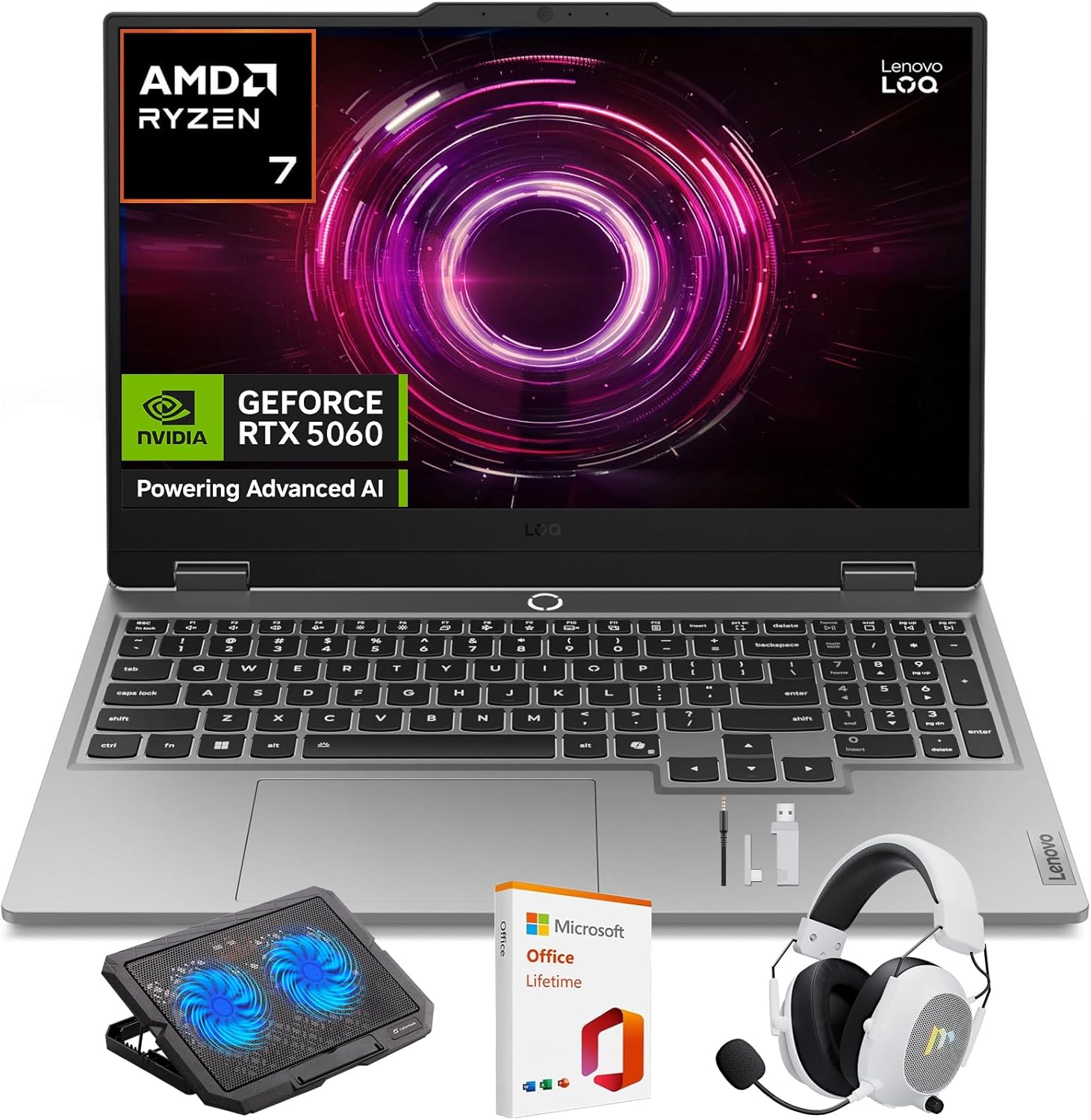
Image: Lenovo LOQ Gaming Laptop with its main accessories.
3. సెటప్ గైడ్
3.1 ప్రారంభ పవర్-ఆన్
- Connect the power adapter to the laptop's power input port and then to a wall outlet.
- ల్యాప్టాప్ మూత తెరవండి.
- ల్యాప్టాప్ను ఆన్ చేయడానికి సాధారణంగా కీబోర్డ్ డెక్పై ఉండే పవర్ బటన్ను నొక్కండి.
- భాష, ప్రాంతం, నెట్వర్క్ కనెక్షన్ మరియు వినియోగదారు ఖాతా సృష్టితో సహా Windows 11 హోమ్ సెటప్ను పూర్తి చేయడానికి స్క్రీన్పై ఉన్న సూచనలను అనుసరించండి.
3.2 కనెక్ట్ పెరిఫెరల్స్
- Wireless Gaming Headset: Refer to the headset's specific instructions for pairing via 2.4GHz wireless. Typically involves plugging a USB dongle into an available USB port on the laptop.
- Laptop Gaming Cooling Pad: Place the laptop on the cooling pad. Connect the cooling pad's USB cable to an available USB port on the laptop to power its fans.
- బాహ్య ప్రదర్శన: Connect an external monitor using the HDMI port or a compatible USB-C port.
- ఇతర USB పరికరాలు: Use the available USB ports for mice, keyboards, external storage, or other accessories.
4. ఆపరేటింగ్ సూచనలు
4.1 డిస్ప్లే ఫీచర్లు
Your Lenovo LOQ laptop features a 15.6-inch Full HD (1920x1080) display with a 144Hz refresh rate for smooth visuals. It supports 100% sRGB color accuracy and NVIDIA G-Sync technology to minimize screen tearing and stuttering during gaming.
చిత్రం: ల్యాప్టాప్ డిస్ప్లే షోక్asing its visual capabilities.
4.2 Performance Management (CPU & GPU)
The laptop is equipped with an AMD Ryzen 7 250 processor and an NVIDIA GeForce RTX 5060 GPU. These components are designed to deliver high performance for demanding applications and games.
- AMD Ryzen 7 250: Features a multi-core architecture for efficient multitasking and responsive performance. AMD Precision Boost technology dynamically adjusts clock speeds for optimal power.
- NVIDIA GeForce RTX 5060: Supports DLSS 4 and ray tracing for enhanced graphics, realistic lighting, and immersive environments.
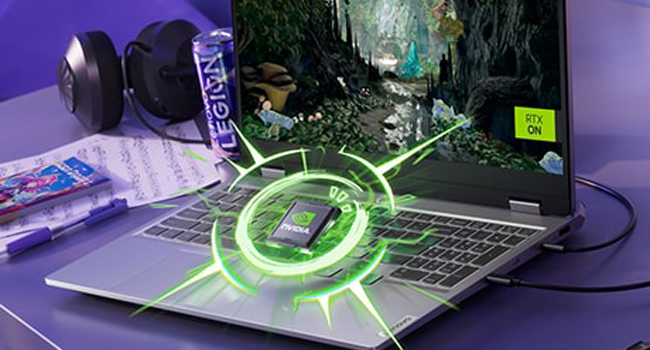
Image: Visual representation of the NVIDIA GeForce RTX graphics processing unit.

Image: The laptop highlighting its AMD Ryzen processor.
4.3 శీతలీకరణ వ్యవస్థ
The Lenovo LOQ utilizes Hyperchamber Cooling with turbo fans and copper heatpipes to maintain optimal temperatures during intensive use. The AI Engine+ automatically optimizes CPU, GPU, and system settings for efficient cooling and performance.
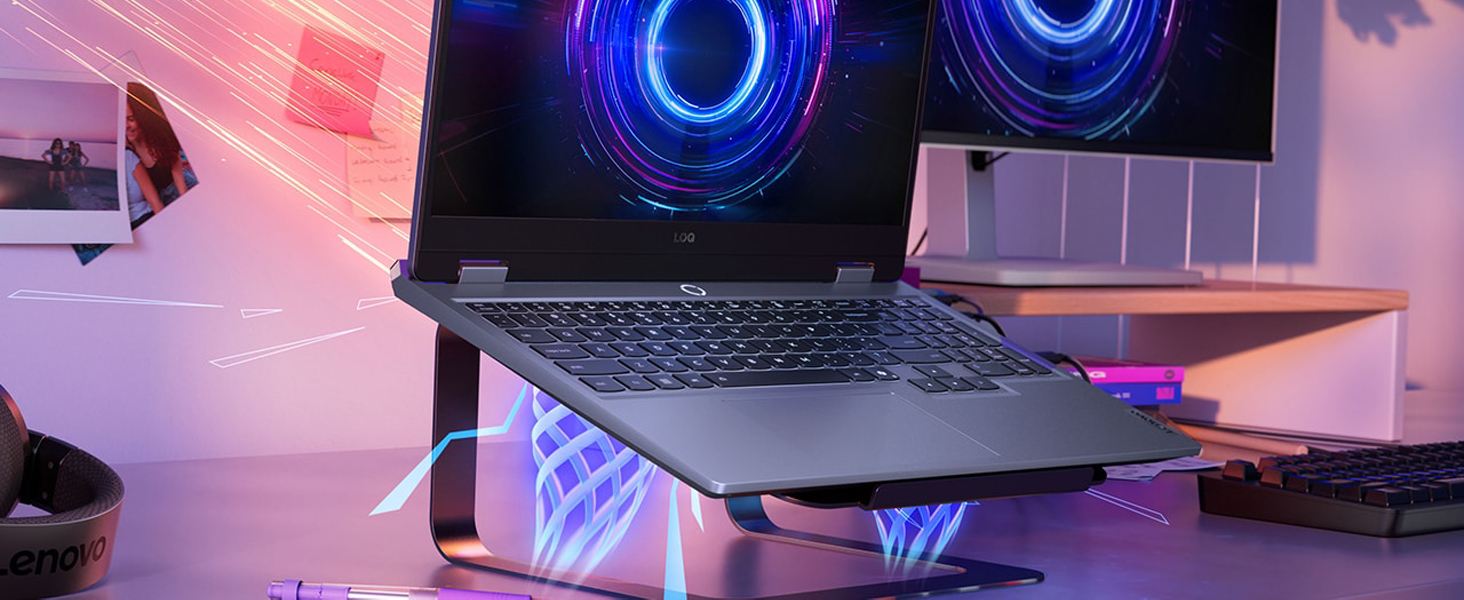
Image: The laptop demonstrating its advanced cooling system.
4.4 AI Engine+
The Lenovo AI Engine+ and AI Core work together with Scenario Detection to adjust performance in real-time, optimizing settings for gaming, streaming, or everyday tasks to ensure smoother gameplay and higher frame rates.

Image: The laptop showcasing the Lenovo AI Engine+ capabilities.
4.5 కీబోర్డ్ మరియు ఇన్పుట్
The full-size Lenovo LOQ keyboard features white backlighting and soft-landing switches for precise and comfortable typing and gaming. Use the Fn+Q thermal management control to switch between performance modes.
చిత్రం: క్లోజప్ view of the laptop's backlit keyboard.
4.6 ఆడియో సిస్టమ్
Experience immersive 3D audio with the laptop's integrated speakers, enhanced by Nahimic by SteelSeries technology.
Image: The laptop's audio interface, indicating 3D audio capabilities.
4.7 పోర్ట్లు మరియు కనెక్టివిటీ
The laptop offers a variety of ports for connectivity:
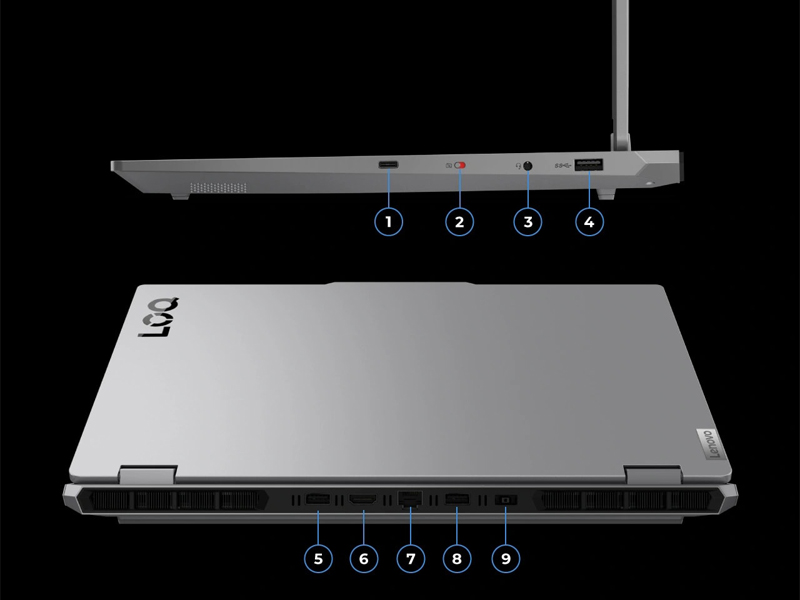
చిత్రం: వివరణాత్మక view ల్యాప్టాప్ యొక్క ఇన్పుట్/అవుట్పుట్ పోర్ట్లలో.
- USB పోర్ట్లు: Multiple USB ports (including USB-A and USB-C) for connecting peripherals.
- HDMI: బాహ్య డిస్ప్లేలను కనెక్ట్ చేయడానికి.
- ఈథర్నెట్: వైర్డు నెట్వర్క్ కనెక్షన్ కోసం.
- ఆడియో జాక్: హెడ్ఫోన్లు లేదా బాహ్య స్పీకర్ల కోసం.
- పవర్ ఇన్పుట్: పవర్ అడాప్టర్ను కనెక్ట్ చేయడానికి.
- వైర్లెస్: Wi-Fi 6 (802.11ax) and Bluetooth for wireless connectivity.
5. స్పెసిఫికేషన్లు
| ఫీచర్ | స్పెసిఫికేషన్ |
|---|---|
| బ్రాండ్ | లెనోవో |
| మోడల్ పేరు | LOQ |
| మోడల్ సంఖ్య | 83JG |
| స్క్రీన్ పరిమాణం | 15.6 అంగుళాలు |
| డిస్ప్లే రిజల్యూషన్ | 1920 x 1080 Pixels (FHD) |
| రిఫ్రెష్ రేట్ | 144 Hz |
| CPU మోడల్ | AMD రైజెన్ 7 250 |
| ప్రాసెసర్ వేగం | 3.3 GHz (up to 5.1 GHz Max) |
| RAM మెమరీ ఇన్స్టాల్ చేయబడిన పరిమాణం | 32 GB DDR5 (5600 MHz) |
| Maximum RAM Memory | 64 GB |
| హార్డ్ డిస్క్ పరిమాణం | 1 టిబి ఎస్ఎస్డి |
| గ్రాఫిక్స్ కార్డ్ | NVIDIA GeForce RTX 5060 (8 GB GDDR7) |
| ఆపరేటింగ్ సిస్టమ్ | Windows 11 హోమ్ |
| వైర్లెస్ కనెక్టివిటీ | వై-ఫై 6 (802.11ax), బ్లూటూత్ |
| ఓడరేవులు | Total 4 USB Ports, HDMI, Ethernet, Audio Output |
| ప్రత్యేక లక్షణాలు | Backlit Keyboard, HD Audio, Numeric Keypad, Webకెమెరా |
| బ్యాటరీ సెల్ రకం | Lithium Ion (60 Watt Hours) |
| వస్తువు బరువు | 4.82 పౌండ్లు |
| కొలతలు (L x W x మందం) | 14.17" x 10.19" x 0.94" |
6. నిర్వహణ
6.1 శుభ్రపరచడం
- స్క్రీన్ మరియు బాహ్య ఉపరితలాలను శుభ్రం చేయడానికి మృదువైన, మెత్తటి బట్టను ఉపయోగించండి.
- మొండి మచ్చల కోసం, తేలికగా dampనీటితో లేదా స్క్రీన్-సేఫ్ క్లీనర్తో వస్త్రాన్ని తుడవండి.
- ల్యాప్టాప్పై నేరుగా ద్రవాలను చల్లడం మానుకోండి.
- కీబోర్డ్ కీలు మరియు వెంటిలేషన్ గ్రిల్స్ నుండి దుమ్మును తొలగించడానికి కంప్రెస్డ్ ఎయిర్ను ఉపయోగించండి.
6.2 సాఫ్ట్వేర్ నవీకరణలు
- సిస్టమ్ స్థిరత్వం మరియు భద్రతను నిర్ధారించడానికి విండోస్ నవీకరణలను క్రమం తప్పకుండా తనిఖీ చేసి, ఇన్స్టాల్ చేయండి.
- Update graphics drivers (NVIDIA) and other device drivers (Lenovo Vantage software) for optimal performance, especially for gaming.
6.3 బ్యాటరీ సంరక్షణ
- బ్యాటరీని తరచుగా పూర్తిగా డిశ్చార్జ్ చేయడాన్ని నివారించండి.
- ల్యాప్టాప్ను ఎక్కువ కాలం నిల్వ ఉంచినట్లయితే, బ్యాటరీ 50-60% వరకు ఛార్జ్ అయ్యేలా చూసుకోండి.
- Operating the laptop while plugged in is normal, but consider using battery conservation modes if available in Lenovo Vantage.
7. ట్రబుల్షూటింగ్
7.1 విద్యుత్ సమస్యలు
- ల్యాప్టాప్ ఆన్ అవ్వడం లేదు: పవర్ అడాప్టర్ ల్యాప్టాప్ మరియు పనిచేసే పవర్ అవుట్లెట్ రెండింటికీ సురక్షితంగా కనెక్ట్ చేయబడిందని నిర్ధారించుకోండి. వేరే అవుట్లెట్ను ప్రయత్నించండి.
- బ్యాటరీ ఛార్జింగ్ కాదు: Verify the power adapter connection. Check for any damage to the adapter or cable. Update battery drivers.
7.2 ప్రదర్శన సమస్యలు
- డిస్ప్లే లేదు/నలుపు స్క్రీన్: Connect an external monitor to check if the issue is with the laptop's internal display. Restart the laptop. Update graphics drivers.
- మినుకుమినుకుమనే స్క్రీన్: Update graphics drivers. Check display refresh rate settings in Windows.
7.3 పనితీరు సమస్యలు
- నెమ్మది పనితీరు: Close unnecessary applications. Check for background processes consuming high CPU/RAM. Ensure adequate ventilation and cooling. Run a malware scan.
- వేడెక్కడం: Ensure cooling vents are clear. Use the cooling pad. Check fan operation. Adjust power settings in Windows or Lenovo Vantage.
7.4 Keyboard/Touchpad Issues
- కీలు స్పందించడం లేదు: Restart the laptop. Check for physical obstructions under keys. Update keyboard drivers.
- టచ్ప్యాడ్ పనిచేయడం లేదు: Ensure the touchpad is not disabled (check Fn keys or Windows settings). Update touchpad drivers.
8. వారంటీ మరియు మద్దతు
8.1 వారంటీ సమాచారం
Your Lenovo LOQ Gaming Laptop comes with a 1-Year Manufacturer Warranty. Please retain your proof of purchase for warranty claims. The warranty covers manufacturing defects and hardware failures under normal use conditions.
8.2 సాంకేతిక మద్దతు
సాంకేతిక సహాయం, డ్రైవర్ డౌన్లోడ్లు లేదా సేవా అభ్యర్థనల కోసం, దయచేసి అధికారిక Lenovo మద్దతును సందర్శించండి. webసైట్లో లేదా వారి కస్టమర్ సర్వీస్ను సంప్రదించండి. మీరు మరిన్ని సమాచారం మరియు వనరులను ఇక్కడ కనుగొనవచ్చు అమెజాన్లో లెనోవా స్టోర్.