
1. పరిచయం
This manual provides essential information for setting up, operating, maintaining, and troubleshooting your TCL TAB A1 Plus tablet. Please read this manual thoroughly before using your device to ensure proper and safe operation.
The TCL TAB A1 Plus features a large 12.2-inch 2.4K display with a 120 Hz refresh rate, powered by a 4 nm Qualcomm Snapdragon 4 Gen 2 processor. It boasts a slim metal unibody design and integrates AI features like Google Gemini for enhanced productivity and an intuitive user interface for seamless multitasking.
2. సెటప్
2.1 అన్బాక్సింగ్ మరియు ప్రారంభ తనిఖీ
Carefully remove all components from the packaging. Verify that all items are present and undamaged. If any items are missing or damaged, contact your retailer.
2.2 పరికరాన్ని ఛార్జ్ చేస్తోంది
Before first use, fully charge your TCL TAB A1 Plus. Connect the provided USB cable to the tablet's charging port and the other end to a compatible power adapter. Plug the adapter into a wall outlet. The charging indicator will show the charging status.
2.3 పవర్ ఆన్ మరియు ప్రారంభ కాన్ఫిగరేషన్
- Press and hold the Power button until the TCL logo appears.
- మీ భాషను ఎంచుకోవడానికి, Wi-Fi నెట్వర్క్కు కనెక్ట్ అవ్వడానికి మరియు మీ Google ఖాతాను సెటప్ చేయడానికి స్క్రీన్పై కనిపించే ప్రాంప్ట్లను అనుసరించండి.
- Complete the initial setup steps, including setting up security features like a PIN, pattern, or fingerprint.
3. టాబ్లెట్ను ఆపరేట్ చేయడం
3.1 ప్రదర్శన మరియు దృశ్య అనుభవం
The TCL TAB A1 Plus features a 12.2-inch 2.4K display with a 120 Hz refresh rate, providing a sharp, fluid, and natural viewing experience for videos, browsing, and multitasking.

Image: The TCL TAB A1 Plus display showcasing vibrant colors and a large screen. This image highlights the immersive visual experience.

Image: A visual representation of the 120Hz refresh rate on the TCL TAB A1 Plus, indicating smooth motion and responsiveness.
3.2 Performance and Processor
Powered by a Qualcomm Snapdragon 4 Gen 2 (4 nm) processor, the tablet delivers quick responses, stable performance, and efficient power consumption, suitable for daily tasks, entertainment, and multitasking.

Image: A close-up of the Snapdragon 4 Gen 2 processor, illustrating the advanced technology powering the tablet.
3.3 AI Features with Google Gemini
The integrated Google Gemini AI assistant enhances daily activities, making them smoother and smarter. Features like Circle to Search, Writing Assist, Text Assist, and Smart Translator assist with research, writing, summarizing, and translation.
3.4 User Interface and Multitasking
The intuitive user interface includes Magic Hub, Sidebar, and Large Folders for organization. Quick-launch Split Screen and Floating Window features enable seamless multitasking, allowing you to work, watch, and interact simultaneously.

Image: A screenshot of the Magic Hub feature on the TCL TAB A1 Plus, demonstrating its organizational capabilities for saving and sharing content.
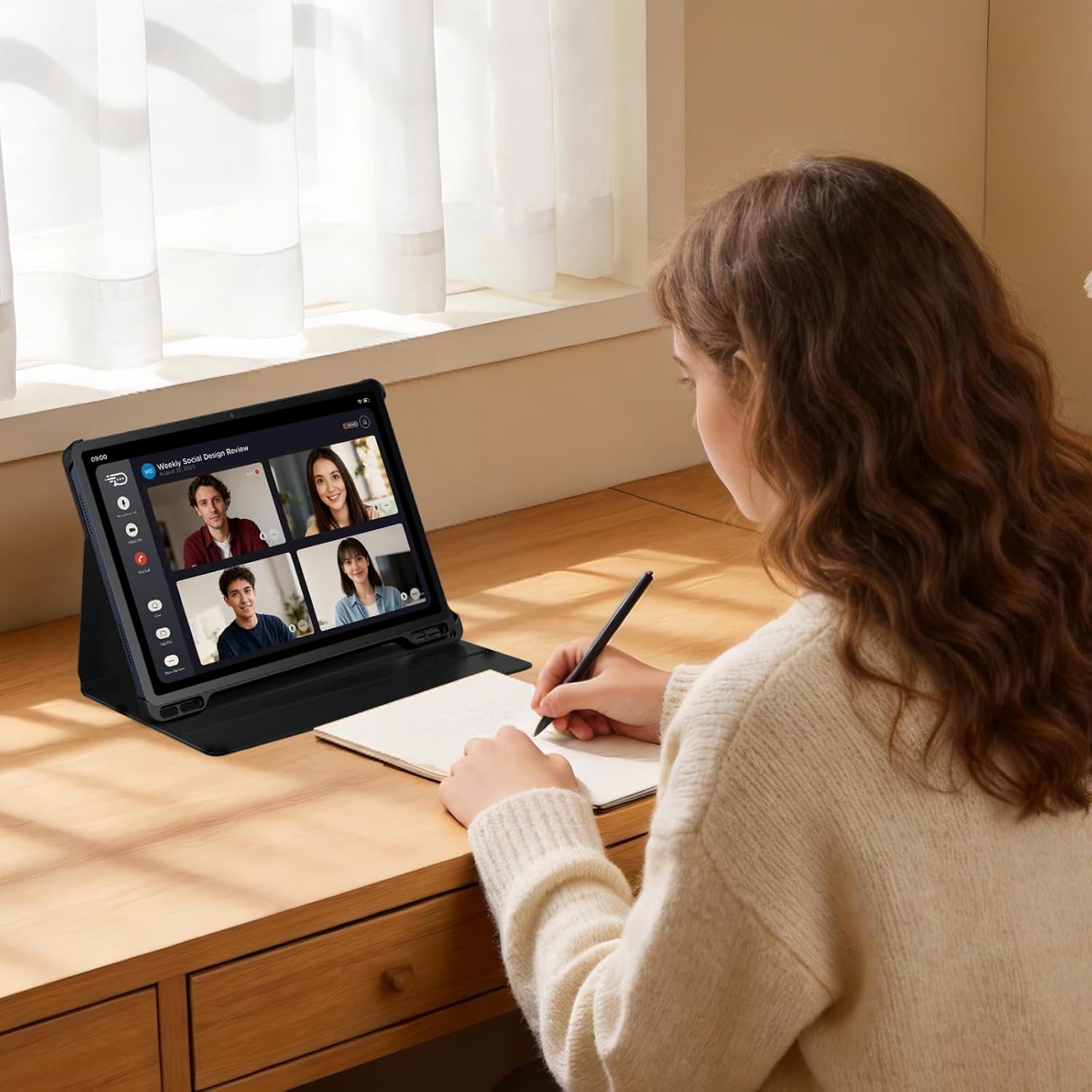
Image: A user participating in a video call on the TCL TAB A1 Plus, illustrating its use for communication and productivity.

Image: A user interacting with the TCL TAB A1 Plus using a T-Pen, demonstrating its suitability for creative and note-taking tasks.
4. నిర్వహణ
4.1 టాబ్లెట్ను శుభ్రపరచడం
మీ టాబ్లెట్ను శుభ్రం చేయడానికి, మృదువైన, మెత్తటి బట్టను ఉపయోగించండి. మొండి మరకల కోసం, కొద్దిగా dampen the cloth with water or a screen cleaner specifically designed for electronics. Avoid using harsh chemicals, abrasive materials, or aerosol sprays.
4.2 బ్యాటరీ సంరక్షణ
To prolong battery life, avoid exposing the tablet to extreme temperatures. Do not leave it fully charged or fully discharged for extended periods. For optimal performance, keep the battery charge between 20% and 80% when possible.
4.3 సాఫ్ట్వేర్ నవీకరణలు
Regularly check for and install software updates to ensure your tablet has the latest features, security patches, and performance improvements. You can usually find this option in the tablet's settings under "System" or "About tablet."
5. ట్రబుల్షూటింగ్
5.1 పరికరం ఆన్ కావడం లేదు
- Ensure the battery is sufficiently charged. Connect the tablet to a charger and wait a few minutes before attempting to power it on again.
- బలవంతంగా రీస్టార్ట్ చేయడానికి పవర్ బటన్ను కనీసం 10-15 సెకన్ల పాటు నొక్కి పట్టుకోండి.
5.2 స్క్రీన్ స్పందించడం లేదు
- టాబ్లెట్ను పునఃప్రారంభించండి.
- If the screen remains unresponsive, try a factory reset (note: this will erase all data). Consult the TCL support webఫ్యాక్టరీ రీసెట్ చేయడం గురించి వివరణాత్మక సూచనల కోసం సైట్.
5.3 Wi-Fi కనెక్షన్ సమస్యలు
- Ensure Wi-Fi is enabled on your tablet.
- మీ Wi-Fi రూటర్ను పునఃప్రారంభించండి.
- Forget the network in your tablet's Wi-Fi settings and reconnect.
5.4 సాధారణ పనితీరు సమస్యలు
- నేపథ్యంలో నడుస్తున్న ఉపయోగించని అప్లికేషన్లను మూసివేయండి.
- Clear cache data for apps that are slowing down.
- తగినంత నిల్వ స్థలం అందుబాటులో ఉందని నిర్ధారించుకోండి.
6. స్పెసిఫికేషన్లు

చిత్రం: ఒక ఓవర్view graphic highlighting key features of the TCL TAB A1 Plus, including 120Hz refresh rate, 2.4K display, Snapdragon 4 Gen 2 processor, metal unibody design, 8000mAh battery, and Google Gemini integration.
| ఫీచర్ | వివరాలు |
|---|---|
| బ్రాండ్ | TCL |
| మోడల్ పేరు | TCL TAB A1 Plus |
| నిల్వ సామర్థ్యం | 128 GB |
| స్క్రీన్ పరిమాణం | 12.2 అంగుళాలు |
| గరిష్ట డిస్ప్లే రిజల్యూషన్ | 2560 Pixels (2.4K) |
| ఆపరేటింగ్ సిస్టమ్ | ఆండ్రాయిడ్ 16 |
| రంగు | Space Blue |
| RAM పరిమాణం | 6 GB |
| ప్రత్యేక లక్షణాలు | 2.4K Display with 120 Hz, Advanced 4 nm Processor, AI with Google Gemini, Intuitive User Interface |
| మోడల్ సంవత్సరం | 2026 |
7. వారంటీ మరియు మద్దతు
For detailed warranty information, please refer to the warranty card included with your product or visit the official TCL support website. You can find support resources, FAQs, and contact information for customer service there.
TCL Official Support: https://www.tcl.com/global/en/support