
1. పరిచయం
The ORGBRO Z3 Label Maker Machine is a versatile and portable thermal label printer designed for various labeling needs in home, office, and small business environments. It supports a wide range of label sizes and types, offering high-quality, ink-free printing via Bluetooth or USB connection.
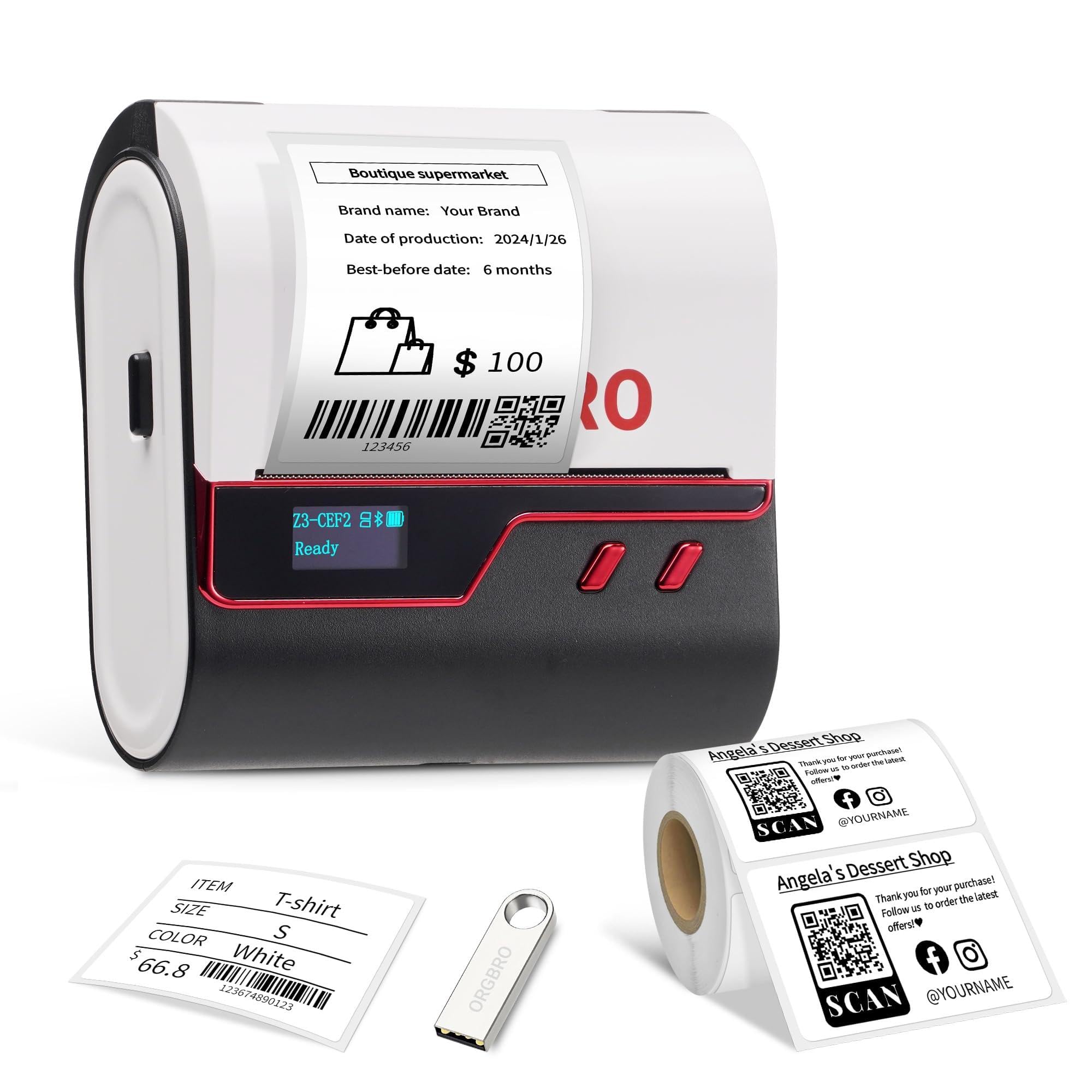
Image: The ORGBRO Z3 Label Maker Machine, featuring a sleek red and black design, ready for use.
2. పెట్టెలో ఏముంది
- 1x టైప్ C ఛార్జింగ్ కేబుల్
- 1x ORGBRO Z3 Label Maker Machine
- 1x 50x30mm Roll of white labels (230 Pcs)
- 1x వినియోగదారు మాన్యువల్
- 1x Drive USB
3. సెటప్ గైడ్
3.1. లేబుల్లను లోడ్ చేస్తోంది
- Press the Open-Cover Button on the left side of the printer to open the cover.
- Pull the red lock buckle on the paper baffle to the "open" position.
- Adjust the paper baffle to match the width of your label roll.
- Load the paper roll into the paper compartment with the printing side facing down.
- Slide the paper baffle to fix the paper roll and push the lock buckle to the "close" position.
- Pull out a part of the label to the paper outlet, and then close the cover.
- ప్రింటర్ను ఆన్ చేయడానికి పవర్ బటన్ను నొక్కి ఉంచండి.

Image: Hands demonstrating how to open the printer cover and adjust the internal paper baffle to fit the label roll.

Image: A hand inserting a white label roll into the open compartment of the ORGBRO Z3 Label Maker, ensuring the printing side faces down.
3.2. యాప్ డౌన్లోడ్ మరియు బ్లూటూత్ కనెక్షన్
The ORGBRO Z3 Label Maker connects to your smartphone or tablet via Bluetooth using the "4BarCode" app.
- Download the "4BarCode" app from your mobile app store (available for Android and iOS).
- మీ మొబైల్ పరికరంలో బ్లూటూత్ ప్రారంభించబడిందని నిర్ధారించుకోండి.
- Open the "4BarCode" app and follow the in-app instructions to connect to your Z3 Label Maker. The printer will typically appear as "Z3-XXXX" in the device list.

Image: A smartphone displaying the "4BarCode" app, showcasing multiple label templates and customization options.

Image: The ORGBRO Z3 Label Maker positioned next to a smartphone, indicating a successful Bluetooth connection for wireless printing.
3.3. USB కనెక్షన్ (PC కోసం)
For Windows, Mac, Chrome OS, and Linux computers, connect the printer via USB.
- Connect the Z3 printer to your computer using the provided USB cable.
- ప్రింటర్ను ఆన్ చేయండి.
- Plug the included USB drive into your computer to install the necessary drivers.
- డ్రైవర్ తెరవండి file, select your operating system, and follow the on-screen instructions to complete the installation.
- Once drivers are installed, you can open a label design file (e.g., PDF) and select "ORGBRO Z3" as your printer.

Image: The ORGBRO Z3 Label Maker connected to a laptop using a USB cable, demonstrating its wired connectivity option.
Video: A detailed guide on how to set up and use the ORGBRO Z3 label printer, including loading labels, connecting via Bluetooth, and installing drivers for PC connection.
4. ఆపరేటింగ్ సూచనలు
4.1. లేబుళ్ళను సృష్టించడం మరియు ముద్రించడం
Using the "4BarCode" app, you can design and print custom labels:
- అనుకూలీకరణ: The app offers over 80 fonts, 150+ frames, and 670+ icons. You can also import images from your mobile device.
- సవరణ: Adjust text, graphics, barcodes, and QR codes. Modify font size, style (bold, italic, underline), and alignment.
- ప్రింటింగ్: Once your design is complete, select the print option in the app. You can adjust printing density and the number of copies. The printer will produce crisp 203dpi resolution labels at speeds up to 50mm/s.

Image: A collection of labels printed by the ORGBRO Z3, showcasing different designs, text, and graphics for various applications.
4.2. Screen Setting Functions
The ORGBRO Z3 features an LED screen that displays battery life, Bluetooth status, and print progress. You can also access various settings directly from the device:
- లేబుల్ రకం: Select the type of label being used (e.g., Gap, Continuous, Black Mark).
- స్వీయ పరీక్ష: Perform a self-test to check printer functionality and print a diagnostic report.
- Label Calibration: Calibrate the printer to ensure accurate label detection and printing alignment.
- నిద్ర సమయం: Adjust the time before the printer enters sleep mode to conserve battery.
- షట్డౌన్ సమయం: Configure the automatic shutdown time.
- ఫ్యాక్టరీ సెట్టింగ్లు: Reset the printer to its default factory settings.
To navigate these settings, short press the function button to switch between options, and long press to confirm your selection.
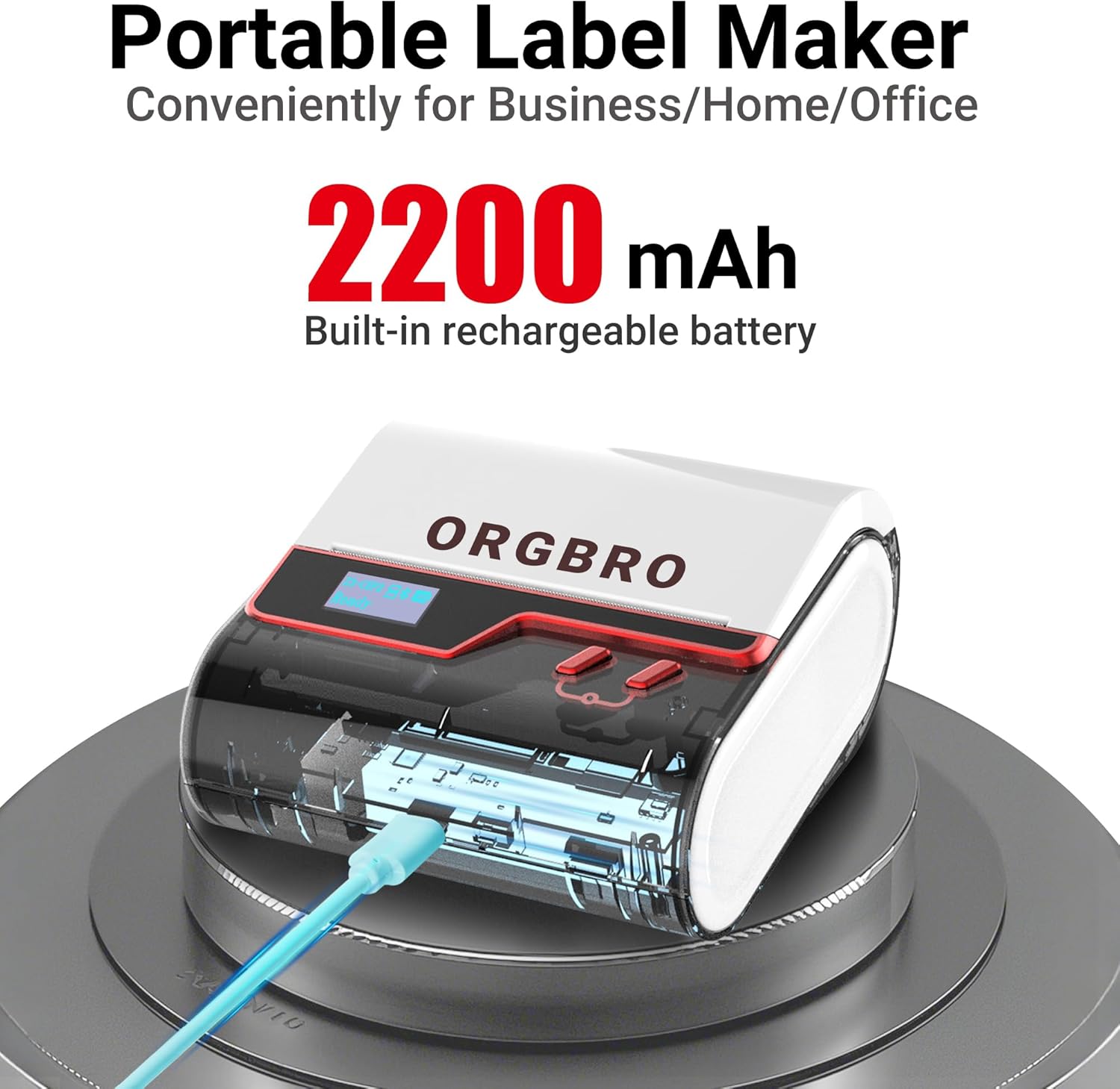
Image: The ORGBRO Z3 Label Maker's display screen showing options like "Label Type," "Self-test," "Label calibration," "Sleep Time," "Shutdown Time," and "Factory Settings."
5. మద్దతు ఉన్న లేబుల్ రకాలు మరియు పరిమాణాలు
The ORGBRO Z3 Label Maker is compatible with thermal labels ranging from 0.8 to 3.15 inches (20-80mm) in width. It supports various label shapes and materials, including:
- Square labels
- Round labels
- Transparent labels
- File లేబుల్స్
Ensure you use thermal paper brands compatible with the printer for optimal results.

Image: An assortment of labels, including square, circular, and transparent designs, demonstrating the versatility of the ORGBRO Z3 Label Maker.
6. నిర్వహణ
The ORGBRO Z3 Label Maker is designed for low maintenance. It operates without ink or toner, simplifying its upkeep. Regularly ensure the label compartment is free of debris and dust. If print quality degrades, perform a self-test and label calibration via the device's screen settings.
7. ట్రబుల్షూటింగ్
If you encounter issues with your ORGBRO Z3 Label Maker, consider the following:
- శక్తి లేదు: Ensure the device is fully charged. The 2200mAh rechargeable battery provides a 4-week runtime on a full charge.
- కనెక్షన్ సమస్యలు: For Bluetooth, verify Bluetooth is enabled on your device and you are connected within the "4BarCode" app, not directly through your phone's Bluetooth settings. For USB, confirm drivers are correctly installed and the cable is securely connected.
- పేలవమైన ముద్రణ నాణ్యత: Check that the label roll is inserted correctly with the printing side down. Perform a "Label Calibration" from the device's screen settings. Adjust printing density in the app if available.
- సరిగ్గా ఆహారం ఇవ్వడం లేదని లేబుల్స్: Ensure the paper baffle is adjusted snugly to the label roll width. Perform a "Self-test" to check the feeding mechanism.
8. స్పెసిఫికేషన్లు
| ఫీచర్ | స్పెసిఫికేషన్ |
|---|---|
| బ్రాండ్ | ORGBRO |
| మోడల్ పేరు | Z3 Label Maker |
| కనెక్టివిటీ టెక్నాలజీ | Bluetooth, USB-Type-C |
| ప్రింటింగ్ టెక్నాలజీ | థర్మల్ |
| ప్రింటర్ అవుట్పుట్ | మోనోక్రోమ్ |
| రిజల్యూషన్ | 203 x 203 dpi (203 Dots Per Inch) |
| గరిష్ట ముద్రణ వేగం (మోనోక్రోమ్) | 30 పిపిఎమ్ (50మిమీ/సె) |
| గరిష్ట మీడియా పరిమాణం | 3.14 అంగుళాలు (80 మిమీ) |
| Compatible Label Widths | 0.8-3.15 అంగుళాలు |
| బ్యాటరీ | 2200mAh పునర్వినియోగపరచదగిన బ్యాటరీ |
| అనుకూల పరికరాలు | iOS, Android, Windows 7 and above, Chrome OS, Mac OS 10 and above, Linux |
| ఉత్పత్తి కొలతలు | 4.2"డి x 4.4"వా x 2.4"హ |
9. వారంటీ సమాచారం
The ORGBRO Z3 Label Maker Machine comes with a Lifetime Warranty. For any warranty claims or support, please refer to the contact information provided with your purchase or visit the official ORGBRO webసైట్.