
1. పరిచయం
The CELLO Gem 35L Air Cooler is designed to provide efficient cooling for various indoor environments. This manual provides essential information for the safe and effective use, maintenance, and troubleshooting of your air cooler. Please read all instructions carefully before operating the appliance.
2. భద్రతా సూచనలు
అగ్ని ప్రమాదం, విద్యుత్ షాక్ లేదా గాయం ప్రమాదాన్ని తగ్గించడానికి, ఎల్లప్పుడూ ఈ ప్రాథమిక భద్రతా జాగ్రత్తలను అనుసరించండి:
- ఉపకరణాన్ని ఉపయోగించే ముందు అన్ని సూచనలను చదవండి.
- Do not operate the air cooler with a damaged power cord or plug.
- విద్యుత్ సరఫరా వాల్యూమ్ నిర్ధారించుకోండిtage ఉపకరణంపై రేటింగ్ లేబుల్తో సరిపోలుతుంది (230 వోల్ట్లు).
- యూనిట్, త్రాడు లేదా ప్లగ్ను నీటిలో లేదా ఇతర ద్రవాలలో ముంచవద్దు.
- పరికరాన్ని పిల్లలు మరియు పెంపుడు జంతువులకు దూరంగా ఉంచండి.
- Always unplug the air cooler from the power outlet before cleaning, maintenance, or when not in use.
- Place the air cooler on a stable, level surface to prevent tipping.
- Ensure adequate ventilation around the unit; do not block air inlets or outlets.
- గాలి వెంట్లలో వస్తువులను చొప్పించవద్దు.
- వాటర్ ట్యాంక్లో శుభ్రమైన నీటిని మాత్రమే వాడండి.
3. ప్యాకేజీ విషయాలు
ప్యాకేజింగ్లో అన్ని భాగాలు ఉన్నాయని నిర్ధారించుకోండి:
- CELLO Gem 35L Air Cooler Unit
- ఎయిర్ ఫిల్టర్
- Cooling Pad (High-Density Honeycomb)
- వినియోగదారు మాన్యువల్
4. Parts and Features Overview
Familiarize yourself with the main components of your air cooler:
- నియంత్రణ ప్యానెల్: Buttons for power, speed, and other functions.
- నీటి ప్రవేశము: Located on the top side for manual water filling.
- నీటి ట్యాంక్: పొడిగించిన ఆపరేషన్ కోసం 35-లీటర్ సామర్థ్యం.
- Honeycomb Cooling Pads: Located on the sides/rear for efficient cooling.
- ఎయిర్ ఫిల్టర్: Filters dust from incoming air.
- Air Outlet Louvers: Direct airflow.
- కాస్టర్ వీల్స్: Multidirectional wheels for easy mobility.
- Auto-Fill Connection: Port for connecting to a continuous water supply.

మూర్తి 4.1: ముందు view of the CELLO Gem 35L Air Cooler, highlighting its vertical design and air outlet louvers.
మూర్తి 4.2: టాప్ view of the air cooler, illustrating the water inlet and the control panel with various buttons.
5. సెటప్ మరియు ఇన్స్టాలేషన్
- అన్ప్యాకింగ్: Carefully remove the air cooler from its packaging. Retain packaging materials for future storage or transport.
- ప్లేస్మెంట్: Position the air cooler on a flat, stable surface. Ensure there is sufficient space around the unit for proper airflow. The multidirectional castor wheels allow for easy movement.
- Water Filling (Manual): Open the water inlet on the top side of the unit. Pour clean water into the tank until it reaches the 'MAX' level indicator. Do not overfill. The reservoir capacity is 35 Liters.
- Water Filling (Auto-Fill): For continuous operation, connect a water hose to the auto-fill port. Ensure the connection is secure to prevent leaks. The system will automatically maintain the optimal water level.
- పవర్ కనెక్షన్: పవర్ కార్డ్ను ప్రామాణిక 230 వోల్ట్ AC ఎలక్ట్రికల్ అవుట్లెట్లోకి ప్లగ్ చేయండి.
6. ఆపరేటింగ్ సూచనలు
The air cooler features button controls and 3 speed settings.
- పవర్ ఆన్/ఆఫ్: Press the 'POWER' button on the control panel to turn the unit on or off.
- ఫ్యాన్ వేగాన్ని సర్దుబాటు చేయడం: Press the 'SPEED' button to cycle through the available fan speeds (Low, Medium, High). The current speed setting will be indicated.
- శీతలీకరణ ఫంక్షన్: Ensure the water tank is filled. The cooling function activates automatically when the unit is running with water.
- లౌవర్స్: The air cooler may feature motorized louvers for 4-way air deflection. Adjust as desired for optimal air distribution.
- నిశ్శబ్ద ఆపరేషన్: The unit is designed for low noise operation, providing a comfortable environment.
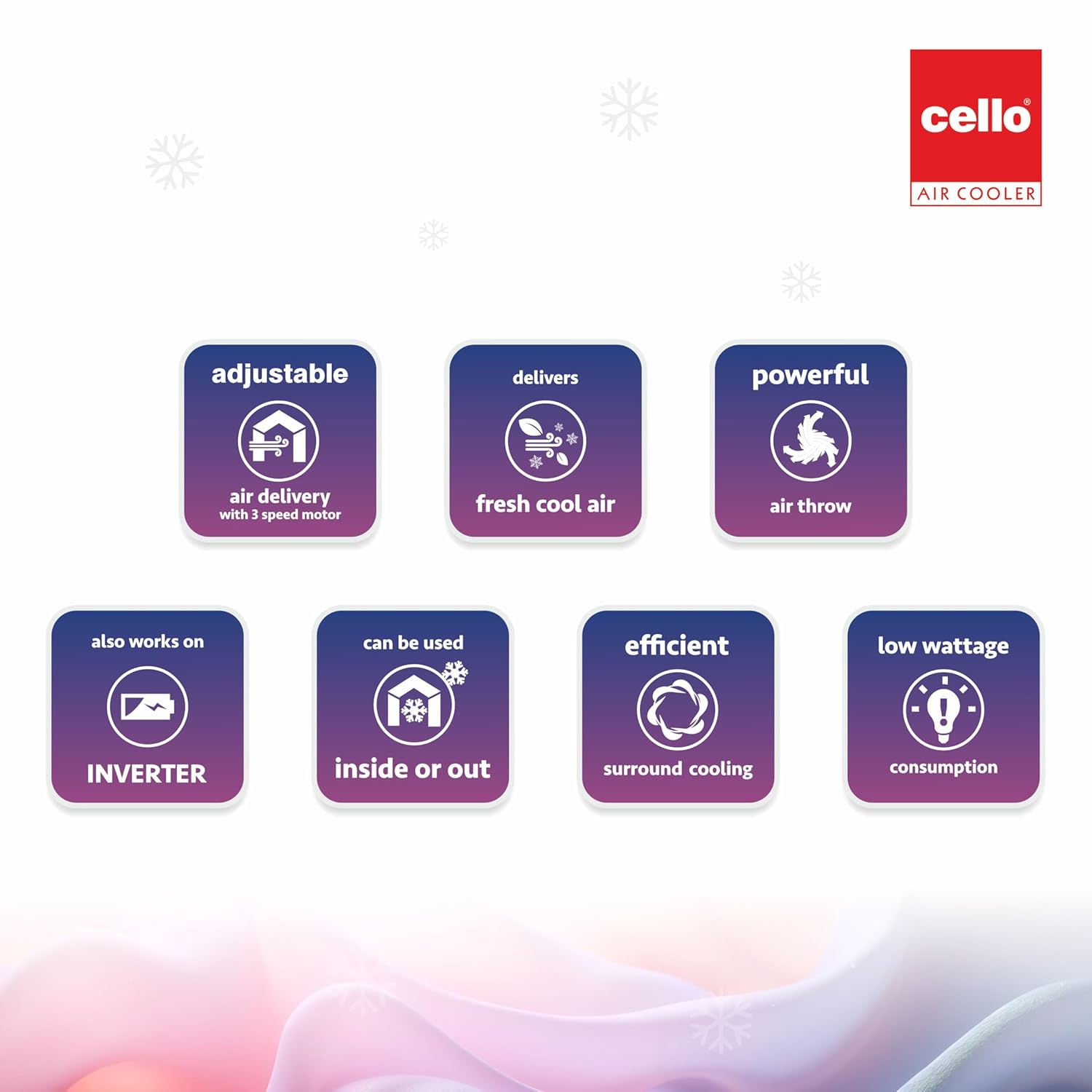
మూర్తి 6.1: Visual representation of key operational aspects such as adjustable air delivery, fresh cool air output, and efficient cooling.
7. నిర్వహణ మరియు సంరక్షణ
క్రమం తప్పకుండా నిర్వహణ మీ ఎయిర్ కూలర్ యొక్క ఉత్తమ పనితీరును మరియు దీర్ఘాయువును నిర్ధారిస్తుంది.
- బాహ్య క్లీనింగ్: బయటి ఉపరితలాలను మృదువైన, d వస్త్రంతో తుడవండి.amp గుడ్డ. రాపిడి క్లీనర్లు లేదా ద్రావకాలు ఉపయోగించవద్దు.
- వాటర్ ట్యాంక్ శుభ్రపరచడం: Drain the water tank regularly (at least once a week) to prevent the buildup of algae, mold, or mineral deposits. Rinse the tank thoroughly with clean water.
- Cleaning Honeycomb Cooling Pads: Periodically remove the cooling pads and rinse them under running water to remove dust and mineral deposits. Ensure they are completely dry before reinserting. Replace pads if they show signs of significant wear or damage.
- ఎయిర్ ఫిల్టర్ శుభ్రపరచడం: Remove the air filter and wash it with mild soap and water. Rinse thoroughly and allow it to dry completely before reattaching.
- నిల్వ: Before storing the air cooler for an extended period, drain all water from the tank, clean all components, and ensure they are dry. Store the unit in a cool, dry place, preferably in its original packaging.
8. ట్రబుల్షూటింగ్
మీ ఎయిర్ కూలర్తో మీరు సమస్యలను ఎదుర్కొంటే, ఈ క్రింది సాధారణ సమస్యలు మరియు పరిష్కారాలను చూడండి:
| సమస్య | సాధ్యమైన కారణం | పరిష్కారం |
|---|---|---|
| Air cooler does not turn on. | No power supply; Power cord not connected; Faulty outlet. | Check if the power cord is securely plugged in. Test the outlet with another appliance. Check your home's circuit breaker. |
| Weak or no cooling effect. | Low water level; Dirty cooling pads; Pump malfunction. | Ensure the water tank is filled to the 'MAX' level. Clean the honeycomb cooling pads. If the pump is not working, contact customer support. |
| బలహీనమైన గాలి ప్రవాహం. | Dirty air filter; Obstruction in air vents. | Clean the air filter. Remove any obstructions from the air inlet or outlet. |
| నీటి లీకేజీ. | Overfilled water tank; Loose drain plug; Damaged tank/hose. | Do not overfill the water tank. Ensure the drain plug is securely closed. Check for cracks or loose connections, especially if using auto-fill. |
| ఆపరేషన్ సమయంలో అసాధారణ శబ్దం. | Unit not on a level surface; Obstruction in fan blades. | Place the air cooler on a flat, stable surface. Turn off and unplug the unit, then check for any foreign objects obstructing the fan. |
9. స్పెసిఫికేషన్లు
| ఫీచర్ | వివరాలు |
|---|---|
| బ్రాండ్ | సెల్లో |
| మోడల్ పేరు | Gem 35L Air Cooler |
| మెటీరియల్ | ప్లాస్టిక్ |
| మౌంటు రకం | అంతస్తు మౌంట్ |
| ప్రత్యేక లక్షణాలు | Adjustable Speed, Auto Fill, Built-In Wheel, Portable, Silent Operation |
| రంగు | తెలుపు |
| నియంత్రణ రకాన్ని | బటన్ |
| రిజర్వాయర్ కెపాసిటీ | 35 లీటర్లు |
| ఫ్లోర్ ఏరియా కవరేజ్ | 235 చదరపు అడుగులు |
| వస్తువు బరువు | 500 గ్రాములు |
| సిఫార్సు చేసిన ఉపయోగాలు | Commercial, Personal |
| వాట్tage | 200 వాట్స్ |
| వేగాల సంఖ్య | 3 |
| వాల్యూమ్tage | 230 వోల్ట్లు |
| కొలతలు (D x W x H) | 48D x 37W x 79H సెంటీమీటర్లు |
| చేర్చబడిన భాగాలు | Air Filter, Cooling Pad, User Manual |
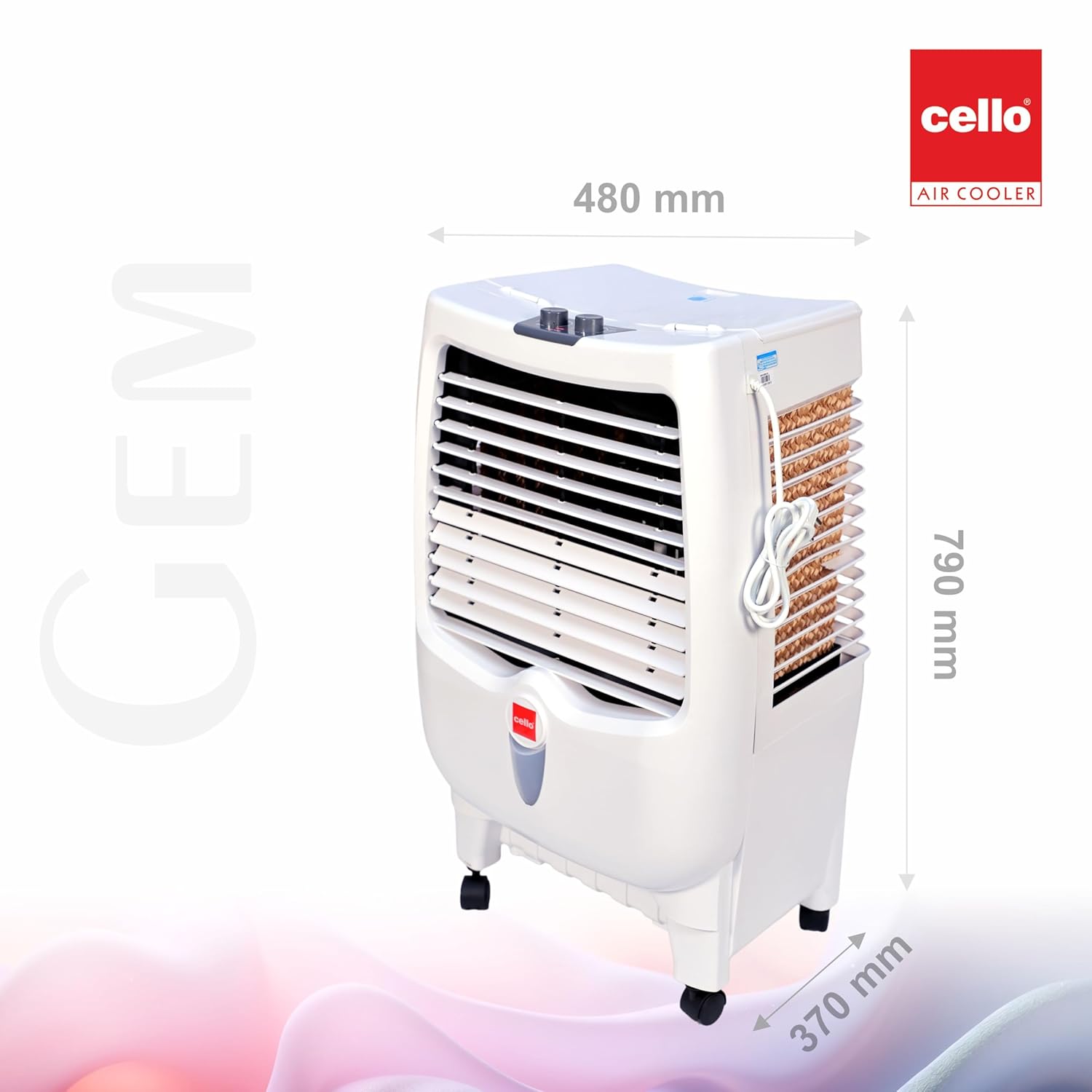
మూర్తి 9.1: Dimensions of the CELLO Gem 35L Air Cooler (Depth: 480mm, Width: 370mm, Height: 790mm).
10. వారంటీ సమాచారం
This product is eligible for a 10-day replacement policy from the date of purchase. For detailed warranty terms and conditions, please refer to your purchase receipt or contact customer support. Extended warranty plans may also be available for purchase separately.
11. కస్టమర్ మద్దతు
For any queries, assistance, or service requests, please contact CELLO customer support:
- ఫోన్: +91-74000 01799, +91-7400423300
- Webసైట్: www.cellocoolers.com
- CELLO Store on Amazon: Visit the CELLO Store