
1. పరిచయం
Welcome to the OPPO K14 5G Smartphone user manual. This guide provides comprehensive instructions to help you set up, operate, and maintain your new device. Please read this manual thoroughly to ensure optimal performance and longevity of your smartphone.
2. ఉత్పత్తి ముగిసిందిview
The OPPO K14 5G is a high-performance smartphone designed for daily use, gaming, and content creation. It features a durable design, a powerful 7000 mAh battery, 6GB RAM, 128GB internal storage, and a SuperCool VC System for efficient thermal management.
2.1 పరికర భాగాలు
- ప్రదర్శన: Large, vibrant screen for immersive viewing.
- వెనుక కెమెరాలు: Dual AI camera system for high-quality photography.
- ముందు కెమెరా: సెల్ఫీలు మరియు వీడియో కాల్స్ కోసం.
- పవర్ బటన్: ప్రక్కన ఉంది, పవర్ ఆన్/ఆఫ్ మరియు స్క్రీన్ లాక్ కోసం ఉపయోగించబడుతుంది.
- వాల్యూమ్ బటన్లు: Located on the side, used to adjust audio levels.
- USB-C పోర్ట్: ఛార్జింగ్ మరియు డేటా బదిలీ కోసం.
- SIM/SD కార్డ్ స్లాట్: SIM కార్డులను చొప్పించడం మరియు విస్తరించదగిన నిల్వ కోసం.
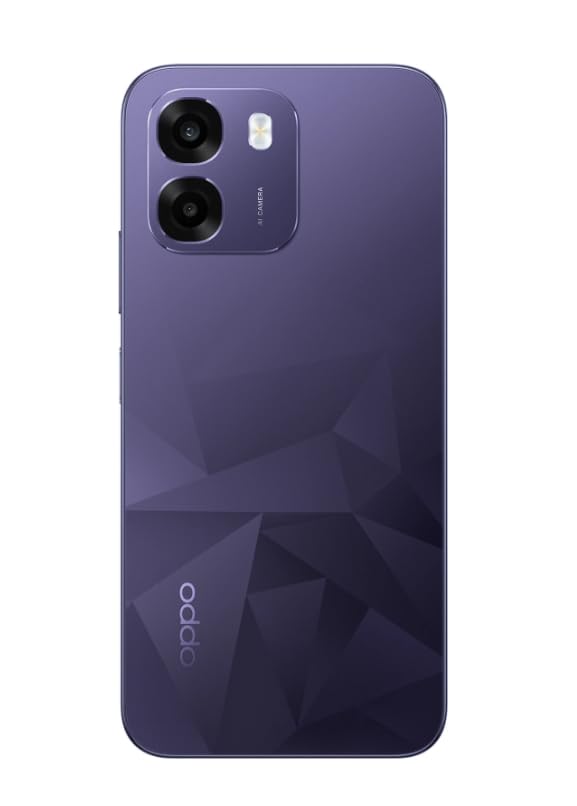
చిత్రం: వెనుక view of the OPPO K14 5G Smartphone, showcasing the dual camera setup and geometric pattern in Prism Violet.
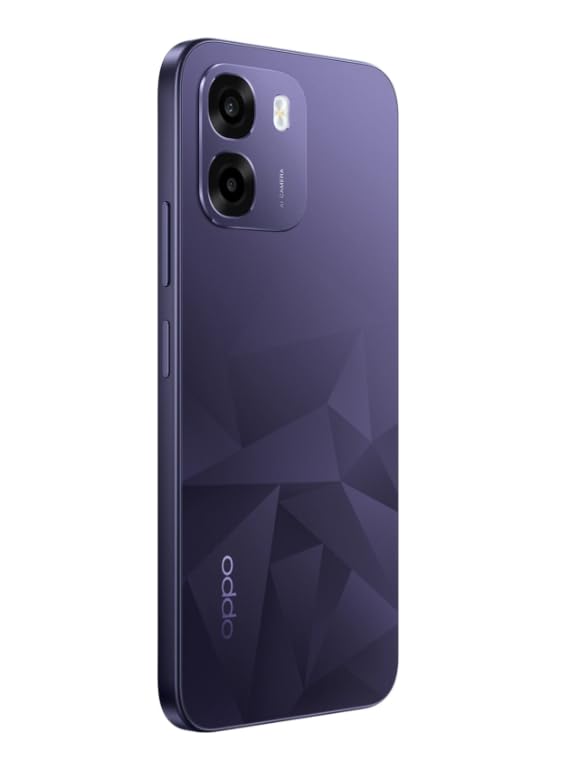
చిత్రం: వైపు view of the OPPO K14 5G Smartphone, highlighting the slim profile మరియు బటన్ ప్లేస్మెంట్.
3. సెటప్
3.1 SIM/SD కార్డ్ చొప్పించడం
- మీ పరికరం వైపున SIM/SD కార్డ్ ట్రేని గుర్తించండి.
- ట్రే పక్కన ఉన్న చిన్న రంధ్రంలోకి సిమ్ ఎజెక్టర్ సాధనాన్ని చొప్పించి, ట్రే బయటకు వచ్చే వరకు సున్నితంగా నెట్టండి.
- మీ నానో-సిమ్ కార్డ్(లు) మరియు/లేదా మైక్రో SD కార్డ్ను ట్రేలో బంగారు కాంటాక్ట్లు క్రిందికి ఉండేలా ఉంచండి. అవి సరిగ్గా అమర్చబడ్డాయని నిర్ధారించుకోండి.
- ట్రేని జాగ్రత్తగా ఫోన్లోకి తిరిగి చొప్పించండి.
3.2 ప్రారంభ పవర్ ఆన్ మరియు సెటప్
- Press and hold the Power button until the OPPO logo appears.
- మీ భాష, ప్రాంతాన్ని ఎంచుకోవడానికి, Wi-Fiకి కనెక్ట్ అవ్వడానికి మరియు మీ Google ఖాతాను సెటప్ చేయడానికి స్క్రీన్పై ఉన్న సూచనలను అనుసరించండి.
- You can transfer data from an old device during this process or skip it for later.
3.3 పరికరాన్ని ఛార్జ్ చేస్తోంది
Before first use, it is recommended to fully charge your OPPO K14 5G. Connect the USB-C cable to the phone's charging port and the other end to a compatible power adapter. The device supports 45W fast charging.
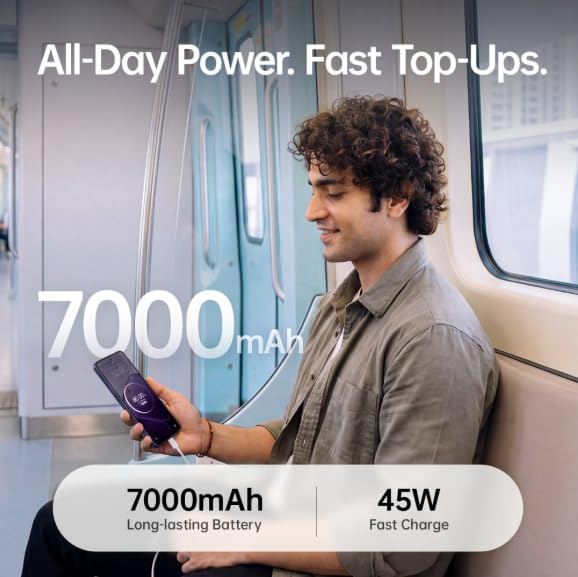
Image: The OPPO K14 5G highlighting its 7000mAh long-lasting battery and 45W fast charge capability.
4. ఆపరేటింగ్ సూచనలు
4.1 ప్రాథమిక నావిగేషన్
- టచ్: Tap to select items, open apps, or confirm actions.
- స్వైప్: స్క్రోల్ చేయడానికి, హోమ్ స్క్రీన్ల మధ్య మారడానికి లేదా యాప్లలో నావిగేట్ చేయడానికి మీ వేలిని స్క్రీన్పైకి తరలించండి.
- చిటికెడు: ఫోటోలను జూమ్ ఇన్ లేదా అవుట్ చేయడానికి రెండు వేళ్లను ఉపయోగించండి మరియు web పేజీలు.
- సంజ్ఞలు: Customize navigation gestures in Settings for a fluid experience. The 120Hz display ensures smooth motion.
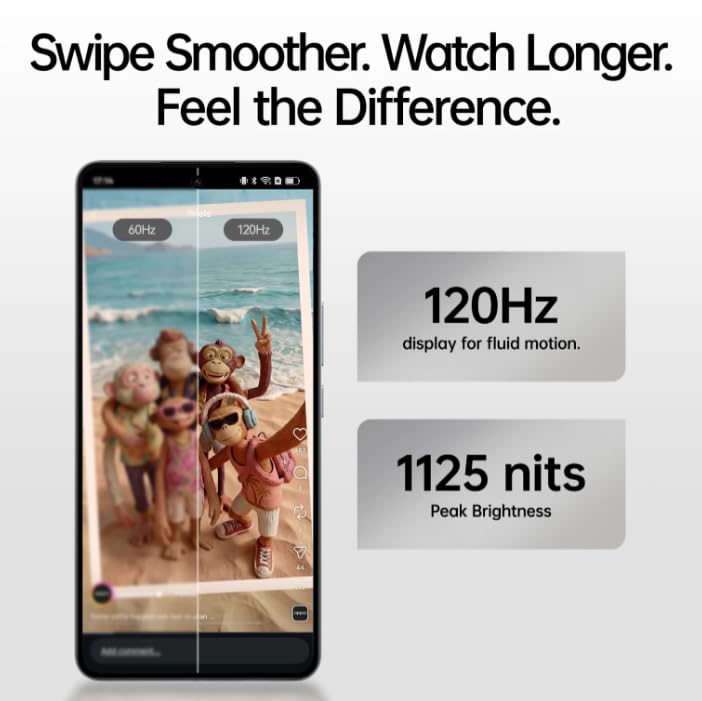
Image: The OPPO K14 5G display showcasing 120Hz for fluid motion and 1125 nits peak brightness.
4.2 కాల్స్ మరియు మెసేజింగ్
- కాల్స్ చేయడం: ఫోన్ యాప్ను తెరిచి, నంబర్ను నమోదు చేసి, కాల్ చిహ్నాన్ని నొక్కండి.
- సందేశాలు పంపడం: Open the Messages app, tap to start a new conversation, enter the recipient and your message.
4.3 నెట్వర్క్ కనెక్టివిటీ
The OPPO K14 5G supports 5G connectivity for fast internet speeds. Ensure your SIM card supports 5G and that you are in a 5G coverage area. You can manage Wi-Fi and mobile data settings in the Settings app.
5. కెమెరా వినియోగం
Your OPPO K14 5G is equipped with a dual AI camera system designed to capture sharp and detailed photos in various conditions. The main camera is 50MP.
5.1 ఫోటోలు మరియు వీడియోలు తీయడం
- కెమెరా యాప్ను తెరవండి.
- మీకు కావలసిన మోడ్ను ఎంచుకోండి (ఫోటో, వీడియో, పోర్ట్రెయిట్, రాత్రి, మొదలైనవి).
- ఫోటో తీయడానికి లేదా వీడియో రికార్డింగ్ ప్రారంభించడానికి/ఆపడానికి షట్టర్ బటన్ను నొక్కండి.
- Use the zoom controls or switch between lenses as needed.
6. బ్యాటరీ నిర్వహణ
The OPPO K14 5G features a large 7000 mAh battery, providing extended usage time. To maximize battery life:
- స్క్రీన్ ప్రకాశాన్ని సర్దుబాటు చేయండి.
- నేపథ్యంలో నడుస్తున్న ఉపయోగించని యాప్లను మూసివేయండి.
- Enable power-saving modes when battery is low.
- తీవ్రమైన ఉష్ణోగ్రతలను నివారించండి.
7. పనితీరు మరియు శీతలీకరణ
The device is engineered for smooth performance with 6GB RAM and is equipped with a SuperCool VC System. This system includes a 3900 mm² vapour chamber cooling area, which effectively dissipates heat during intensive tasks like gaming, ensuring sustained performance without overheating.
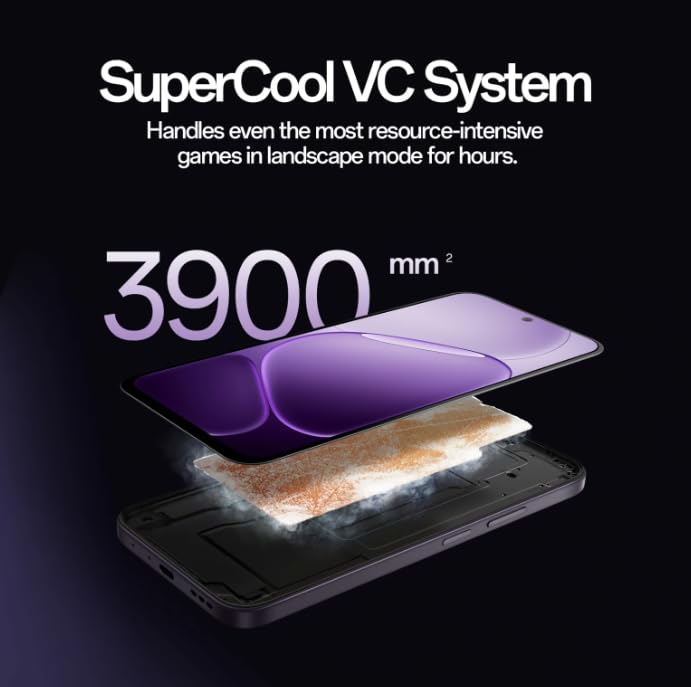
Image: Diagram illustrating the SuperCool VC System with its 3900 mm² vapour chamber, designed to prevent overheating during extended use.
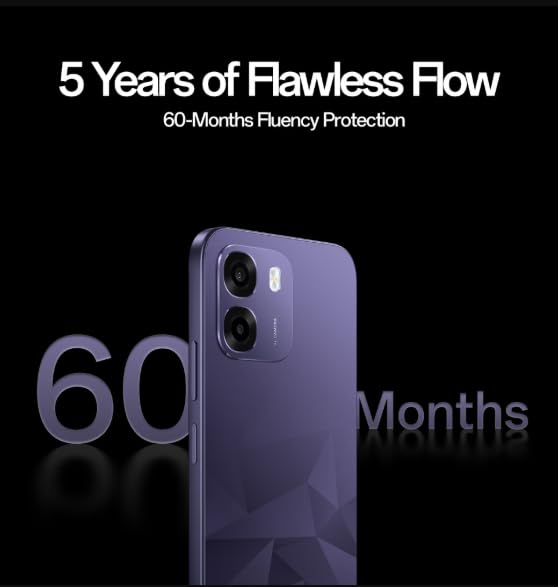
Image: The OPPO K14 5G promoting 60-Months Fluency Protection for long-term smooth performance.
8. నిర్వహణ
8.1 మీ పరికరాన్ని శుభ్రపరచడం
Use a soft, lint-free cloth to clean the screen and body of your phone. Avoid using harsh chemicals or abrasive materials. The device offers IP69 all-weather protection.
8.2 సాఫ్ట్వేర్ నవీకరణలు
Regularly check for and install software updates to ensure your device has the latest features, security patches, and performance improvements. Go to Settings > About device > Software update.
8.3 డేటా బ్యాకప్
Periodically back up your important data (photos, contacts, documents) to a cloud service or a computer to prevent data loss.
9. ట్రబుల్షూటింగ్
If you encounter issues with your OPPO K14 5G, try the following steps:
- పరికరం ఆన్ చేయడం లేదు: బ్యాటరీ ఛార్జ్ అయ్యిందని నిర్ధారించుకోండి. పవర్ ఆన్ చేయడానికి ప్రయత్నించే ముందు కనీసం 15 నిమిషాలు ఛార్జర్కు కనెక్ట్ చేయండి.
- యాప్లు క్రాష్ అవుతున్నాయి/స్తంభింపజేస్తున్నాయి: Close the app and reopen it. If the issue persists, clear the app's cache (Settings > Apps > [App Name] > Storage > Clear cache).
- Network Issues (5G/Wi-Fi): Check if Airplane Mode is off. Restart your phone. For Wi-Fi, try forgetting the network and reconnecting. For 5G, ensure you have coverage and your SIM is active.
- నెమ్మదిగా పనితీరు: Close background apps, clear cache, or restart the device.
- ఫ్యాక్టరీ రీసెట్: As a last resort, if problems persist, you can perform a factory reset (Settings > System settings > Back up and reset > Reset phone). హెచ్చరిక: ఇది మీ ఫోన్లోని మొత్తం డేటాను తొలగిస్తుంది. కొనసాగే ముందు మీ డేటాను బ్యాకప్ చేయండి.
10. స్పెసిఫికేషన్లు
| ఫీచర్ | స్పెసిఫికేషన్ |
|---|---|
| బ్రాండ్ | ఒప్పో |
| మోడల్ | కె14 5జి |
| RAM మెమరీ ఇన్స్టాల్ చేయబడిన పరిమాణం | 6 GB |
| మెమరీ స్టోరేజ్ కెపాసిటీ | 128 GB |
| సెల్యులార్ టెక్నాలజీ | 5G |
| కనెక్టివిటీ టెక్నాలజీ | 5G |
| రంగు | Prism Violet |
| Number of Rear Facing Cameras | 2 |
| బ్యాటరీ కెపాసిటీ | 7000 మిల్లీamp గంటలు |
| ఉత్పత్తి కోసం నిర్దిష్ట ఉపయోగాలు | Gaming, Content Creation |
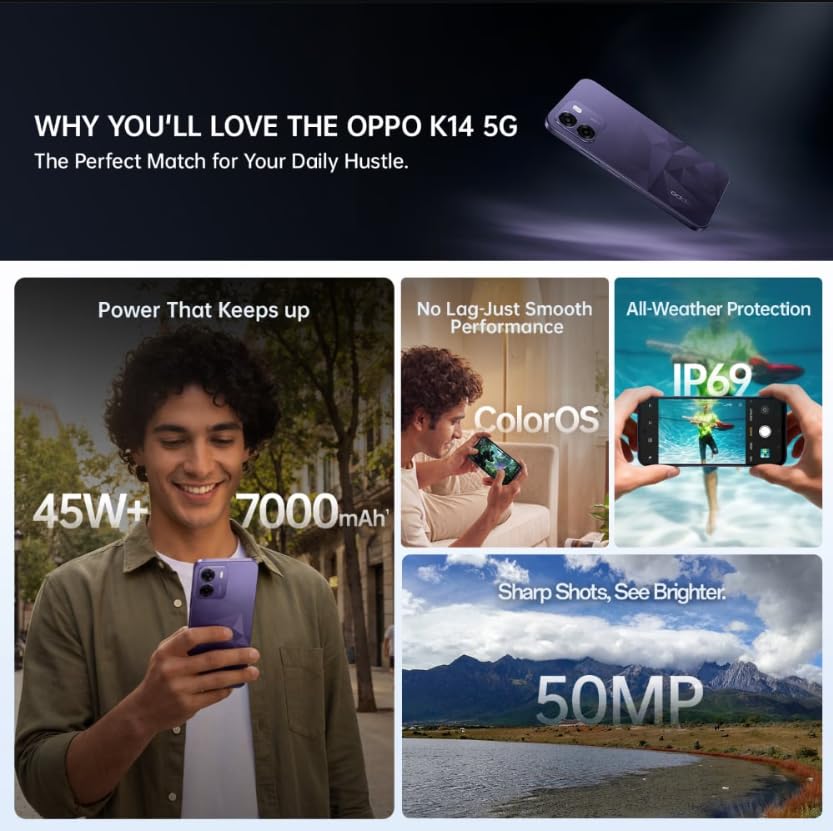
Image: A collage of key features for the OPPO K14 5G, including 7000mAh battery, smooth performance with ColorOS, IP69 all-weather protection, and a 50MP camera.
11. వారంటీ మరియు మద్దతు
Your OPPO K14 5G Smartphone comes with a standard manufacturer's warranty. Please refer to the warranty card included in your product packaging for specific terms and conditions, including coverage duration and service procedures. For technical assistance, troubleshooting beyond this manual, or warranty claims, please contact OPPO customer support through their official webసైట్ లేదా నియమించబడిన సేవా కేంద్రాలు.
Keep your purchase receipt and product packaging for warranty purposes.