
1. పరిచయం
The KAIWEETS KTS02 is a versatile 2-in-1 tool combining a voltage tester and a slotted screwdriver. It is designed for electrical circuit checks, voltage measurement, non-contact voltage detection, live wire identification, continuity testing, and basic screw tightening or loosening. This manual provides essential information for safe and effective use of the device.
ప్యాకేజీ విషయాలు:
- 1 x KAIWEETS KTS02 2-in-1 Voltage Tester Screwdriver
- వినియోగదారు మాన్యువల్
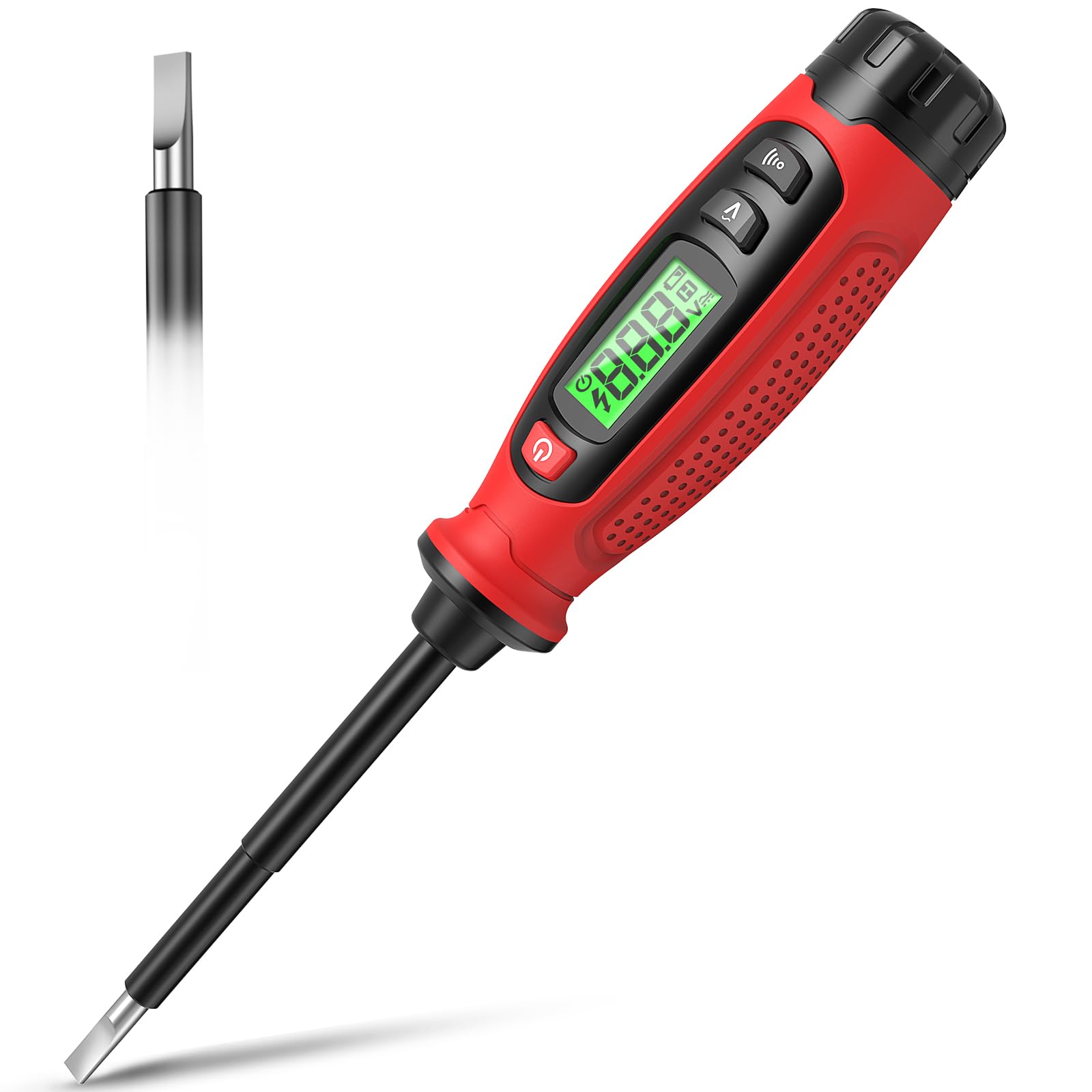
Image 1.1: KAIWEETS KTS02 2-in-1 Voltage Tester Screwdriver.
2. భద్రతా మార్గదర్శకాలు
Always prioritize safety when working with electrical systems. Failure to follow these safety instructions may result in electric shock, fire, or personal injury.
- మాన్యువల్ చదవండి: Thoroughly read and understand all instructions before using the device.
- ఉపయోగం ముందు తనిఖీ చేయండి: Before each use, inspect the device for any damage, cracks, or exposed wiring. Do not use if damaged.
- వాల్యూమ్tagఇ పరిమితులు: వాల్యూమ్ను కొలవడానికి ప్రయత్నించవద్దుtages outside the specified range of 3-500V AC.
- ఇన్సులేషన్: Ensure your hands are dry and you are standing on an insulated surface when testing live circuits.
- వ్యక్తిగత రక్షణ పరికరాలు (PPE): Always wear appropriate PPE, such as safety glasses and insulated gloves, when working with electricity.
- నాన్-కాంటాక్ట్ డిటెక్షన్: నాన్-కాంటాక్ట్ వాల్యూమ్tage detection is a preliminary test. Always verify with direct contact measurement when possible and safe.
- బ్యాటరీ భర్తీ: ఖచ్చితమైన రీడింగ్లను నిర్ధారించడానికి తక్కువ బ్యాటరీ సూచిక కనిపించినప్పుడు వెంటనే బ్యాటరీలను మార్చండి.
- పిల్లలు: ఈ పరికరాన్ని పిల్లలకు అందుబాటులో లేకుండా ఉంచండి.
3. ఉత్పత్తి లక్షణాలు
The KAIWEETS KTS02 offers a range of functionalities for electrical testing and light-duty fastening:
- 2-ఇన్-1 డిజైన్: Combines a voltage tester with a slotted screwdriver, featuring a magnetic tip for convenience.
- AC Contact Voltagఇ కొలత: Directly measures AC voltagఇ 3V నుండి 500V వరకు.
- సంపర్కం కాని సంtage (NCV) గుర్తింపు: సంపుటిని గుర్తిస్తుందిtage presence without direct contact, indicated by an audible buzzer and LCD display.
- Live Wire Identification: Helps distinguish between live and neutral wires.
- కంటిన్యూటీ టెస్ట్: Verifies the continuity of wires, switches, and fuses.
- బ్రేక్ పాయింట్ టెస్ట్: Locates breaks in electrical wires.
- LCD డిస్ప్లే: Provides clear, real-time voltage levels and signal strength readings.
- ఆటో షట్-ఆఫ్: Automatically powers off after 3 minutes of inactivity to conserve battery life.
- తక్కువ బ్యాటరీ సూచిక: Alerts users when batteries need replacement.
- ఇన్సులేటెడ్ బాడీ: Designed with a fully insulated body and non-slip grip for enhanced safety.

చిత్రం 3.1: ముగిసిందిview of KAIWEETS KTS02 features.
4. ప్రారంభించడం
బ్యాటరీ ఇన్స్టాలేషన్:
The KTS02 is powered by AAA batteries (not always included). Ensure correct polarity during installation.
- Locate the battery compartment cap at the end of the handle.
- Twist or slide the cap to open the compartment.
- Insert the required AAA batteries, observing the polarity markings (+/-).
- బ్యాటరీ కంపార్ట్మెంట్ మూతను సురక్షితంగా మూసివేయండి.
5. ఆపరేటింగ్ సూచనలు
5.1 పవర్ ఆన్/ఆఫ్
Press the power button (usually marked with ⑂ ⑂ లు ) to turn the device on or off. The LCD will illuminate upon activation.
5.2 AC Contact Voltagఇ కొలత
This mode allows for direct measurement of AC voltage.
- పరికరం పవర్ ఆన్ చేయబడిందని నిర్ధారించుకోండి.
- Press the AC Contact Test Button (often marked with a 'V' or wave symbol).
- Carefully touch the metal probe tip to the conductor or terminal you wish to test.
- The LCD will display the measured AC voltage. An audible beep may also sound.
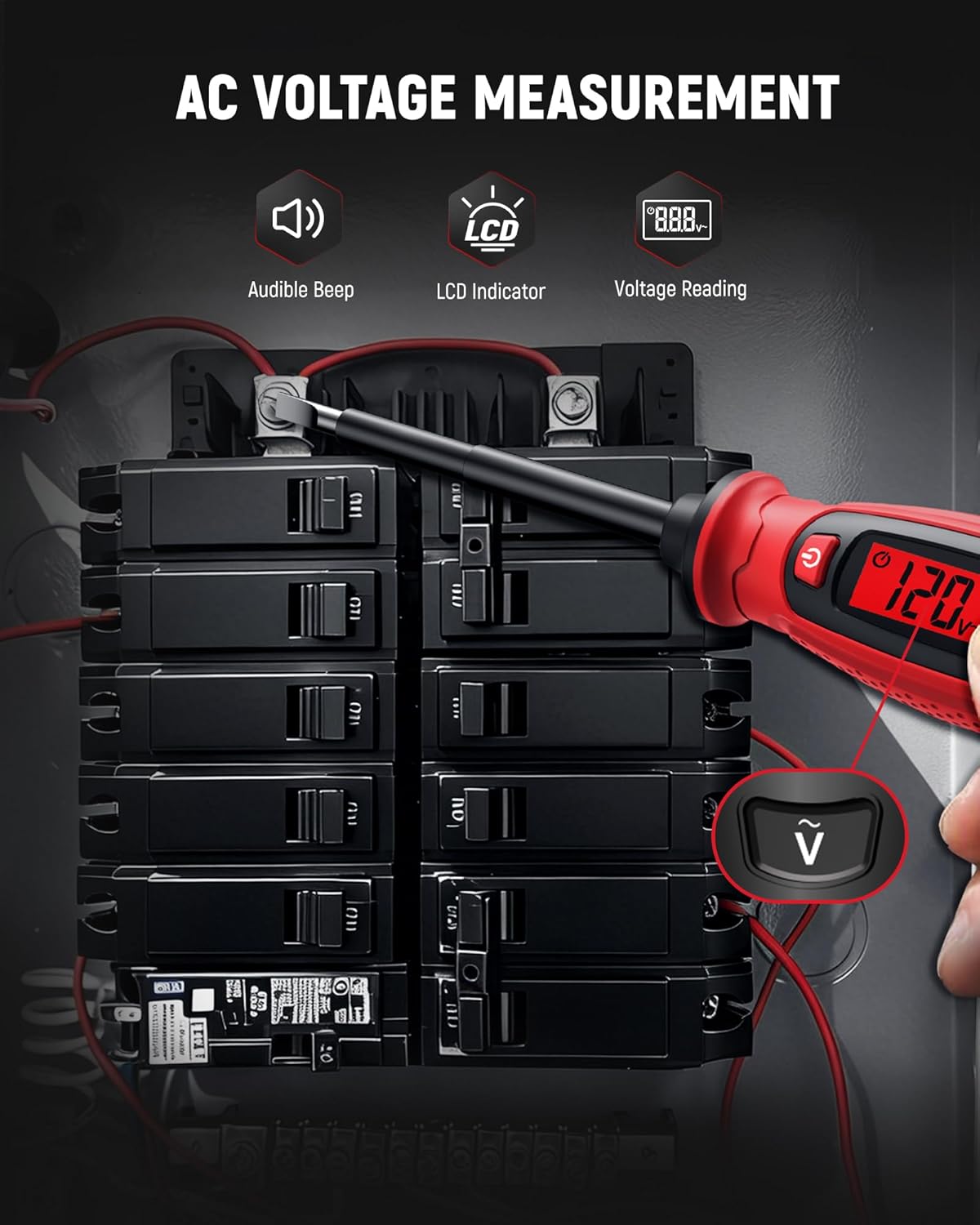
Image 5.1: Measuring AC voltage on a circuit breaker.
5.3 నాన్-కాంటాక్ట్ వాల్యూమ్tagఇ (NCV) గుర్తింపు
Use NCV mode to detect the presence of AC voltage without direct contact, enhancing safety.
- పరికరం పవర్ ఆన్ చేయబడిందని నిర్ధారించుకోండి.
- Bring the tip of the tester close to the wire, outlet, or breaker panel.
- AC వాల్యూమ్ అయితేtage is detected, the LCD will indicate signal strength (e.g., 'HI' for high voltage) and an audible buzzer will sound.

Image 5.2: Non-contact voltage detection near a wall switch.
5.4 Live Wire Identification
This function helps identify live wires in an electrical system.
- In AC Contact Voltage Measurement mode, touch the probe tip to the wire.
- అధిక వాల్యూమ్tage reading or a specific indicator on the LCD (refer to device display for specific symbols) typically signifies a live wire.
- A lower or zero reading indicates a neutral or ground wire.
5.5 కొనసాగింపు పరీక్ష
Test the continuity of circuits, wires, switches, or fuses.
- Ensure the circuit or component is de-energized before testing continuity.
- Press the Continuity Test Button (often marked with a speaker or wave symbol).
- Touch the probe tip to one end of the component and the other end to a reference point (e.g., your finger on the metal cap if applicable, or another part of the circuit).
- A continuous beep and a 'Connected' indication on the LCD signify continuity. No beep or a 'Disconnected' indication means an open circuit.

Image 5.3: Performing a wire continuity test.
5.6 Breakpoint Test
Locate breaks in insulated wires.
- Ensure the wire is connected to a live AC source at one end.
- Use the NCV detection mode.
- Run the tip of the tester along the insulated wire.
- The tester will indicate voltage up to the point of the break. The absence of a signal beyond a certain point indicates a break in the wire.

Image 5.4: Performing a breakpoint test.
5.7 స్క్రూడ్రైవర్ ఫంక్షన్
The integrated slotted screwdriver can be used for light-duty fastening tasks.
- Ensure the electrical circuit is de-energized before using the screwdriver on electrical components.
- Align the slotted tip with the screw head.
- Turn the handle to tighten or loosen the screw.

Image 5.5: Using the integrated screwdriver function.
5.8 అధికారిక ఉత్పత్తి వీడియో
Video 5.1: An official product video demonstrating the KAIWEETS KTS02 2-in-1 Voltage Tester Screwdriver (Slotted) in use, showcasing its various functions.
6. సంరక్షణ మరియు నిర్వహణ
- శుభ్రపరచడం: Wipe the device with a dry, clean cloth. Do not use abrasive cleaners or solvents.
- నిల్వ: పరికరాన్ని చల్లని, పొడి ప్రదేశంలో, ప్రత్యక్ష సూర్యకాంతి మరియు తీవ్రమైన ఉష్ణోగ్రతలకు దూరంగా నిల్వ చేయండి.
- బ్యాటరీ తొలగింపు: పరికరం ఎక్కువ కాలం ఉపయోగించబడకపోతే, లీకేజీని నివారించడానికి బ్యాటరీలను తీసివేయండి.
7. ట్రబుల్షూటింగ్
| సమస్య | సాధ్యమైన కారణం | పరిష్కారం |
|---|---|---|
| పరికరం పవర్ ఆన్ చేయదు. | డెడ్ లేదా తప్పుగా ఇన్స్టాల్ చేయబడిన బ్యాటరీలు. | బ్యాటరీ ధ్రువణతను తనిఖీ చేయండి లేదా కొత్త AAA బ్యాటరీలతో భర్తీ చేయండి. |
| సరికాని వాల్యూమ్tagఇ రీడింగులు. | Low battery, environmental interference, or improper contact. | Replace batteries. Ensure firm contact with the conductor. Avoid strong electromagnetic fields. |
| NCV వాల్యూమ్ను గుర్తించడం లేదుtage. | వాల్యూమ్tage too low, thick insulation, or device malfunction. | వాల్యూమ్ నిర్ధారించుకోండిtage is within detectable range. Try direct contact measurement if safe. |
| Continuity test fails on a known good circuit. | Poor contact or device malfunction. | Ensure firm contact. Test on a known continuous wire to verify device function. |
8. స్పెసిఫికేషన్లు
| పరామితి | విలువ |
|---|---|
| బ్రాండ్ | కైవీట్స్ |
| మోడల్ | KTS02 |
| టైప్ చేయండి | 2-in-1 Voltage Tester Screwdriver (Slotted) |
| AC వాల్యూమ్tagఇ కొలత పరిధి | 3V - 500V AC |
| సంపర్కం కాని సంtagఇ (NCV) | అవును |
| కంటిన్యుటీ టెస్ట్ | అవును |
| లైవ్ వైర్ డిటెక్షన్ | అవును |
| ప్రదర్శించు | LCD |
| శక్తి మూలం | బ్యాటరీ పవర్డ్ (AAA) |
| ఆటో షట్-ఆఫ్ | 3 నిమిషాల |
| తక్కువ బ్యాటరీ సూచిక | అవును |
| రంగు | నలుపు/ఎరుపు |
9. వారంటీ మరియు మద్దతు
The KAIWEETS KTS02 Voltage Tester Screwdriver is backed by a 3 సంవత్సరాల వారంటీ, providing peace of mind for reliable use. For warranty claims, technical support, or any inquiries, please refer to the contact information provided on the product packaging or the official KAIWEETS webసైట్.
Additionally, the product is eligible for a 30-day refund/replacement return policy through Amazon, as per standard terms.