
1. పరిచయం
This manual provides detailed instructions for the setup, operation, and maintenance of your Generic DT-6505 LED Mirror Alarm Clock. Please read this manual thoroughly before using the device to ensure proper function and longevity.
The DT-6505 is a multi-function electronic alarm clock featuring a sleek mirror surface and bright LED digits. It is designed for use on a bedside table, office desk, or for travel.
2. ఉత్పత్తి లక్షణాలు
- LED Mirror Display: Features a reflective mirror surface with clear, bright white LED digits for time display.
- Multi-Function Clock: Displays time and includes alarm and snooze functionalities.
- సర్దుబాటు ప్రకాశం: Customizable LED display intensity to suit various lighting conditions.
- అలారం & తాత్కాలికంగా ఆపివేయడం: Integrated alarm with a snooze feature for convenience.
- కాంపాక్ట్ మరియు పోర్టబుల్: Lightweight design suitable for home, office, or travel.
3. ప్యాకేజీ విషయాలు
ప్యాకేజీని తెరిచిన తర్వాత, అన్ని వస్తువులు ఉన్నాయని మరియు మంచి స్థితిలో ఉన్నాయని ధృవీకరించండి:
- 1 x Generic DT-6505 LED Mirror Alarm Clock
- 1 x యూజర్ మాన్యువల్ (ఈ పత్రం)
- గమనిక: బ్యాటరీలు చేర్చబడలేదు మరియు విడిగా కొనుగోలు చేయాలి.

Image: The DT-6505 LED Mirror Alarm Clock shown alongside its retail packaging, illustrating the product as received.
4. సెటప్
4.1. పవర్ సోర్స్
The DT-6505 clock is battery-powered. It requires 1 AA బ్యాటరీ (not included) for operation.
- గడియారం వెనుక లేదా దిగువన బ్యాటరీ కంపార్ట్మెంట్ను గుర్తించండి.
- బ్యాటరీ కంపార్ట్మెంట్ కవర్ తెరవండి.
- Insert one AA battery, ensuring correct polarity (+ and - terminals).
- బ్యాటరీ కంపార్ట్మెంట్ కవర్ను సురక్షితంగా మూసివేయండి.
The clock display should now illuminate.
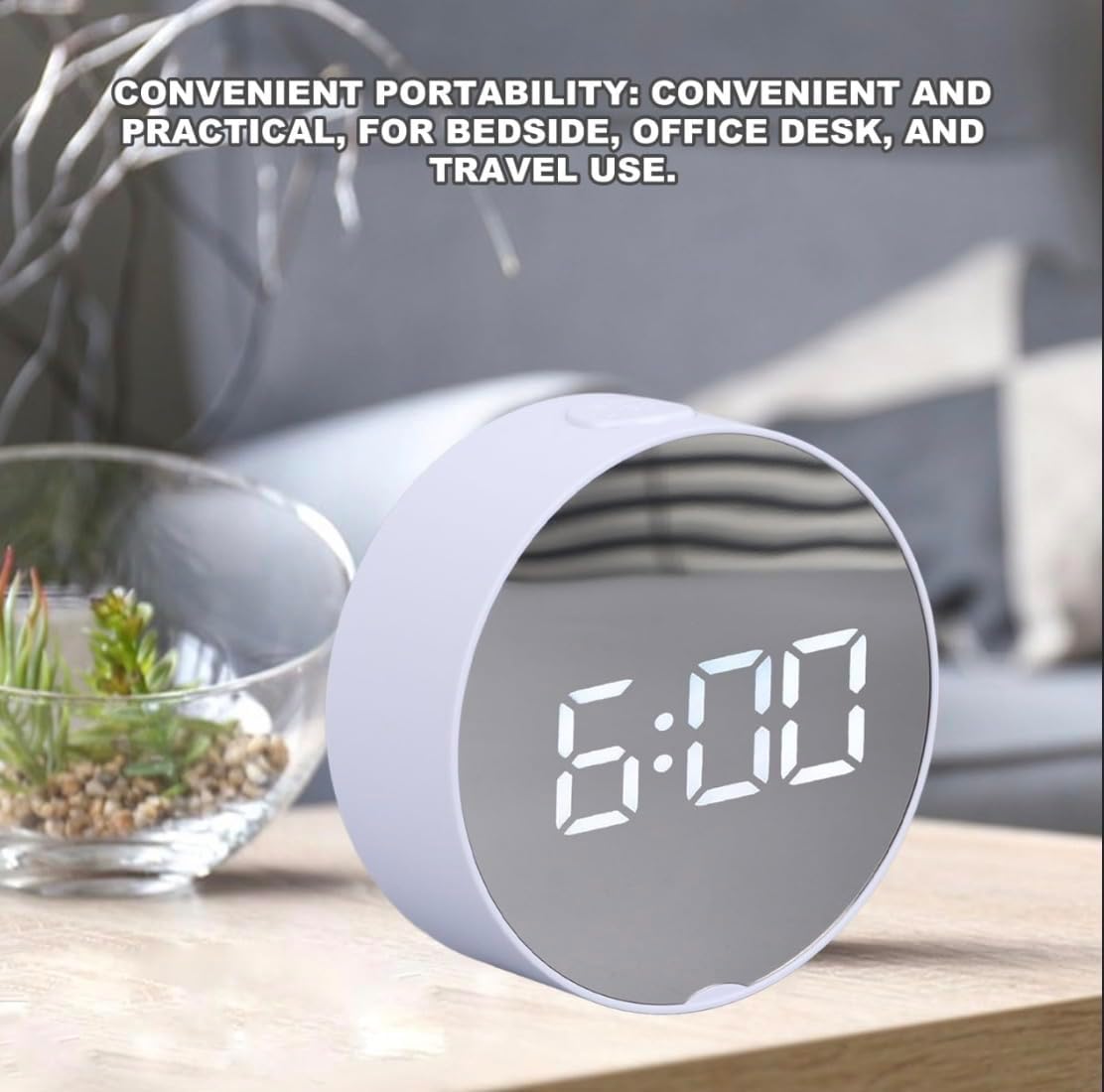
Image: The DT-6505 LED Mirror Alarm Clock displaying the time, positioned on a desk, illustrating its typical use.
5. ఆపరేటింగ్ సూచనలు
The DT-6505 features intuitive controls, typically located on the back or top of the device. Refer to the specific buttons on your clock for exact labeling.
5.1. సమయాన్ని నిర్ణయించడం
- నొక్కండి మరియు పట్టుకోండి "సెట్" or "TIME" గంట అంకెలు ఫ్లాష్ అవ్వడం ప్రారంభించే వరకు బటన్.
- ఉపయోగించండి "UP" or "DOWN" గంటను సర్దుబాటు చేయడానికి బటన్లు.
- నొక్కండి "సెట్" or "TIME" again to move to the minute setting.
- ఉపయోగించండి "UP" or "DOWN" నిమిషాలను సర్దుబాటు చేయడానికి బటన్లు.
- నొక్కండి "సెట్" or "TIME" సమయ సెట్టింగ్ మోడ్ను నిర్ధారించడానికి మరియు నిష్క్రమించడానికి చివరిసారిగా.
5.2. అలారం అమర్చుట
- నొక్కండి మరియు పట్టుకోండి "ALARM" అలారం గంట అంకెలు ఫ్లాష్ అవ్వడం ప్రారంభించే వరకు బటన్.
- ఉపయోగించండి "UP" or "DOWN" అలారం గంటను సర్దుబాటు చేయడానికి బటన్లు.
- నొక్కండి "ALARM" again to move to the alarm minute setting.
- ఉపయోగించండి "UP" or "DOWN" అలారం నిమిషాలను సర్దుబాటు చేయడానికి బటన్లు.
- నొక్కండి "ALARM" one last time to confirm and activate the alarm. An alarm icon (e.g., a bell) may appear on the display.
5.3. స్నూజ్ ఫంక్షన్
అలారం మోగినప్పుడు, నొక్కండి "SNOOZE" button (often a large button on top) to temporarily silence the alarm. The alarm will sound again after a few minutes (typically 5-9 minutes, depending on the model).
అలారం పూర్తిగా ఆఫ్ చేయడానికి, ఏదైనా ఇతర బటన్ను నొక్కండి (ఉదా. "సెట్" or "ALARM") or let it ring for its full duration.
5.4. ప్రకాశం సర్దుబాటు
The DT-6505 features adjustable LED brightness. Look for a "BRIGHTNESS" or "DIMMER" button, or a dedicated button with a light bulb icon. Pressing this button repeatedly will cycle through different brightness levels (e.g., High, Medium, Low, Off).
6. నిర్వహణ
- శుభ్రపరచడం: Use a soft, dry cloth to clean the mirror surface and body of the clock. Avoid abrasive cleaners or solvents, as they may damage the finish.
- బ్యాటరీ భర్తీ: Replace the AA battery when the display dims significantly or stops functioning. Always use a fresh, high-quality AA battery.
- నిల్వ: If storing the clock for an extended period, remove the battery to prevent leakage and potential damage to the device.
- పర్యావరణం: గడియారాన్ని ప్రత్యక్ష సూర్యకాంతి, తీవ్రమైన ఉష్ణోగ్రతలు మరియు అధిక తేమ నుండి దూరంగా ఉంచండి.
7. ట్రబుల్షూటింగ్
| సమస్య | సాధ్యమైన కారణం | పరిష్కారం |
|---|---|---|
| డిస్ప్లే ఖాళీగా లేదా మసకగా ఉంది. | Low or dead battery. Incorrect battery insertion. | Replace the AA battery with a new one. Ensure correct polarity. |
| అలారం మోగడం లేదు. | Alarm not set or deactivated. Volume too low (if applicable). | Verify alarm time and ensure alarm is activated (check for alarm icon). |
| సమయం తప్పు. | సమయం సరిగ్గా సెట్ చేయబడలేదు. | Follow the "Setting the Time" instructions to reset the time. |
| బటన్లు స్పందించడం లేదు. | Temporary software glitch. Low battery. | Remove and reinsert the battery. Replace battery if low. |
8. స్పెసిఫికేషన్లు
- మోడల్: DT-6505
- బ్రాండ్: సాధారణమైనది
- ప్రదర్శన రకం: LED Mirror Display
- రంగు: నీలం (Note: Product title indicates White, but specifications list Blue. Please refer to your specific product for color.)
- శక్తి మూలం: బ్యాటరీ పవర్డ్ (1 x AA బ్యాటరీ, చేర్చబడలేదు)
- అంశం ఆకారం: ఓవల్
- మౌంటు రకం: టాబ్లెట్ టాప్
- వస్తువు బరువు: 300 గ్రాములు
- స్క్రీన్ పరిమాణం: 15 సెం.మీ
- మెటీరియల్స్: ప్లాస్టిక్
- ఇండోర్/అవుట్డోర్ ఉపయోగం: ఇండోర్
- తయారీదారు: GING HONG
9. వారంటీ మరియు మద్దతు
This product comes with a Manufacturer Warranty. For specific details regarding warranty coverage, duration, and claims, please refer to the documentation provided with your purchase or contact the retailer.
For technical support or further assistance, please contact the retailer or manufacturer directly. Keep your purchase receipt as proof of purchase for warranty purposes.