1. పరిచయం
The Extech SDL200 is a versatile four-channel thermometer and data logger designed for precise temperature measurement and recording. It supports six types of thermocouples (J, K, E, T, R, S) and two channels for RTD (Pt100Ohm) probes, allowing for a wide range of applications. This device can display individual channel readings (T1, T2, T3, T4) or differential readings (T1-T2). It features an offset adjustment for relative measurements and can store up to 99 readings manually, with an extensive capacity of 20 million readings via a 2GB SD memory card. All recorded data is time-stamped and saved in an Excel-compatible format for easy transfer and analysis on a PC. The SDL200 also includes user-programmable sampling rates, Min/Max recording, Data Hold, Auto Power Off, and a built-in PC interface.
2. భద్రతా సమాచారం
Please read and understand all safety instructions before operating the Extech SDL200. Failure to follow these instructions may result in injury or damage to the device.
- పరికరం దెబ్బతిన్నట్లు కనిపిస్తే లేదా ఇన్సులేషన్ దెబ్బతిన్నట్లయితే దాన్ని ఆపరేట్ చేయవద్దు.
- Ensure proper probe connection before taking measurements.
- పరికరాన్ని తీవ్రమైన ఉష్ణోగ్రతలు, తేమ లేదా ప్రత్యక్ష సూర్యకాంతికి బహిర్గతం చేయకుండా ఉండండి.
- Use only specified battery types and ensure correct polarity during installation.
- Keep the device clean and dry. Refer to the maintenance section for cleaning instructions.
- పరికరాన్ని రిపేర్ చేయడానికి లేదా సవరించడానికి ప్రయత్నించవద్దు. అన్ని సర్వీసింగ్లను అర్హత కలిగిన సిబ్బందికి సూచించండి.
3. ప్యాకేజీ విషయాలు
అన్ప్యాక్ చేసేటప్పుడు అన్ని వస్తువులు ఉన్నాయని నిర్ధారించుకోండి:
- Extech SDL200 Four-Channel Thermometer SD Logger unit
- 6 AA బ్యాటరీలు
- Four general purpose Type K bead wire temperature probes
- SD memory card (2GB)
- హార్డ్ క్యారీయింగ్ కేసు

మూర్తి 3.1: Extech SDL200 unit with four Type K thermocouple probes inserted into the top ports. The display shows temperature readings for T1, T2, T3, and T4.

మూర్తి 3.2: The retail packaging box for the Extech SDL200, displaying the brand logo, model name, and UPC code (0793950432105).
4. ఉత్పత్తి ముగిసిందిview
The SDL200 features a clear digital display and intuitive button layout for easy operation. The top of the device includes four input ports for thermocouple probes. The side of the device houses connectivity ports for power and PC interface, along with RTD probe inputs.

మూర్తి 4.1: వైపు view of the Extech SDL200, illustrating the DC 9V power input, RS232 serial port for PC connection, and two RTD (PT100Ohm) probe input ports labeled PT1 and PT2, protected by a rubber flap.

మూర్తి 4.2: A set of four yellow Type K bead wire temperature probes with standard mini-connectors, alongside a larger clamp-style temperature probe, demonstrating the variety of probes that can be used with the device.
5. సెటప్
5.1. బ్యాటరీ ఇన్స్టాలేషన్
- పరికరం వెనుక భాగంలో బ్యాటరీ కంపార్ట్మెంట్ కవర్ను తెరవండి.
- Insert six (6) AA batteries, ensuring correct polarity as indicated inside the compartment.
- బ్యాటరీ కంపార్ట్మెంట్ కవర్ను సురక్షితంగా మూసివేయండి.
5.2. ప్రోబ్ కనెక్షన్
- For thermocouple probes (Type J, K, E, T, R, S), connect them to the four input jacks located at the top of the meter. Ensure the correct thermocouple type is selected in the device settings if applicable.
- For RTD (Pt100Ohm) probes, connect them to the PT1 and PT2 ports on the side of the device (refer to Figure 4.1).
5.3. SD కార్డ్ చొప్పించడం
- Locate the SD card slot, typically on the side or bottom of the device.
- Insert the provided 2GB SD memory card into the slot until it clicks into place.
- తీసివేయడానికి, కార్డు బయటకు వచ్చే వరకు సున్నితంగా లోపలికి నెట్టండి.
6. ఆపరేటింగ్ సూచనలు
6.1. పవర్ ఆన్/ఆఫ్
నొక్కండి శక్తి పరికరాన్ని ఆన్ లేదా ఆఫ్ చేయడానికి బటన్.
6.2. Basic Temperature Measurement
- Connect the desired temperature probes.
- Power on the device. The display will show real-time temperature readings for the connected channels (T1, T2, T3, T4).
- నొక్కండి T1-T2 button to switch between individual channel display and differential temperature (T1-T2) display.
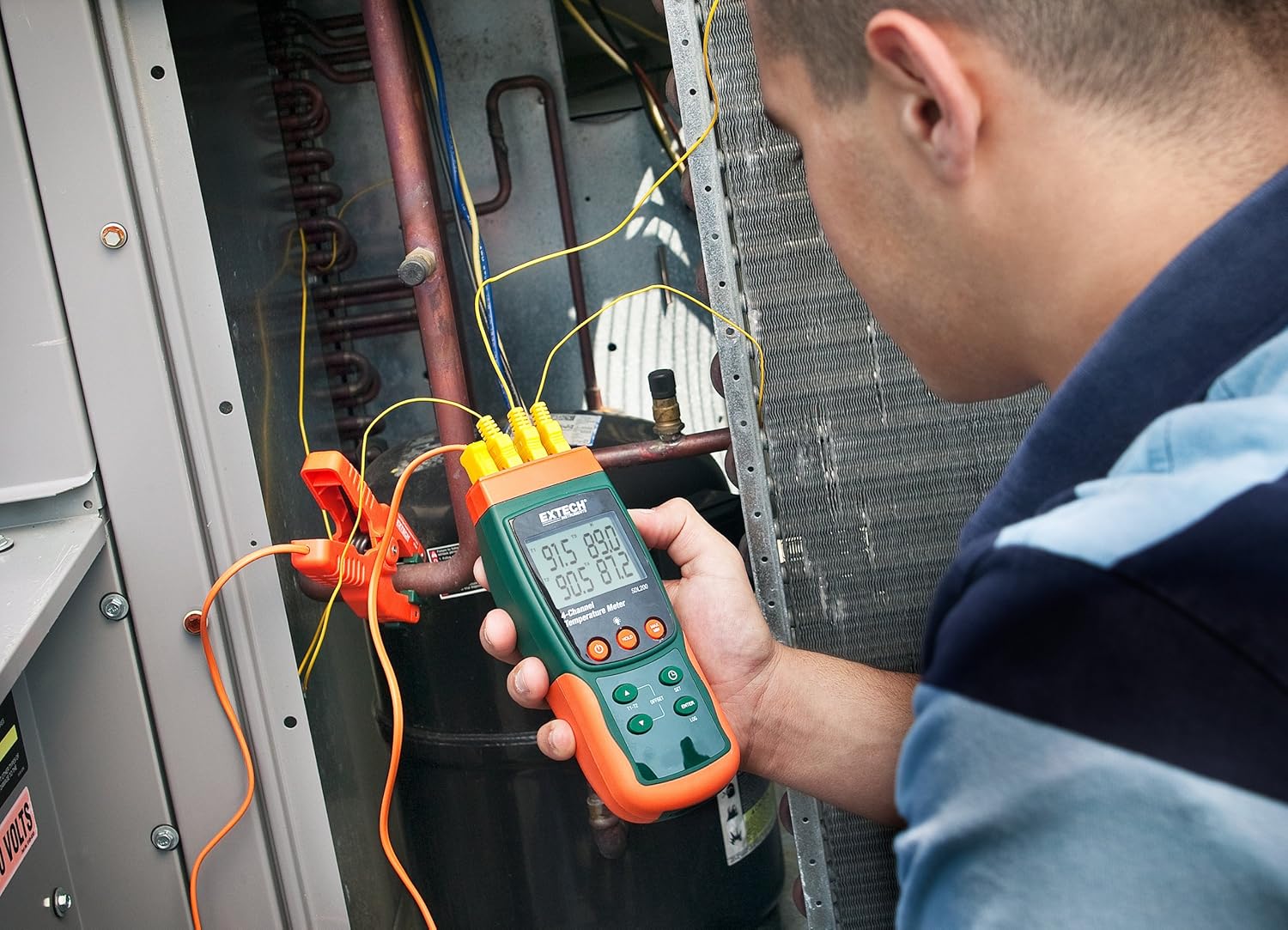
మూర్తి 6.1: A technician utilizing the Extech SDL200 to monitor multiple temperature points on an HVAC system, demonstrating its application in industrial and scientific settings.
6.3. డేటా లాగింగ్
The SDL200 can record temperature data to the SD card with a real date and time stamp.
- సెట్ Sampలింగ్ రేటు: ఉపయోగించండి సెట్ button to access settings and adjust the sampలింగ్ రేటు (1 నుండి 3600 సెకన్లు).
- లాగింగ్ ప్రారంభించండి: నొక్కండి లాగ్ button to begin recording data to the SD card. A logging indicator will appear on the display.
- లాగింగ్ ఆపివేయి: నొక్కండి లాగ్ button again to stop data recording.
- డేటా బదిలీ: Remove the SD card and insert it into a computer to access the data, which is saved in Excel (.xls) format.
6.4. Min/Max and Data Hold
- కనిష్ట/గరిష్టం: నొక్కండి గరిష్టం/నిమి button to display the maximum or minimum recorded temperature since the function was activated. Press again to cycle through Max, Min, and current readings.
- డేటా హోల్డ్: నొక్కండి పట్టుకోండి button to freeze the current readings on the display. Press again to release.
6.5. Offset Adjustment
ఉపయోగించండి ఆఫ్సెట్ button to perform a zero function for relative measurements. Consult the full manual for detailed calibration procedures.
6.6. ఆటో పవర్ ఆఫ్
The device features an Auto Power Off function to conserve battery life. This can typically be disabled or adjusted in the settings menu if continuous operation is required.
6.7. PC Interface
The built-in RS232 PC interface allows for real-time data streaming and advanced control using compatible software (sold separately or available for download from Extech's website). Connect the device to your PC using an appropriate RS232 cable.
7. నిర్వహణ
7.1. శుభ్రపరచడం
పరికరాన్ని మృదువైన, d వస్త్రంతో శుభ్రంగా తుడవండి.amp cloth. Do not use abrasive cleaners or solvents. Ensure the device is dry before storage or further use.
7.2. బ్యాటరీ భర్తీ
డిస్ప్లేలో తక్కువ బ్యాటరీ సూచిక కనిపించినప్పుడు బ్యాటరీలను మార్చండి. బ్యాటరీ ఇన్స్టాలేషన్ సూచనల కోసం విభాగం 5.1 చూడండి.
7.3. నిల్వ
When not in use for extended periods, remove the batteries and store the device in its hard carrying case in a cool, dry place.
8. ట్రబుల్షూటింగ్
- పరికరం పవర్ ఆన్ చేయదు: బ్యాటరీ ఇన్స్టాలేషన్ను తనిఖీ చేయండి మరియు బ్యాటరీలు ఖాళీ కాలేదని నిర్ధారించుకోండి. అవసరమైతే భర్తీ చేయండి.
- తప్పు ఉష్ణోగ్రత రీడింగ్లు: Verify probe connections are secure and that the correct probe type is selected (if applicable). Ensure probes are not damaged.
- Data logging not working: Check if the SD card is properly inserted and has sufficient free space. Ensure the logging function is activated.
- PC connection issues: Verify the RS232 cable connection and ensure the correct drivers and software are installed on your PC.
9. స్పెసిఫికేషన్లు
| ఫీచర్ | స్పెసిఫికేషన్ |
|---|---|
| బ్రాండ్ | Extech |
| మోడల్ పేరు | SDL200 |
| ప్రత్యేక ఫీచర్ | 4-Channel Datalogging |
| ప్రదర్శన రకం | డిజిటల్ |
| కనెక్టివిటీ టెక్నాలజీ | USB (via RS232 interface) |
| శక్తి మూలం | బ్యాటరీ పవర్డ్ (6 AA బ్యాటరీలు ఉన్నాయి) |
| ఎగువ ఉష్ణోగ్రత రేటింగ్ | 2732 డిగ్రీల ఫారెన్హీట్ |
| ప్రతిస్పందన సమయం | 1 సెకను |
| Datalogging Capacity | 20M readings via 2G memory card |
| Sampలింగ్ రేటు | 1 to 3600 seconds (user programmable) |
| థర్మోకపుల్ రకాలు | J, K, E, T, R, S (4-channel) |
| RTD ప్రోబ్స్ | Pt100Ohm (2-channel) |
| చేర్చబడిన భాగాలు | Batteries, Bead wire temperature probes, memory card, case |
| వస్తువు బరువు | 1.1 పౌండ్లు |
| అంశం పొడవు | 7.2 అంగుళాలు |
| బాహ్య పదార్థం | పాలికార్బోనేట్ (PC) |
| స్పెసిఫికేషన్ మెట్ | CE |
10. వారంటీ మరియు మద్దతు
Extech products are designed for reliability and performance. For warranty information, technical support, or service inquiries, please refer to the official Extech webసైట్లో లేదా వారి కస్టమర్ సర్వీస్ విభాగాన్ని సంప్రదించండి. వారంటీ క్లెయిమ్ల కోసం కొనుగోలు రుజువుగా మీ కొనుగోలు రసీదును ఉంచండి.
అదనపు వనరుల కోసం, సందర్శించండి అమెజాన్లో ఎక్స్టెక్ స్టోర్.


