1. పరిచయం
The Blue Microphones Yeti Silver USB Microphone is a premium device designed to deliver clear, powerful, broadcast-quality sound for a variety of applications including music, podcasts, Twitch streaming, YouTube videos, and Zoom calls. Its versatile design and advanced features make it an excellent choice for content creators seeking professional audio performance.
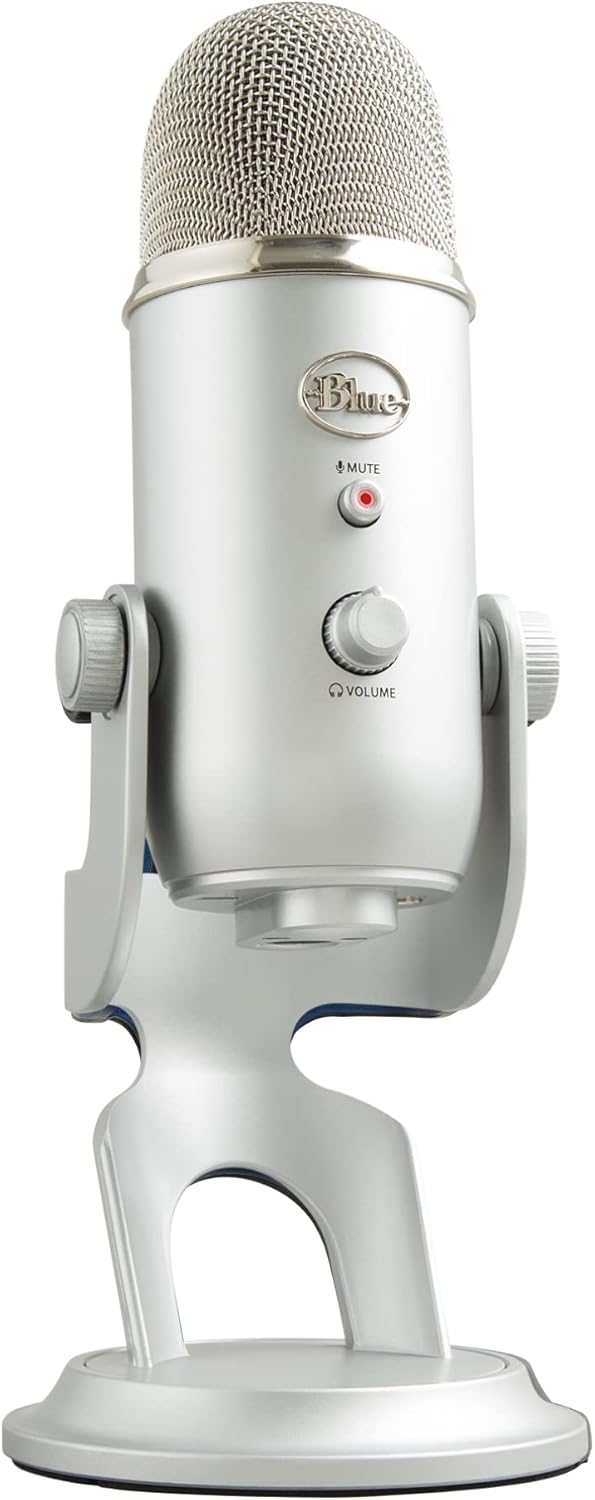
Figure 1: Blue Yeti Silver USB Microphone
2. పెట్టెలో ఏముంది
Your Blue Yeti USB Microphone package includes the following components:
- Yeti USB microphone with integrated desktop stand
- USB కేబుల్

మూర్తి 2: ప్యాకేజీ కంటెంట్లు
3 ఫీచర్లు
The Blue Yeti microphone is equipped with several features to enhance your audio recording and streaming experience:
- Custom Three-Capsule Array: Produces clear, powerful, broadcast-quality sound.
- Blue VO!CE Software: Elevate your streams and recordings with broadcast vocal sound, enhanced effects, advanced modulation, and HD audio sampలెస్.
- Four Pickup Patterns: Offers incredible flexibility for various recording scenarios.
- ఆన్బోర్డ్ ఆడియో నియంత్రణలు: Headphone volume, pattern selection, instant mute, and mic gain controls are directly on the microphone.
- Positionable Design: Adjustable desktop stand allows you to pivot the mic for optimal sound quality.
- నో-లేటెన్సీ మానిటరింగ్: Monitor your voice in real-time through the headphone output.

Figure 3: Legendary Blue Broadcast Sound

Figure 4: Blue VO!CE Broadcast Effects

Figure 5: Yeti Microphone Features
4. సెటప్
Setting up your Blue Yeti microphone is a simple plug-and-play process:
- Place the Yeti microphone on a stable surface using its integrated desktop stand. You can also connect it to a compatible mic stand or boom arm.
- Connect the included USB cable from the Yeti microphone to an available USB port on your computer (PC or Mac).
- Your computer should automatically recognize the microphone. For full functionality and access to Blue VO!CE effects, download and install the Logitech G HUB software from the official Logitech for Creators webసైట్.

Figure 6: Initial Setup
5. ఆపరేటింగ్ సూచనలు
5.1. Pickup Patterns
The Yeti features four distinct pickup patterns, allowing you to optimize your recording for different scenarios:
- కార్డియోయిడ్: Captures sound directly in front of the microphone, ideal for podcasts, vocals, and streaming.
- ఓమ్నిడైరెక్షనల్: Picks up sound equally from all directions, suitable for conference calls or recording multiple voices around a table.
- ద్వైయాంశిక: Records from both the front and rear of the microphone, perfect for two-person interviews.
- స్టీరియో: Uses both left and right channels to capture a wide, realistic sound image, great for musical instruments or immersive recordings.

Figure 7: Four Pickup Patterns
5.2. ఆన్బోర్డ్ నియంత్రణలు
The Yeti microphone provides convenient controls directly on its body:
- మైక్రోఫోన్ లాభం: Adjusts the microphone's sensitivity. Turn clockwise to increase gain, counter-clockwise to decrease.
- నమూనా ఎంపిక సాధనం: A knob to switch between the four pickup patterns.
- హెడ్ఫోన్ వాల్యూమ్: Controls the volume of the headphone output for monitoring.
- మ్యూట్ బటన్: Press to instantly mute or unmute the microphone. The LED indicator will change color when muted.

Figure 8: Mic Mute & Headphone Volume
6. అనుకూలత
The Blue Yeti USB Microphone is compatible with a wide range of devices and platforms, making it versatile for various uses:
- ఆపరేటింగ్ సిస్టమ్స్: PC (Windows), Mac (macOS).
- వేదికలు: YouTube, Twitch, Skype, Zoom, Soundcloud, and other recording/streaming applications.

చిత్రం 9: ప్లాట్ఫామ్ అనుకూలత
7. నిర్వహణ
To ensure the longevity and optimal performance of your Blue Yeti microphone, follow these general maintenance guidelines:
- Keep the microphone clean by wiping it with a soft, dry cloth. Avoid using harsh chemicals or abrasive materials.
- మైక్రోఫోన్ను ప్రత్యక్ష సూర్యకాంతి మరియు తీవ్రమైన ఉష్ణోగ్రతలకు దూరంగా చల్లని, పొడి ప్రదేశంలో నిల్వ చేయండి.
- మైక్రోఫోన్ను పడవేయడం లేదా బలమైన ప్రభావాలకు గురిచేయడం మానుకోండి, ఎందుకంటే ఇది అంతర్గత భాగాలను దెబ్బతీస్తుంది.
- Handle the USB cable carefully to prevent kinks or damage to the connectors.
8. ట్రబుల్షూటింగ్
If you encounter issues with your Blue Yeti microphone, consider the following common solutions:
| సమస్య | సాధ్యమైన కారణం | పరిష్కారం |
|---|---|---|
| ధ్వని లేదా తక్కువ వాల్యూమ్ లేదు | Incorrect input/output settings, low gain, muted microphone, loose cable connection. | Check your computer's sound settings to ensure Yeti is selected as the input device. Adjust the microphone gain and headphone volume knobs. Ensure the mute button is not active. Reconnect the USB cable securely. |
| Distorted or muffled audio | Too high gain, incorrect pickup pattern, microphone too close/far from source. | Reduce the microphone gain. Select the appropriate pickup pattern for your environment. Adjust microphone distance from the sound source (typically 6-12 inches). |
| కంప్యూటర్ ద్వారా మైక్రోఫోన్ గుర్తించబడలేదు. | Driver issue, faulty USB port/cable, software conflict. | Try a different USB port or cable. Restart your computer. Reinstall Logitech G HUB software. Check for driver updates. |
9. స్పెసిఫికేషన్లు
| స్పెసిఫికేషన్ | విలువ |
|---|---|
| మోడల్ సంఖ్య | 988-000103 |
| కనెక్టివిటీ టెక్నాలజీ | USB |
| ధ్రువ నమూనా | Multipattern (Cardioid, Omnidirectional, Bidirectional, Stereo) |
| ఫ్రీక్వెన్సీ రేంజ్ | 20 హెర్ట్జ్ - 20 కిలోహెర్ట్జ్ |
| Sampలే రేటు | 48 kHz |
| బిట్ లోతు | 16-బిట్ |
| వస్తువు బరువు | 3.2 పౌండ్లు |
| కొలతలు (L x W x H) | 4.9 x 4.7 x 11.6 అంగుళాలు |
| మెటీరియల్ | మెటల్ |
| అనుకూల పరికరాలు | PC, Mac, Ampజీవితకాలం, హెడ్ఫోన్ |

చిత్రం 10: ఉత్పత్తి కొలతలు
10. వారంటీ & సపోర్ట్
For detailed warranty information and customer support, please refer to the following resources:
- యూజర్ గైడ్ (PDF): ఇక్కడ డౌన్లోడ్ చేసుకోండి
- యూజర్ మాన్యువల్ (PDF): ఇక్కడ డౌన్లోడ్ చేసుకోండి
- Visit the official Logitech for Creators website for the latest support, FAQs, and software downloads: Logitech for Creators Store


