పరిచయం
This user manual provides detailed instructions for the operation, setup, maintenance, and troubleshooting of your Soundmaster UR 2006 Portable Radio. Please read this manual thoroughly before using the device to ensure proper functionality and to maximize your listening experience.
ఉత్పత్తి ముగిసిందిview
The Soundmaster UR 2006 is a versatile portable radio designed for convenience and quality audio. Its compact design and advanced features make it an ideal addition to any kitchen or living space.
ముఖ్య లక్షణాలు:
- FM PLL Radio with 30 preset stations.
- LCD clock with radio reception.
- Fully automatic time setting via DCF-77 radio signal.
- Power reserve for inserted batteries (1 x CR2032, to be ordered separately).
- Exclusive aluminum front panel.
- Blue backlit LCD display.
- Bass support for enhanced audio.
- Electronic volume control.
- Alarm function with radio or buzzer.
- Two alarm time settings.
- 120 నిమిషాల టైమర్.
- పోర్టబుల్ డిజైన్.
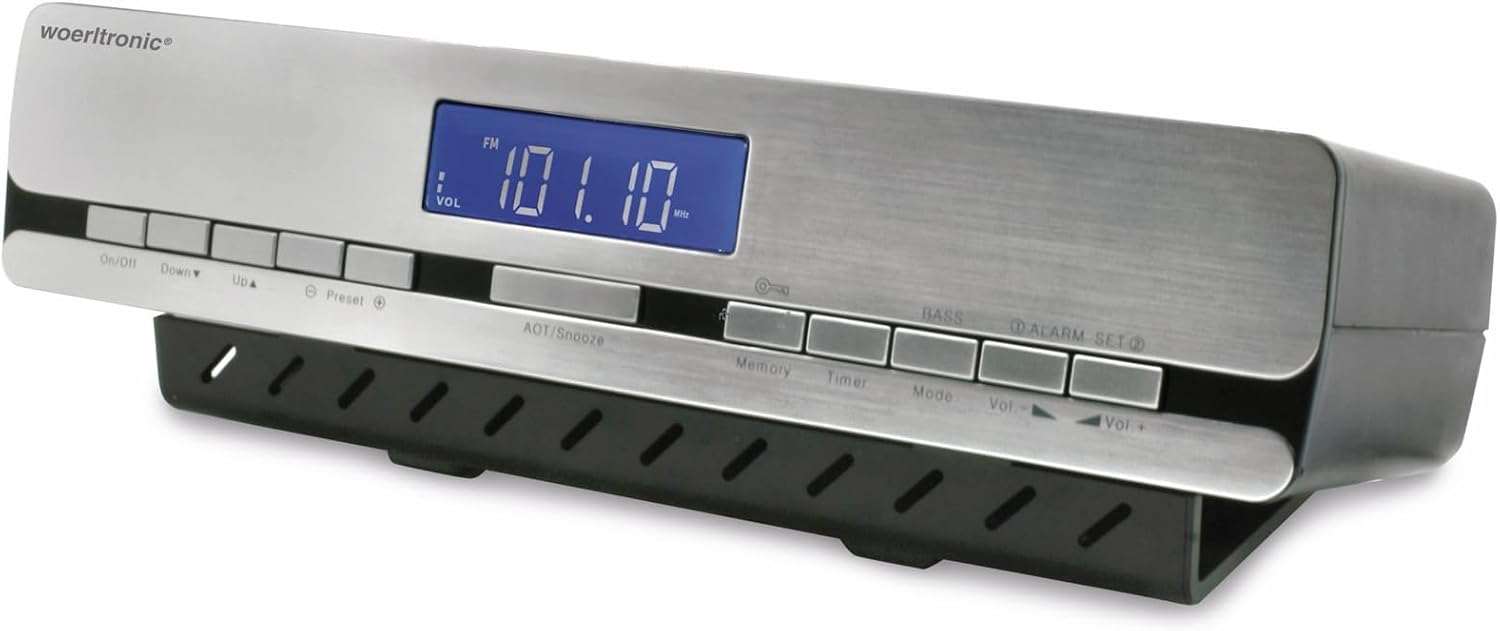
మూర్తి 1: ముందు view of the Soundmaster UR 2006 Portable Radio, displaying the frequency and controls.
సెటప్
1. అన్ప్యాకింగ్ మరియు ప్రారంభ తనిఖీ
Carefully remove the radio from its packaging. Inspect the unit for any signs of damage. The package should contain the Soundmaster UR 2006 radio unit.
2. పవర్ కనెక్షన్
Connect the radio to a standard AC power outlet using the provided power adapter. The radio also supports battery backup for time retention (requires 1 x CR2032 battery, not included).
3. Battery Installation (for time backup)
- Locate the battery compartment, usually on the bottom or rear of the unit.
- కంపార్ట్మెంట్ కవర్ తెరవండి.
- Insert one CR2032 battery, ensuring correct polarity (+/-).
- బ్యాటరీ కంపార్ట్మెంట్ కవర్ను సురక్షితంగా మూసివేయండి.
4. ప్లేస్మెంట్ మరియు మౌంటు
The Soundmaster UR 2006 is designed as a portable or under-cabinet radio. For optimal radio reception, place the unit away from large metal objects or other electronic devices that may cause interference. If mounting under a cabinet:
- Identify a suitable flat surface under a cabinet.
- Use appropriate screws and mounting brackets (not explicitly mentioned as included, but implied by "Unterbauradio" and review comments about mounting) to secure the radio. Ensure the mounting is stable and safe.
- Avoid placing near heat sources or in areas with excessive moisture.
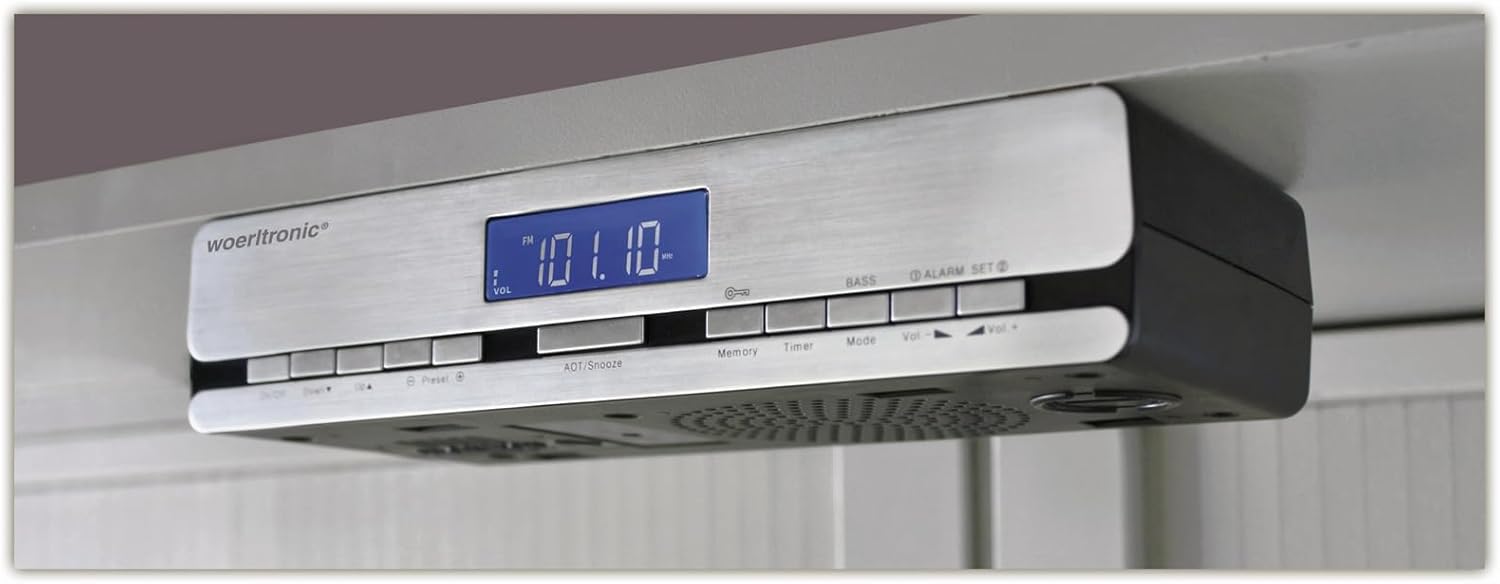
Figure 2: The Soundmaster UR 2006 Portable Radio shown mounted under a kitchen cabinet.
ఆపరేటింగ్ సూచనలు
1. పవర్ ఆన్/ఆఫ్
నొక్కండి ఆన్/ఆఫ్ రేడియోను ఆన్ లేదా ఆఫ్ చేయడానికి బటన్.
2. Radio Tuning (FM/AM/PLL)
The radio supports FM, AM, and PLL bands. Use the మోడ్ button to switch between radio bands. Use the Up మరియు క్రిందికి buttons to manually tune to desired frequencies. For automatic station search, press and hold the Up or క్రిందికి బటన్.
3. ప్రీసెట్లను సెట్ చేయడం
The radio can store up to 30 preset stations.
- కావలసిన స్టేషన్కు ట్యూన్ చేయండి.
- నొక్కండి జ్ఞాపకశక్తి button. The preset number will flash on the display.
- ఉపయోగించండి Up or క్రిందికి కావలసిన ప్రీసెట్ నంబర్ను ఎంచుకోవడానికి బటన్లు.
- నొక్కండి జ్ఞాపకశక్తి స్టేషన్ను నిర్ధారించడానికి మరియు సేవ్ చేయడానికి మళ్ళీ.
ప్రీసెట్ స్టేషన్ను రీకాల్ చేయడానికి, ప్రీసెట్ పదే పదే బటన్ లేదా ఉపయోగించండి Up మరియు క్రిందికి buttons after pressing ప్రీసెట్ ఒకసారి.
4. వాల్యూమ్ నియంత్రణ
ఉపయోగించి శ్రవణ వాల్యూమ్ను సర్దుబాటు చేయండి వాల్యూమ్+ మరియు Vol- buttons. The electronic volume control ensures smooth adjustments.
5. Clock and Time Setting
The LCD clock features fully automatic time setting via the DCF-77 radio signal. Ensure the radio is placed in an area with good reception for the time signal. Manual time adjustment may be available if automatic synchronization fails (refer to specific button combinations on the device, typically involving a "Time Set" or "Clock" button).
6. అలారం ఫంక్షన్
The radio supports two alarm time settings.
- నొక్కండి అలారం సెట్ బటన్.
- ఉపయోగించండి Up మరియు క్రిందికి buttons to set the desired alarm time (Alarm 1 or Alarm 2).
- నొక్కండి అలారం సెట్ మళ్ళీ నిర్ధారించడానికి.
- Select the alarm source (radio or buzzer) using the మోడ్ or అలారం సెట్ బటన్.
- అలారంను యాక్టివేట్/డియాక్టివేట్ చేయడానికి, నొక్కండి అలారం సెట్ button until the alarm icon appears/disappears.
అలారంను తాత్కాలికంగా ఆపివేయడానికి, నొక్కండి ADT/Snooze button when the alarm sounds. To turn off the alarm, press the ఆన్/ఆఫ్ బటన్.
7. టైమర్ ఫంక్షన్
The radio includes a 120-minute timer (sleep timer).
నొక్కండి టైమర్ button repeatedly to cycle through available timer settings (e.g., 120, 90, 60, 30, 15 minutes, or Off). The radio will automatically turn off after the selected time duration.
8. Bass Support
నొక్కండి బాస్ button to activate or deactivate the bass enhancement feature for richer sound.
నిర్వహణ
1. శుభ్రపరచడం
Wipe the exterior of the radio with a soft, dry cloth. For stubborn marks, a slightly damp cloth can be used, followed by a dry cloth. Do not use abrasive cleaners, waxes, or solvents as they may damage the finish.
2. బ్యాటరీ భర్తీ
If the time backup function is not working, replace the CR2032 battery in the battery compartment. Dispose of old batteries responsibly.
3. నిల్వ
If storing the radio for an extended period, disconnect it from the power outlet and remove the CR2032 battery to prevent leakage.
ట్రబుల్షూటింగ్
| సమస్య | సాధ్యమైన కారణం | పరిష్కారం |
|---|---|---|
| రేడియో ఆన్ అవ్వదు. | విద్యుత్ కనెక్షన్ లేదా విద్యుత్ సరఫరా లేదుtage. | Ensure the power adapter is securely plugged into the radio and a working wall outlet. Check the power supply. |
| పేలవమైన రేడియో రిసెప్షన్. | Weak signal; interference from other electronics or metal objects. | Adjust the radio's position or antenna (if applicable). Move away from other electronic devices or large metal structures. Try tuning manually. |
| Clock time is incorrect or not setting automatically. | Poor DCF-77 signal reception; battery backup low/dead. | Ensure the radio is in an area with good signal reception for the DCF-77 signal. Replace the CR2032 battery if the time is not retained during power outages. |
| స్పీకర్ల నుండి శబ్దం లేదు. | Volume too low; Mute activated; Speaker malfunction. | Increase the volume. Check if the unit is muted. If the problem persists, the speaker may be faulty (as noted in some reviews, though rare). |
| అలారం మోగడం లేదు. | అలారం యాక్టివేట్ కాలేదు; అలారం వాల్యూమ్ చాలా తక్కువగా ఉంది; తప్పుగా అలారం సమయం సెట్ చేయబడింది. | Verify that the alarm is activated (alarm icon visible). Check the alarm volume setting. Ensure the alarm time is correctly set. |
స్పెసిఫికేషన్లు
| ఫీచర్ | వివరాలు |
|---|---|
| బ్రాండ్ | సౌండ్ మాస్టర్ |
| మోడల్ సంఖ్య | UR2006 |
| రంగు | వెండి |
| కొలతలు (L x W x H) | 10 x 10 x 10 సెం.మీ (సుమారుగా 3.94 x 3.94 x 3.94 అంగుళాలు) |
| బరువు | 598.74 గ్రాములు (సుమారు 1.32 పౌండ్లు) |
| ట్యూనర్ టెక్నాలజీ | FM, AM, PLL |
| శక్తి మూలం | AC Power, Battery (for backup) |
| బ్యాటరీ రకం (బ్యాకప్) | CR2032 (1x, not included) |
| ప్రత్యేక ఫీచర్ | పోర్టబుల్ |
| ప్రదర్శన రకం | LCD, Blue Backlit |
| చేర్చబడిన భాగాలు | Soundmaster UR 2006 unit |
వారంటీ మరియు మద్దతు
For warranty information and technical support, please refer to the documentation provided with your purchase or visit the official Soundmaster webసైట్. ఏవైనా వారంటీ క్లెయిమ్ల కోసం మీ కొనుగోలు రుజువును ఉంచుకోండి.
If you encounter issues not covered in this manual, please contact Soundmaster customer service for assistance.


