1. పరిచయం
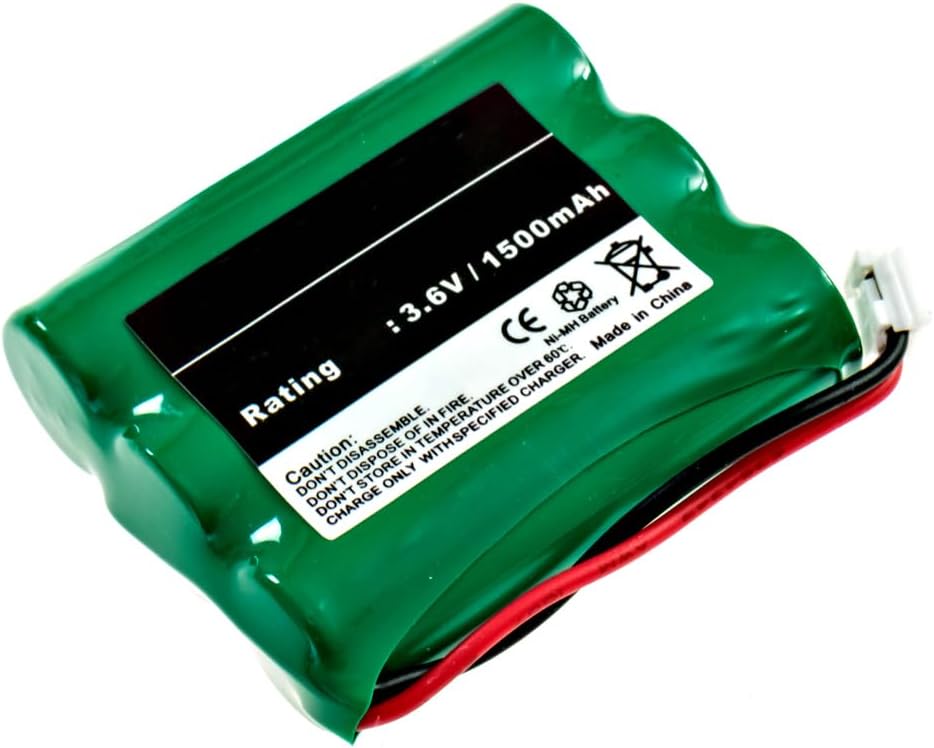
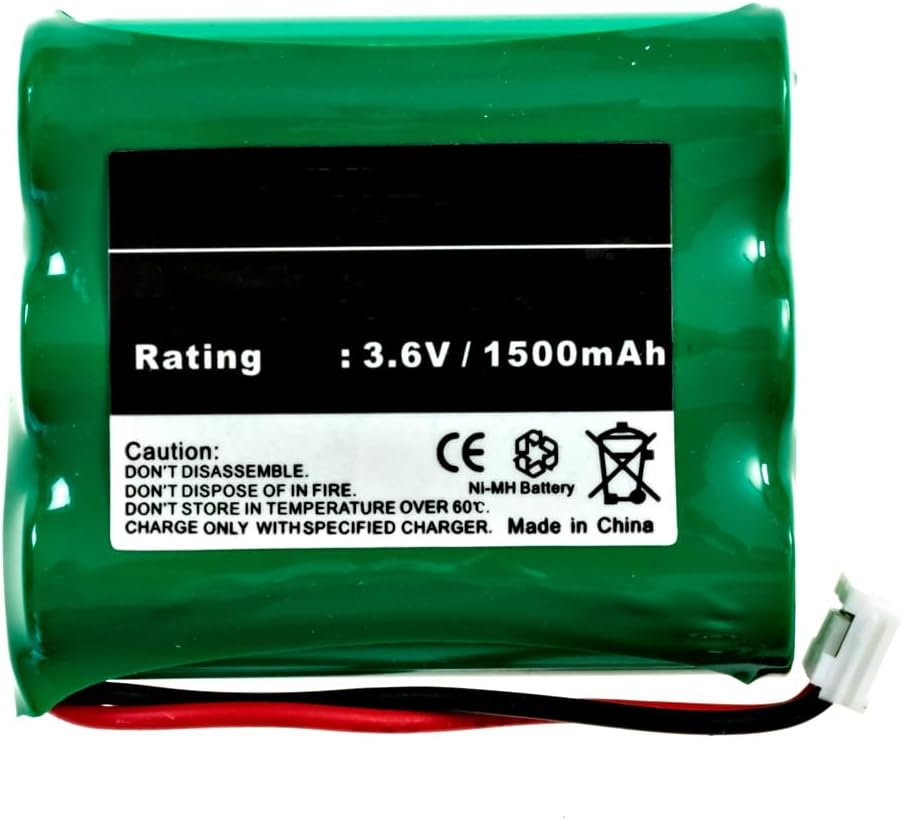
This manual provides essential instructions for the safe and effective use of your EMPIRE NiMH 3.6V 1500mAh Cordless Phone Battery. This battery is designed to be compatible with Vtech 2600 cordless phones and other models requiring similar specifications. Please read this manual thoroughly before installation and use.
2. భద్రతా సమాచారం
Observe the following safety precautions to prevent damage to the battery, phone, or personal injury:
- విడదీయవద్దు: Attempting to disassemble the battery can cause short circuits, fire, or exposure to hazardous materials.
- మంటల్లో పారవేయవద్దు: Batteries can explode or leak when exposed to fire.
- DO NOT STORE IN HIGH TEMPERATURES: Avoid storing the battery in temperatures exceeding 60°C (140°F). High temperatures can reduce battery life and pose a safety risk.
- పేర్కొన్న ఛార్జర్తో మాత్రమే ఛార్జ్ చేయండి: Use only the charger provided with your cordless phone or a compatible charger designed for NiMH batteries. Using an incompatible charger may damage the battery or phone.
- బ్యాటరీలను పిల్లలకు అందుబాటులో లేకుండా ఉంచండి.
- If battery fluid comes into contact with skin or eyes, flush immediately with water and seek medical attention.
3. ప్యాకేజీ విషయాలు
- 1 x EMPIRE NiMH 3.6V 1500mAh Cordless Phone Battery (Model: 74436-EM-CPH-482D)
4. సెటప్ మరియు ఇన్స్టాలేషన్
Follow these steps to install the battery into your compatible cordless phone:
- బ్యాటరీ కంపార్ట్మెంట్ను గుర్తించండి: On most cordless phones, the battery compartment is located on the back of the handset. Refer to your phone's original user manual if you cannot locate it.
- పాత బ్యాటరీని తీసివేయండి (వర్తిస్తే): If replacing an old battery, carefully disconnect its connector from the phone's battery terminal and remove the old battery.
- కొత్త బ్యాటరీని చొప్పించండి: Place the new EMPIRE battery into the compartment, ensuring the wires are not pinched.
- బ్యాటరీని కనెక్ట్ చేయండి: Align the battery connector with the terminal inside the phone's battery compartment and push firmly until it clicks into place. Ensure the connection is secure.
- కంపార్ట్మెంట్ మూసివేయండి: బ్యాటరీ కంపార్ట్మెంట్ కవర్ను భర్తీ చేయండి.
5. ఆపరేటింగ్ సూచనలు
5.1 ప్రారంభ ఛార్జింగ్
For optimal performance, fully charge the new battery before its first use. Place the handset with the newly installed battery into its charging cradle for at least 12-16 hours, even if the phone indicates a full charge sooner. This initial charge helps to condition the NiMH battery.
5.2 Regular Use and Charging
- Return the handset to its charging cradle when not in use to ensure it is always ready.
- NiMH batteries benefit from occasional full discharge/recharge cycles to maintain capacity. If you notice reduced talk time, allow the battery to fully discharge before recharging it completely.
- Avoid leaving the battery completely discharged for extended periods, as this can reduce its lifespan.
6. నిర్వహణ మరియు సంరక్షణ
- శుభ్రపరచడం: Keep the battery and phone contacts clean and free of dust or debris. Use a dry, soft cloth for cleaning.
- నిల్వ: If storing the battery for an extended period, charge it to approximately 50% capacity and store it in a cool, dry place. Recharge every 3-6 months to prevent deep discharge.
- పారవేయడం: Do not dispose of batteries in household waste. NiMH batteries contain recyclable materials. Consult your local waste management facility for proper recycling or disposal options.
7. ట్రబుల్షూటింగ్
| సమస్య | సాధ్యమైన కారణం | పరిష్కారం |
|---|---|---|
| Phone does not turn on after battery installation. | Battery not properly connected or not charged. | Ensure the battery connector is securely plugged in. Place the handset on the charger for at least 12-16 hours. |
| Short talk time or standby time. | Battery not fully charged, battery conditioning needed, or battery nearing end of life. | Perform a full discharge/recharge cycle. Ensure the phone is on the charger when not in use. If the issue persists after several cycles, the battery may need replacement. |
| Phone displays "Low Battery" frequently. | బ్యాటరీ ప్రభావవంతంగా ఛార్జ్ చేయడం లేదు. | Ensure charging contacts are clean. Perform a full discharge/recharge cycle. If the problem continues, consider replacing the battery. |
8. స్పెసిఫికేషన్లు
| ఫీచర్ | వివరాలు |
|---|---|
| మోడల్ సంఖ్య | 74436-EM-CPH-482D |
| బ్యాటరీ రకం | నికెల్-మెటల్ హైడ్రైడ్ (NiMH) |
| వాల్యూమ్tage | 3.6V |
| కెపాసిటీ | 1500 mAh (మిల్లీampగంటకు) |
| అనుకూలత | Vtech 2600 Cordless Phone and other compatible models |
| కొలతలు | 1.99 x 1.67 x 0.57 అంగుళాలు |
| బరువు | 2.36 ఔన్సులు |
9. వారంటీ మరియు మద్దతు
వారంటీ సమాచారం లేదా సాంకేతిక మద్దతు కోసం, దయచేసి మీ కొనుగోలుతో అందించిన డాక్యుమెంటేషన్ను చూడండి లేదా విక్రేతను నేరుగా సంప్రదించండి. కొనుగోలు రుజువుగా మీ కొనుగోలు రసీదును ఉంచండి.


