పరిచయం
The Spracht BluNote Pro is a versatile portable wireless speaker designed for both music playback and professional conference calls. It features Bluetooth connectivity, high-quality audio with a bass radiator, and advanced conferencing capabilities including dual MEMS microphones and echo/noise cancellation. Its compact design and rechargeable battery make it ideal for transport and extended use.
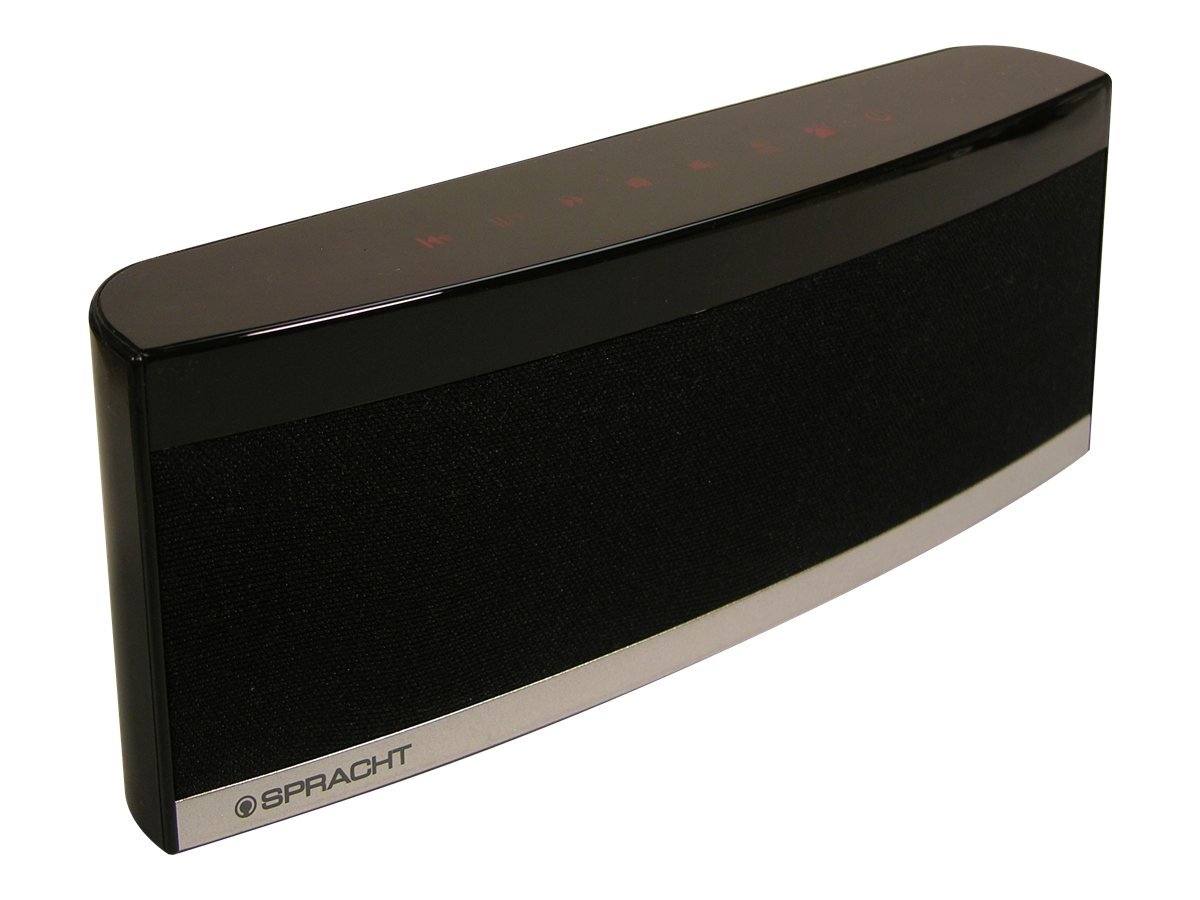
Image: The Spracht BluNote Pro speaker, a sleek black device with illuminated touch panel controls, shown on a surface.
పెట్టెలో ఏముంది
- Spracht BluNote Pro portable wireless speaker
- AC adapter (120-240V)
- Rechargeable 1500 mAh Li-ion battery (pre-installed or separate)
- 3.5mm audio jack cable (for non-Bluetooth devices)
- User guide/registration card
ఫీచర్లు
- Bluetooth Stereo Speaker: అధునాతన ఆడియో పంపిణీ ప్రోfile (A2DP) for wireless audio streaming.
- మెరుగైన ధ్వని: Passive bass radiator and two high-quality speakers deliver up to 5 watts of full-frequency range sound.
- టచ్ ప్యానెల్ నియంత్రణలు: Modern design with intuitive touch-sensitive buttons.
- దీర్ఘకాలం ఉండే బ్యాటరీ: Rechargeable 1500 mAh Lithium-Ion battery for extended music playback or conference calls.
- Superior Conferencing: Dual MEMS microphones with impedance matching, Digital Signal Processing (DSP) for noise and echo cancellation, and full-duplex communication.
- కాల్ నిర్వహణ: Answer and make phone calls using the Push-To-Talk (PTT) button. Features Caller ID display.
- కాంపాక్ట్ మరియు తేలికపాటి: Designed for easy portability.
- iOS Equalizer App: Free application available to further customize your audio experience. This app can increase the speaker's volume by up to 25% and provide additional sound enhancements.
వీడియో: ఒక ఓవర్view of the Spracht BluNote Pro speaker, demonstrating its features and compact design. This video highlights the touch panel controls, passive bass radiator, and its ability to handle phone calls.
సెటప్
- బ్యాటరీని ఛార్జ్ చేయడం: Connect the provided AC adapter to the speaker's DC IN port and plug it into a power outlet. The battery indicator will show charging status. A full charge ensures maximum portability.
- పవర్ ఆన్/ఆఫ్: నొక్కండి మరియు పట్టుకోండి ఆన్/ఆఫ్ button on the touch panel until the unit powers on or off.
- బ్లూటూత్ పెయిరింగ్:
- Ensure the BluNote Pro is powered on.
- మీ స్మార్ట్ఫోన్, టాబ్లెట్ లేదా ఇతర బ్లూటూత్-ప్రారంభించబడిన పరికరంలో బ్లూటూత్ని సక్రియం చేయండి.
- కోసం వెతకండి available devices and select "BluNote Pro" from the list.
- Once paired, the Bluetooth indicator light on the speaker will confirm the connection.
- Connecting Non-Bluetooth Devices: Use the supplied 3.5mm audio jack cable to connect the BluNote Pro to devices without Bluetooth capability. Insert one end into the speaker's AUX IN port and the other into your device's headphone jack.
ఆపరేటింగ్ సూచనలు
మ్యూజిక్ ప్లేబ్యాక్
- ప్లే/పాజ్: నొక్కండి ప్లే/పాజ్ చేయండి button to start or pause music playback.
- Next/Back Track: ఉపయోగించండి తదుపరి ట్రాక్ మరియు బ్యాక్ ట్రాక్ మీ సంగీతం ద్వారా నావిగేట్ చేయడానికి బటన్లు.
- వాల్యూమ్ సర్దుబాటు: నొక్కండి వాల్యూమ్ అప్ or వాల్యూమ్ డౌన్ ఆడియో స్థాయిని సర్దుబాటు చేయడానికి బటన్లు.
- బాస్ బూస్ట్: నొక్కండి బాస్ బూస్ట్ button to enhance low-frequency sounds.
కాన్ఫరెన్స్ కాల్స్
- కాల్లకు సమాధానం ఇవ్వడం / ముగించడం: When a call comes in, the BluNote Pro will ring. Press the ఫోన్ కాల్కు సమాధానం ఇవ్వండి button to accept the call. Press it again to end the call.
- కాలర్ ID: The numeric Caller ID display on the front panel will show the incoming caller's number.
- మైక్రోఫోన్లు: The dual MEMS microphones ensure clear voice pickup during calls, with integrated noise and echo cancellation for optimal communication.
- పూర్తి డ్యూప్లెక్స్: The speaker supports full-duplex communication, allowing both parties to speak and hear simultaneously without interruption.
iOS Equalizer App
A free iOS Equalizer App is available to further customize your audio experience. This app can increase the speaker's volume by up to 25% and provide additional sound enhancements. Download it from the App Store and follow the in-app instructions for setup.
నిర్వహణ
- శుభ్రపరచడం: స్పీకర్ బాహ్య భాగాన్ని శుభ్రం చేయడానికి మృదువైన, పొడి వస్త్రాన్ని ఉపయోగించండి. రాపిడి క్లీనర్లు లేదా ద్రావకాలను ఉపయోగించడం మానుకోండి.
- బ్యాటరీ సంరక్షణ: To prolong battery life, avoid fully discharging the battery frequently. Recharge the unit regularly, especially if it will be stored for an extended period.
- నిల్వ: స్పీకర్ను ప్రత్యక్ష సూర్యకాంతి మరియు తీవ్రమైన ఉష్ణోగ్రతలకు దూరంగా చల్లని, పొడి ప్రదేశంలో నిల్వ చేయండి.
ట్రబుల్షూటింగ్
| సమస్య | పరిష్కారం |
|---|---|
| బ్లూటూత్ ద్వారా జత చేయడం సాధ్యం కాదు |
|
| ధ్వని లేదా తక్కువ వాల్యూమ్ లేదు |
|
| Poor call quality (echo/noise) |
|
| బ్యాటరీ ఛార్జ్ కావడం లేదు |
|
స్పెసిఫికేషన్లు
| ఫీచర్ | వివరాలు |
|---|---|
| మోడల్ పేరు | BluNote+Chat |
| మోడల్ సంఖ్య | WS-4012 |
| స్పీకర్ రకం | పోర్టబుల్ స్పీకర్లు |
| కనెక్టివిటీ టెక్నాలజీ | బ్లూటూత్ |
| వైర్లెస్ కమ్యూనికేషన్ టెక్నాలజీ | బ్లూటూత్ |
| బ్లూటూత్ రేంజ్ | 10 మీటర్లు (33 అడుగులు) వరకు |
| స్పీకర్ గరిష్ట అవుట్పుట్ పవర్ | 5 వాట్స్ |
| ఆడియో అవుట్పుట్ మోడ్ | స్టీరియో |
| సరౌండ్ సౌండ్ ఛానెల్ కాన్ఫిగరేషన్ | 2.0 |
| శక్తి మూలం | AC Adapter, Rechargeable Lithium Ion Battery |
| బ్యాటరీ రకం | 1500 mAh లిథియం అయాన్ (చేర్చబడింది) |
| నియంత్రణ పద్ధతి | Touch Panel, App |
| ఉత్పత్తి కొలతలు (D x W x H) | 1.38" x 9" x 3.25" (3.5 సెం.మీ x 22.8 సెం.మీ x 8.2 సెం.మీ) |
| వస్తువు బరువు | 9.6 ఔన్సులు (272 గ్రాములు) |
| ఆపరేటింగ్ ఉష్ణోగ్రత | 14 నుండి 131 డిగ్రీల ఫారెన్హీట్ (-10 నుండి 55 డిగ్రీల సెల్సియస్) |
| ప్రత్యేక లక్షణాలు | Dual MEMS Mics, DSP Noise/Echo Cancellation, Caller ID, Bass Boost |
| అనుకూల పరికరాలు | Laptop, Smartphone, Tablet, Television |
వారంటీ మరియు మద్దతు
The Spracht BluNote Pro is covered by a Limited Warranty. For specific warranty terms and conditions, please refer to the documentation included with your product or visit the official Spracht webసైట్.
For technical assistance, troubleshooting, or customer service inquiries, please contact Spracht customer support through their official channels. Contact information can typically be found on the manufacturer's webసైట్ లేదా ఉత్పత్తి ప్యాకేజింగ్లో.


