పరిచయం
This instruction manual provides essential information for the proper setup, operation, and maintenance of your Speedlink DRIFT O.Z. Racing Wheel for PC. Please read this manual thoroughly before using the product to ensure optimal performance and longevity.

ముందు view of the Speedlink DRIFT O.Z. Racing Wheel, highlighting its design and controls. For full functionality, drivers must be downloaded from www.speedlink.com.
భద్రతా సమాచారం
- పరికరాన్ని తేమ, దుమ్ము మరియు ప్రత్యక్ష సూర్యకాంతి నుండి దూరంగా ఉంచండి.
- పరికరాన్ని విడదీయడానికి లేదా సవరించడానికి ప్రయత్నించవద్దు. ఇది వారంటీని రద్దు చేస్తుంది.
- Use only with compatible PC systems as specified.
- ఉపయోగంలో పరికరం చుట్టూ సరైన వెంటిలేషన్ ఉండేలా చూసుకోండి.
- Avoid excessive force when operating the wheel or pedals.
ప్యాకేజీ విషయాలు
ప్యాకేజీలో అన్ని భాగాలు ఉన్నాయని నిర్ధారించుకోండి:
- Speedlink DRIFT O.Z. Racing Wheel
- Pedal Unit (Gas and Brake)
- గేర్ షిఫ్టర్
- సూచనల మాన్యువల్ (ఈ పత్రం)

The product box illustrating the main components included: the racing wheel, pedal unit, and gear shifter.
సెటప్
1. భౌతిక సంబంధం
- Connect the pedal unit cable to the designated port on the racing wheel.
- Connect the USB cable from the racing wheel to an available USB port on your PC.

Step-by-step diagram illustrating the physical connection of the racing wheel to a PC and the pedal unit to the wheel.
2 డ్రైవర్ ఇన్స్టాలేషన్
For full functionality and optimal performance, it is recommended to download and install the latest drivers from the official Speedlink webసైట్.
- సందర్శించండి www.speedlink.com.
- Navigate to the support or downloads section and locate the drivers for the DRIFT O.Z. Racing Wheel (Model SL-6695-BKOR-01).
- డ్రైవర్ ఇన్స్టాలేషన్ను పూర్తి చేయడానికి ఆన్-స్క్రీన్ సూచనలను అనుసరించండి.

Diagram indicating the necessity of downloading drivers from www.speedlink.com and the default DirectInput mode.
3. రేసింగ్ వీల్ను అమర్చడం
The racing wheel features suction cups on its base for stable attachment to a flat surface, such as a desk or table.
- Place the racing wheel on a clean, smooth, and flat surface.
- Press down firmly on the wheel base to engage the suction cups, ensuring maximum stability.

వైపు view of the racing wheel, illustrating the suction cups on the base designed for stable mounting on a flat surface.
ఆపరేటింగ్ సూచనలు
1. నియంత్రణలుview
The DRIFT O.Z. Racing Wheel is equipped with various controls for an immersive gaming experience:
- స్టీరింగ్ వీల్: Provides precise steering input.
- డి-ప్యాడ్: Digital directional pad for menu navigation and specific in-game actions.
- యాక్షన్ బటన్లు (A, B, X, Y): Standard gaming buttons for various functions.
- Shoulder Buttons (LB, LT, RT, RB): Located on the wheel for additional controls.
- గేర్ షిఫ్టర్: For manual gear changes in supported games.
- షిఫ్ట్ తెడ్డులు: Located behind the wheel for quick gear changes.
- పెడల్స్: Separate units for gas (accelerator) and brake.

క్లోజప్ ఫ్రంట్ view of the racing wheel, detailing the D-pad, action buttons, and central controls.
2. Mode Switching (DirectInput / XInput)
The racing wheel supports both DirectInput and XInput modes, allowing compatibility with a wide range of PC games. The default mode is DirectInput.
- To switch between DirectInput (analog/digital) and XInput modes, press and hold the మోడ్ సుమారు 3 సెకన్ల పాటు బటన్.
- The LED indicator will change to confirm the mode switch.
- After switching modes, it is advisable to check button configurations in the game's controller settings or the driver menu.
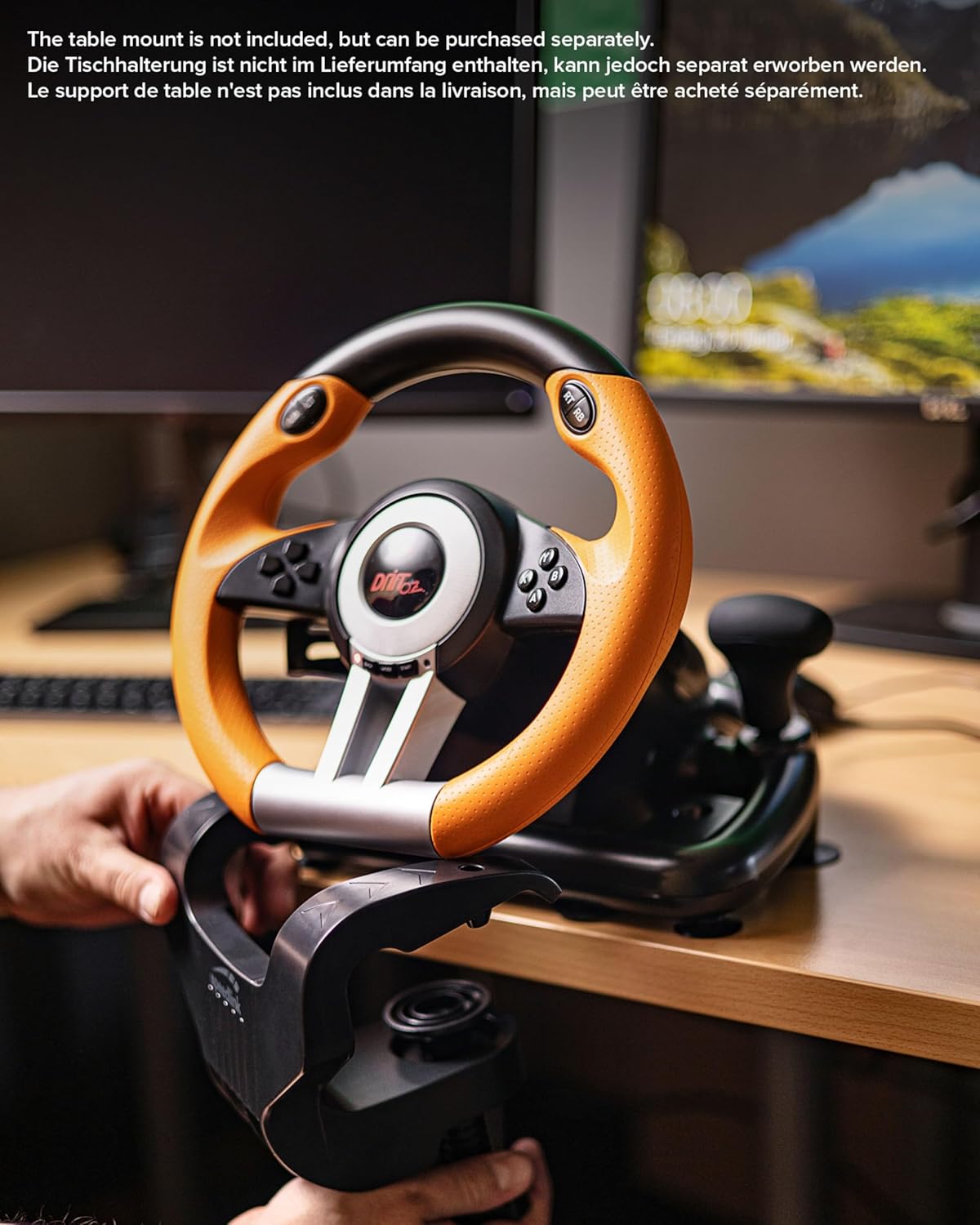
Diagram showing how to switch between DirectInput and XInput modes by holding the MODE button for 3 seconds, and the corresponding driver menu checks.
3. వైబ్రేషన్ అభిప్రాయం
The racing wheel features vibration effects to enhance realism during gameplay. This function is automatically active in supported games when the appropriate drivers are installed.
4. Adjustable Steering Sensitivity
The steering sensitivity can be adjusted to suit individual preferences and game requirements. Refer to the driver software or in-game controller settings for specific adjustment options.
నిర్వహణ
- శుభ్రపరచడం: Use a soft, dry cloth to clean the surfaces of the racing wheel and pedals. Do not use abrasive cleaners or solvents.
- నిల్వ: ఉపయోగంలో లేనప్పుడు ప్రత్యక్ష సూర్యకాంతి మరియు తీవ్రమైన ఉష్ణోగ్రతలకు దూరంగా చల్లని, పొడి ప్రదేశంలో పరికరాన్ని నిల్వ చేయండి.
- కేబుల్ కేర్: దెబ్బతినకుండా ఉండటానికి కేబుల్లను ఎక్కువగా వంగడం లేదా తిప్పడం మానుకోండి.
ట్రబుల్షూటింగ్
సాధారణ సమస్యలు మరియు పరిష్కారాలు:
- PC ద్వారా పరికరం గుర్తించబడలేదు:
- Ensure the USB cable is securely connected to both the racing wheel and the PC.
- వేరే USB పోర్ట్కి కనెక్ట్ చేయడానికి ప్రయత్నించండి.
- Verify that the latest drivers are installed from www.speedlink.com.
- మీ PCని పునఃప్రారంభించండి.
- Buttons or pedals not responding correctly:
- Check in-game controller settings to ensure the racing wheel is selected and properly configured.
- పెడల్ యూనిట్ కేబుల్ రేసింగ్ వీల్కి గట్టిగా కనెక్ట్ చేయబడిందని నిర్ధారించుకోండి.
- Verify the operating mode (DirectInput/XInput) is appropriate for the game.
- Calibrate the device through your PC's game controller settings (Windows Control Panel > Devices and Printers > Right-click on device > Game controller settings > Properties).
- వైబ్రేషన్ ఫీడ్బ్యాక్ లేదు:
- Ensure the game supports force feedback or vibration effects.
- వైబ్రేషన్ ప్రారంభించబడిందని నిర్ధారించుకోవడానికి గేమ్లోని సెట్టింగ్లను తనిఖీ చేయండి.
- Confirm that drivers are correctly installed.
If issues persist, please refer to the Speedlink support webతదుపరి సహాయం కోసం సైట్.
స్పెసిఫికేషన్లు
| మోడల్ సంఖ్య | SL-6695-BKOR-01 |
| అనుకూలత | PC (Windows XP and later) |
| కనెక్టివిటీ | USB |
| ఇన్పుట్ మోడ్లు | Xఇన్పుట్, డైరెక్ట్ ఇన్పుట్ |
| ఫీచర్లు | Vibration feedback, Gear shifter, Shift paddles, Gas and brake pedals, Digital D-pad, 12 fire buttons, Rubberized wheel rim, Adjustable steering sensitivity |
| మౌంటు | Suction cups for stable grip |
| Product Dimensions (Wheel) | సుమారు 12.99 x 10.63 x 10.83 అంగుళాలు |
| వస్తువు బరువు | 3.2 పౌండ్లు |
వారంటీ సమాచారం
Speedlink products are covered by a limited warranty from the date of purchase. This warranty covers defects in materials and workmanship under normal use. It does not cover damage caused by misuse, accident, unauthorized modification, or improper installation.
For detailed warranty terms and conditions, please visit the official Speedlink webసైట్ లేదా కస్టమర్ సపోర్ట్ని సంప్రదించండి.
కస్టమర్ మద్దతు
If you encounter any issues or have questions regarding your Speedlink DRIFT O.Z. Racing Wheel that are not addressed in this manual, please contact Speedlink customer support:
- Webసైట్: www.speedlink.com/support
- చూడండి website for regional contact information, FAQs, and driver downloads.


