1. పరిచయం
The Volt Polska Sinus PRO 500 E is a pure sine wave inverter designed to convert DC power from a battery into AC power, suitable for powering various electronic devices. It also functions as an Uninterruptible Power Supply (UPS) and a battery charger. This manual provides essential information for the safe and efficient operation of your device.
2. భద్రతా సూచనలు
- పరికరాన్ని ఆపరేట్ చేయడానికి ముందు అన్ని సూచనలను చదవండి.
- పరికరాన్ని నీరు, తేమ మరియు మండే పదార్థాలకు దూరంగా ఉంచండి.
- వేడెక్కడం నివారించడానికి సరైన వెంటిలేషన్ ఉండేలా చూసుకోండి. వెంటిలేషన్ ఓపెనింగ్లను నిరోధించవద్దు.
- Connect the device only to a battery with the correct voltagఇ (12 వి).
- Always connect the battery with correct polarity (red to positive, black to negative). Incorrect connection can damage the device and battery.
- పరికరాన్ని తెరవవద్దు casing. అన్ని సర్వీసింగ్లను అర్హత కలిగిన సిబ్బందికి సూచించండి.
- Disconnect the device from both AC mains and battery before performing any maintenance or cleaning.
- ఈ పరికరం ఇండోర్ ఉపయోగం కోసం మాత్రమే ఉద్దేశించబడింది.
3. ఉత్పత్తి ముగిసిందిview
3.1 ఫ్రంట్ ప్యానెల్
The front panel features the main controls and the LCD display, providing real-time operational status.

చిత్రం 3.1.1: ముందు view of the Volt Polska Sinus PRO 500 E inverter. It shows the LCD display, 'Mains ON' switch, and 'Output & Inverter ON/OFF' button.

Image 3.1.2: Close-up of the inverter's front panel, highlighting the LCD display with indicators for input/output voltage, load, battery capacity, and operational status. The 'Mains ON' switch and 'Output & Inverter ON/OFF' button are also visible.
3.2 వెనుక ప్యానెల్
The rear panel includes the AC input, AC output sockets, battery connection terminals, and a reset button.

చిత్రం 3.2.1: వెనుక view of the Volt Polska Sinus PRO 500 E inverter, showing the AC input, two AC output sockets, battery terminals (+12V -), a cooling fan, and a reset button.
4. సెటప్
4.1 అన్ప్యాకింగ్ మరియు తనిఖీ
Carefully unpack the inverter and inspect it for any signs of damage. If any damage is found, contact your supplier immediately.
4.2 ప్లేస్మెంట్
Place the inverter in a dry, well-ventilated area, away from direct sunlight, heat sources, and flammable materials. Ensure sufficient clearance around the unit for proper airflow.
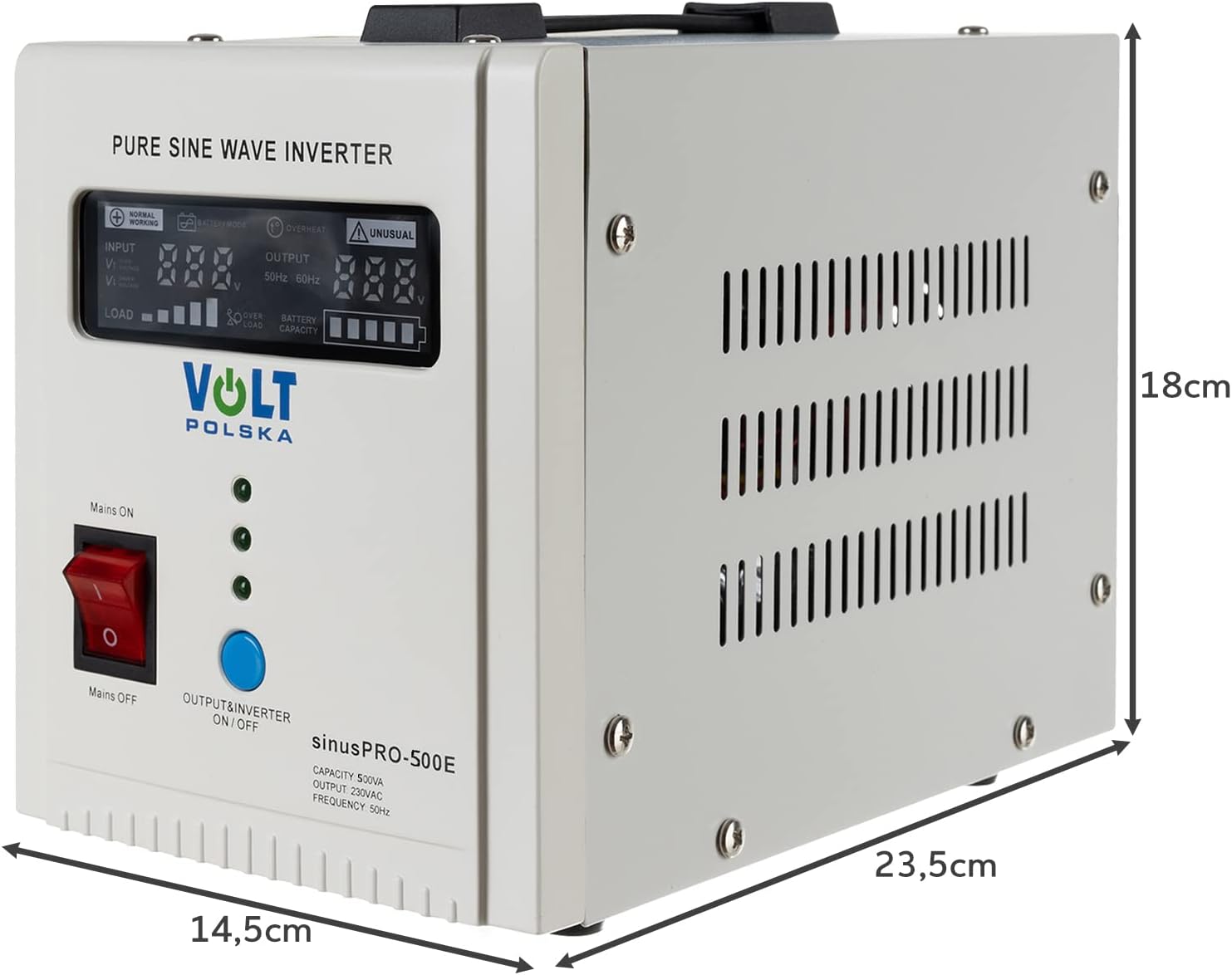
Image 4.2.1: The inverter with its dimensions indicated: approximately 14.5 cm (width), 23.5 cm (depth), and 18 cm (height).
4.3 బ్యాటరీ కనెక్షన్
The Sinus PRO 500 E requires an external 12V battery. Use appropriate battery cables for connection.
- Ensure the inverter is turned off before connecting the battery.
- Connect the red cable to the positive (+) terminal of the battery and the positive (+) terminal on the inverter.
- Connect the black cable to the negative (-) terminal of the battery and the negative (-) terminal on the inverter.
- Tighten all connections securely to prevent loose contacts and sparking.
చిత్రం 4.3.1: ఉదాample of red and black battery cables with ring terminals, used for connecting the inverter to a 12V battery.
4.4 AC మెయిన్స్ కనెక్షన్
Connect the inverter to a standard AC wall outlet using the provided power cord.
- Plug the power cord into the AC input socket on the rear panel of the inverter.
- పవర్ కార్డ్ యొక్క మరొక చివరను గ్రౌండెడ్ వాల్ అవుట్లెట్లోకి ప్లగ్ చేయండి.

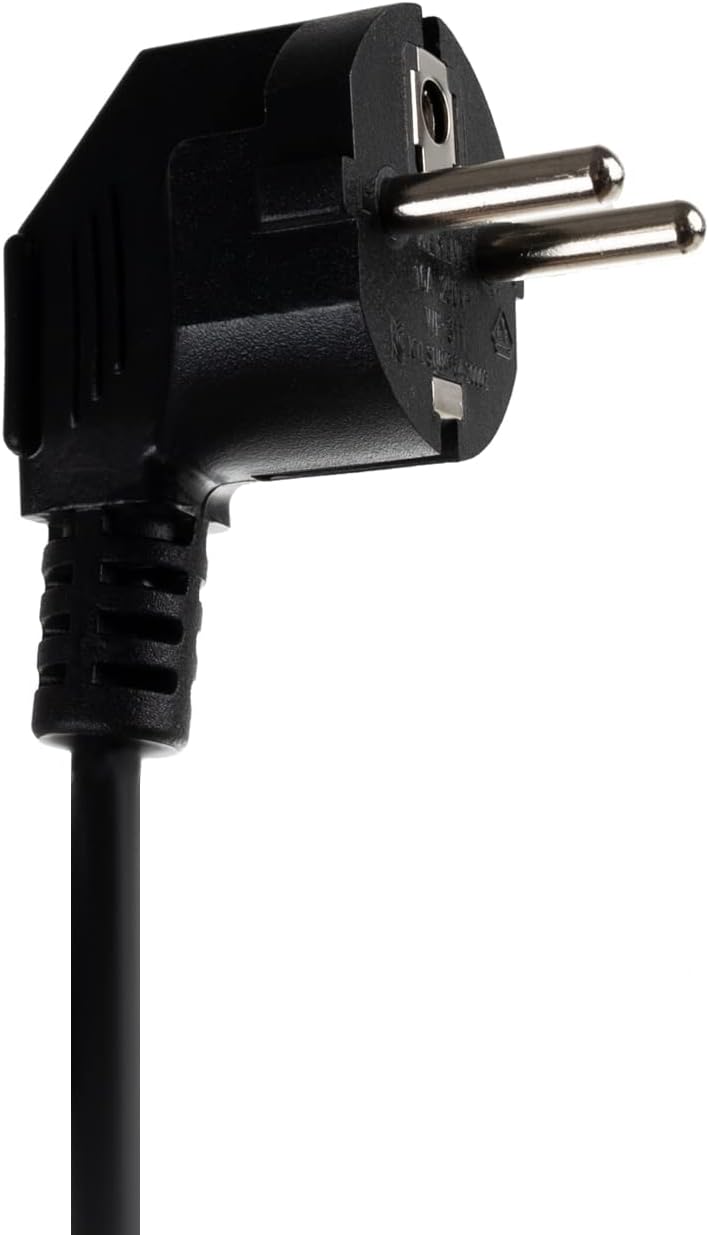
Image 4.4.1: A standard Schuko type power plug, typically used for connecting the inverter to the AC mains.
5. ఆపరేటింగ్ సూచనలు
5.1 పవర్ ఆన్
- After connecting the battery and AC mains, press the 'Mains ON' switch (red rocker switch) on the front panel to the 'ON' position. The inverter will start charging the battery if needed.
- To activate the inverter output, press the 'OUTPUT & INVERTER ON/OFF' button (blue button). The LCD display will illuminate, showing operational parameters.
5.2 LCD డిస్ప్లే సూచికలు
The LCD display provides critical information about the inverter's status:
- ఇన్పుట్ వాల్యూమ్tagఇ (విI): Displays the incoming AC mains voltage.
- అవుట్పుట్ వాల్యూమ్tagఇ (విO): Displays the AC output voltage provided by the inverter.
- లోడ్ చేయండి: Indicates the current load connected to the inverter.
- బ్యాటరీ కెపాసిటీ: Shows the remaining battery charge level.
- సాధారణ పని: Indicates normal operation.
- బ్యాటరీ మోడ్: Indicates the inverter is running on battery power.
- అధిక వేడి: Warning for excessive internal temperature.
- అసాధారణమైనది: General error indicator.
- ఓవర్ లోడ్: Warning for excessive load connected.

Image 5.2.1: The inverter's display showing an input voltage 224V మరియు అవుట్పుట్ వాల్యూమ్tage of 224V, indicating normal operation with AC mains present.

Image 5.2.2: The inverter's display showing 224V input and output, with a visible load indicator, signifying devices are drawing power.

Image 5.2.3: The inverter's display showing an input voltage 226V మరియు అవుట్పుట్ వాల్యూమ్tage of 226V, indicating stable power delivery.
5.3 కనెక్ట్ చేసే పరికరాలు
Plug your electronic devices into the AC output sockets on the rear panel of the inverter. Ensure the total power consumption of connected devices does not exceed the inverter's rated capacity.
5.4 పవర్ ఆఫ్
- First, disconnect all devices from the inverter's output sockets.
- Press the 'OUTPUT & INVERTER ON/OFF' button (blue button) to turn off the inverter output.
- Finally, switch the 'Mains ON' switch (red rocker switch) to the 'OFF' position.
6. నిర్వహణ
- Keep the inverter clean and free from dust. Use a dry, soft cloth for cleaning.
- Regularly check battery connections for tightness and corrosion. Clean terminals if necessary.
- వెంటిలేషన్ ఓపెనింగ్లు స్పష్టంగా మరియు అడ్డంకులు లేకుండా ఉన్నాయని నిర్ధారించుకోండి.
- Store the inverter in a cool, dry place if not in use for extended periods.
- If using lead-acid batteries, check their electrolyte levels periodically and top up with distilled water as required.
7. ట్రబుల్షూటింగ్
| సమస్య | సాధ్యమైన కారణం | పరిష్కారం |
|---|---|---|
| అవుట్పుట్ పవర్ లేదు | Inverter not turned on; Battery discharged; Overload; Faulty connection | Ensure inverter is on; Charge battery; Reduce load; Check all connections |
| ఓవర్లోడ్ హెచ్చరిక | Too many devices connected; Device drawing too much power | Disconnect some devices; Use lower power devices |
| అధిక వేడి హెచ్చరిక | Poor ventilation; High ambient temperature; Excessive load | Ensure clear ventilation; Move to cooler area; Reduce load |
| బ్యాటరీ ఛార్జ్ కావడం లేదు | AC mains not connected; AC mains switch off; Faulty AC input | Connect AC mains; Turn on 'Mains ON' switch; Check AC power source |
| Unusual/Error indicator | Internal fault; Severe external condition | Turn off and restart the inverter. If error persists, contact support. |
If the problem persists after attempting the above solutions, please contact Volt Polska customer support.
8. స్పెసిఫికేషన్లు
| ఫీచర్ | స్పెసిఫికేషన్ |
|---|---|
| మోడల్ | SinusPro-500E |
| బ్రాండ్ | Volt Polska |
| Rated Power (VA/W) | 500VA / 300W (Approximate, based on model name) |
| పీక్ పవర్ | 1000 వాట్స్ |
| ఇన్పుట్ వాల్యూమ్tagఇ (డిసి) | 12V (Battery Powered) |
| అవుట్పుట్ వేవ్ఫార్మ్ | స్వచ్ఛమైన సైన్ వేవ్ |
| మానవ ఇంటర్ఫేస్ ఇన్పుట్ | బటన్లు |
| కొలతలు (L x W x H) | 23.7 x 14.6 x 17 సెం.మీ |
| బరువు | 3.9 కిలోలు |
| చేర్చబడిన భాగాలు | 1 Inverter Unit |
9. వారంటీ మరియు మద్దతు
For warranty information, technical support, or service inquiries, please contact Volt Polska directly.
- తయారీదారు: Volt Polska Sp. z o.o.
- చిరునామా: ul. Swiemirowska 3, 81-877 Sopot, POLAND
- ఇమెయిల్: sales@voltpolska.pl
- Webసైట్: www.voltpolska.pl


