1. పరిచయం
This manual provides essential information for setting up, operating, and maintaining your Acer R240HY bidx 23.8-inch Full HD IPS monitor. Please read this manual thoroughly before using your new monitor to ensure proper functionality and safety.
2. భద్రతా సమాచారం
- Always place the monitor on a stable, flat surface.
- వెంటిలేషన్ ఓపెనింగ్స్ను నిరోధించవద్దు.
- Use only the power adapter and cables provided by Acer.
- Keep the monitor away from water, moisture, and extreme temperatures.
- శుభ్రపరిచే ముందు పవర్ అవుట్లెట్ నుండి మానిటర్ను అన్ప్లగ్ చేయండి.
- అన్ని సేవలను అర్హత కలిగిన సేవా సిబ్బందికి సూచించండి.
3. ప్యాకేజీ విషయాలు
మీ ప్యాకేజీలో అన్ని అంశాలు ఉన్నాయని ధృవీకరించండి:
- Acer R240HY bidx 23.8-inch Monitor
- మానిటర్ స్టాండ్ (బేస్ మరియు మెడ)
- పవర్ అడాప్టర్ మరియు పవర్ కార్డ్
- HDMI కేబుల్
- DVI కేబుల్
- VGA కేబుల్
- వినియోగదారు మాన్యువల్ (ఈ పత్రం)
4. సెటప్
4.1 మానిటర్ స్టాండ్ను అసెంబుల్ చేయడం
- ప్యాకేజింగ్ నుండి మానిటర్ మరియు స్టాండ్ భాగాలను జాగ్రత్తగా తొలగించండి.
- ట్యాబ్లను సమలేఖనం చేసి, అది స్థానంలో క్లిక్ అయ్యే వరకు నెట్టడం ద్వారా స్టాండ్ మెడను మానిటర్ ప్యానెల్కు అటాచ్ చేయండి.
- స్టాండ్ బేస్ను స్టాండ్ మెడకు అటాచ్ చేయండి. బేస్ దిగువన ఉన్న క్యాప్టివ్ స్క్రూతో దాన్ని భద్రపరచండి.
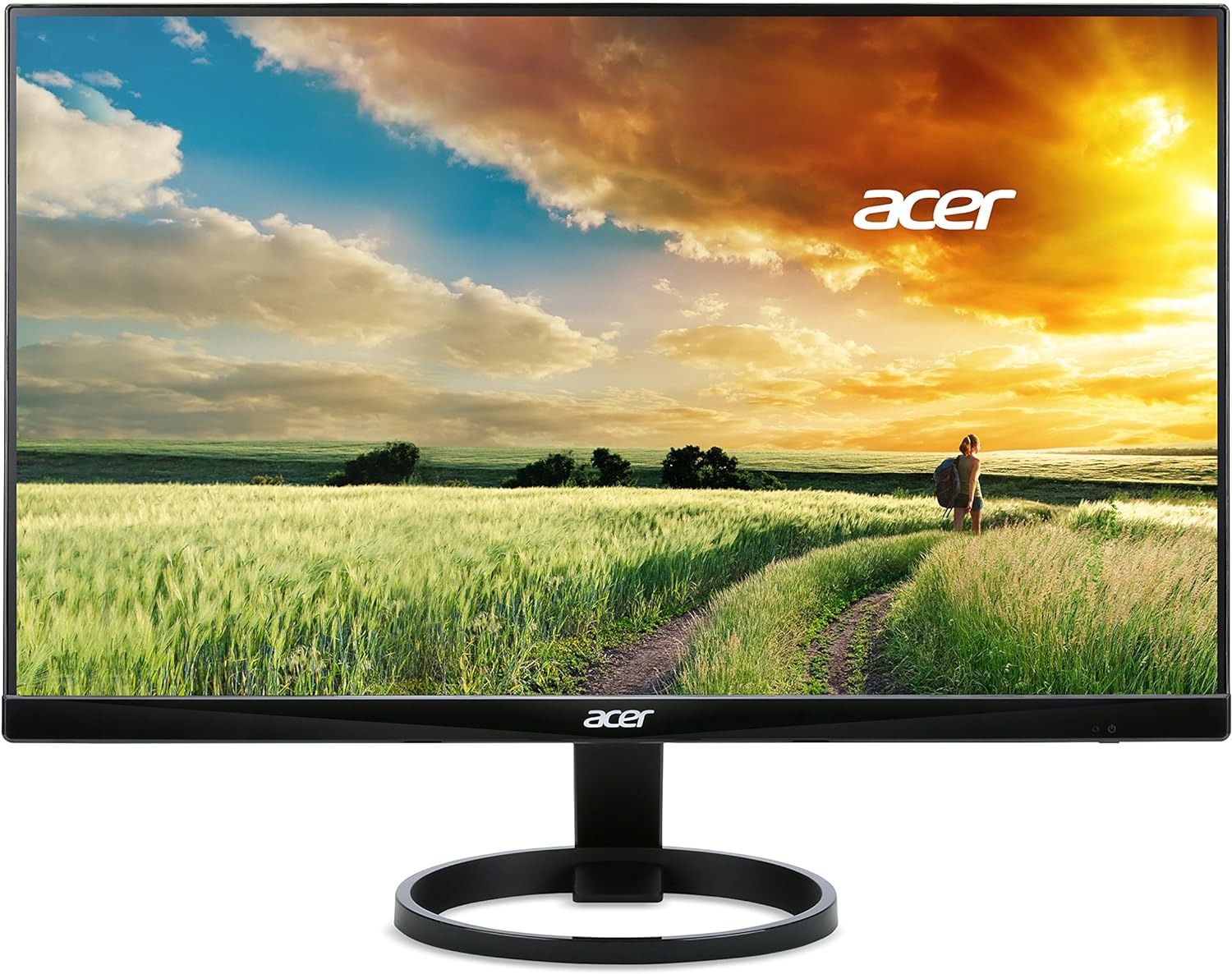
మూర్తి 1: ముందు view of the Acer R240HY bidx monitor, showcasing its zero-frame design and circular stand base.

మూర్తి 2: కోణీయ view of the monitor highlights its slim profile and the elegant circular stand.
4.2 మానిటర్ను కనెక్ట్ చేస్తోంది
- Ensure your computer and monitor are powered off.
- Connect one end of the appropriate video cable (HDMI, DVI, or VGA) to the corresponding port on your computer's graphics card.
- Connect the other end of the video cable to the matching input port on the back of your Acer R240HY bidx monitor.
- పవర్ అడాప్టర్ను మానిటర్ పవర్ ఇన్పుట్కు కనెక్ట్ చేయండి, ఆపై పవర్ కార్డ్ను వాల్ అవుట్లెట్లోకి ప్లగ్ చేయండి.

మూర్తి 3: The back of the monitor is shown, detailing the available input ports: HDMI, DVI, and VGA, along with the power input.
4.3 ప్రారంభ పవర్-ఆన్
- మీ కంప్యూటర్ను ఆన్ చేయండి.
- Press the power button on the monitor (located on the bottom right bezel) to turn it on.
- The monitor should automatically detect the active input signal. If not, use the OSD menu to manually select the input source.
వీడియో 1: Official product video demonstrating the features and connectivity options of the Acer R240HY bidx 23.8-inch monitor, including its IPS display, HDMI, DVI, and VGA ports.
5. మానిటర్ను నిర్వహించడం
5.1 ఆన్-స్క్రీన్ డిస్ప్లే (OSD) మెనూ
The OSD menu allows you to adjust various monitor settings. The control buttons are located on the bottom right bezel of the monitor.
- పవర్ బటన్: మానిటర్ను ఆన్ లేదా ఆఫ్ చేస్తుంది.
- మెనూ బటన్: Accesses the main OSD menu.
- నావిగేషన్ బటన్లు: మెనూ ఎంపికల ద్వారా నావిగేట్ చేయడానికి మరియు విలువలను సర్దుబాటు చేయడానికి ఉపయోగించబడుతుంది.
- ఇన్పుట్ ఎంచుకోండి బటన్: Quickly switches between available input sources (HDMI, DVI, VGA).
5.2 డిస్ప్లే సెట్టింగ్లను సర్దుబాటు చేయడం
OSD మెనులో, మీరు ఇలాంటి సెట్టింగ్లను సవరించవచ్చు:
- ప్రకాశం/కాంట్రాస్ట్: మొత్తం ప్రకాశం మరియు కాంట్రాస్ట్ స్థాయిలను సర్దుబాటు చేయండి.
- రంగు సెట్టింగ్లు: Fine-tune color temperature, gamma, and saturation.
- ఇన్పుట్ మూలం: Manually select the video input (HDMI, DVI, VGA).
- చిత్ర సెట్టింగ్లు: Adjust sharpness, aspect ratio, and other image properties.
- OSD సెట్టింగ్లు: Customize OSD language, timeout, and transparency.
6 కీ ఫీచర్లు
- 23.8-inch Full HD IPS Display: Enjoy vibrant colors and consistent image quality from wide viewing angles with 1920 x 1080 resolution.
- జీరో ఫ్రేమ్ డిజైన్: Maximizes screen visibility from edge to edge, ideal for multi-monitor setups.
- వేగవంతమైన ప్రతిస్పందన సమయం: A 4ms response time ensures smooth transitions and reduced ghosting for fast-paced content.
- వెడల్పు Viewకోణం: 178° క్షితిజ సమాంతర మరియు నిలువు viewing angles provide clear visuals from almost any perspective.
- బహుళ కనెక్టివిటీ ఎంపికలు: Includes 1 x HDMI, 1 x DVI (with HDCP 1.4), and 1 x VGA inputs for broad compatibility.
- తక్కువ నీలి కాంతి: Reduces blue light emission to minimize eye strain during prolonged use.
7. నిర్వహణ
7.1 మానిటర్ను శుభ్రపరచడం
To clean your monitor:
- శుభ్రపరిచే ముందు ఎల్లప్పుడూ మానిటర్ను పవర్ అవుట్లెట్ నుండి అన్ప్లగ్ చేయండి.
- కొద్దిగా మెత్తని, మెత్తని బట్టను ఉపయోగించండి dampనీటితో లేదా తేలికపాటి, రాపిడి లేని స్క్రీన్ క్లీనర్తో శుభ్రం చేయండి.
- క్లీనర్ను నేరుగా స్క్రీన్పై పిచికారీ చేయవద్దు.
- కఠినమైన రసాయనాలు, రాపిడి క్లీనర్లు లేదా ద్రావకాలను ఉపయోగించడం మానుకోండి.
7.2 సాధారణ సంరక్షణ
- మానిటర్ లేదా దాని కేబుల్స్పై బరువైన వస్తువులను ఉంచడం మానుకోండి.
- Do not expose the monitor to direct sunlight or heat sources.
- మానిటర్ చుట్టూ తగినంత వెంటిలేషన్ ఉండేలా చూసుకోండి.
8. ట్రబుల్షూటింగ్
8.1 No Picture Visible
- Ensure the monitor is powered on and the power indicator light is active.
- Check that the video cable is securely connected to both the monitor and the computer.
- Verify that the correct input source is selected via the OSD menu.
- If the screen is too dark, adjust brightness and contrast settings in the OSD menu or reset them to default.
- వీలైతే మరొక కంప్యూటర్ లేదా వీడియో సోర్స్తో మానిటర్ను పరీక్షించండి.
8.2 చిత్ర నాణ్యత సమస్యలు
- OSD మెనూలో ప్రకాశం, కాంట్రాస్ట్ మరియు రంగు సెట్టింగ్లను సర్దుబాటు చేయండి.
- Ensure the display resolution on your computer matches the monitor's native resolution (1920 x 1080).
- Check for any physical damage to the video cable or ports.
8.3 Monitor Not Responding to Controls
- Unplug the monitor's power cord, wait for 30 seconds, then plug it back in and try again.
- Ensure no buttons are stuck or obstructed.
9. స్పెసిఫికేషన్లు
| ఫీచర్ | స్పెసిఫికేషన్ |
|---|---|
| స్క్రీన్ ప్రదర్శన పరిమాణం | 23.8 అంగుళాలు |
| స్క్రీన్ రిజల్యూషన్ | 1920x1080 (పూర్తి HD) |
| గరిష్ట స్క్రీన్ రిజల్యూషన్ | 1920 x 1080 పిక్సెల్లు |
| బ్రాండ్ | ఏసర్ |
| సిరీస్ | R240HY bidx |
| అంశం మోడల్ సంఖ్య | R240HY bidx |
| వస్తువు బరువు | 6.4 పౌండ్లు |
| ఉత్పత్తి కొలతలు | 21.3 x 7.3 x 16 అంగుళాలు |
| రంగు | నలుపు |
| తయారీదారు | ఏసర్ |
| స్క్రీన్ పరిమాణం | 23.8 అంగుళాలు |
| రిజల్యూషన్ | FHD 1080p |
| కారక నిష్పత్తి | 16:9 |
| స్క్రీన్ ఉపరితల వివరణ | మాట్టే |
10. వారంటీ మరియు మద్దతు
Your Acer R240HY bidx monitor comes with a standard manufacturer's warranty. For specific warranty terms and conditions, please refer to the warranty card included in your product packaging or visit the official Acer support webసైట్.
For technical support, troubleshooting assistance, or to inquire about service, please contact Acer Customer Service through their official channels. Have your monitor's model number and serial number ready when contacting support.


