పరిచయం
This manual provides detailed instructions for the setup, operation, maintenance, and troubleshooting of your Master Lock 4400D Indoor Personal Use Bluetooth Padlock. Please read this manual thoroughly before using your new padlock to ensure proper functionality and security.
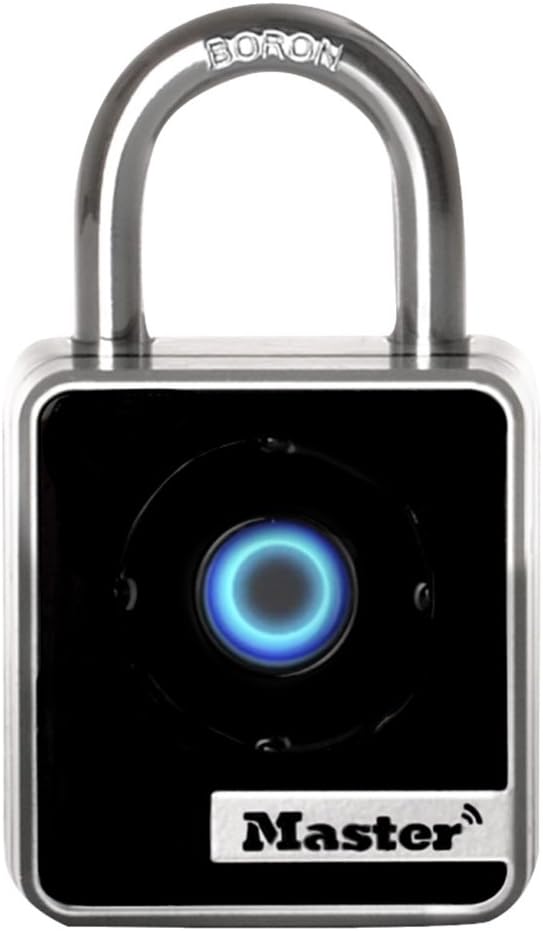
Figure 1: Master Lock 4400D Bluetooth Padlock
ప్యాకేజీ విషయాలు
- Master Lock 4400D Bluetooth Padlock
- 1 Lithium Metal Battery (pre-installed)
- త్వరిత ప్రారంభ మార్గదర్శి (పూర్తి వివరాల కోసం ఈ మాన్యువల్ చూడండి)
సెటప్ సూచనలు
- Download the Master Lock Vault Home App: కోసం వెతకండి "Master Lock Vault Home" in your device's app store (available for Android and iOS). Install the application.
- ఖాతాను సృష్టించండి: Open the app and follow the on-screen prompts to create a new user account or log in if you already have one.
- Pair Your Padlock:
- మీ స్మార్ట్ఫోన్లో బ్లూటూత్ ప్రారంభించబడిందని నిర్ధారించుకోండి.
- In the Master Lock Vault Home app, select the option to add a new lock.
- Follow the app's instructions to pair your 4400D padlock. This typically involves pressing the center button on the padlock to activate its Bluetooth signal.
- Set Up Directional Code: During the initial setup in the app, you will be prompted to create a directional code. This code serves as a backup entry method using the padlock's keypad, allowing access even without your smartphone.
- Configure Locker Mode (Optional): If you intend to store your smartphone inside a locker secured by the padlock, enable "Locker Mode" through the app. This mode allows you to operate the padlock using only the directional code, as Bluetooth connectivity will be unavailable.
- Share Access (Optional): The app allows you to grant temporary or permanent access to other users via Bluetooth or by sharing the directional code. Manage guest access through the app's interface.

Figure 2: Padlock paired with smartphone via Bluetooth
ఆపరేటింగ్ సూచనలు
ప్యాడ్లాక్ను అన్లాక్ చేస్తోంది
- Using Your Smartphone (Bluetooth):
- Ensure your smartphone is within Bluetooth range of the padlock.
- Open the Master Lock Vault Home app.
- Select your 4400D padlock from the list of devices.
- Press the "Unlock" button within the app or the center button on the padlock itself (if configured for proximity unlock). The padlock will unlock.
- Using the Directional Code (Keypad Backup):
- Press the center button on the padlock to activate the keypad.
- Enter your pre-set directional code by pressing the center button in the corresponding directions (Up, Down, Left, Right).
- The padlock will unlock upon correct code entry.
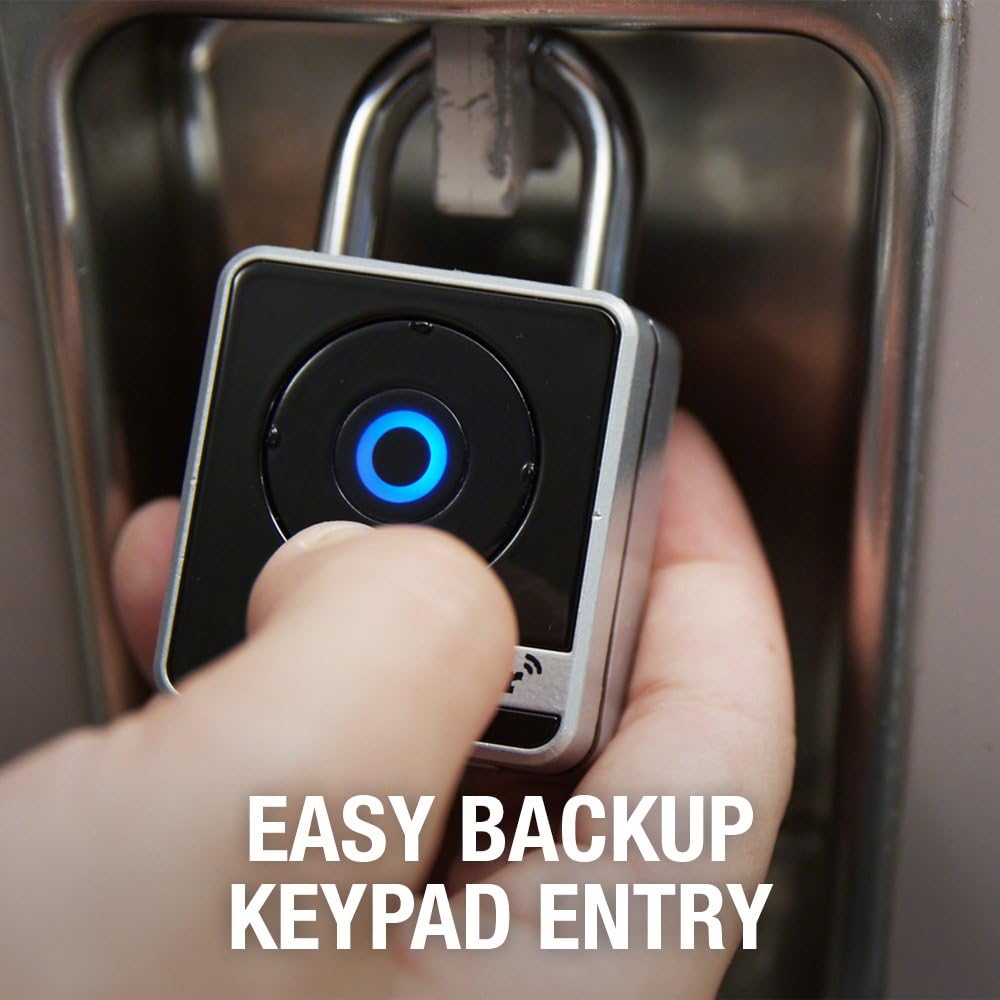
Figure 3: Backup keypad entry in progress
ప్యాడ్లాక్ను లాక్ చేయడం
To lock the padlock, simply close the shackle firmly. The padlock will automatically re-lock. Ensure you hear a click to confirm it is securely locked.
పర్యవేక్షణ మరియు హెచ్చరికలు
The Master Lock Vault Home app provides features to monitor activity logs, receive tamper alerts, and get notifications for low battery status. Regularly check the app for these updates to maintain optimal security and functionality.

Figure 4: Sharing access functionality
నిర్వహణ
- బ్యాటరీ భర్తీ: The padlock uses one Lithium Metal battery. When the battery is low, the app will notify you, and the padlock's indicator light may change. To replace the battery, refer to the specific instructions provided with your padlock or on the Master Lock support website. Ensure proper polarity during installation.
- శుభ్రపరచడం: Clean the padlock body with a soft, dry cloth. Avoid using abrasive cleaners or solvents, as these can damage the finish or internal components.
- ఫర్మ్వేర్ నవీకరణలు: Periodically check the Master Lock Vault Home app for any available firmware updates for your padlock. Keeping the firmware updated ensures optimal performance and security features.
ట్రబుల్షూటింగ్
| సమస్య | సాధ్యమైన కారణం | పరిష్కారం |
|---|---|---|
| Padlock does not respond to app or button press. | Low or dead battery. Padlock is out of Bluetooth range. App not connected. | Replace the battery. Move closer to the padlock. Ensure Bluetooth is on and the app is open and connected. |
| Directional code not working. | Incorrect code entered. Padlock not activated for keypad entry. | Verify the directional code. Press the center button to activate keypad entry before entering the code. |
| Padlock not locking securely. | Shackle not fully closed. Internal mechanism issue. | Ensure the shackle is pushed down completely until it clicks. If the issue persists, contact Master Lock support. |
| యాప్ కనెక్టివిటీ సమస్యలు. | Bluetooth interference. Outdated app version. | Move away from other Bluetooth devices. Update the Master Lock Vault Home app to the latest version. Restart your smartphone. |
స్పెసిఫికేషన్లు
- మోడల్: 4400D
- బ్రాండ్: మాస్టర్ లాక్
- లాక్ రకం: Bluetooth, Keypad
- మెటీరియల్: Metal body, Boron Carbide shackle
- రంగు: వెండి మరియు నలుపు
- కొలతలు (L x W x H): 3.2 x 2 x 1.4 అంగుళాలు (8.1 x 5.1 x 3.6 సెం.మీ.)
- వస్తువు బరువు: 8.1 ఔన్సులు (0.23 కిలోలు)
- Shackle Dimensions:
- Diameter: 9/32 inches (0.71 cm)
- Length: 7/8 inches (2.22 cm)
- Width: 13/16 inches (2.06 cm)
- Lock Body Width: 1-29/32 అంగుళాలు (4.84 సెం.మీ.)
- బ్యాటరీ రకం: 1 Lithium Metal (Lithium Manganese Dioxide)
- కనెక్టివిటీ: Bluetooth, Wi-Fi (for app communication)
- కంట్రోలర్ అనుకూలత: ఆండ్రాయిడ్, iOS
- ప్రత్యేక లక్షణాలు: Keyless, Military-grade Bluetooth authentication and encryption, Anti-shim locking mechanism
- ఉద్దేశించిన ఉపయోగం: Indoor, personal use (school, employee, athletic, indoor storage lockers)

Figure 5: Padlock dimensions diagram
వారంటీ సమాచారం
The Master Lock 4400D Bluetooth Padlock comes with a Limited 1 Year Warranty. For specific terms and conditions, please refer to the warranty documentation included with your product or visit the official Master Lock webసైట్.
మద్దతు
For further assistance, technical support, or to access additional resources, please visit the official Master Lock website or contact their customer service department. You can also find helpful information and FAQs within the Master Lock Vault Home app.
మాస్టర్ లాక్ Webసైట్: www.masterlock.com


