పరిచయం
The Medion X61072 Lifebeat WLAN Multiroom Speaker is designed to provide a versatile audio experience throughout your home. With 20W RMS output, this speaker connects to your home network via Wi-Fi, allowing you to stream music from various sources. Its multi-room capabilities enable synchronized playback across multiple speakers or different music in each room, offering flexible audio control.

చిత్రం: ముందు భాగం view of the Medion X61072 Lifebeat WLAN Multiroom Speaker. The speaker features a black fabric grille and a metallic top panel with control buttons.
పెట్టెలో ఏముంది
Please check the packaging contents to ensure all items are present:
- Medion Wifi Speaker X61072
- పవర్ అడాప్టర్
- Audio Cable (3.5 mm to 3.5 mm)
- వినియోగదారు మాన్యువల్
సెటప్
1. ప్రారంభ పవర్ ఆన్
Connect the power adapter to the speaker and a power outlet. The speaker will power on automatically or can be turned on using the power button on the top panel.
2. Wi-Fiకి కనెక్ట్ చేస్తోంది
To connect the speaker to your home Wi-Fi network, you will need the dedicated Medion Lifebeat X app (available for smartphones/tablets). Follow these steps:
- Download and install the Medion Lifebeat X app on your smartphone or tablet.
- కొత్త పరికరాన్ని జోడించడానికి యాప్ని తెరిచి, స్క్రీన్పై సూచనలను అనుసరించండి.
- On the speaker, press and hold the Wi-Fi button (often indicated by a Wi-Fi icon or labeled "WLAN") for approximately 3 seconds to initiate pairing mode. The speaker's indicator light will change to confirm it's in pairing mode.
- Alternatively, you can use WPS (Wi-Fi Protected Setup) for a quick connection if your router supports it. Press the WPS button on your router, then press the WPS button on the speaker (if available, otherwise use the app method).
- Once connected, the speaker's indicator light will show a steady state, and the app will confirm the successful connection.

చిత్రం: కోణీయ view of the Medion X61072 speaker's top panel, showing control buttons for playback, volume, and quick selects.
ఆపరేటింగ్ సూచనలు
1. స్ట్రీమింగ్ మ్యూజిక్
Once connected to your Wi-Fi network, you can stream music from various sources:
- స్మార్ట్ఫోన్లు/టాబ్లెట్లు: Use the Medion Lifebeat X app or other compatible streaming apps to send audio to the speaker.
- PCs/Notebooks: Stream music from your computer using compatible software or web సేవలు.
- NAS Server: Access music libraries stored on your Network Attached Storage (NAS) server.
- ఇంటర్నెట్: Stream directly from internet radio services or other online platforms.
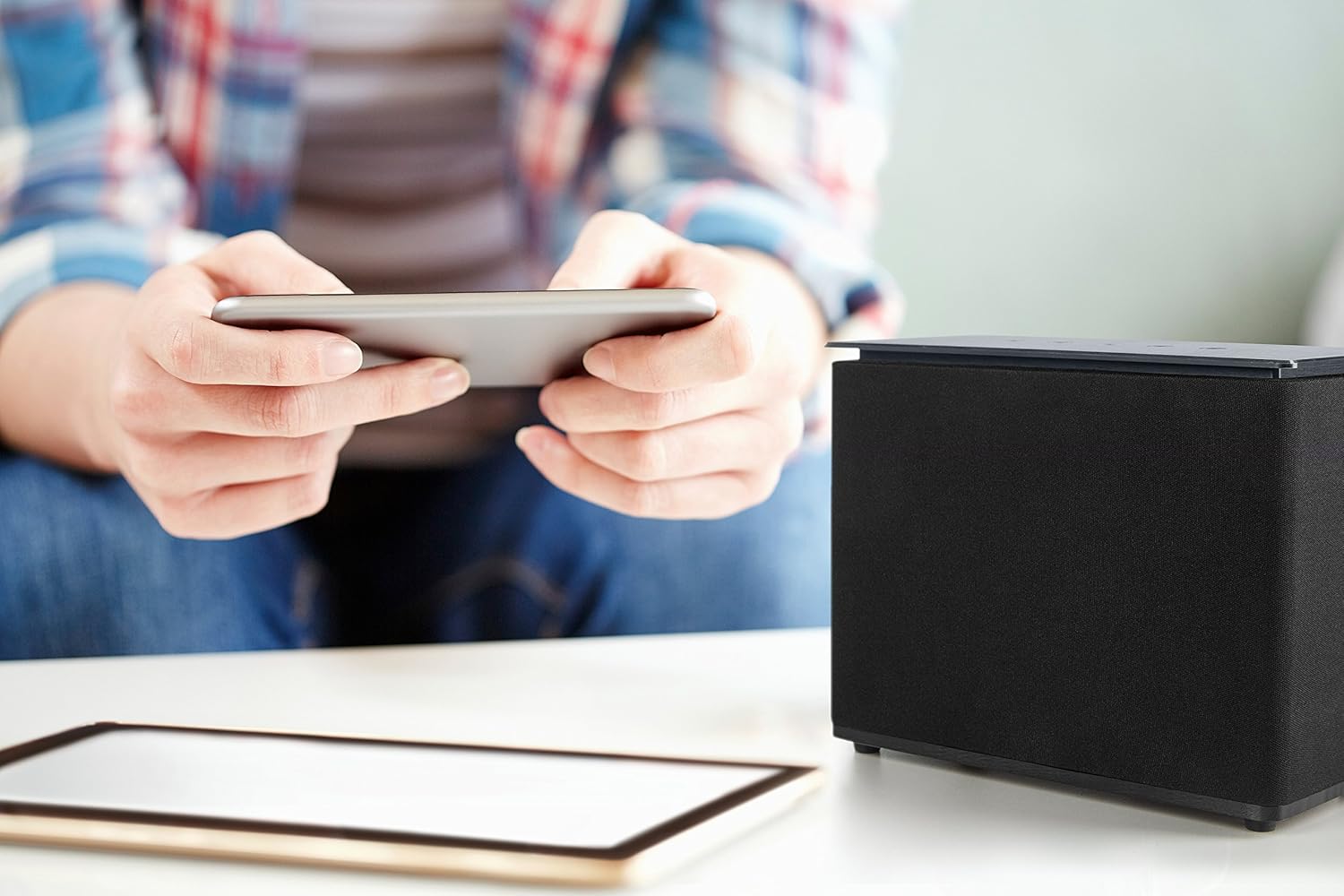
Image: A person holding a smartphone, likely controlling the Medion X61072 speaker visible on a table. This illustrates app-based control and streaming.
2. Multiroom Functionality
If you have multiple Medion multiroom speakers on your network, you can utilize different playback modes:
- పార్టీ మోడ్: Play the same music simultaneously on all connected multiroom speakers, creating a synchronized audio experience across different rooms.
- Multi-Room Mode: Play different audio content on each individual multiroom speaker, allowing for personalized listening in various areas of your home.

Image: The Medion X61072 speaker positioned on a kitchen counter next to a plant, demonstrating its suitability for various room placements in a multiroom setup.
3. Spotify కనెక్ట్
The speaker is compatible with Spotify Connect. This allows you to control music playback directly from the Spotify app on your device, sending the audio to your Medion speaker without needing to use the Medion Lifebeat X app for playback control.
4. భౌతిక నియంత్రణలు
The top panel of the speaker features several physical controls:
- ప్లే/పాజ్ బటన్: To start or pause audio playback.
- వాల్యూమ్ అప్ / డౌన్ బటన్లు: To adjust the speaker's volume.
- త్వరిత ఎంపిక బటన్లు (1, 2, 3): These buttons allow you to store and quickly access three favorite audio sources or playlists without extensive searching through the app.
నిర్వహణ
To ensure the longevity and optimal performance of your Medion X61072 speaker, follow these maintenance guidelines:
- శుభ్రపరచడం: Use a soft, dry cloth to wipe the speaker's surfaces. Avoid using abrasive cleaners, solvents, or chemical sprays, as these can damage the finish or internal components.
- ప్లేస్మెంట్: Place the speaker on a stable, flat surface. Avoid areas with excessive heat, direct sunlight, high humidity, or dust. Ensure adequate ventilation around the speaker.
- శక్తి: Disconnect the power adapter from the wall outlet during lightning storms or when unused for long periods.
ట్రబుల్షూటింగ్
| సమస్య | సాధ్యమైన కారణం / పరిష్కారం |
|---|---|
| స్పీకర్ పవర్ ఆన్ చేయదు. | Ensure the power adapter is securely connected to both the speaker and a working power outlet. Check if the power outlet is functional. |
| Wi-Fiకి కనెక్ట్ చేయడం సాధ్యపడదు. |
|
| ధ్వని లేదు లేదా ధ్వని నాణ్యత తక్కువగా ఉంది. |
|
| DLNA (UPnP) streaming not working. |
|
| App is unresponsive or crashes. |
|
స్పెసిఫికేషన్లు
| మోడల్ సంఖ్య | X61072 |
| బ్రాండ్ | మీడియన్ |
| స్పీకర్ రకం | బహుళ గది |
| గరిష్ట అవుట్పుట్ పవర్ | 20 వాట్ RMS |
| కనెక్టివిటీ టెక్నాలజీ | Wi-Fi, AUX (wired) |
| వైర్లెస్ కమ్యూనికేషన్ టెక్నాలజీ | Wi-Fi |
| నియంత్రణ పద్ధతి | యాప్ |
| ఆడియో అవుట్పుట్ మోడ్ | స్టీరియో |
| అనుకూల పరికరాలు | స్మార్ట్ఫోన్, టాబ్లెట్ |
| ఉత్పత్తి కొలతలు | 22 x 10.6 x 17.5 సెం.మీ |
| వస్తువు బరువు | 1.5 కిలోలు |
| రంగు | నలుపు |
| శక్తి మూలం | Battery (implies portable, but specifications also mention power adapter, so it's likely mains powered with battery for portability or backup) |
| ప్రత్యేక లక్షణాలు | వైర్లెస్ |
| తయారీదారు | Medion Aktiengesellschaft |
| మూలం దేశం | చైనా |
వారంటీ మరియు మద్దతు
The Medion X61072 Lifebeat WLAN Multiroom Speaker comes with a limited warranty. For detailed information regarding warranty terms, coverage, and duration, please refer to the warranty card included in your product packaging or visit the official Medion webసైట్.
For technical support, troubleshooting assistance beyond this manual, or service inquiries, please contact Medion customer support. Contact details can typically be found on the Medion webసైట్ లేదా మీ ఉత్పత్తి డాక్యుమెంటేషన్లో.


