పరిచయం
This manual provides essential information for setting up, operating, and maintaining your Dell Professional P2217H 21.5" FHD 1080p LED-Lit Monitor. Please read these instructions carefully before using your monitor.
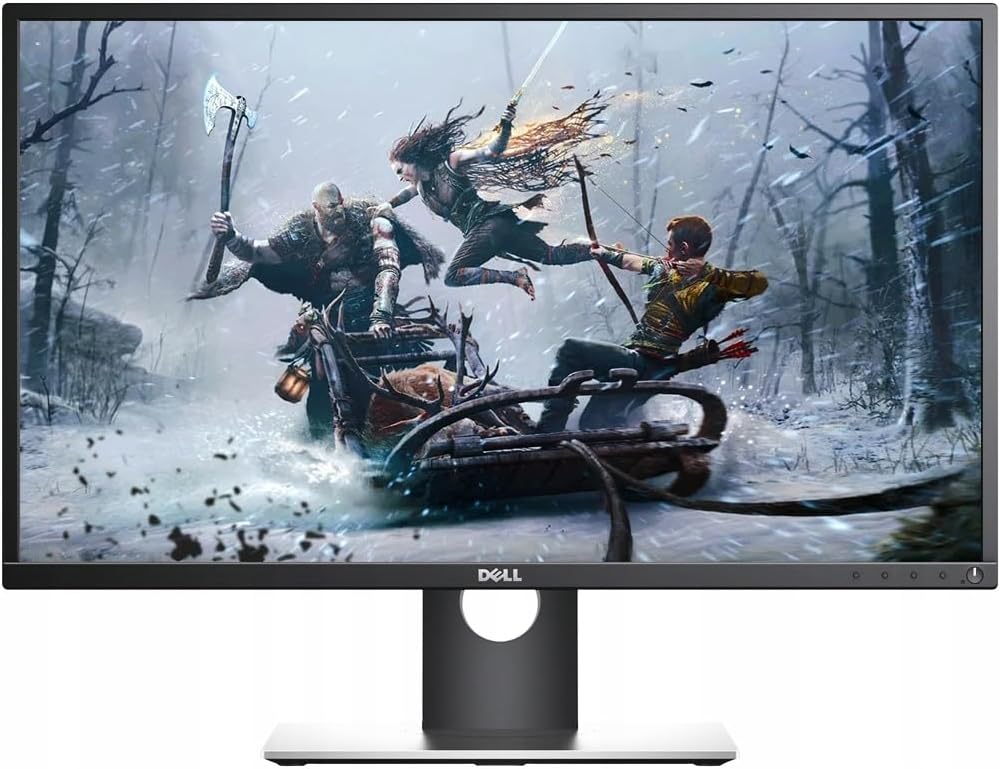
Figure 1: Dell Professional P2217H Monitor
సెటప్ సూచనలు
1. అన్బాక్సింగ్ మరియు అసెంబ్లీ
Carefully remove all components from the packaging. The monitor comes with a stand that requires simple, tool-less assembly. Attach the stand base to the stand riser, then connect the assembled stand to the back of the monitor until it clicks securely into place.

చిత్రం 2: వెనుక view of the monitor with stand attachment area.
The monitor is also VESA mount compatible, allowing for alternative mounting solutions if desired.
2. కేబుల్స్ కనెక్ట్
Connect the power cable to the monitor and a power outlet. Use the provided HDMI cable to connect your computer to the monitor. The monitor also supports DisplayPort and VGA connections. For optimal display quality, HDMI or DisplayPort is recommended.

Figure 3: Available ports on the back of the monitor.
The monitor features a cable management system on the stand to keep your workspace tidy.
3. ప్రారంభ పవర్-ఆన్
Press the power button located on the bottom right of the monitor to turn it on. Ensure your computer is also powered on. The monitor should automatically detect the input signal. If not, you may need to manually select the input source using the on-screen display (OSD) menu.
ఆపరేటింగ్ సూచనలు
1. మానిటర్ స్థానాన్ని సర్దుబాటు చేయడం
The Dell P2217H monitor offers flexible adjustability for enhanced viewసౌకర్యం మరియు ఉత్పాదకతను పెంచడం:
- ఎత్తు సర్దుబాటు: మీకు నచ్చిన విధంగా మానిటర్ను పెంచండి లేదా తగ్గించండి viewing ఎత్తు.
- వంపు: స్క్రీన్ యొక్క నిలువు కోణాన్ని (ముందుకు లేదా వెనుకకు) సర్దుబాటు చేయండి.
- పివోట్: Rotate the screen 90 degrees to switch between landscape and portrait orientation.
- స్వివెల్: మానిటర్ను దాని బేస్పై అడ్డంగా తిప్పండి.

Figure 4: Monitor adjustability features.
2. ఆన్-స్క్రీన్ డిస్ప్లే (OSD) మెనూ
The OSD menu allows you to configure various display settings. The control buttons are located on the bottom bezel of the monitor. Press any button (except the power button) to bring up the OSD menu. Use the navigation buttons to browse options and adjust settings such as:
- ప్రకాశం/కాంట్రాస్ట్: మొత్తం ప్రకాశం మరియు కాంట్రాస్ట్ స్థాయిలను సర్దుబాటు చేయండి.
- ఇన్పుట్ మూలం: HDMI, DisplayPort లేదా VGA ఇన్పుట్ల మధ్య మాన్యువల్గా ఎంచుకోండి.
- రంగు సెట్టింగ్లు: Customize color temperature (Warm, Cool, Custom) or select preset modes.
- డిస్ ప్లే సెట్టింగులు: Adjust aspect ratio, sharpness, and other image properties.
సాంకేతిక లక్షణాలు
| ఫీచర్ | స్పెసిఫికేషన్ |
|---|---|
| బ్రాండ్ | డెల్ |
| మోడల్ సంఖ్య | P2217H |
| స్టాండింగ్ స్క్రీన్ డిస్ప్లే సైజు | 21.5 అంగుళాలు |
| స్క్రీన్ రిజల్యూషన్ | 1920x1080 (FHD 1080p) |
| కారక నిష్పత్తి | 16:9 |
| స్క్రీన్ ఉపరితల వివరణ | నిగనిగలాడే |
| USB 2.0 పోర్ట్ల సంఖ్య | 2 |
| USB 3.0 పోర్ట్ల సంఖ్య | 3 |
| వస్తువు బరువు | 10.8 పౌండ్లు |
| ఉత్పత్తి కొలతలు (LxWxH) | 19.64 x 7.09 x 18.81 అంగుళాలు |
| రంగు | నలుపు |
| తయారీదారు | Dell Marketing USA, LP |
| మొదటి తేదీ అందుబాటులో ఉంది | మే 10, 2016 |
నిర్వహణ
To ensure the longevity and optimal performance of your Dell P2217H monitor, follow these maintenance guidelines:
- స్క్రీన్ క్లీనింగ్: స్క్రీన్ను మృదువైన, మెత్తటి బట్టతో సున్నితంగా తుడవండి. మొండి మచ్చల కోసం, స్క్రీన్కు నేరుగా కాకుండా, వస్త్రానికి వర్తించే మానిటర్-నిర్దిష్ట శుభ్రపరిచే ద్రావణాన్ని ఉపయోగించండి.
- సి ని శుభ్రపరచడంasing: మానిటర్ను శుభ్రం చేయడానికి మృదువైన, పొడి వస్త్రాన్ని ఉపయోగించండి casinగ్రా. రాపిడి క్లీనర్లను నివారించండి.
- వెంటిలేషన్: మానిటర్లోని వెంటిలేషన్ ఓపెనింగ్లు వేడెక్కకుండా నిరోధించడానికి మూసుకుపోకుండా చూసుకోండి.
- పవర్ ఆఫ్: ఎక్కువసేపు మానిటర్ వాడకంలో లేనప్పుడు ఎల్లప్పుడూ పవర్ ఆఫ్ చేయండి.
ట్రబుల్షూటింగ్
If you encounter issues with your Dell P2217H monitor, refer to the following common troubleshooting steps:
- No Display/Dim Screen:
- పవర్ కేబుల్ మానిటర్ మరియు పవర్ అవుట్లెట్ రెండింటికి సురక్షితంగా కనెక్ట్ చేయబడిందో లేదో తనిఖీ చేయండి.
- Verify that the video cable (HDMI, DisplayPort, or VGA) is firmly connected to both the monitor and your computer.
- OSD మెనూలో సరైన ఇన్పుట్ సోర్స్ ఎంచుకోబడిందని నిర్ధారించుకోండి.
- OSD మెనూలో బ్రైట్నెస్ మరియు కాంట్రాస్ట్ సెట్టింగ్లను సర్దుబాటు చేయండి.
- If the screen remains dim or shows a faint image, try unplugging the video input and turning the monitor on to see if the initial configuration screen appears. If not, the monitor may require service.
- చిత్ర నాణ్యత సమస్యలు:
- Adjust resolution settings on your computer to match the monitor's native resolution (1920x1080).
- వీడియో కేబుల్ దెబ్బతింటుందో లేదా వదులుగా ఉందో లేదో తనిఖీ చేయండి.
- Adjust color settings in the OSD menu.
- మానిటర్ ఆన్ కావడం లేదు:
- Confirm the power cable is connected and the power outlet is functional.
- పవర్ బటన్ను గట్టిగా నొక్కండి.
వారంటీ మరియు మద్దతు
Your Dell Professional P2217H monitor may come with a 90-day warranty. For specific warranty details and support, please refer to your purchase documentation or contact Dell customer service.
చట్టపరమైన నిరాకరణ: The product box may have been opened for inspection, but the item is confirmed to be new and unused.
అధికారిక ఉత్పత్తి వీడియో
Video 1: Dell Social Media Support. This video provides general support information from Dell.


