1. పరిచయం
This manual provides comprehensive instructions for the GAMDIAS ZEUS E1 Optical Gaming Mouse and the accompanying NYX E1 Gaming Mouse Mat. Please read this manual carefully before using your new gaming mouse to ensure optimal performance and longevity.
ప్యాకేజీ విషయాలు:
- GAMDIAS ZEUS E1 ఆప్టికల్ గేమింగ్ మౌస్
- GAMDIAS NYX E1 Gaming Mouse Mat
ముఖ్య లక్షణాలు:
- Double Level Multi-Color Streaming Lighting: Dynamic lighting effects on both sides of the mouse.
- Textured Rubber Design: Provides enhanced grip and comfortable operation.
- 6 Smart Keys: Programmable buttons for macros, profiles, media controls, and Windows functions.
- సర్దుబాటు చేయగల DPI: Up to 3200 DPI for precise cursor control.
- ఎర్గోనామిక్ డిజైన్: Engineered to prevent wrist strain and promote smoother movement.
2. సెటప్
2.1 మౌస్ను కనెక్ట్ చేయడం
- Unpack the GAMDIAS ZEUS E1 Optical Gaming Mouse and NYX E1 Gaming Mouse Mat from their packaging.
- Place the NYX E1 Gaming Mouse Mat on a flat, stable surface.
- Connect the USB cable of the ZEUS E1 mouse to an available USB port on your computer.
- Your operating system (Windows, macOS, Linux) should automatically detect and install the necessary basic drivers.
2.2 సాఫ్ట్వేర్ ఇన్స్టాలేషన్ (ఐచ్ఛికం)
For advanced customization of buttons, DPI settings, and lighting effects, it is recommended to download and install the GAMDIAS HERA software from the official GAMDIAS website. This software allows for comprehensive configuration of your mouse.
- Visit the official GAMDIAS webసైట్.
- Navigate to the support or downloads section for the ZEUS E1 mouse.
- Download and install the HERA software.
- ఇన్స్టాలేషన్ను పూర్తి చేయడానికి ఆన్-స్క్రీన్ సూచనలను అనుసరించండి.

Image: The GAMDIAS ZEUS E1 Optical Gaming Mouse resting on the NYX E1 Gaming Mouse Mat, showcasing its ergonomic design and blue LED lighting.
3. మౌస్ను ఆపరేట్ చేయడం
3.1 ప్రాథమిక విధులు
- ఎడమ క్లిక్ చేయండి: ప్రాథమిక చర్య బటన్.
- కుడి క్లిక్ చేయండి: ద్వితీయ చర్య బటన్, సాధారణంగా సందర్భ మెనుల కోసం.
- స్క్రోల్ వీల్: పత్రాల ద్వారా పైకి లేదా క్రిందికి స్క్రోల్ చేయండి మరియు web పేజీలు. మిడిల్-క్లిక్ ఫంక్షన్ కోసం కూడా నొక్కవచ్చు.

చిత్రం: పై నుండి క్రిందికి view of the GAMDIAS ZEUS E1 mouse on its mat, highlighting the scroll wheel and DPI button.
3.2 DPI సర్దుబాటు
The ZEUS E1 mouse features an adjustable DPI button, allowing you to change the cursor sensitivity on the fly. This is useful for switching between tasks that require different levels of precision, such as general browsing and gaming.
- నొక్కండి DPI బటన్ (located behind the scroll wheel) to cycle through available DPI settings.
- The maximum DPI supported is 3200.
- Specific DPI levels can be configured and assigned via the HERA software.
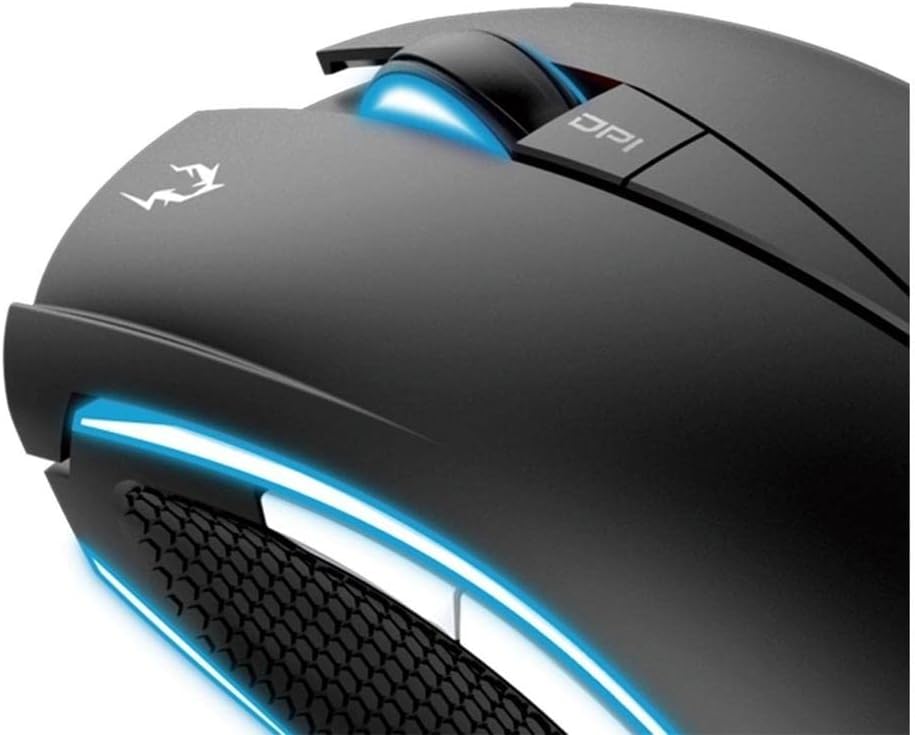
చిత్రం: క్లోజప్ view of the DPI button and the illuminated scroll wheel on the GAMDIAS ZEUS E1 mouse.
3.3 Programmable Smart Keys
The ZEUS E1 mouse is equipped with 6 smart keys that can be customized for various functions. These keys provide quick access to macros, profile switching, media controls, and Windows functions, enhancing your efficiency in games and applications.
- Utilize the GAMDIAS HERA software to assign specific functions to each of the 6 smart keys.
- బహుళ నిపుణులను సృష్టించండి మరియు సేవ్ చేయండిfileవివిధ ఆటలు లేదా అనువర్తనాల కోసం.

చిత్రం: వివరణాత్మక view of the side buttons and the textured rubber grip on the GAMDIAS ZEUS E1 mouse, designed for comfort and control.
3.4 లైటింగ్ ఎఫెక్ట్స్
The ZEUS E1 features double-level multi-color streaming lighting on both sides. These lighting effects can be customized through the HERA software to match your preferences or gaming setup.
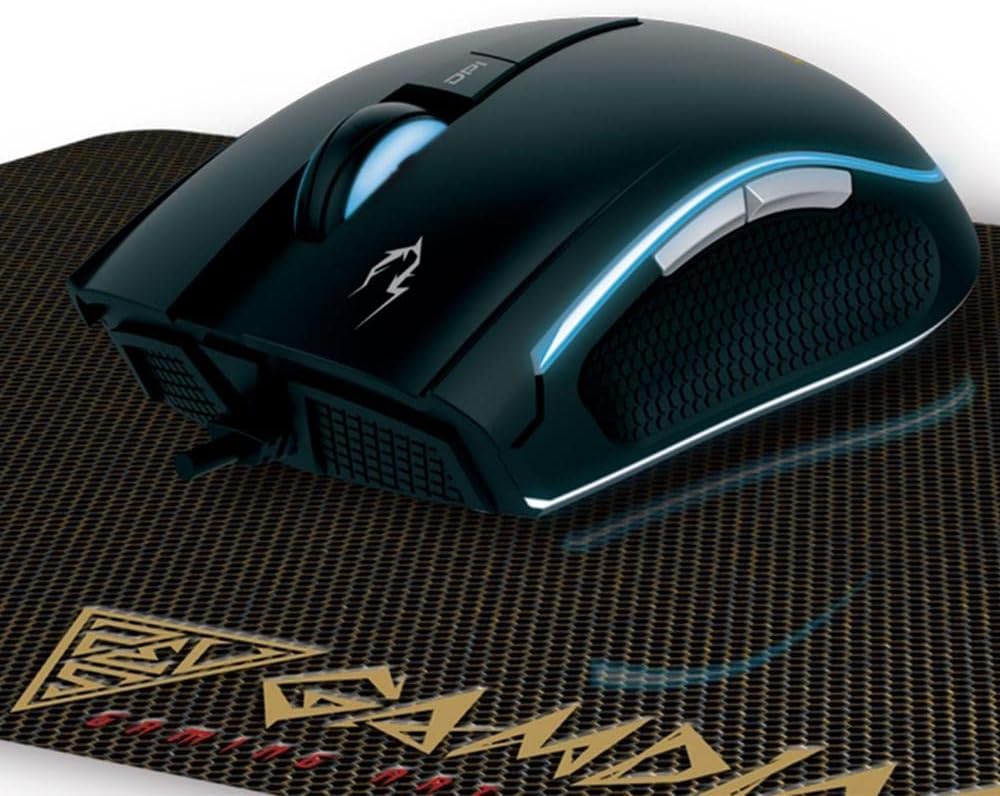
చిత్రం: కోణీయ view of the GAMDIAS ZEUS E1 mouse on its mat, showcasing the vibrant blue streaming lighting along its sides.
4. నిర్వహణ
4.1 మౌస్ను శుభ్రం చేయడం
To maintain optimal performance and appearance, regularly clean your ZEUS E1 mouse.
- శుభ్రం చేసే ముందు మీ కంప్యూటర్ నుండి మౌస్ను డిస్కనెక్ట్ చేయండి.
- మౌస్ ఉపరితలాన్ని తుడవడానికి మృదువైన, పొడి, మెత్తటి బట్టను ఉపయోగించండి.
- మొండి ధూళికి, కొద్దిగా dampen గుడ్డను నీటితో లేదా తేలికపాటి శుభ్రపరిచే ద్రావణంతో తుడవండి. కఠినమైన రసాయనాలను నివారించండి.
- బటన్లు మరియు ఆప్టికల్ సెన్సార్ చుట్టూ శుభ్రం చేయడానికి కాటన్ శుభ్రముపరచు లేదా కంప్రెస్డ్ ఎయిర్ ఉపయోగించండి.
4.2 Cleaning the Mouse Mat
The NYX E1 Gaming Mouse Mat can also be cleaned to ensure smooth mouse movement.
- ప్రకటనతో ఉపరితలాన్ని తుడవండిamp అవసరమైతే వస్త్రం మరియు తేలికపాటి సబ్బు.
- Allow the mat to air dry completely before use.
5. ట్రబుల్షూటింగ్
5.1 మౌస్ స్పందించడం లేదు
- USB కేబుల్ మీ కంప్యూటర్కి సురక్షితంగా కనెక్ట్ చేయబడిందని నిర్ధారించుకోండి.
- మౌస్ను వేరే USB పోర్ట్కి కనెక్ట్ చేయడానికి ప్రయత్నించండి.
- మీ కంప్యూటర్ని పునఃప్రారంభించండి.
- సిస్టమ్-నిర్దిష్ట సమస్యను తోసిపుచ్చడానికి మౌస్ మరొక కంప్యూటర్లో పనిచేస్తుందో లేదో తనిఖీ చేయండి.
5.2 లైటింగ్ పనిచేయకపోవడం లేదా తప్పుగా ఉండటం
- Verify that the HERA software is installed and configured correctly.
- Check lighting settings within the HERA software.
- Ensure the mouse firmware is up to date. Firmware updates can often resolve unexpected behavior.
5.3 Buttons Not Functioning as Expected
- Open the GAMDIAS HERA software and check the button assignments for the active profile.
- Ensure no conflicting software or drivers are interfering with mouse functions.
- Perform a firmware update if available.
6. స్పెసిఫికేషన్లు
| బ్రాండ్ | గామ్డియాస్ |
| మోడల్ సంఖ్య | GD-ZEUS E1 |
| హార్డ్వేర్ ప్లాట్ఫారమ్ | PC |
| ఆపరేటింగ్ సిస్టమ్ అనుకూలత | Windows, macOS, Linux |
| వస్తువు బరువు | 6.9 ఔన్సులు |
| ఉత్పత్తి కొలతలు (LxWxH) | 1.61 x 1.61 x 2.85 అంగుళాలు |
| రంగు | నలుపు |
| శక్తి మూలం | కార్డెడ్ ఎలక్ట్రిక్ (USB) |
| కనెక్టివిటీ టెక్నాలజీ | USB |
| ప్రత్యేక ఫీచర్ | ఎర్గోనామిక్ డిజైన్ |
| మూవ్మెంట్ డిటెక్షన్ టెక్నాలజీ | ఆప్టికల్ |
| గరిష్ట DPI | 3200 |

చిత్రం: స్పష్టమైన పై నుండి క్రిందికి view of the GAMDIAS ZEUS E1 Optical Gaming Mouse, showcasing its sleek design and branding.
7. వారంటీ మరియు మద్దతు
For warranty information, technical support, or to download the latest drivers and software, please visit the official GAMDIAS website or contact GAMDIAS customer service. Keep your purchase receipt as proof of purchase for warranty claims.
GAMDIAS Official Webసైట్: www.gamdias.com